
1. Introduction
Thank you for choosing the Ingco CIDLI20602 20V Cordless Hammer Drill. This manual provides essential information for the safe and efficient operation, maintenance, and troubleshooting of your new tool. Please read it thoroughly before use and keep it for future reference.
The Ingco CIDLI20602 is a powerful and versatile 20V cordless hammer drill featuring a brushless motor, delivering 60 Nm of torque. It is designed for various drilling and driving tasks in wood, metal, and masonry. Its compact and lightweight design, combined with two 2Ah Lithium-Ion batteries and a 47-piece accessory set, makes it an indispensable tool for both professional contractors and DIY enthusiasts.
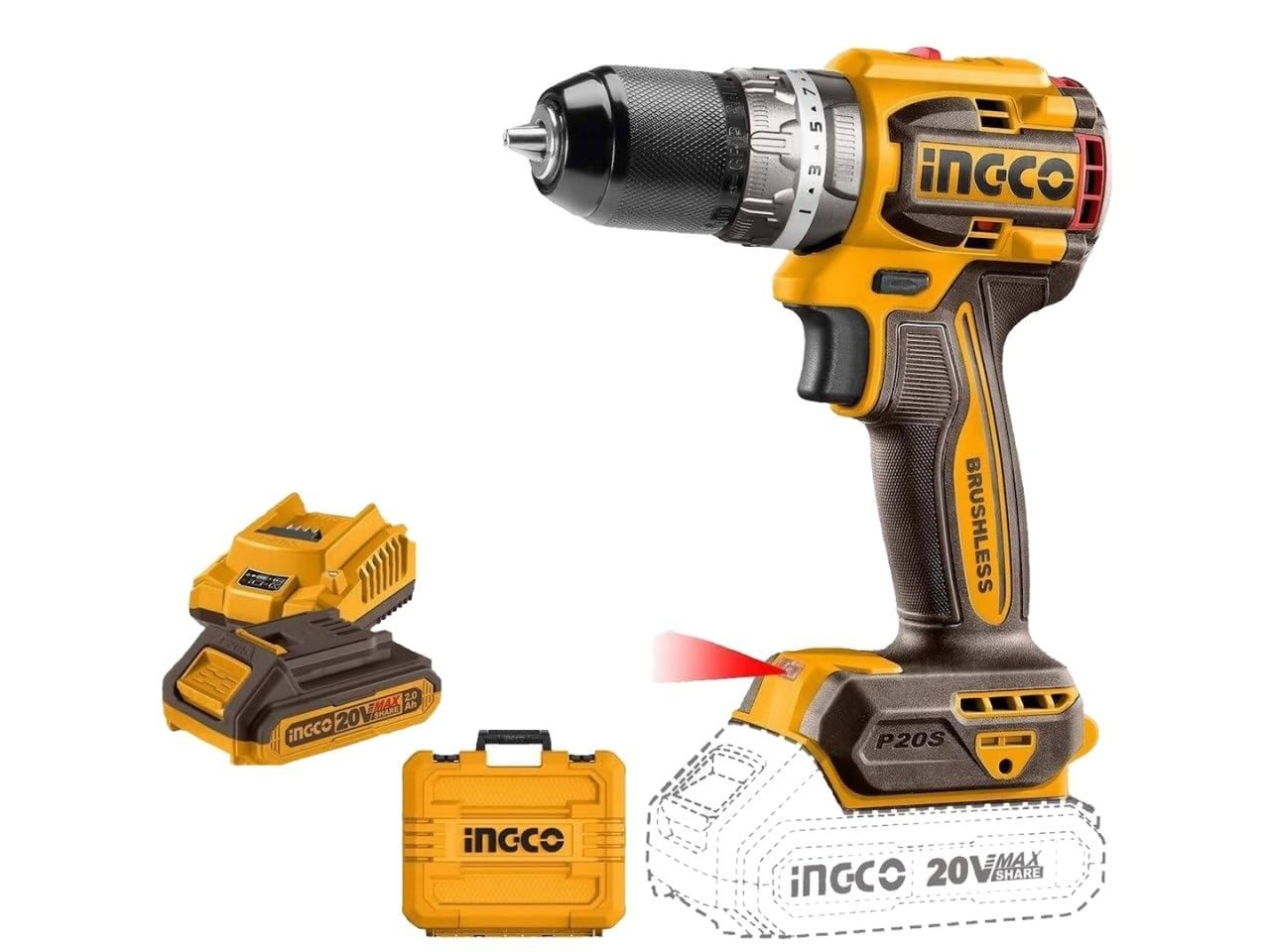
Image 1: Ingco CIDLI20602 Cordless Hammer Drill with included accessories.
2. Safety Instructions
Always follow basic safety precautions to reduce the risk of fire, electric shock, and personal injury when using power tools.
- Work Area Safety: Keep your work area clean and well-lit. Cluttered or dark areas invite accidents. Do not operate power tools in explosive atmospheres, such as in the presence of flammable liquids, gases, or dust.
- Electrical Safety: Avoid body contact with earthed or grounded surfaces (e.g., pipes, radiators, ranges, refrigerators). Do not expose power tools to rain or wet conditions.
- Personal Safety: Always wear eye protection. Use hearing protection when operating hammer drills. Dress properly; avoid loose clothing or jewelry. Secure long hair.
- Tool Use and Care: Do not force the power tool. Use the correct power tool for your application. Disconnect the battery pack from the power tool before making any adjustments, changing accessories, or storing power tools.
- Battery Pack Use and Care: Recharge only with the charger specified by the manufacturer. Do not use battery packs with any other power tools.
3. Package Contents
Verify that all items are present upon opening the package:
- Ingco CIDLI20602 Cordless Hammer Drill
- 2 x 20V 2Ah Lithium-Ion Batteries
- Battery Charger
- 47-piece Accessory Set (various drill bits and driving bits)
- User Manual

Image 2: All included components in the carrying case.
4. Setup
4.1. Charging the Battery
- Connect the charger to a standard power outlet.
- Slide the battery pack onto the charger until it clicks into place.
- The charger indicator light will show the charging status. Refer to the charger's specific instructions for light patterns.
- Once fully charged, remove the battery pack from the charger.
Note: New batteries are not fully charged and should be charged before first use. Allow the battery to cool down before charging if it has been recently used.

Image 3: Ingco 20V 2.0Ah Lithium-Ion Battery.
4.2. Installing/Removing the Battery Pack
- Installation: Align the battery pack with the base of the drill handle and slide it in until it locks securely.
- Removal: Press the battery release button (usually located on the side of the battery pack) and slide the battery out.
4.3. Installing/Removing Drill Bits or Driver Bits
- Ensure the drill is switched off and the battery is removed for safety.
- Rotate the chuck counter-clockwise to open the jaws. The 13mm metal chuck features a spindle lock for easier bit changes.
- Insert the desired drill bit or driver bit into the chuck jaws. Ensure it is centered.
- Rotate the chuck clockwise to tighten the jaws firmly around the bit. Hand-tighten securely.
- To remove, rotate the chuck counter-clockwise to loosen the jaws and pull the bit out.

Image 4: The 13mm metal chuck for secure bit fastening.
5. Operating Instructions
5.1. Powering On/Off and Variable Speed
The drill is activated by pressing the trigger switch. The speed is variable; the further the trigger is pressed, the faster the drill operates, up to a maximum of 2000 RPM.
5.2. Forward/Reverse Rotation
A forward/reverse selector switch is located above the trigger. Push it to the left for forward rotation (drilling/driving screws in) and to the right for reverse rotation (removing screws). Ensure the switch is in the center position for safety when not in use.
5.3. Torque Settings and Drilling Modes
The collar behind the chuck allows you to adjust the torque setting for driving screws or select drilling modes:
- Torque Settings (1-X): Use these settings for driving screws. The higher the number, the greater the torque. Start with a lower setting and increase as needed to prevent overtightening or stripping screws.
- Drill Mode (Drill Bit Icon): For general drilling in wood, metal, and plastic.
- Hammer Drill Mode (Hammer Icon): For drilling into masonry, concrete, and brick. This mode engages an impact mechanism for faster drilling in hard materials.
The drill features a powerful brushless motor, providing efficient performance and a maximum torque of 60 Nm.

Image 5: Brushless motor technology for enhanced performance.
5.4. Workpiece Preparation
Always secure your workpiece in a vise or with clamps to prevent it from moving during drilling or driving. Mark the drilling location accurately. For smooth surfaces, use a center punch to create a starting indentation to prevent the drill bit from wandering.

Image 6: The drill features an integrated LED light for improved visibility.
6. Maintenance
6.1. Cleaning
Regularly clean the ventilation openings of the drill to prevent overheating. Use a soft, damp cloth to wipe down the tool. Do not use harsh chemicals or abrasive cleaners. Keep the chuck jaws free of debris.
6.2. Battery Care
Store batteries in a cool, dry place away from direct sunlight and extreme temperatures. Do not store fully discharged batteries for extended periods. Recharge them periodically if not in use.
6.3. Storage
When not in use, store the drill, batteries, and charger in their original carrying case in a secure, dry place, out of reach of children.
7. Troubleshooting
| Problem | Possible Cause | Solution |
|---|---|---|
| Drill does not start | Battery not charged or improperly installed. | Charge battery fully. Ensure battery is securely clicked into place. |
| Low power/Reduced performance | Battery charge is low. | Recharge the battery. |
| Bit slips in chuck | Chuck not tightened sufficiently. Bit shank is dirty or damaged. | Tighten chuck firmly. Clean bit shank. Replace damaged bits. |
| Overheating | Blocked ventilation slots. Prolonged heavy use. | Clear ventilation slots. Allow tool to cool down. Reduce load. |
8. Specifications
| Feature | Specification |
|---|---|
| Manufacturer | Ingco |
| Model Number | CIDLI20602 |
| Power Source | Battery Powered |
| Voltage | 20 Volts |
| Motor Type | Brushless |
| Max Torque | 60 Newton Meters |
| Max Rotational Speed | 2000 RPM |
| Chuck Size | 13 mm |
| Batteries Included | Yes (2 x 20V 2Ah Lithium-Ion) |
| Item Weight | 209 grams |
| Product Dimensions (L x W x H) | 5 x 10 x 10 cm |
| Special Features | Cordless, Hammer Function, Spindle Lock |
| Included Components | 47-piece accessories, 2x 20V 2Ah Li-ion batteries, battery charger, CIDLI20602 cordless drill |
Serial Number: 7704002132484209040708262950008605103 (Refer to the product label for your specific serial number)

Image 7: Product label with serial number and specifications.
9. Warranty and Support
Ingco products are manufactured to high-quality standards. For warranty information, please refer to the warranty card included with your product or contact your local Ingco dealer or customer service. Keep your purchase receipt as proof of purchase.
For technical support, spare parts, or service inquiries, please contact Ingco customer service through their official website or the contact information provided in your product documentation.


