
Arebos AR-HE-KK40A
Arebos Compressor Cool Box 35 Liter
Model: AR-HE-KK40A
Introduction
This manual provides detailed instructions for the safe and efficient operation, setup, and maintenance of your Arebos 35-liter compressor cool box. Please read this manual thoroughly before first use and keep it for future reference. This cool box is designed for versatile use, offering efficient cooling and freezing for beverages and food, suitable for outdoor activities, vehicle travel, camping, and home use.

Image: The Arebos 35-liter compressor cool box, showcasing its compact design, integrated control panel, and connectivity with a smartphone application for remote temperature management.
Setup
1. Unpacking and Inspection
Carefully remove the cool box from its packaging. Inspect the unit for any signs of damage during transit. Ensure all included accessories are present: 1 x 12/24 V DC cable (2.2 m), 1 x AC connection cable (2.5 m), and this user manual.
2. Placement and Ventilation
Place the cool box on a stable, flat surface. Ensure there is adequate ventilation around the unit, especially near the air inlets and outlets, to allow for proper heat dissipation. Avoid placing it in direct sunlight or near heat sources.
3. Power Connection
The cool box supports multiple power inputs:
- 12/24V DC: Use the provided DC cable to connect the cool box to a vehicle's cigarette lighter socket (12V or 24V).
- 230V AC: Use the provided AC cable to connect the cool box to a standard household power outlet (230V).
- Portable Power Station/Solar Station: The unit can also be powered by compatible portable power stations or solar stations for off-grid use.
Ensure the power source matches the required voltage. The cool box features an integrated battery protection system to prevent vehicle battery discharge.

Image: Illustration of the multifunctional connection options for the Arebos cool box, including USB, mains, portable solar station, portable power station, and DC connection, highlighting its adaptability to different power sources.
4. App Setup (Optional)
For smart control, download the dedicated Arebos app from your smartphone's app store. Follow the in-app instructions to pair your cool box via Bluetooth. The app allows for remote temperature control and monitoring.
Operating Instructions
1. Powering On/Off
Press and hold the power button on the LCD touchscreen to turn the unit on or off. The display will illuminate when the unit is active.
2. Temperature Control
Adjust the desired temperature using the '+' and '-' buttons on the control panel or via the smartphone app. The temperature range is from -20 °C to 20 °C. The current temperature inside the cool box will be displayed.

Image: Close-up of the cool box's LCD touchscreen control panel and a smartphone displaying the companion app, illustrating both manual and app-based operation methods for temperature adjustment.
3. Mode Selection (MAX/ECO)
The cool box offers two operating modes:
- MAX Mode: Provides rapid cooling for quick temperature reduction. This mode consumes more power.
- ECO Mode: Optimizes energy efficiency for longer operation, ideal when power consumption is a concern. Cooling may be slower in this mode.
Select the desired mode using the corresponding button on the control panel or through the app.

Image: The Arebos cool box positioned outdoors, highlighting its key features through illustrative icons, including versatile power connections, dual temperature function, energy modes, durable construction, and flexible lid access.
4. Cold & Warm Function
The cool box can not only cool down to -20 °C but also warm up to 20 °C, making it suitable for keeping items warm. Adjust the temperature setting to achieve the desired cooling or warming effect.

Image: A split image demonstrating the cool box's versatility, showing it in a snowy winter environment (for warming) and a sunny summer environment (for cooling), emphasizing its ability to maintain desired temperatures in various conditions.
5. USB Charging Port
A USB port is integrated into the control panel, allowing you to charge mobile devices while the cool box is powered on.
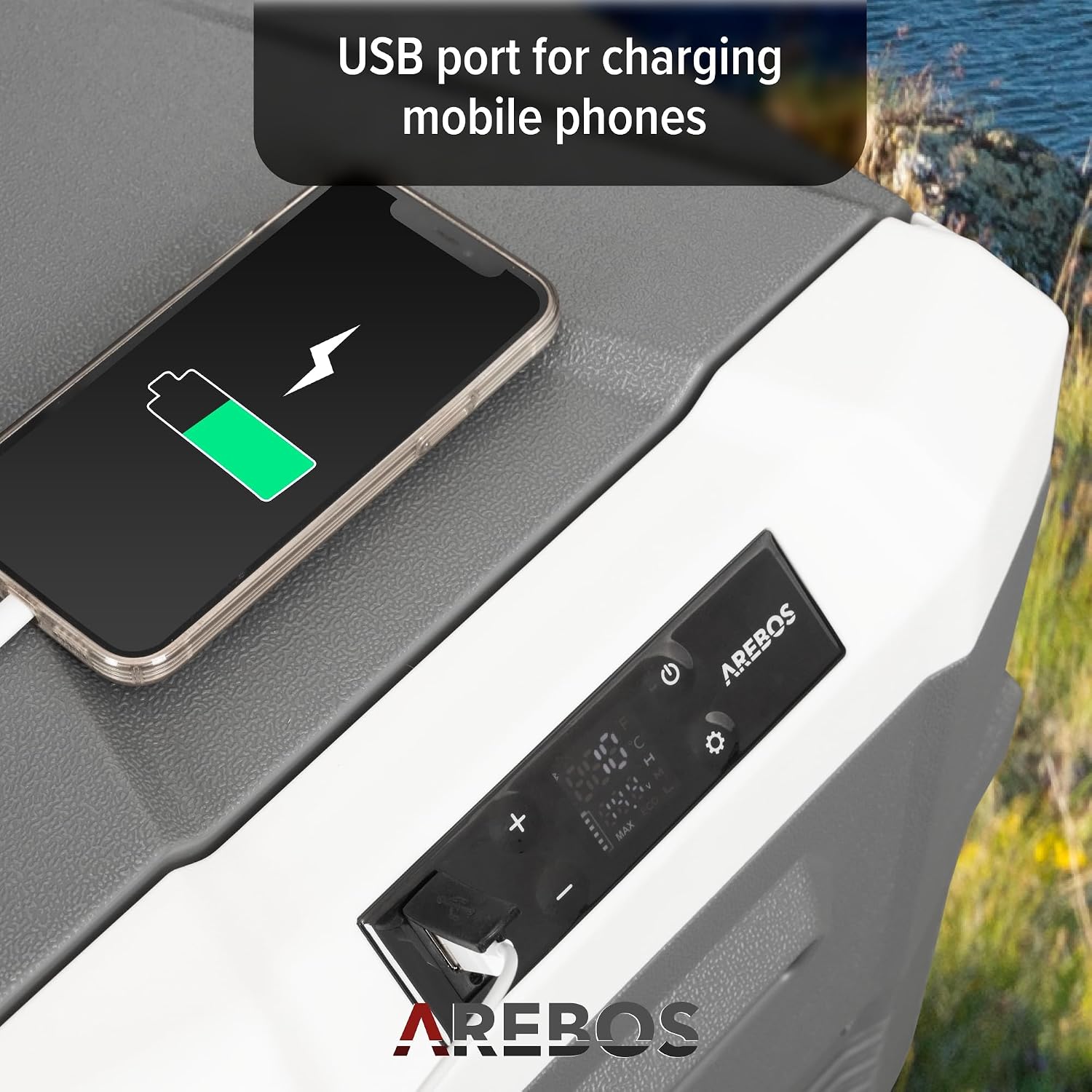
Image: A detailed view of the cool box's control area, highlighting the convenient USB port being used to charge a smartphone, demonstrating an additional utility feature.
6. Lid Opening
The lid features a lockable and adjustable opening mechanism for secure closure and flexible access. The cool box also includes LED interior lighting for visibility in low-light conditions.
Maintenance
1. Cleaning
Regularly clean the interior and exterior of the cool box with a damp cloth and mild detergent. Do not use abrasive cleaners or solvents. Ensure the unit is unplugged before cleaning.
2. Water Drainage
The cool box is equipped with a drain plug at the bottom for easy removal of condensed water or spills. Open the plug to drain water, then close it securely after cleaning.

Image: A close-up view of the cool box's interior, showing the integrated water drainage plug, which facilitates easy cleaning and removal of liquids.
3. Storage
When not in use for extended periods, ensure the cool box is clean and dry. Store it in a cool, dry place with the lid slightly ajar to prevent odors and mildew formation.
Troubleshooting
| Problem | Possible Cause | Solution |
|---|---|---|
| Unit does not power on. | No power supply; faulty cable; battery protection activated. | Check power connection. Ensure cable is securely plugged in. If using DC, check vehicle battery voltage. |
| Cooling performance is poor. | Insufficient ventilation; lid not closed properly; ambient temperature too high; ECO mode selected. | Ensure proper ventilation. Close lid securely. Move unit to a cooler environment if possible. Switch to MAX mode for faster cooling. |
| Unusual noise from the unit. | Unit not level; fan obstruction. | Place unit on a level surface. Check for any obstructions around the fan vents. |
| App connection issues. | Bluetooth not enabled; app not updated; unit not discoverable. | Ensure Bluetooth is enabled on your device. Update the app to the latest version. Restart the cool box and try pairing again. |
If the problem persists after attempting these solutions, please contact Arebos customer support.
Specifications
| Feature | Detail |
|---|---|
| Brand | Arebos |
| Model Number | AR-HE-KK40A |
| Capacity | 35 Liters |
| Temperature Range | -20 °C to 20 °C |
| Dimensions (D x W x H) | 37.6 x 61.8 x 44.2 cm |
| Weight | 12.7 kg |
| Material | Plastic (Polyurethane foam insulation) |
| Power Input | 12/24V DC, 230V AC |
| Special Features | Portable, Compressor cooling, App control, LCD touchscreen, Quiet operation, Lockable/adjustable lid, LED interior light, USB charging port, Water drainage screw. |

Image: A technical diagram illustrating the precise dimensions of the Arebos 35-liter cool box and its internal capacity, showing how many 750ml bottles, 500ml bottles, and 355ml cans it can hold.
Warranty and Support
For warranty information and customer support, please refer to the manufacturer's official website or the contact details provided with your purchase documentation. Keep your proof of purchase for any warranty claims.
Manufacturer: Canbolat Vertriebs GmbH
For further assistance, please visit the product page on Amazon.nl or contact Arebos directly.
Ask a question about this manual
Ask about setup, troubleshooting, compatibility, parts, safety, or missing instructions. Manuals+ will review the question and use this page’s manual context to help answer it.