
Introduction
The TRIUMPHKEY Electric Height-Adjustable Desk is designed to promote healthy work habits by allowing users to easily switch between sitting and standing positions. This flexibility helps improve spinal health, maintain mental alertness, and prevent discomfort associated with prolonged sitting. The desk features a robust electric lifting system, intelligent control panel with memory functions, and integrated USB charging capabilities.
Safety Warning:
- Do not exceed the maximum load capacity of the desk.
- Ensure the desk is stable during height adjustments.
- Keep the desk away from water sources and excessive moisture.
- Keep children and pets away from the desk during operation.

Setup and Assembly
Detailed installation instructions are included in the product package. Please follow them carefully for proper assembly. Ensure all components are present before beginning assembly.
Pre-Assembly Checklist:
- Verify all parts are included as per the packing list.
- Prepare a clear, spacious area for assembly.
- Have necessary tools ready (usually included or standard household tools).
Assembly Steps (General):
- Attach the lifting columns to the desktop frame.
- Secure the feet to the lifting columns.
- Mount the desktop panels onto the frame. Note that the desktop may consist of multiple sections.
- Connect the motor and control panel cables.
- Install accessories such as headphone hooks and cable management box.

Operating Instructions
Height Adjustment:
The desk's height can be adjusted electrically between 72 cm and 118 cm. Use the up and down arrows on the control panel to achieve your desired height.

Memory Function:
The intelligent control panel allows you to save up to 3 preferred height positions. To save a position:
- Adjust the desk to the desired height.
- Press the "M" button, then press one of the numbered buttons (1, 2, or 3) within 3 seconds to save the current height to that preset.
- To recall a saved height, simply press the corresponding numbered button (1, 2, or 3).

USB Charging Port:
The desk is equipped with a USB charging port, allowing you to conveniently charge your devices directly from the desk. Simply connect your device's data cable to the USB port.
Anti-Collision Technology:
The desk incorporates anti-collision technology to prevent damage. If an obstacle is detected during height adjustment, the desk will automatically stop and slightly reverse its movement to avoid collision.
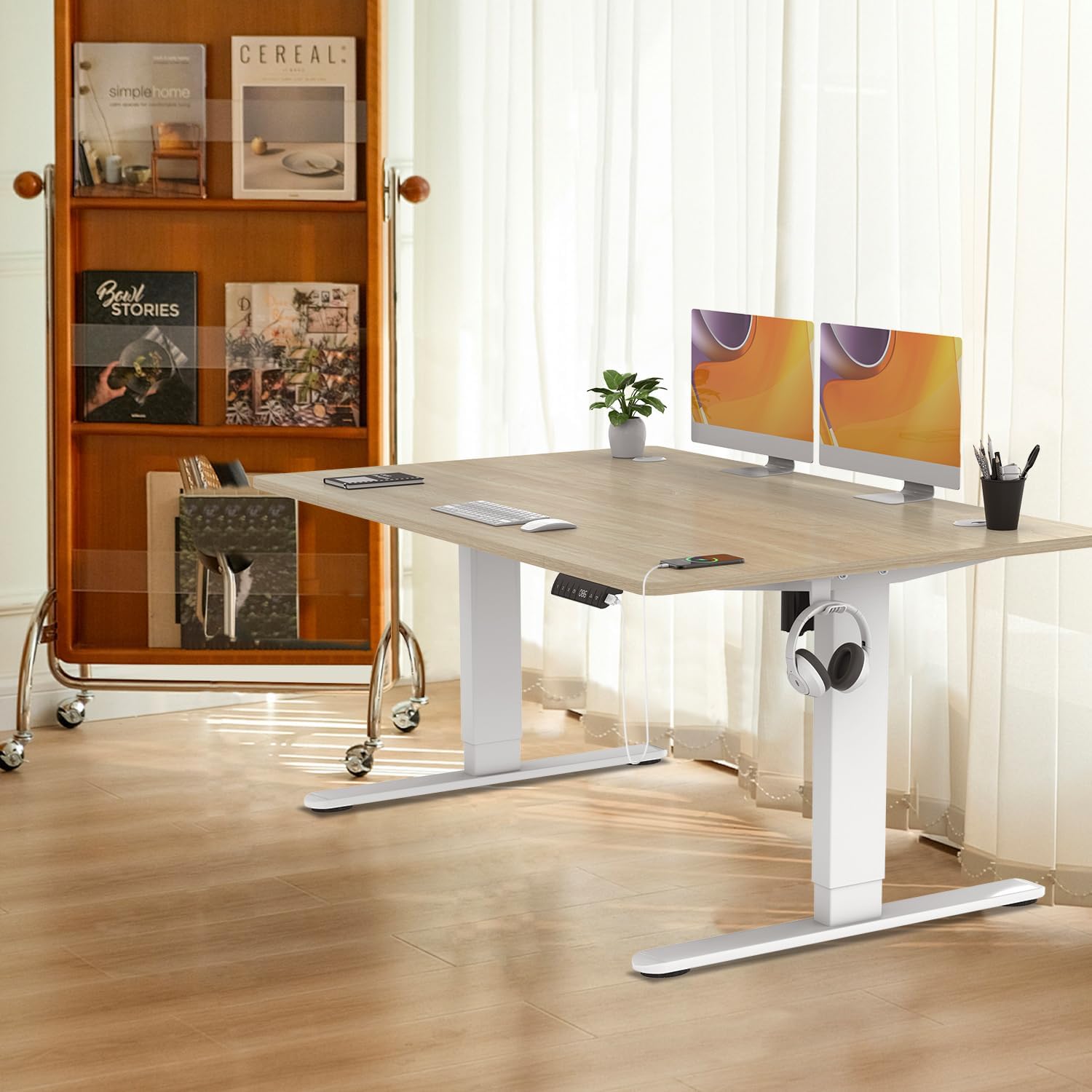
Additional Features:
- Headphone/Bag Hooks: Convenient hooks are provided to keep your headphones or bag off the desk surface, maintaining a tidy workspace.
- Universal Wheels: The desk is equipped with 4 universal wheels for easy mobility, allowing you to reposition it effortlessly.
- Cable Management Box: An integrated cable management box helps organize cables, reducing clutter and improving the aesthetic of your workspace.
Maintenance
Regular maintenance ensures the longevity and optimal performance of your TRIUMPHKEY desk.
- Cleaning: Wipe the desk surface and frame with a soft, damp cloth. Avoid abrasive cleaners or harsh chemicals that could damage the finish.
- Motor and Mechanism: Keep the lifting columns free from dust and debris. Do not lubricate the motor or lifting mechanism unless specifically instructed by the manufacturer.
- Cable Management: Periodically check cables for any signs of wear or damage. Ensure they are neatly organized within the cable management system to prevent pinching or tangling.
- Fasteners: Occasionally check all screws and fasteners to ensure they are tight. Retighten if necessary, but do not overtighten.
Troubleshooting
If you encounter issues with your desk, refer to the following common troubleshooting steps:
| Problem | Possible Cause | Solution |
|---|---|---|
| Desk does not move. | Power cable disconnected; motor overload; control panel error. | Check power connection. Unplug and replug the desk. Reduce load on the desk. Refer to the detailed manual for control panel reset procedures. |
| Desk moves unevenly or makes unusual noises. | Uneven load; loose fasteners; obstruction in lifting mechanism. | Distribute weight evenly on the desk. Check and tighten all assembly screws. Inspect for any obstructions under the desk or near the lifting columns. |
| Anti-collision feature frequently activates. | Obstruction in path; sensor sensitivity. | Ensure clear path for desk movement. Check for objects under the desk or near walls. If the issue persists, consult the full manual for sensor adjustment or contact support. |
| USB charging port not working. | Device cable issue; power supply issue. | Try a different USB cable or device. Ensure the desk is powered on. |
For more complex issues or if the problem persists, please refer to the complete instruction manual provided with your product or contact TRIUMPHKEY customer support.
Specifications
| Feature | Detail |
|---|---|
| Brand | TRIUMPHKEY |
| Model | B0CV43XVF5 |
| Product Dimensions | 140 cm (Length) x 80 cm (Width) x 72-118 cm (Height) |
| Weight | 26.2 kg |
| Height Adjustment Range | 72 cm to 118 cm |
| Memory Presets | 3 programmable height settings |
| Special Features | USB charging port, Anti-collision technology, Headphone/Bag hooks, Universal wheels, Cable management box |
| Color | Oak |
| Base Material | Engineered Wood |
| Top Material Type | Oak Wood |
Warranty and Support
For warranty information and customer support, please refer to the documentation included with your product or visit the official TRIUMPHKEY website. Contact details for support are typically found in the product packaging or on the manufacturer's website.
Please retain your proof of purchase for any warranty claims.
