Introduction
Welcome to the user manual for your LAPCARE 2D Wireless 2.4G+ Bluetooth Barcode Scanner, Model LLBS-007. This manual provides essential information on setting up, operating, maintaining, and troubleshooting your device to ensure optimal performance. Please read this manual thoroughly before using the scanner.
Product Features
- Dual Connectivity: Supports both 2.4G wireless via USB dongle and Bluetooth for versatile connection options.
- 2D/1D Barcode Support: Capable of scanning a broad range of 1D and 2D barcodes, including EAN-8, EAN-13, Codabar, CODE11, CODE 39, CODE 93, CODE128, China Post, GS1-128, GS1 Limited, GS1 Omnidirectional, UPC-A, UPC-E, ISBN/ISSN, ISBT, Interleaved 2 of 5, Matrix 2 of 5, Industrial 2 of 5, MSI, Plessey, ITF14, QR, PDF417, Data Matrix, Micro QR, and Aztec.
- High Performance: Features a CMOS barcode reader for sharp, fast, and accurate scanning.
- Durable Design: Constructed with high-strength ABS material for shockproof and anti-drop protection.
- Long Range: Offers an operating range of up to 50 meters in 2.4G wireless mode.
- Long Battery Life: Equipped with a 1400mAh battery for extended usage.
- Type-C Charging: Convenient and modern Type-C charging port.

The LAPCARE 2D Wireless Barcode Scanner, shown with its accompanying USB wireless dongle, ready for use.

This image illustrates the LAPCARE scanner's CMOS image sensor capability, supporting a wide range of 1D and 2D barcodes including CODE 128, CODEBAR, EAN/JAN-13, UPC A, QR, PDF417, DATA MATRIX, MICRO QR, and AZTEC.

The scanner is constructed from high-strength ABS material, designed to be shockproof and resistant to drops, ensuring durability in various working environments.
Package Contents
Please verify that all items are present in your package:
- LAPCARE 2D Wireless Barcode Scanner (LLBS-007)
- 2.4G USB Wireless Dongle
- USB Type-C Charging Cable
- User Manual
Setup
1. Connecting via 2.4G Wireless USB Dongle
- Insert the 2.4G USB wireless dongle into an available USB port on your computer or POS system.
- Turn on the barcode scanner. It should automatically connect to the dongle.
- A successful connection is typically indicated by a specific LED light or sound on the scanner.

The LAPCARE barcode scanner features a plug-and-play USB interface. Simply insert the wireless dongle into a compatible device like a laptop for immediate connection.
2. Connecting via Bluetooth
- Ensure the scanner is powered on.
- Activate Bluetooth pairing mode on the scanner (refer to the quick start guide for specific button presses if needed).
- On your host device (e.g., computer, tablet, smartphone), go to Bluetooth settings and search for available devices.
- Select 'LAPCARE LLBS-007' or a similar name from the list to pair.
- Once paired, the scanner's indicator light will confirm the connection.
3. Charging the Scanner
- Connect the USB Type-C charging cable to the scanner's charging port.
- Plug the other end of the USB cable into a standard USB power adapter (not included) or a computer's USB port.
- The charging indicator light will illuminate during charging and change color or turn off when fully charged.
- A full charge typically takes approximately 3-4 hours.

Equipped with a 1400mAh large capacity battery, the LAPCARE barcode scanner provides extended operating time, reducing the need for frequent recharging.
Operating Instructions
1. Scanning Barcodes
- Ensure the scanner is connected to your host device (via 2.4G dongle or Bluetooth).
- Point the scanner's window at the barcode you wish to scan.
- Press and hold the trigger button. A red aiming line or light will appear.
- Align the aiming line across the entire barcode.
- Upon successful scan, the scanner will emit a beep and/or the indicator light will flash. The barcode data will be transmitted to your connected device.
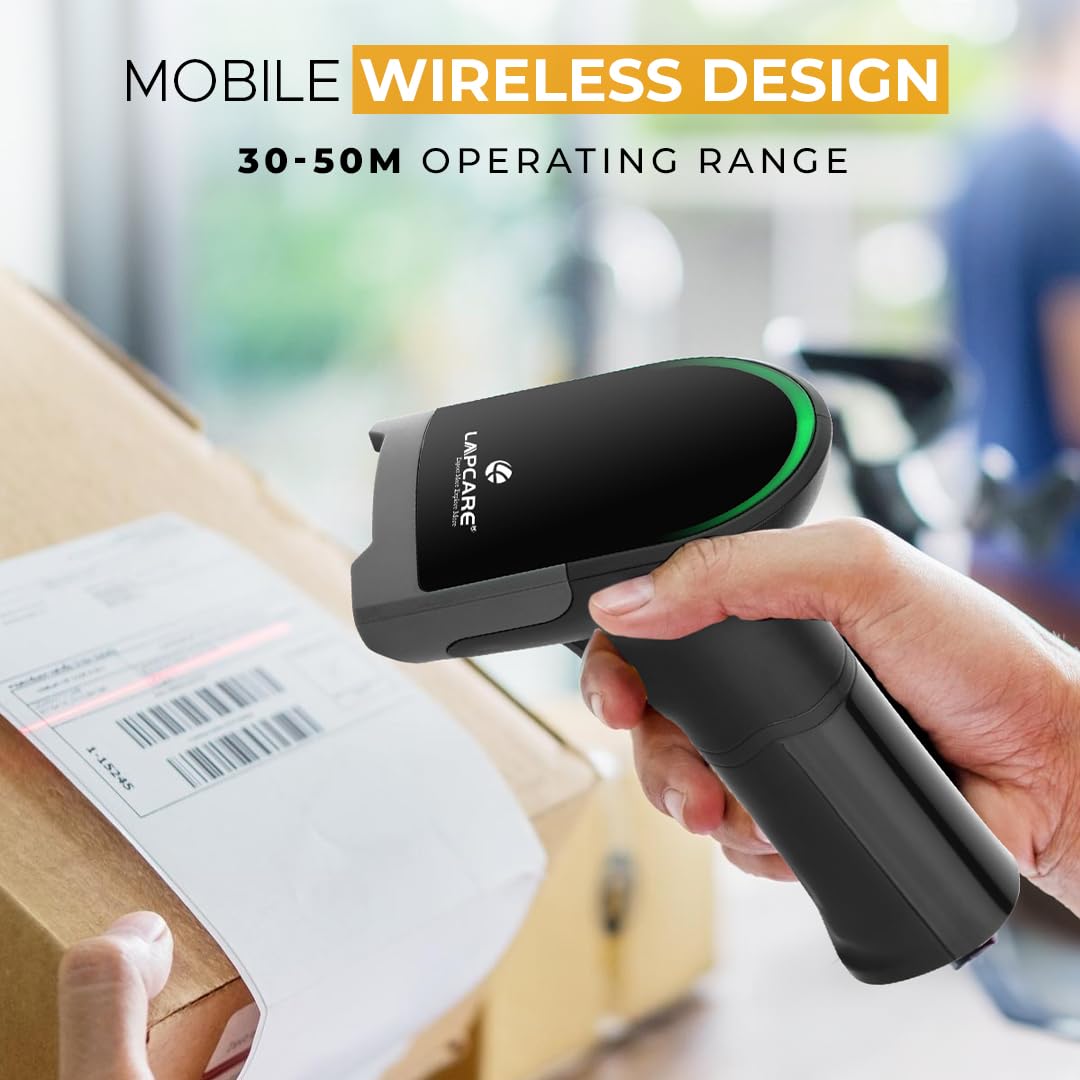
The mobile wireless design of the LAPCARE scanner allows for flexible operation within a 30-50 meter range, ideal for scanning items in various locations such as warehouses or retail spaces.
2. Supported Barcode Types
The LAPCARE LLBS-007 scanner supports a comprehensive range of 1D and 2D barcode symbologies, making it suitable for diverse applications:
- 1D Barcodes: EAN-8, EAN-13, Codabar, CODE11, CODE 39, CODE 93, CODE128, China Post, GS1-128, GS1 Limited, GS1 Omnidirectional, UPC-A, UPC-E, ISBN/ISSN, ISBT, Interleaved 2 of 5, Matrix 2 of 5, Industrial 2 of 5, MSI, Plessey, ITF14.
- 2D Barcodes: QR Code, PDF417, Data Matrix, Micro QR, Aztec.
Maintenance
1. Cleaning
- Regularly clean the scanner's window with a soft, lint-free cloth.
- For stubborn dirt, slightly dampen the cloth with water or a mild, non-abrasive cleaning solution.
- Do not use harsh chemicals, solvents, or abrasive materials, as these can damage the scanner.
2. Battery Care
- Avoid fully discharging the battery frequently. Recharge the scanner when the battery low indicator appears.
- If the scanner will not be used for an extended period, charge it to about 50% before storing.
- Store the scanner in a cool, dry place away from extreme temperatures.
Troubleshooting
| Problem | Possible Cause | Solution |
|---|---|---|
| Scanner not powering on | Low battery; Power button not pressed correctly | Charge the scanner; Press and hold the power button for a few seconds. |
| Scanner not connecting to device | Out of range; Dongle not plugged in; Bluetooth not paired; Interference | Move closer to the device; Ensure dongle is securely plugged in; Re-pair Bluetooth; Move away from other wireless devices. |
| Scanner not reading barcodes | Barcode damaged/poor quality; Scanner window dirty; Incorrect aiming; Scanner in wrong mode | Try scanning a different barcode; Clean the scanner window; Ensure aiming line covers the entire barcode; Check scanner settings (if applicable). |
| Scanned data incorrect or incomplete | Partial scan; Host device input issue | Ensure full barcode is scanned; Check input settings on your host device. |
Specifications
| Feature | Detail |
|---|---|
| Brand | Lapcare |
| Model Number | LLBS-007 |
| Connectivity Technology | Bluetooth, 2.4G Wireless |
| Barcode Types Supported | 1D and 2D (EAN-8, EAN-13, Codabar, CODE11, CODE 39, CODE 93, CODE128, QR, PDF417, Data Matrix, etc.) |
| Sensor Type | CMOS Image Sensor |
| Battery Capacity | 1400mAh |
| Charging Interface | USB Type-C |
| Wireless Range | Up to 50 meters (2.4G mode) |
| Compatible Devices | Desktop, Laptop, POS Systems |
| Item Weight | 235 g |
| Item Dimensions (LxWxH) | 25 x 7 x 15 Centimeters |
| Material | High-strength ABS |
Warranty and Support
Your LAPCARE 2D Wireless Barcode Scanner (LLBS-007) comes with a 1 Year Manufacturer Warranty from the date of purchase. This warranty covers manufacturing defects and ensures reliable operation under normal use.
For warranty claims, technical support, or any inquiries regarding your product, please contact LAPCARE customer service. Refer to the contact information provided on the product packaging or the official LAPCARE website for the most up-to-date support details.
Please retain your purchase receipt as proof of purchase for warranty purposes.