
Lamshaw K802
Lamshaw Magnetic USB Charging Cable for TOUCHELEX Gaea Smart Watch
User Instruction Manual
Product Overview
This manual provides essential information for the safe and effective use of your Lamshaw Magnetic USB Charging Cable, designed specifically for the TOUCHELEX Gaea Series K802 1.28 Inches Smart Watch. This replacement charger ensures convenient and reliable power delivery for your device.
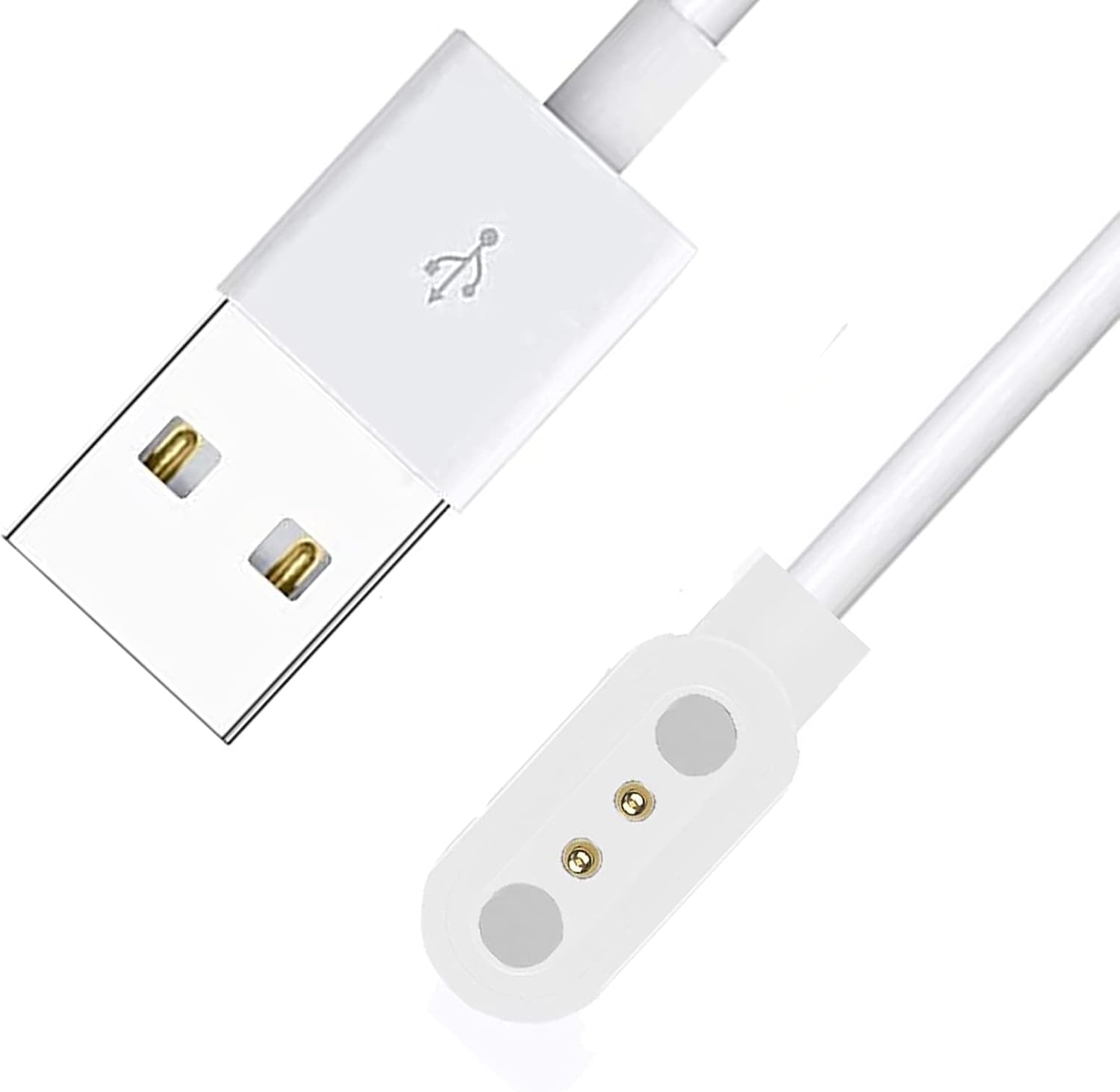
Image: The Lamshaw Magnetic USB Charging Cable. It features a standard USB-A connector on one end and a white magnetic charging puck with two gold-colored contact pins on the other. The cable is white.
Setup
- Unpack the Charger: Carefully remove the Lamshaw Magnetic USB Charging Cable from its packaging.
- Identify Components: The cable consists of a USB-A connector (standard USB) and a magnetic charging dock.
- Connect to Power Source: Insert the USB-A connector of the charging cable into a compatible USB power source. This can be a USB wall adapter (not included), a computer's USB port, a power bank, or a car charger. Ensure the power source provides stable 5V output.
Operating Instructions
- Prepare Smart Watch: Ensure your TOUCHELEX Gaea Series K802 Smart Watch is clean and dry, especially the charging contacts on its back.
- Align Charger: Gently bring the magnetic charging dock of the cable close to the charging contacts on the back of your smart watch. The magnets will automatically align the dock with the watch's charging points.
- Verify Connection: Once connected, your smart watch should indicate that it is charging (e.g., a charging icon on the screen). If it does not, slightly adjust the position of the charging dock until a connection is established.
- Charging Time: Charging time may vary depending on the watch's battery level and the power source. Refer to your smart watch's manual for typical charging durations.
- Disconnecting: Once charging is complete, gently pull the magnetic charging dock away from the smart watch. Disconnect the USB-A connector from the power source.
Note: This charger is designed for the TOUCHELEX Gaea Series K802 1.28 Inches Smart Watch only. Do not attempt to use it with other devices.
Maintenance
- Cleaning: Use a soft, dry cloth to wipe the charging cable and magnetic dock. Avoid using liquid cleaners or abrasive materials.
- Storage: Store the cable in a cool, dry place away from direct sunlight and extreme temperatures. Avoid bending or kinking the cable excessively.
- Handling: Do not pull the cable by the cord when disconnecting. Always grasp the USB connector or the magnetic dock.
- Inspection: Periodically inspect the cable for any signs of damage, such as frayed wires or bent pins. Discontinue use if damage is observed.
Troubleshooting
| Problem | Possible Cause | Solution |
|---|---|---|
| Watch not charging. |
|
|
| Slow charging. |
|
|
| Cable appears damaged. | Physical wear and tear. | Discontinue use immediately and replace the cable. |
Specifications
| Brand | Lamshaw |
| Compatible Devices | TOUCHELEX Gaea Series K802 1.28 Inches Smart Watch |
| Connector Type | Micro USB (for power source connection) |
| Connector Gender | Male-to-Male |
| Color | White |
| Item Weight | 1.6 ounces |
| Package Dimensions | 0.1 x 0.1 x 0.1 inches |
| Manufacturer | lamshaw |
| ASIN | B0CV3R77LS |
| Date First Available | February 6, 2024 |
Warranty and Support
For warranty information or technical support, please refer to the documentation provided with your original product purchase or contact Lamshaw customer service directly through their official website or the retailer where the product was purchased.
Please retain your proof of purchase for any warranty claims.
Ask a question about this manual
Ask about setup, troubleshooting, compatibility, parts, safety, or missing instructions. Manuals+ will review the question and use this page’s manual context to help answer it.