
1. Safety Information
Please read all instructions carefully before assembly and use. Keep this manual for future reference.
- Electrical Safety: This product contains electrical components (AC outlets, USB ports, LED lighting). Always ensure the power cord is properly connected to a grounded outlet. Do not overload the outlets. Keep the power cord away from heat sources and do not place heavy objects on it. Unplug the product before cleaning or performing any maintenance.
- Pinch Point Hazard: The adjustable legs may pose a pinch point hazard. Exercise caution when adjusting the legs.
- Assembly: Follow all assembly steps precisely. Ensure all fasteners are securely tightened. Do not use power tools for assembly unless specifically instructed, as this may damage components.
- Weight Capacity: Do not exceed the maximum weight recommendation of 30 pounds for the top surface.
- Stability: Place the nightstand on a flat, stable surface. Use the adjustable feet to ensure stability, especially on uneven floors.
- Children and Pets: Keep small parts and packaging materials away from children and pets during assembly.
2. Product Overview
The Fixwal Night Stand is designed to provide convenient storage and charging capabilities for your bedside or living space. It features integrated LED lighting, a charging station with AC outlets and USB ports, and three fabric storage drawers.
Key Features:
- Integrated RGB LED Strip Light with App Control
- Built-in Charging Station with 2 AC Outlets and 2 USB Ports
- Three Fabric Storage Drawers with PU Finish
- Sturdy Metal Frame and Particle Board Construction
- Adjustable Leg Supports for Stability
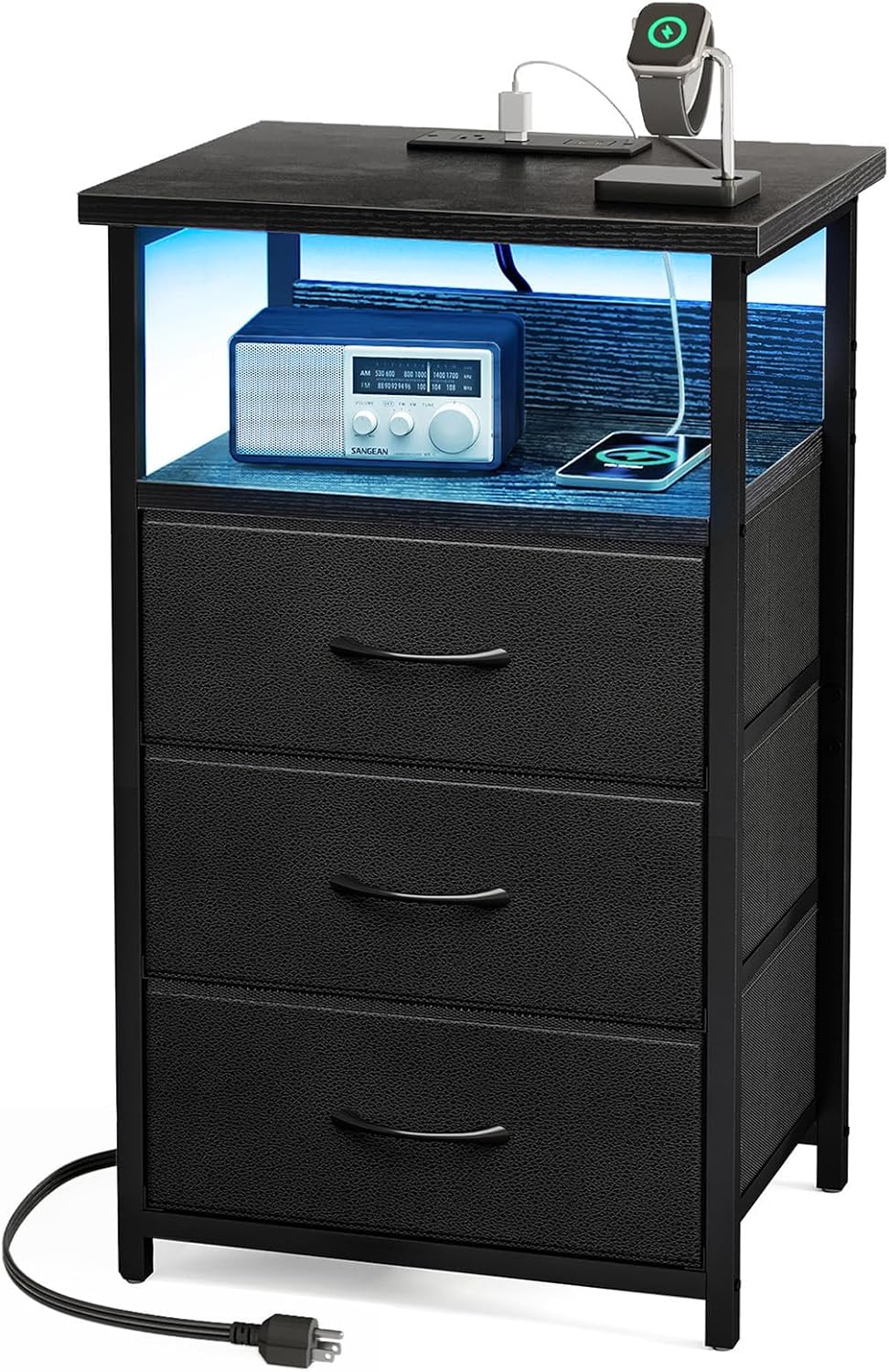
Image 2.1: The Fixwal Night Stand, showcasing its design and features.
3. Package Contents
Before beginning assembly, please verify that all parts listed below are present and undamaged. If any parts are missing or damaged, contact customer support.
- Top Panel (Engineered Wood)
- Middle Shelf (Engineered Wood)
- Metal Frame Components
- 3 Fabric Drawers with PU Finish
- Charging Station Unit (Pre-installed or separate)
- RGB LED Strip Light
- Adjustable Feet (4x)
- Assembly Hardware (Screws, Allen Wrench, etc.)
- Instruction Manual

Image 3.1: Visual representation of the nightstand with key dimensions and structural elements.
4. Setup and Assembly
Assembly of the Fixwal Night Stand is designed to be straightforward and can typically be completed within 15 minutes. A screwdriver is recommended for assembly. Follow the included step-by-step instructions carefully.
- Unpack Components: Carefully remove all parts from the packaging and lay them out on a clean, soft surface to prevent scratches.
- Assemble Frame: Connect the metal frame components according to the diagrams in the separate assembly guide. Ensure all screws are finger-tightened initially.
- Attach Panels: Secure the top panel and middle shelf to the assembled frame using the provided hardware.
- Install Charging Station: If the charging station is not pre-installed, follow the specific instructions to integrate it into the top panel.
- Attach LED Strip: Adhere the LED strip to the designated area, typically under the top panel or middle shelf, ensuring the cable reaches the charging station or power source.
- Insert Drawers: Fold and insert the fabric drawers into their respective compartments.
- Install Adjustable Feet: Screw the four adjustable feet into the bottom of the frame.
- Final Tightening: Once all components are in place, fully tighten all screws with a screwdriver.
- Leveling: Adjust the feet to ensure the nightstand is stable and level on your desired surface.
For detailed visual instructions, refer to the separate assembly guide included in your package.
5. Operating Instructions
5.1. LED Lighting Operation
The integrated RGB LED strip light offers multiple color, brightness, and flashing modes, controllable via a button switch or a dedicated mobile application.
- Power Connection: Ensure the LED strip's USB connector is securely plugged into a working USB port on the charging station or another suitable USB power source.
- Button Switch Control: Use the inline button switch to cycle through colors, adjust brightness, and change modes.
- App Control: Download the specified mobile application (refer to the LED strip instructions for app name and QR code). Connect the app to the LED strip via Bluetooth to access advanced features such as:
- 20 Dynamic Modes
- Music Sync (lights react to sound)
- Cinema Mode
- Camera Color Picking Function
- Timing Function (schedule on/off)
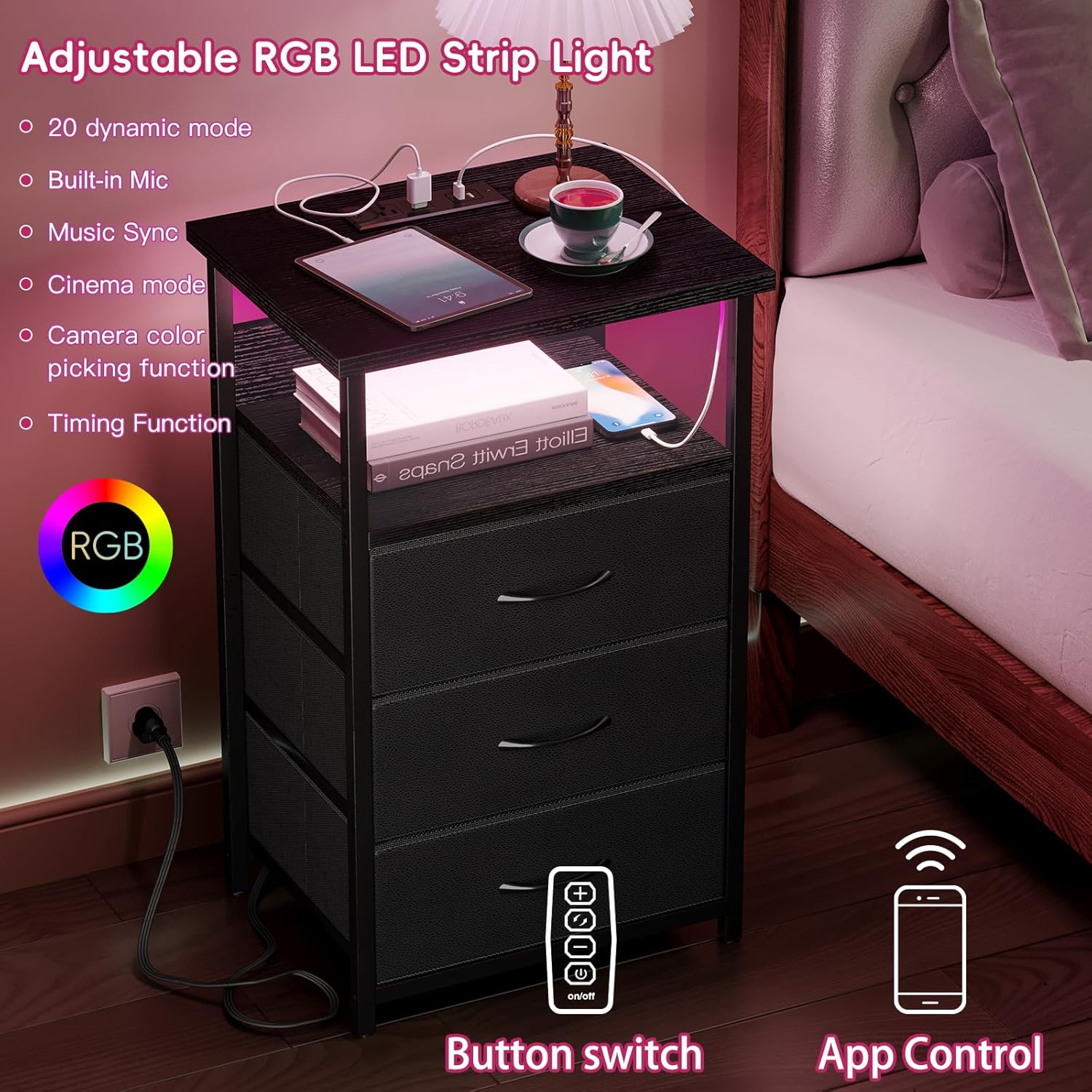
Image 5.1: Control options for the RGB LED strip light, including app and button switch.
5.2. Charging Station Usage
The nightstand includes a recessed charging station with two AC outlets and two USB ports, powered by a 5-foot cord.
- Power Connection: Plug the nightstand's 5-foot power cord into a standard 120V/12A wall outlet.
- AC Outlets: Use the two 120V/12A AC outlets to power devices such as lamps, alarm clocks, or other small electronics.
- USB Ports: Use the two 5V/2A USB ports to charge smartphones, tablets, and other USB-powered devices.
- Important: Do not exceed the maximum power rating of the charging station. Avoid plugging in high-power appliances.

Image 5.2: The integrated charging station providing power to electronic devices.
5.3. Storage Drawers
The three fabric drawers provide organized storage for personal items.
- Usage: Store items such as books, glasses, remotes, or small clothing articles.
- Capacity: Avoid overloading drawers to maintain their shape and functionality.

Image 5.3: The fabric drawers offering organized storage space.
6. Maintenance and Care
- Cleaning: Wipe the nightstand surfaces with a damp cloth. Avoid harsh chemicals or abrasive cleaners, which can damage the PU finish and engineered wood. Ensure the charging station is unplugged before cleaning.
- Drawer Care: The fabric drawers can be spot cleaned with a mild detergent and damp cloth. Allow to air dry completely. Do not machine wash or tumble dry.
- Adjustable Feet: Periodically check the adjustable feet to ensure they are secure and the nightstand remains level. Adjust as needed by rotating the feet.
- Electrical Components: Inspect the power cord and charging station periodically for any signs of damage. If damage is found, discontinue use and contact customer support.

Image 6.1: The adjustable feet, allowing for leveling and stability.
7. Troubleshooting
| Problem | Possible Cause | Solution |
|---|---|---|
| LED lights are not turning on. |
|
|
| Charging station (AC outlets/USB ports) is not working. |
|
|
| Nightstand is wobbly or unstable. |
|
|
| Fabric drawers collapse or do not hold shape. |
|
|
8. Specifications
| Feature | Detail |
|---|---|
| Brand | Fixwal |
| Model Name | Fixwal Night Stand |
| Model Number | Fixwal Night Stand 9999 |
| Product Dimensions (D x W x H) | 15.7"D x 11.8"W x 27.6"H (40cm D x 30cm W x 70cm H) |
| Item Weight | 12.79 Pounds (5.8 kg) |
| Maximum Weight Recommendation | 30 Pounds (13.6 kg) |
| Color | Black |
| Number of Drawers | 3 |
| Material Type | Engineered Wood, Metal Frame, Non-woven Fabric (Drawers) with PU Finish |
| Charging Station | 2 AC Outlets (120V/12A), 2 USB Ports (5V/2A), 5-foot Power Cord |
| LED Lighting | RGB LED Strip Light, App & Button Control, Music Sync, Timing Function |
| Product Care Instructions | Wipe with Damp Cloth |
| Tools Recommended For Assembly | Screwdriver |
9. Warranty and Support
For warranty information, product support, or to report missing/damaged parts, please contact the manufacturer, Momok, or the retailer where the product was purchased.
You can also visit the official Fixwal store for more information and contact options: Fixwal Store on Amazon
Please have your model number (Fixwal Night Stand 9999) and purchase details ready when contacting support.