
1. Introduction and Overview
The Sirui CT-3204 Explorer Series Carbon Fiber Tripod with CH-20 Gimbal Head is engineered for professional photographers and videographers requiring exceptional stability, precision, and versatility. This system is designed to support heavy camera setups in various challenging shooting conditions.
Key Features:
- High Load Capacity: Supports up to 55.1 lbs (25 kg), accommodating heavy-duty DSLRs and cinema-grade cameras.
- Lightweight and Durable: Constructed from aluminum alloy and carbon fiber, balancing strength with portability.
- Smooth Gimbal Head: The CH-20 Gimbal Head allows for precise and fluid adjustments, ideal for capturing dynamic shots.
- Versatile Base: Features a two-purpose bowl head adapter, allowing quick switching between fixed and leveling bases.
- Adaptable Feet: Includes both rubber feet and metal spikes for stability on diverse terrains.

Figure 1: Sirui CT-3204 Explorer Series Carbon Fiber Tripod with CH-20 Gimbal Head.
2. Setup and Assembly
Follow these steps to correctly set up your Sirui CT-3204 Tripod and CH-20 Gimbal Head.
2.1 Attaching the Gimbal Head to the Tripod
- Ensure the tripod legs are securely extended and stable.
- Locate the 3/8"-16 screw port on the tripod's mounting plate.
- Align the base of the CH-20 Gimbal Head with the tripod's screw port.
- Turn the gimbal head clockwise to securely attach it to the tripod. Ensure it is tightened firmly to prevent wobbling.
Video 1: Demonstration of attaching a similar gimbal head (SIRUI PH-10) to a tripod, showing the secure mounting process.
2.2 Attaching Your Camera to the Gimbal Head
- Locate the quick-release plate on the CH-20 Gimbal Head.
- Attach the quick-release plate to the bottom of your camera or lens collar using the appropriate 1/4"-20 or 3/8"-16 accessory screw.
- Slide the quick-release plate with your camera into the clamp on the gimbal head.
- Tighten the QR plate locking knob to secure your camera.
2.3 Balancing Your Camera System
Proper balancing is crucial for smooth operation and to prevent strain on the gimbal head. The CH-20 Gimbal Head features a sliding platform with precision scale marks for vertical adjustment and a track locking knob for balancing.
- Loosen the track locking knob on the gimbal head.
- Adjust the position of your camera on the sliding platform (up or down) until it is balanced and remains level when released.
- Once balanced, tighten the track locking knob to secure the position.
- Adjust the base locking knob to control panning friction or lock the panning movement.
Video 2: Visual guide for attaching gear, balancing, and adjusting the gimbal head (SIRUI PH-10).
3. Operating the Tripod and Gimbal Head
3.1 Adjusting Tripod Legs
The CT-3204 tripod features 4-section carbon fiber legs with twist locks for quick and secure height adjustments. The legs can also be independently adjusted to different angles for stability on uneven terrain.
- To extend a leg, twist the leg lock counter-clockwise to loosen, pull the section to the desired length, and twist clockwise to tighten.
- To adjust the leg angle, press the leg angle lock mechanism at the top of each leg and position the leg to one of the available angles.
Video 3: Demonstration of tripod leg adjustments and stability features (SIRUI AM-324S+G1).
3.2 Panning and Tilting with the CH-20 Gimbal Head
The CH-20 Gimbal Head is designed for smooth, fluid movement, especially with long telephoto lenses.
- Panning: Loosen the base locking knob (located at the bottom of the gimbal head) to allow 360-degree horizontal rotation. Adjust the tension to your preference for smooth panning. Tighten to lock.
- Tilting: Loosen the platform locking knob (located on the side of the gimbal head) to allow vertical tilting of your camera. Adjust the tension for desired fluidity. Tighten to lock.
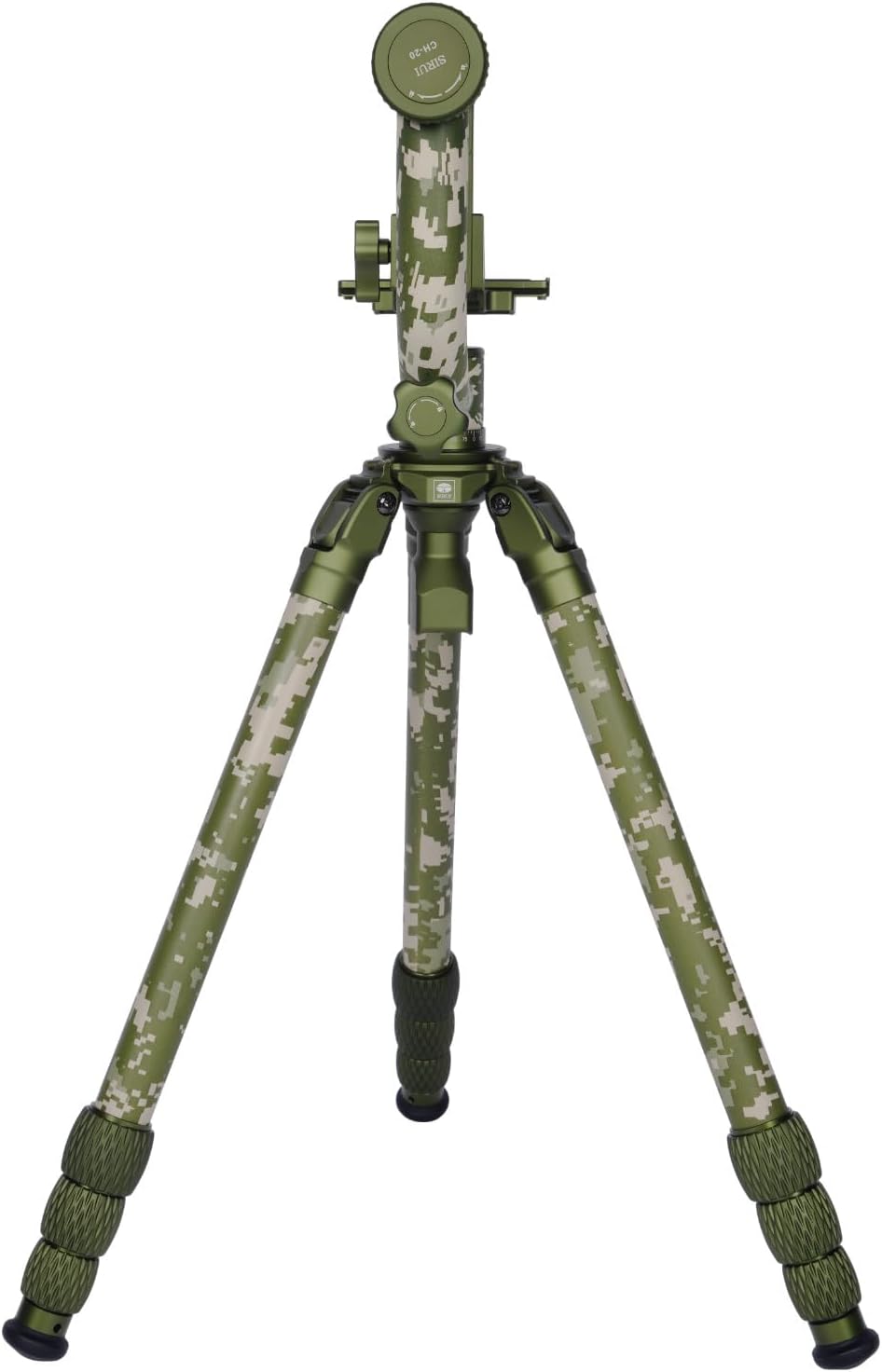
Figure 2: Sirui CT-3204 Tripod with CH-20 Gimbal Head supporting a camera with a large lens.
4. Maintenance
Regular maintenance ensures the longevity and optimal performance of your tripod and gimbal head.
- Cleaning: After each use, especially in dusty or sandy environments, wipe down the tripod legs and gimbal head with a soft, dry cloth. For stubborn dirt, use a slightly damp cloth and mild soap, then dry thoroughly.
- Lubrication: Periodically check the movement of all locking mechanisms and joints. If any feel stiff, apply a small amount of silicone-based lubricant. Avoid oil-based lubricants as they can attract dirt.
- Inspection: Regularly inspect all screws, bolts, and connections for tightness. Tighten any loose components to prevent accidental damage to your equipment.
- Storage: Store the tripod in its protective bag in a dry, cool place away from direct sunlight and extreme temperatures.
5. Troubleshooting
If you encounter any issues with your Sirui CT-3204 Tripod or CH-20 Gimbal Head, consider the following common solutions:
- Wobbly Camera: Ensure the quick-release plate is securely attached to your camera/lens and the QR plate locking knob on the gimbal head is fully tightened. Re-check the balance of your camera system.
- Stiff Movements: Check if any locking knobs (panning, tilting, leg locks) are overtightened. Loosen them slightly. If still stiff, refer to the lubrication advice in the Maintenance section.
- Tripod Instability: Ensure all leg sections are fully extended and their twist locks are securely tightened. Verify that the leg angles are set appropriately for the terrain. Consider using the metal spikes for softer ground.
For persistent issues or complex problems, please contact Sirui customer support.
6. Specifications
| Feature | Specification |
|---|---|
| Brand | Sirui |
| Model Name | CT-3204+CH-20 |
| Item Model Number | SP-239784 |
| Material | Aluminum, Carbon Fiber, Metal, Rubber |
| Item Weight | 12.32 pounds (5.59 kg) |
| Weight Limit | 55.1 Pounds (25 kg) |
| Maximum Height | 1500 Millimeters (1.5 meters) |
| Minimum Height | 54.5 Centimeters (0.545 meters) |
| Leg Diameter | 1.3 centimeters |
| Tripod Head Type | Gimbal Heads |
| Compatible Devices | Camera |
| Special Feature | Adjustable, Lightweight |
7. Warranty and Support
This product comes with a standard manufacturer's warranty. For specific warranty details, registration, or technical support, please refer to the documentation included in your product packaging or visit the official Sirui website. Contact information for customer service is typically provided in the user manual included with the product.
