
Lamshaw R30 Pro, R50
User Manual: Magnetic USB Charging Cable for IOWODO Smart Watches
Model: R30 Pro, R50
1. Product Overview
This magnetic USB charging cable is specifically designed as a replacement charger for the IOWODO R30 Pro and R50 1.85'' HD Smart Watches. It provides a convenient and reliable way to charge your smartwatch at home, in the office, in your car, or while traveling.
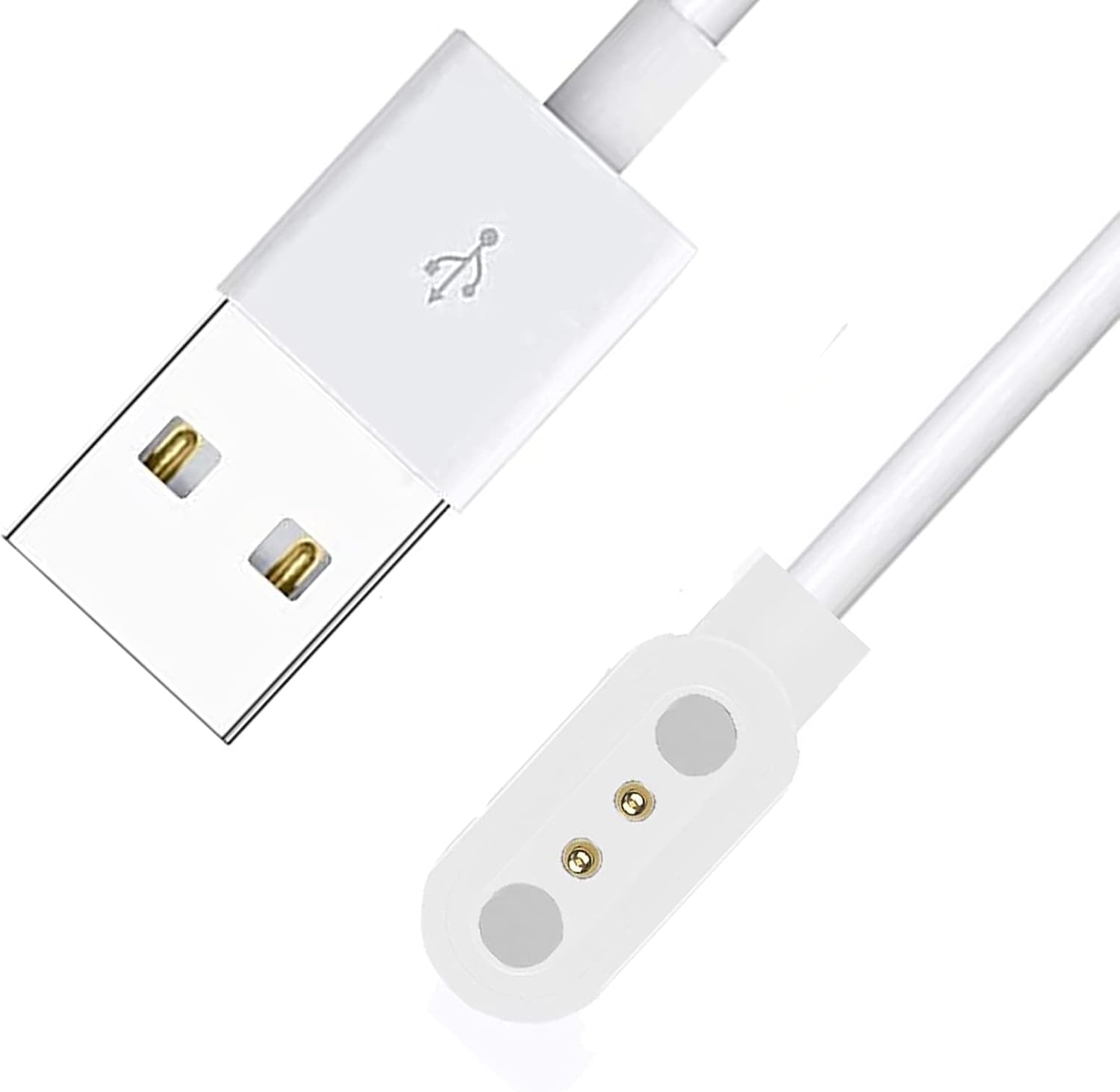
Image: The magnetic USB charging cable, featuring a standard USB-A plug and a magnetic charging interface with two gold-plated pins.
Key features include its compact design for easy portability and its robust construction for durability. The cable is equipped with a micro USB interface for the charging dock, ensuring compatibility with the specified IOWODO smartwatches.
2. Setup and Connection
To set up your charging cable, follow these simple steps:
- Connect to Power: Insert the USB-A end of the charging cable into a compatible USB power source, such as a wall adapter, power bank, laptop, or car charger.
- Position Smartwatch: Place your IOWODO R30 Pro or R50 smartwatch near the magnetic charging puck of the cable.
- Magnetic Connection: The magnetic charging puck will automatically align and attach to the charging contacts on the back of your smartwatch. Ensure the magnets attract correctly for a secure connection.
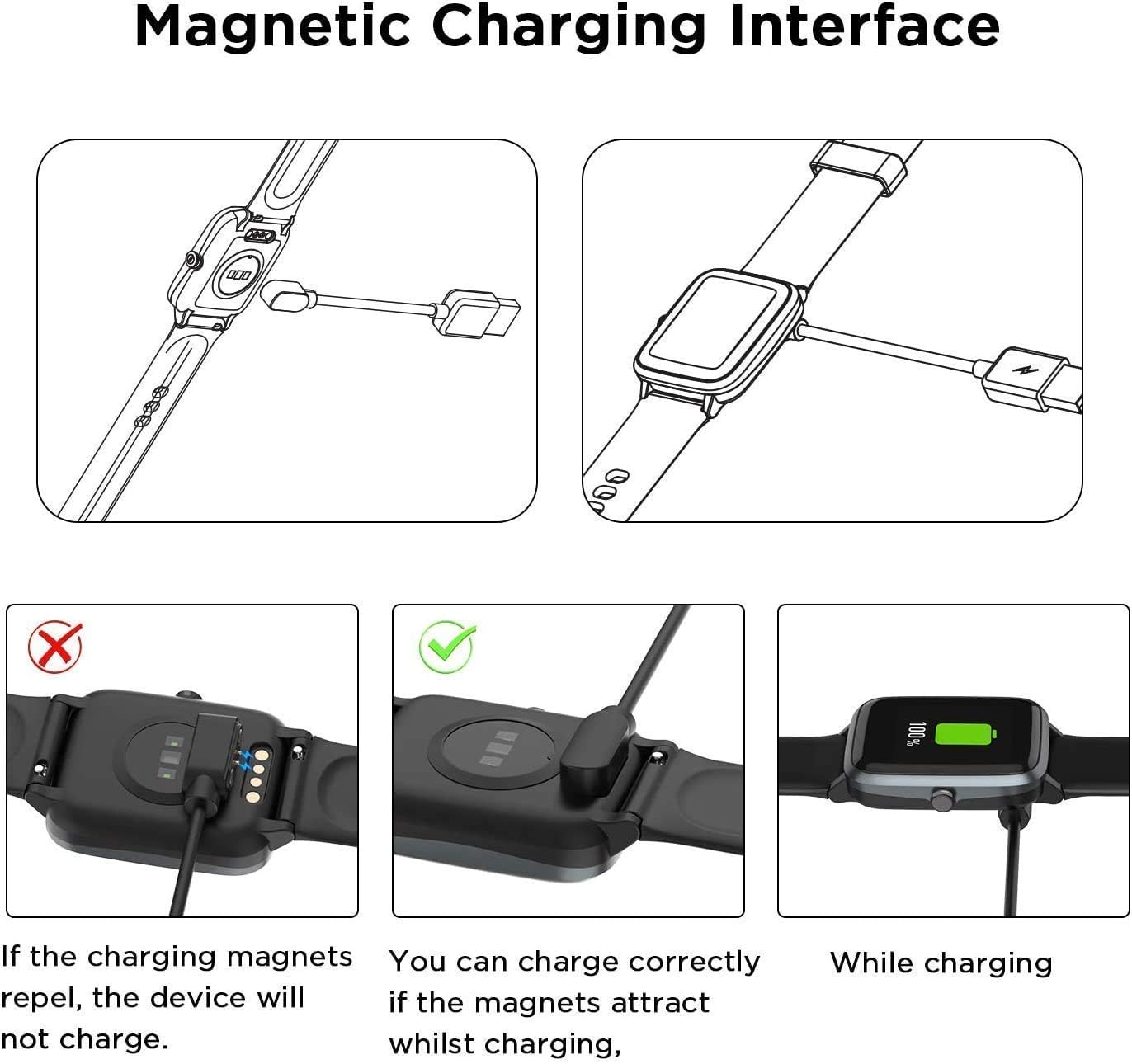
Image: Visual guide demonstrating the correct magnetic alignment for charging. It shows that if the magnets repel, the device will not charge, but if they attract, charging will proceed correctly, indicated by a charging icon on the smartwatch screen.
Important: If the magnetic connection repels, the smartwatch will not charge. Reverse the orientation of the magnetic puck until it attracts firmly to the smartwatch's charging points.
3. Operating Instructions
Once connected to a power source and your smartwatch, the charging process will begin automatically. The smartwatch display will typically show a charging indicator or battery percentage increasing.
- Charging Time: Charging time may vary depending on the smartwatch's battery level and the power output of your USB source.
- Optimal Charging: For optimal charging, use a standard 5V/1A USB power adapter.
- Safety Features: The charger is designed with built-in protections against over-current, over-voltage, over-charging, and high temperatures to ensure safe charging for your device.

Image: Diagram illustrating the multiple protection features of the charging cable, including over-current, over-voltage, over-charging, and high temperature protection, ensuring device safety during charging.
4. Maintenance and Care
To ensure the longevity and optimal performance of your charging cable, please follow these maintenance guidelines:
- Cleaning: Gently wipe the cable and magnetic contacts with a soft, dry cloth. Avoid using harsh chemicals or abrasive materials.
- Storage: Store the cable in a cool, dry place away from direct sunlight and extreme temperatures.
- Handling: Avoid bending the cable sharply, especially near the connectors, to prevent internal wire damage.
- Durability: The cable is designed for durability, having undergone extensive bending tests.

Image: Illustration highlighting the cable's durability, featuring a smooth plug and sturdy cable design, and indicating it has passed over 20,000 bending tests.
5. Troubleshooting
| Problem | Possible Cause | Solution |
|---|---|---|
| Smartwatch not charging. | Incorrect magnetic alignment; loose connection; faulty power source; dirty contacts. |
|
| Slow charging. | Low power output from USB source; background apps on smartwatch. |
|
| Cable appears damaged. | Physical stress or wear. |
|
6. Product Specifications
- Product Name: Magnetic USB Charging Cable
- Compatibility: IOWODO R30 Pro, R50 1.85'' HD Smart Watch
- Connector Type: USB-A (input), Magnetic 2-pin (output)
- Connectivity Technology: USB
- Color: White
- Product Dimensions: Approximately 0.5 x 0.5 x 0.5 inches (charging puck)
- Manufacturer: LAMSHAW
- Safety Features: Over-Current Protection, Over-Voltage Protection, Over-Charging Protection, High Temperature Protection

Image: Depiction of the charging cable's USB-A connector, emphasizing its compatibility with various USB power sources and highlighting its durable and flexible design with gold-plated pogo pins.
7. Safety Information
Please read and follow these safety precautions to prevent damage to the product or injury to yourself:
- Do not expose the cable to water or excessive moisture.
- Do not disassemble, modify, or attempt to repair the cable.
- Keep out of reach of children and pets.
- Avoid using the cable if it shows any signs of damage, such as frayed wires or exposed conductors.
- Ensure proper ventilation when charging to prevent overheating.
8. Warranty and Support
This product is covered by a standard return policy, typically allowing for returns or replacements within 30 days of purchase if the item is defective or not as described. For specific warranty details and support, please refer to your purchase documentation or contact the seller directly.
For further assistance or inquiries, please contact Lamshaw customer support through the platform where you purchased the product.
Ask a question about this manual
Ask about setup, troubleshooting, compatibility, parts, safety, or missing instructions. Manuals+ will review the question and use this page’s manual context to help answer it.