
Introduction
This manual provides detailed instructions for the use and maintenance of your Loluka Invisible Earbuds. These earbuds are designed for discreet and comfortable listening, featuring advanced audio technology and seamless connectivity.
Package Contents
- Wireless Bluetooth Invisible Earphones (1 pair)
- Charging Case (1)
- User Manual (1)
Key Features
- Immersive Sound Quality: Crystal-clear sound with advanced audio technology.
- Seamless Connectivity: Bluetooth 5.3 for quick and hassle-free device pairing.
- Invisible Design: Small, mini, and discreet in-ear fit.
- Lightweight and Comfortable: Ultra-small and lightweight construction for extended wear.
- Long Battery Life: Up to 4 hours of playback time on a single charge.
- Water Resistant Design: Suitable for various activities, including sports and exercise.
- Integrated Microphone: For clear call quality.
- Universal Phone Controls: Manage audio and calls directly from the earbuds.
Product Overview
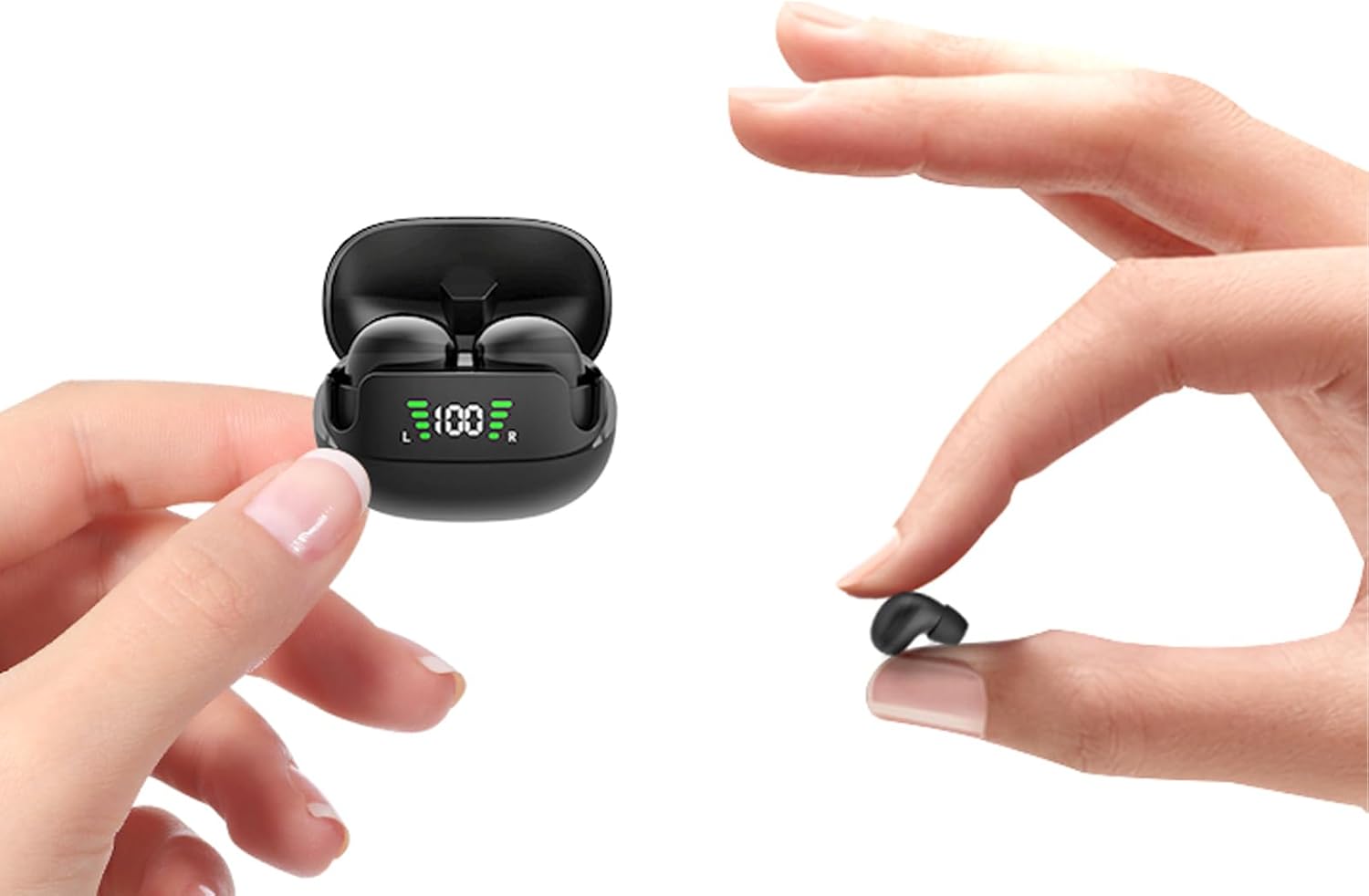
Figure 1: Loluka Invisible Earbuds and Charging Case. The image shows the compact charging case with earbuds inside, and one earbud being held between two fingers, highlighting its small size.

Figure 2: Invisible Design. This image displays two women, one wearing the earbuds, demonstrating how discreetly they fit in the ear, making them barely noticeable.

Figure 3: Small & Light Design. An illustration comparing the earbud's weight (approximately 2.3g) to a 1 Euro coin (approximately 6.1g), and its size to a peanut, emphasizing its ultra-lightweight and compact nature.

Figure 4: Designed for Small Ears. A woman is shown wearing the earbuds while working at a desk, illustrating their comfortable and perfect fit for smaller ear canals without a foreign body sensation.
Setup
Initial Pairing
- Ensure the earbuds are charged.
- Open the charging case. The earbuds will automatically power on and enter pairing mode.
- On your device (smartphone, tablet, etc.), navigate to the Bluetooth settings.
- Search for "MINI" in the list of available devices.
- Select "MINI" to connect. Once connected, a confirmation sound may be heard, and the earbuds will be ready for use.

Figure 5: One Step Fast Pairing. This diagram illustrates the simple pairing process: closing the case to auto-logout/turn off, opening and taking out earbuds for automatic power on and pairing, and the phone's Bluetooth settings showing "MINI" as a discoverable device.
Official Product Video: Loluka Mini13T Invisible Wireless Earbuds
Video 1: This official product video provides a visual guide to the features and setup of the Loluka Mini13T Invisible Wireless Earbuds, including their compact design, sound quality, and connectivity.
Operating Instructions
Touch Controls
The Loluka Invisible Earbuds feature touch controls for easy management of audio playback and calls. Specific touch gestures for various functions are detailed below:
- Play/Pause: Single tap on either earbud.
- Next Track: Double tap on the right earbud.
- Previous Track: Double tap on the left earbud.
- Answer/End Call: Single tap on either earbud during an incoming call.
- Reject Call: Press and hold either earbud for 2 seconds during an incoming call.
- Activate Voice Assistant: Triple tap on either earbud.
- Volume Control: (Specific gesture not detailed in provided data, typically press and hold or multiple taps on specific earbud) - Refer to the quick start guide included in your package for precise volume control gestures.
Charging the Earbuds and Case
To charge the earbuds, place them back into their charging case. The case will automatically begin charging the earbuds. To charge the charging case:
- Connect the charging case to a power source using a compatible USB cable (not included, as per "Included Components: No" in specifications, but typically comes with charging cases).
- The LED display on the charging case will indicate the charging status.
- A full charge for the earbuds takes approximately 3-4 hours. The charging case provides up to 24 hours of additional playtime.
- The charging case supports fast charging, achieving a full charge in approximately 1 hour.
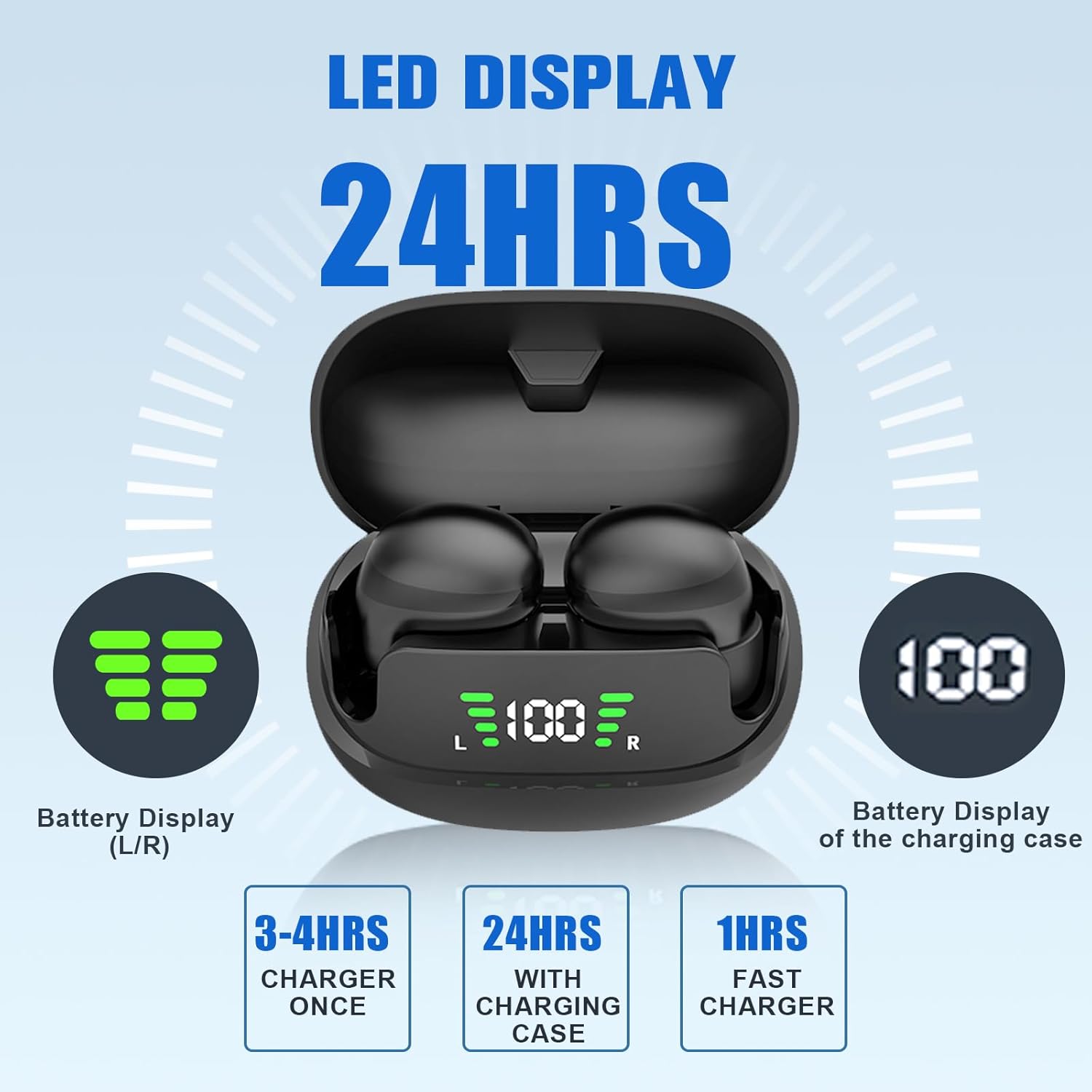
Figure 6: LED Display and Battery Information. The image shows the charging case with an LED display indicating the battery levels of both the left (L) and right (R) earbuds, as well as the charging case's battery percentage. It also highlights charging times: 3-4 hours for earbuds, 24 hours total with case, and 1 hour for fast charging the case.
Maintenance
Cleaning
Regular cleaning helps maintain optimal sound quality and hygiene. Use a soft, dry, lint-free cloth to wipe the earbuds and charging case. Do not use abrasive cleaners or immerse the devices in water.
Storage
When not in use, store the earbuds in their charging case to protect them and ensure they remain charged. Store in a cool, dry place away from extreme temperatures and direct sunlight.
Troubleshooting
| Problem | Possible Cause | Solution |
|---|---|---|
| Earbuds not pairing. | Earbuds not in pairing mode, Bluetooth off on device, out of range. | Ensure earbuds are in pairing mode (open case, take out earbuds). Turn Bluetooth on/off on your device. Move closer to your device. |
| No sound from earbuds. | Volume too low, not connected, media paused. | Increase device volume. Check Bluetooth connection. Ensure media is playing. |
| Earbuds not charging. | Improper placement in case, dirty charging contacts, faulty cable/power source. | Ensure earbuds are correctly seated in the case. Clean charging contacts. Try a different USB cable or power source. |
| Poor sound quality. | Low battery, interference, earbud fit. | Charge earbuds. Move away from sources of interference. Adjust earbud position for a better seal. |
Specifications
| Model Name: | XIINABK1 |
| Connectivity Technology: | Wireless (Bluetooth 5.3) |
| Bluetooth Range: | Up to 10 meters (1E+1 Meters) |
| Battery Life (Earbuds): | 4 Hours (playback time) |
| Charging Case Playtime: | Up to 24 Hours (with charging case) |
| Control Type: | Touch, Volume Control |
| Water Resistance Level: | Waterproof |
| Item Weight: | 0.77 Ounces |
| Product Dimensions: | 3.3 x 3.3 x 2 inches |
| Material: | Plastic |
| Color: | Black |
| Ear Placement: | In Ear |
| Noise Control: | None |
Warranty and Support
For warranty information and customer support, please refer to the contact details provided in the packaging or visit the official Loluka website. Keep your purchase receipt for warranty claims.