
CYCPLUS D14PRO
CYCPLUS 20PSI High Pressure Smart SUP Air Pump User Manual
Model: D14PRO | Brand: CYCPLUS
1. Introduction
Thank you for choosing the CYCPLUS 20PSI High Pressure Smart SUP Air Pump. This portable, battery-powered air pump is designed for efficient inflation and deflation of various inflatables, including Stand Up Paddle Boards (SUPs), kites, tents, and air mattresses. Featuring intelligent dual-stage inflation, auto-off functionality, and a real-time digital display, it provides a convenient and worry-free experience. Please read this manual thoroughly before use to ensure proper operation and maintenance.
2. Package Contents
Upon opening the package, please verify that all the following items are included:
- 1 × CYCPLUS Smart SUP Air Pump
- 1 × 50cm Flexible Hose
- 6 × Air Nozzles (various types for different inflatables)
- 1 × Boston Nozzle
- 1 × Type-C Charging Cable
- 1 × User Manual (this document)

Image: The CYCPLUS Smart SUP Air Pump shown with its various included nozzles and flexible hose.
3. Product Overview
The CYCPLUS D14PRO pump is designed for portability and high performance. It features a compact and lightweight design, making it easy to transport for outdoor activities. The pump incorporates a dual-stage inflation system for rapid and efficient inflation, along with a clear digital display for precise pressure monitoring.
Key Features:
- Compact and Lightweight: Weighing 1.14 kg (2.51 lbs) with dimensions of 18.2 x 16.4 x 9.2 cm (7.16 x 6.45 x 3.62 inches).
- High Pressure Capability: Inflates up to 20 PSI.
- Dual-Stage Inflation:
- Stage 1: Rapid inflation at 400 L/min for quick volume fill.
- Stage 2: High-pressure inflation at 100 L/min for precise pressure.
- Intelligent Auto-Off: Automatically stops when the preset pressure is reached.
- Deflation Function: Quickly deflates items for easy packing.
- Real-time Digital Display: LED display with a differential barometer for accurate pressure readings (error within ±0.2 PSI).
- Rechargeable Battery: Built-in battery supports multiple inflations on a single charge.
- Fast Charging: Supports QC3.0 fast charging, fully recharges in approximately 90 minutes.
- Power Bank Functionality: Can be used to charge other devices.

Image: The pump's compact size and dimensions, highlighting inflation and deflation ports.

Image: The pump in action, demonstrating its fast inflation capability for a SUP board.
4. Setup
4.1 Charging the Pump
Before first use, or when the battery indicator shows low charge, fully charge the pump. The pump supports QC3.0 fast charging.
- Connect the provided Type-C charging cable to the pump's charging port.
- Connect the other end of the cable to a compatible USB power adapter (not included) or a power bank.
- The digital display will indicate charging status. A full charge takes approximately 90 minutes.
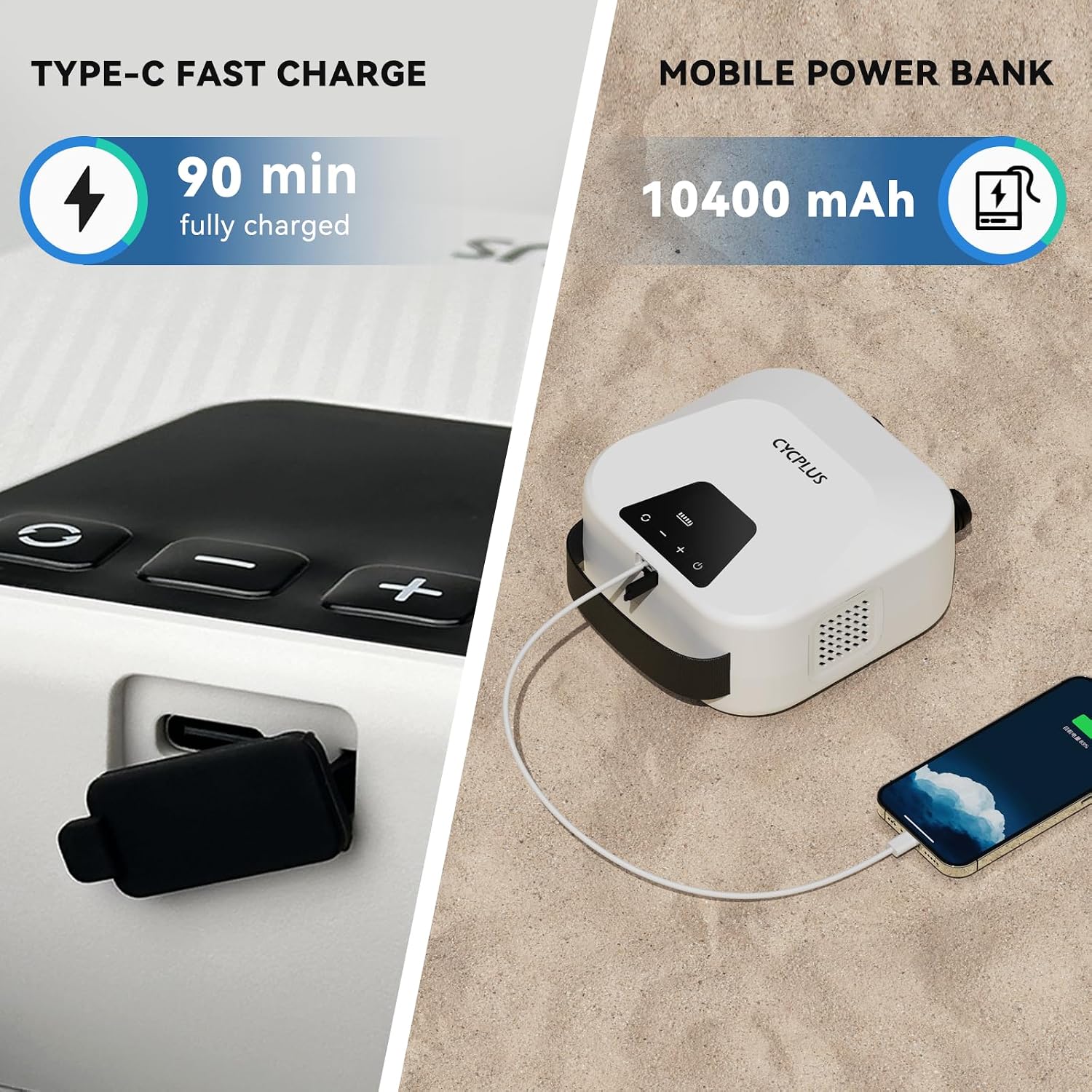
Image: The pump's Type-C charging port and its capability to function as a mobile power bank.
4.2 Attaching the Hose and Nozzle
Select the appropriate nozzle for your inflatable item.
- Identify the correct port on the pump:
- Inflation Port: Typically marked with an arrow pointing outwards or "INFLATE".
- Deflation Port: Typically marked with an arrow pointing inwards or "DEFLATE".
- Screw the flexible hose securely into the desired port (inflation or deflation).
- Attach the appropriate air nozzle to the other end of the flexible hose. Ensure it fits snugly to prevent air leakage.
5. Operating Instructions
5.1 Powering On/Off
- To power on: Press and hold the power button (↻) for a few seconds until the digital display illuminates.
- To power off: Press and hold the power button (↻) again until the display turns off.
5.2 Setting Target Pressure
The pump allows you to set a desired pressure (PSI) for automatic shut-off.
- With the pump powered on, use the '+' and '-' buttons to adjust the target pressure on the digital display.
- The display shows the current pressure in real-time.
- Refer to your inflatable item's recommended pressure for optimal performance and safety.
5.3 Inflation Process
The pump utilizes a dual-stage inflation system for efficiency.
- Ensure the hose is connected to the inflation port and the correct nozzle is attached to your inflatable.
- Set your desired target pressure using the '+' and '-' buttons.
- Press the start button (often indicated by a play/pause symbol or similar).
- The pump will begin in Stage 1 (high volume, low pressure) for rapid filling.
- Once a certain pressure is reached, it will automatically switch to Stage 2 (low volume, high pressure) to achieve the precise target PSI.
- The pump will automatically shut off once the preset pressure is reached.

Image: Illustration of the pump's dual-stage inflation, showing rapid fill and high-pressure stages with corresponding speeds and times for SUP boards.

Image: The pump's battery capacity allows for inflating multiple SUP boards on a single charge.
5.4 Deflation Process
The deflation function helps to quickly remove air for compact storage.
- Connect the hose to the deflation port on the pump.
- Attach the appropriate nozzle to your inflatable's valve.
- Press the deflation button (if separate) or the start button to begin deflating.
- The pump will actively draw air out of the inflatable.
- Once deflated, power off the pump and disconnect the hose.

Image: Demonstrates the convenience of the battery-powered pump, eliminating the need for a car power source for inflation.
5.5 Versatile Applications
The included nozzles allow the CYCPLUS pump to be used with a wide range of inflatable products:
- Stand Up Paddle Boards (SUPs)
- Kites (for kiteboarding)
- Inflatable Tents
- Inflatable Boats
- Air Mattresses
- And other high-pressure inflatables.

Image: The pump's versatility is shown with different nozzles suitable for SUP boards, surfing kites, inflatable tents, inflatable boats, and air mattresses.
6. Maintenance
Proper maintenance ensures the longevity and optimal performance of your CYCPLUS air pump.
6.1 Cleaning
- Wipe the exterior of the pump with a soft, damp cloth. Do not use harsh chemicals or abrasive cleaners.
- Ensure no water enters the charging port or air vents.
- Clean the nozzles and hose after each use, especially if they come into contact with sand or saltwater.
6.2 Storage
- Store the pump in a cool, dry place away from direct sunlight and extreme temperatures.
- Keep the pump and accessories in their original packaging or a protective bag to prevent damage.
- Ensure the pump is fully charged before long-term storage to preserve battery health. Recharge every 3-6 months if not in use.
6.3 Battery Care
- Avoid completely draining the battery before recharging.
- Do not expose the battery to temperatures above 60°C (140°F) or below -10°C (14°F).
- If the pump will not be used for an extended period, charge it to about 50-70% before storing.
7. Troubleshooting
If you encounter issues with your CYCPLUS air pump, please refer to the following common problems and solutions:
| Problem | Possible Cause | Solution |
|---|---|---|
| Pump does not turn on. | Low battery; Power button not pressed long enough. | Charge the pump fully. Press and hold the power button for 3-5 seconds. |
| Pump inflates slowly or not to desired pressure. | Hose or nozzle not securely attached; Leak in inflatable; Obstruction in hose/nozzle. | Ensure all connections are tight. Check inflatable for leaks. Clear any obstructions. |
| Digital display is not accurate. | Sensor calibration issue; Extreme temperature. | Ensure pump is used within recommended temperature range. If issue persists, contact support. |
| Pump stops unexpectedly. | Reached preset pressure; Overheating; Low battery. | Check preset pressure. Allow pump to cool down. Recharge battery. |
If the problem persists after trying these solutions, please contact CYCPLUS customer service for further assistance.
8. Specifications
| Feature | Detail |
|---|---|
| Model Number | D14PRO |
| Dimensions (L×W×H) | 18.2 x 16.4 x 9.2 cm (7.16 x 6.45 x 3.62 inches) |
| Weight | 1.14 kg (2.51 lbs) |
| Max Pressure | 20 PSI |
| Inflation Speed (Stage 1) | 400 L/min |
| Inflation Speed (Stage 2) | 100 L/min |
| Battery Type | Lithium Polymer |
| Batteries Included | Yes (4 Lithium Polymer batteries) |
| Charging Time | Approx. 90 minutes (with QC3.0 charger) |
| Material | Plastic |
| Color | White |
9. Warranty and Support
All CYCPLUS products come with a one-year warranty from the date of purchase. This warranty covers manufacturing defects and issues arising from normal use.
If you experience any problems with your product during the warranty period, or have any questions regarding its operation, please do not hesitate to contact our customer service team. Our support is available 24/7 to assist you.
For support, please visit the official CYCPLUS website or contact the seller directly through your purchase platform.
Related documentsD14PRO

Ask a question about this manual
Ask about setup, troubleshooting, compatibility, parts, safety, or missing instructions. Manuals+ will review the question and use this page’s manual context to help answer it.