
1. Introduction
This manual provides essential instructions for the safe and effective use of your Kircuit 12V AC/DC Adapter. This adapter is designed to convert standard AC power into the DC power required by compatible devices, specifically the Optimum Arris TM3402, TM3402A, and TM3402A/NA DOCSIS 3.1 Telephony EMTA Cable Modems. Please read this manual thoroughly before use.
2. Important Safety Information
- Use only with compatible devices as specified in this manual.
- Do not expose the adapter to water, rain, or excessive moisture.
- Do not disassemble or attempt to repair the adapter. Refer all servicing to qualified personnel.
- Ensure proper ventilation; do not cover the adapter during use to prevent overheating.
- Disconnect the adapter from the power outlet when not in use for extended periods.
- Keep out of reach of children.
3. Package Contents
- Kircuit 12V AC/DC Adapter (1 unit)
4. Setup Instructions
- Identify the Adapter: Locate the Kircuit 12V AC/DC Adapter. Familiarize yourself with its components: the main adapter unit, the AC plug, and the DC barrel plug connector.
- Connect to Device: Insert the DC barrel plug connector of the adapter firmly into the DC input port of your compatible Arris TM3402, TM3402A, or TM3402A/NA series modem. Ensure a snug fit.
- Connect to Power Outlet: Plug the adapter's two-prong AC plug into a standard 100V-240V AC electrical wall outlet.
- Verify Power: Once both connections are secure, your device should power on or begin charging, indicating a successful connection.

Image Description: A black Kircuit 12V AC/DC adapter with a coiled power cord and barrel plug connector. The adapter label shows input 100-240V AC, 50/60Hz 0.3A, and output 12V. It also displays safety certifications.
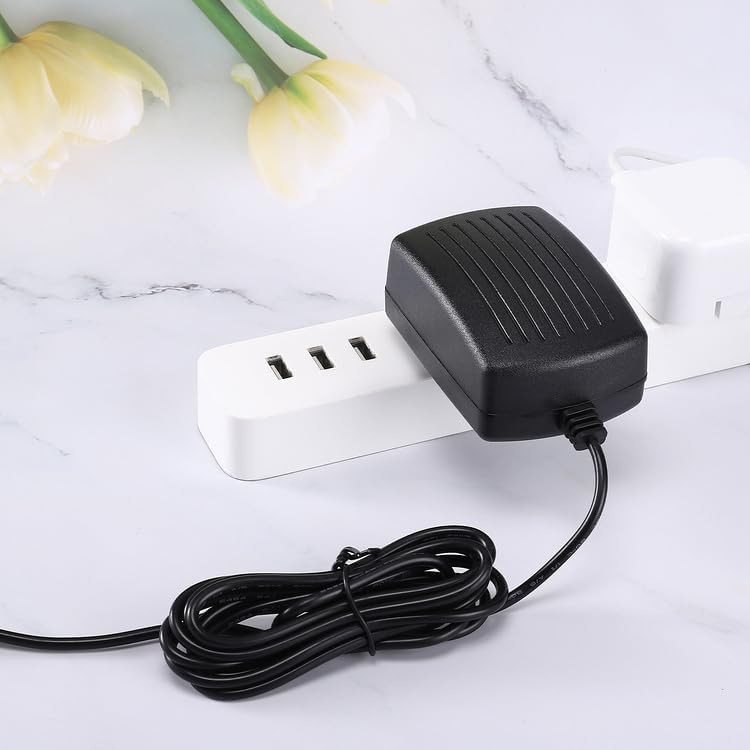
Image Description: A Kircuit 12V AC/DC adapter plugged into a white power strip, demonstrating how it connects to a wall outlet.
5. Operating Instructions
The Kircuit 12V AC/DC Adapter operates automatically once connected to a power source and a compatible device. It provides a stable 12V DC output.
- Input Voltage: The adapter supports a wide input voltage range of 100V-240V AC, making it suitable for various regions without requiring a voltage converter.
- Protection Features: Built-in dynamic IC, charger IC, and power fuse provide protection against overcharging, overcurrent, and short circuits, ensuring the safety of your device.
6. Maintenance and Care
- Cleaning: Disconnect the adapter from the power source and device before cleaning. Use a soft, dry cloth to wipe the surface. Do not use liquid or abrasive cleaners.
- Storage: When not in use, store the adapter in a cool, dry place, away from direct sunlight and extreme temperatures. Avoid tightly coiling the cable to prevent damage.
- Inspection: Periodically inspect the adapter and cable for any signs of damage, such as frayed wires, exposed conductors, or cracked casing. Discontinue use immediately if damage is observed and replace the adapter.
7. Troubleshooting
| Problem | Possible Cause | Solution |
|---|---|---|
| Device not powering on/charging | Adapter not properly connected | Ensure both the DC barrel plug and the AC plug are securely connected to the device and power outlet, respectively. |
| Device not powering on/charging | Power outlet issue | Test the power outlet with another functional device to confirm it is supplying power. |
| Device not powering on/charging | Incompatible device | Verify that your device is an Arris TM3402, TM3402A, or TM3402A/NA modem. This adapter is specifically designed for these models. |
| Adapter feels excessively hot | Poor ventilation or overload | Ensure the adapter is in a well-ventilated area and not covered. Disconnect if overheating persists and contact customer support. |
8. Product Specifications
| Feature | Detail |
|---|---|
| Brand | Kircuit |
| Model | 12V AC/DC Adapter |
| Input Voltage | 100-240V AC |
| Output Voltage | 12V DC |
| Connector Type | Barrel Plug |
| Compatible Devices | Arris TM3402, TM3402A, TM3402A/NA DOCSIS 3.1 Telephony EMTA Cable Modems |
| Special Features | Overcharge Protection, Dynamic IC, Charger IC, Power Fuse |
| Color | Black |
| Manufacturer | Shenzhen Waweis Technology Co., Ltd |
| ASIN | B0CTTNSY3T |
9. Warranty and Customer Support
For warranty information or technical assistance, please refer to the product packaging or contact the seller directly through your purchase platform. Keep your purchase receipt as proof of purchase for any warranty claims.