
1. Introduction
This manual provides instructions for the safe and efficient operation of your Digital Nc Portable RGB Video Light. Please read this manual thoroughly before use and retain it for future reference. This device is designed to provide versatile lighting for photography and videography applications.
2. Product Features
- Versatile Lighting: Features 70 LEDs with multi-white settings, offering both white and colored ambient lighting options.
- Precise Control: Adjustable color temperature from 3000K to 7000K, along with a full RGB color range.
- Long-lasting Battery: Built-in 2000mAh rechargeable battery provides up to 10 hours of continuous use on a single charge.
- Easy Mounting: Equipped with a universal mounting base, cold shoe mount, and a ¼” standard tripod screw mount for flexible placement.
- Compact and Portable: Measures 1.18 inches thick, 3.14 inches high, and 2.59 inches wide, making it lightweight and suitable for on-the-go use. Includes a USB Type-C charging port for convenient recharging.
3. Package Contents
- 1 x Digital Nc Portable RGB Video Light
- 1 x USB Type-C Charging Cable
4. Setup
4.1 Initial Charging
Before first use, ensure the device is fully charged. Connect the provided USB Type-C cable to the charging port on the side of the light and to a compatible USB power source (e.g., wall adapter, computer USB port). The charge indicator light will illuminate during charging.
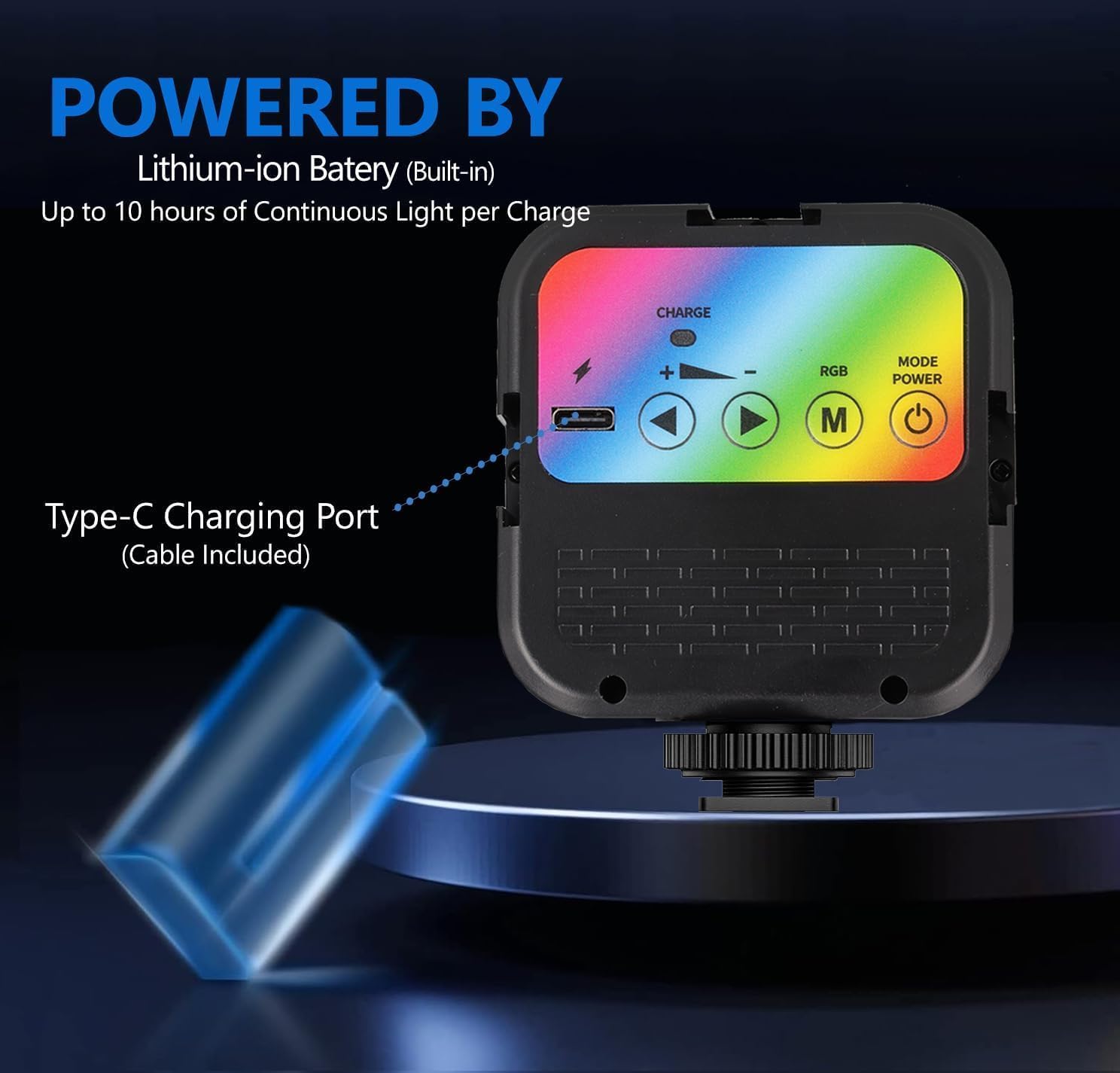
Figure 1: Back view of the light, highlighting the Type-C charging port and battery indicator. The light features a built-in Lithium-ion battery for up to 10 hours of continuous use.
4.2 Mounting the Light
The video light offers multiple mounting options:
- Cold Shoe Mount: Attach the light directly to your camera's cold shoe. Secure it by tightening the cold shoe fastening wheel.
- Tripod Mount: Use the ¼” standard tripod screw mount located at the bottom of the light to attach it to a tripod, light stand, or other compatible accessories.
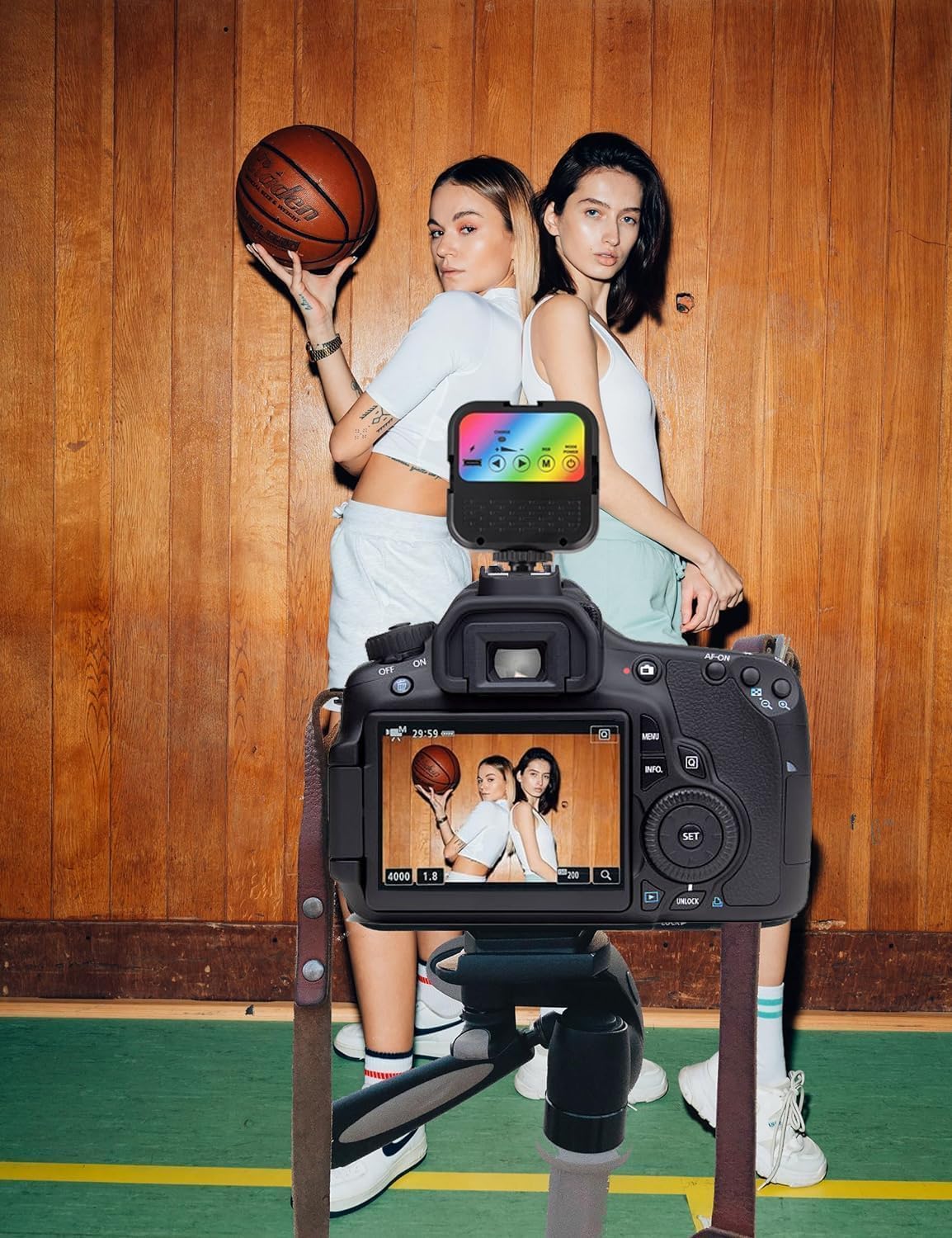
Figure 2: The portable RGB video light mounted on a camera, demonstrating its compatibility with standard cold shoe mounts.
5. Operating Instructions

Figure 3: Overview of the control panel and ports on the Digital Nc Portable RGB Video Light.
5.1 Power On/Off
To turn the light ON or OFF, press and hold the On/Off button (power symbol) located on the control panel.
5.2 Adjusting Color Temperature (CCT Mode)
- Press the Mode button (M) to cycle through the available modes until you reach the CCT (Correlated Color Temperature) mode.
- Use the Adjustment/Selection buttons (◀ and ▶, or + and -) to increase or decrease the color temperature. The range is from 3000K (warm light) to 7000K (cool light).
5.3 Adjusting RGB Colors (RGB Mode)
- Press the Mode button (M) to cycle through the available modes until you reach the RGB mode.
- Use the Adjustment/Selection buttons (◀ and ▶, or + and -) to select from the various RGB color options and effects.
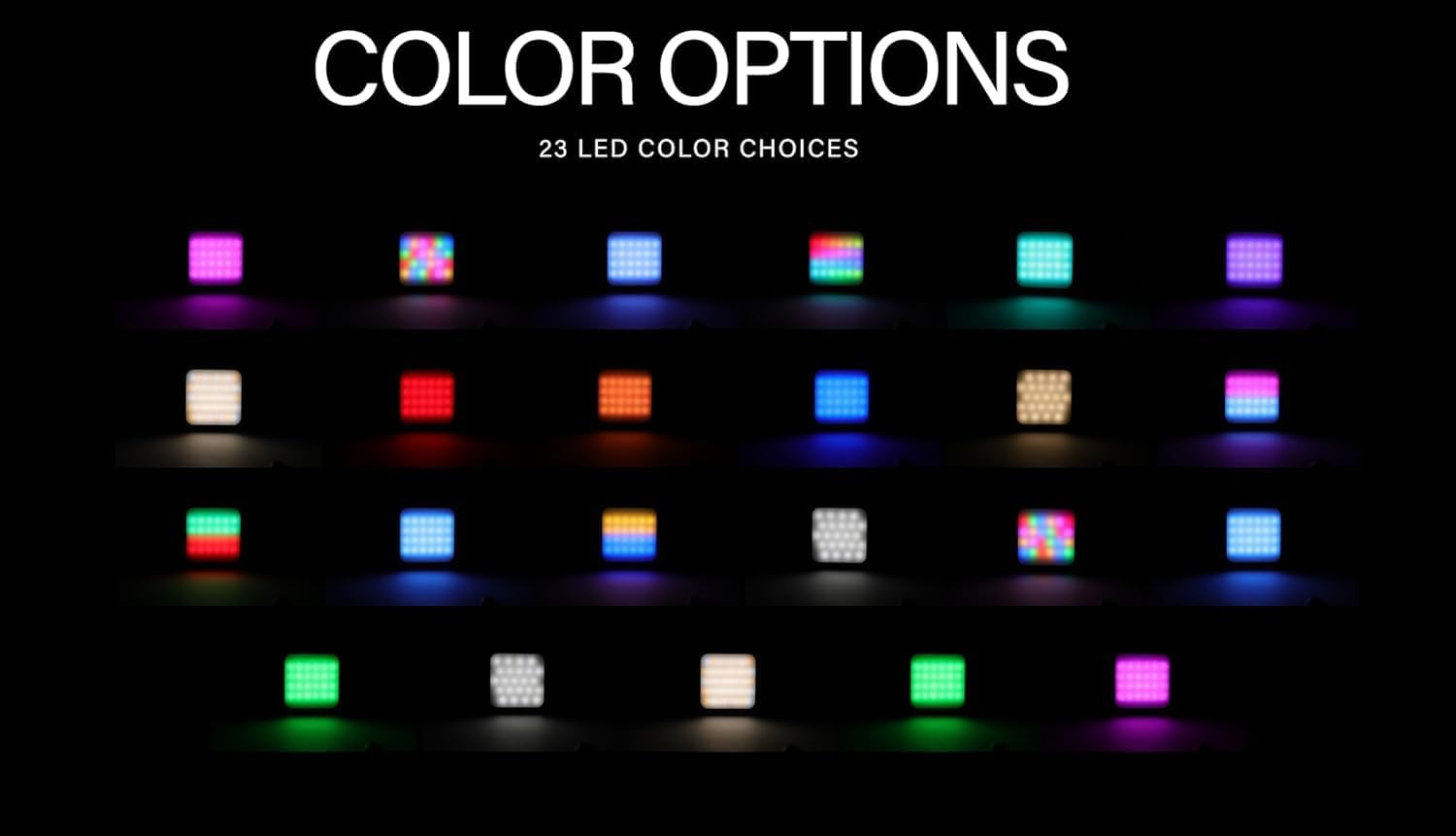
Figure 4: A selection of the 23 LED color choices available, demonstrating the light's full RGB capabilities.
6. Maintenance
6.1 Cleaning
To clean the light, use a soft, dry cloth. Do not use abrasive cleaners, solvents, or harsh chemicals, as these may damage the surface or internal components.
6.2 Storage
When not in use, store the video light in a cool, dry place, away from direct sunlight and extreme temperatures. Ensure the battery is partially charged (around 50%) before long-term storage to maintain battery health.
7. Troubleshooting
- Light does not turn on:
- Ensure the battery is charged. Connect the light to a power source using the USB Type-C cable.
- Press and hold the On/Off button for a few seconds to ensure it is properly activated.
- Light is not charging:
- Verify that the USB Type-C cable is securely connected to both the light and the power source.
- Try using a different USB cable or power adapter to rule out a faulty accessory.
- Color or brightness adjustment not working:
- Ensure you are in the correct mode (CCT for color temperature, RGB for color effects) by pressing the Mode button.
- Check the battery level; low battery might affect performance.
8. Specifications
| Feature | Specification |
|---|---|
| Product Dimensions | 2.5"L x 1.18"W x 3.14"H |
| Item Weight | 3.5 ounces |
| LED Count | 70 |
| Color Temperature Range | 3000K - 7000K |
| Battery Type | Built-in 2000mAh Lithium-Ion |
| Charging Port | USB Type-C |
| Mounting Options | Standard Cold Shoe, 1/4" Screw |
| Model Number | 128213-458180 |

Figure 5: The compact size of the light, illustrating its lightweight and portable design for easy carrying.
9. Warranty and Support
This product comes with a standard manufacturer's warranty. For warranty claims, technical support, or any inquiries regarding your Digital Nc Portable RGB Video Light, please contact Digital Nc customer service through the retailer where the product was purchased or visit the official Digital Nc website for contact information.