
1. Important Safety Instructions
Please read all instructions carefully before using the dehumidifier and retain this manual for future reference. Failure to follow these instructions may result in electric shock, fire, or serious injury.
- Always connect the unit to a grounded power outlet with the correct voltage.
- Do not operate the dehumidifier if the power cord or plug is damaged.
- Keep the unit away from heat sources, direct sunlight, and flammable materials.
- Ensure proper ventilation around the unit; do not block air inlets or outlets.
- Do not insert fingers or foreign objects into the air inlets or outlets.
- Unplug the unit before cleaning, moving, or performing any maintenance.
- Do not use the dehumidifier in areas where water may splash onto it.
- This appliance is not intended for use by persons (including children) with reduced physical, sensory or mental capabilities, or lack of experience and knowledge, unless they have been given supervision or instruction concerning use of the appliance by a person responsible for their safety.
2. Product Overview
Familiarize yourself with the components and features of your FOHERE dehumidifier.

Figure 2.1: Front view of the FOHERE DEW 20LEB Electric Dehumidifier, showing its sleek white design and integrated WiFi indicator.
Key Features:
- High Efficiency: Removes up to 20 liters of moisture per day.
- Smart Control: Touch panel and WiFi App control for remote operation and scheduling.
- Multiple Modes: Dehumidification, Fan, and Laundry Drying modes.
- Oscillating Function: Unique swing mode for wider dehumidification coverage.
- Quiet Operation: Operates at a low noise level of 41 dB.
- Two Drainage Methods: Manual tank emptying or continuous drainage via hose.
- Portability: Equipped with a handle and four wheels for easy movement.
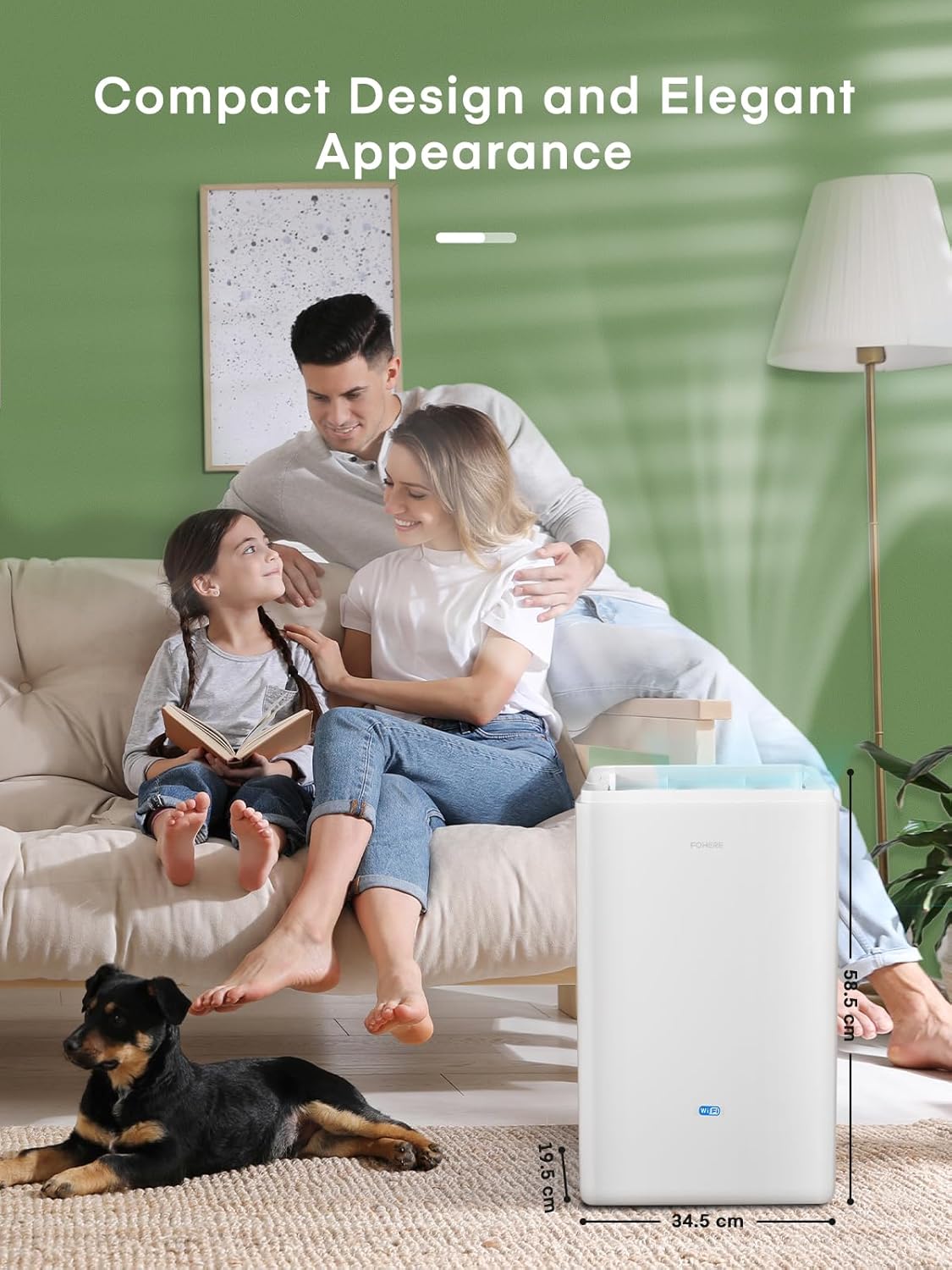
Figure 2.2: The FOHERE DEW 20LEB Dehumidifier with its compact dimensions (20 x 36 x 57 cm) highlighted, demonstrating its suitability for various room sizes.
3. Setup
Follow these steps for initial setup of your dehumidifier.
3.1 Unpacking and Placement
- Carefully remove the dehumidifier from its packaging.
- Place the unit upright on a flat, stable surface.
- Ensure there is at least 20 cm (8 inches) of space around all sides of the unit for proper airflow.
- Avoid placing the unit near heat sources, in direct sunlight, or in areas prone to freezing temperatures.
3.2 Power Connection
- Plug the power cord into a grounded 220-240V / 50Hz electrical outlet.
- Ensure the power outlet is suitable for the dehumidifier's power requirements (445 Watts).
3.3 Drainage Methods
Your dehumidifier offers two ways to remove collected water:
- Manual Drainage (Water Tank): The unit will collect water in its internal 4.2-liter water tank. When the tank is full, the unit will automatically shut off and indicate that the tank needs to be emptied.
- Continuous Drainage: For continuous operation without needing to empty the tank, you can connect the included 1-meter drainage hose.
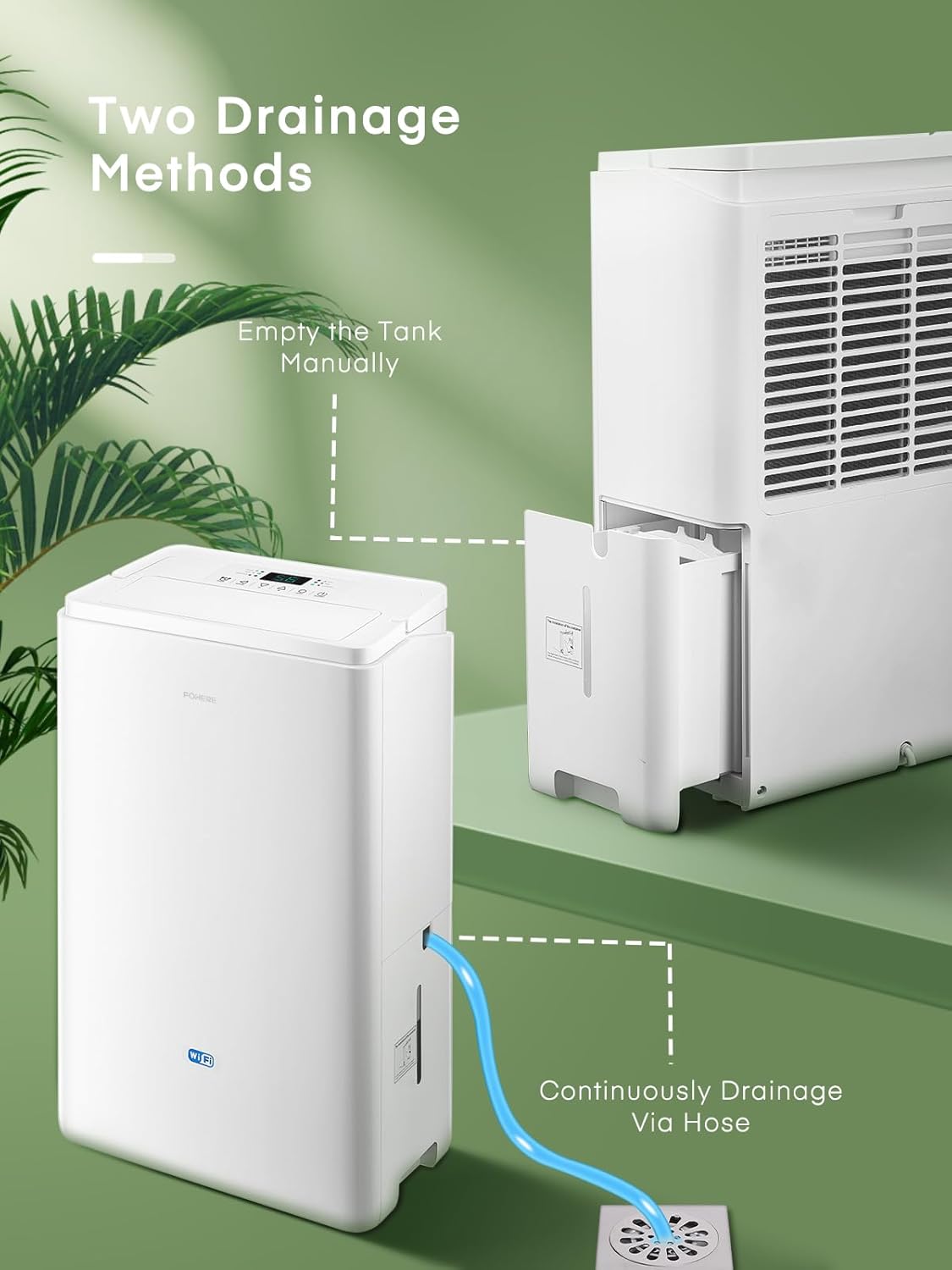
Figure 3.1: Illustration of the two drainage methods: manual emptying of the water tank and continuous drainage via the hose connected to a floor drain.
To set up continuous drainage:
- Locate the drainage outlet on the back of the dehumidifier.
- Remove the rubber stopper from the drainage outlet.
- Firmly attach one end of the included 1-meter hose to the drainage outlet.
- Direct the other end of the hose to a suitable drain (e.g., floor drain, large bucket), ensuring the hose is sloped downwards to allow gravity drainage.
4. Operating Instructions
Learn how to operate your FOHERE dehumidifier using the control panel or the smart app.
4.1 Control Panel Overview

Figure 4.1: Detailed view of the dehumidifier's simple touch control panel, showing buttons for Timer, Swing, Humidity Adjustment (+/-), Mode, and ON/OFF, along with indicators for WiFi and Tank Full.
- ON/OFF Button: Press to turn the unit on or off.
- MODE Button: Cycle through operating modes: Dehumidification (Dry), Fan, and Laundry Drying.
- +/- Buttons: Adjust the target humidity level (from 30% to 80% RH) or set the timer.
- TIMER Button: Set the auto-on or auto-off timer (1-24 hours).
- SWING Button: Activate or deactivate the automatic swing function of the air outlet.
- Display Screen: Shows current humidity, target humidity, or timer settings.
- Indicators: Lights for Timer, WiFi, Tank Full, Dry, Fan, and Laundry modes.
4.2 Operating Modes
- Dehumidification Mode (Dry): The unit will operate to reduce the room's humidity to your set target level.
- Fan Mode: The fan operates continuously without dehumidification, circulating air.
- Laundry Drying Mode: Designed to quickly dry clothes by continuously running at high fan speed and strong dehumidification.

Figure 4.2: The dehumidifier operating in Laundry Mode, demonstrating its unique swing function to efficiently dry clothes.
4.3 Smart WiFi App Control
Control your dehumidifier remotely using the dedicated smartphone application.

Figure 4.3: An illustration showing the FOHERE DEW 20LEB Dehumidifier integrated into a smart home environment, controlled via a smartphone app to adjust modes, humidity, schedules, and monitor real-time humidity.
To connect to the App:
- Download the FOHERE smart app from your smartphone's app store.
- Register or log in to your account.
- Follow the in-app instructions to add your DEW 20LEB dehumidifier. Ensure your phone and the dehumidifier are connected to the same 2.4GHz WiFi network during setup.
- Once connected, you can power on/off, adjust humidity, change modes, set timers, and create dehumidification schedules from your smartphone.
5. Maintenance
Regular maintenance ensures optimal performance and extends the lifespan of your dehumidifier.
5.1 Emptying the Water Tank
If you are not using continuous drainage, the water tank will need to be emptied when full.
- When the 'Tank Full' indicator lights up, the unit will stop operating.
- Carefully pull out the water tank from the side of the unit.
- Empty the collected water into a sink or drain.
- Slide the empty water tank back into the unit until it clicks into place. The unit will resume operation.
5.2 Cleaning the Air Filter
The air filter should be cleaned every two weeks or more frequently depending on usage and air quality.

Figure 5.1: A hand removing the washable air filter from the side of the FOHERE DEW 20LEB Dehumidifier for cleaning.
- Turn off the dehumidifier and unplug it from the power outlet.
- Locate the air filter cover on the back or side of the unit and remove it.
- Gently pull out the air filter.
- Clean the filter with warm, soapy water. Rinse thoroughly and allow it to air dry completely before reinserting. Alternatively, use a vacuum cleaner to remove dust.
- Once dry, place the filter back into its slot and reattach the cover.
5.3 General Cleaning
- Wipe the exterior of the unit with a soft, damp cloth. Do not use harsh chemicals, abrasives, or solvents.
- Ensure no water enters the electrical components.
- For long-term storage, empty the water tank, clean the filter, and store the unit in a cool, dry place, covered to protect from dust.
6. Troubleshooting
Refer to this table for common issues and their solutions.
| Problem | Possible Cause | Solution |
|---|---|---|
| Dehumidifier does not turn on. | No power; Power cord not plugged in; Tank full; Temperature too low. | Check power supply; Plug in power cord; Empty water tank; Ensure room temperature is above 5°C (41°F). |
| No water collected or low dehumidification. | Humidity setting too high; Air filter clogged; Room temperature too low; Air inlets/outlets blocked; Room too large. | Lower target humidity; Clean air filter; Ensure room temperature is suitable; Clear obstructions; Use in recommended room size (up to 50 m²). |
| Unit is noisy. | Unit not on a level surface; Air filter clogged; Internal components vibrating. | Place on a flat, stable surface; Clean air filter; This unit operates at 41 dB, which is normal. |
| WiFi connection issues. | Incorrect WiFi password; Not 2.4GHz network; Router too far; App issues. | Verify password; Ensure 2.4GHz WiFi; Move unit closer to router; Restart app/router; Re-pair device. |
If the problem persists after trying these solutions, please contact FOHERE customer support.
7. Specifications
Technical specifications for the FOHERE DEW 20LEB Dehumidifier.
| Specification | Value |
|---|---|
| Brand | FOHERE |
| Model Number | DEW 20LEB |
| Dehumidification Capacity | 20 Liters/24 hours |
| Water Tank Volume | 4.2 Liters |
| Power Consumption | 445 Watts |
| Dimensions (L x W x H) | 20 x 36 x 57 cm |
| Weight | 13 Kilograms |
| Recommended Floor Area | Up to 50 m² |
| Noise Level | 41 dB |
| Number of Speeds | 3 |
| Automatic Shut-off | Yes (Tank Full) |
| Special Features | Smart WiFi App Control, Timer Function, Laundry Drying, Oscillating Mode |
8. Warranty and Support
For warranty information and customer support, please refer to the warranty card included with your product or contact FOHERE customer service directly.
Please have your model number (DEW 20LEB) and purchase date ready when contacting support.
Contact Information:
Refer to the official FOHERE website or your purchase documentation for the most up-to-date contact details.
