
1. Introduction
Thank you for choosing the GARVEE 8000 BTU Portable Air Conditioner. This unit is designed to provide efficient cooling, dehumidification, and fan circulation for rooms up to 300 square feet. Its compact design and portability make it an ideal solution for various living spaces. Please read this manual thoroughly before operation to ensure proper use, maintenance, and safety.

Image: The GARVEE 8000 BTU Portable Air Conditioner positioned in a room, demonstrating its compact size and design.
2. Safety Information
To prevent injury to the user or other people and property damage, the following instructions must be followed. Incorrect operation due to ignoring instructions may cause harm or damage.
- Always operate the unit on a flat, stable surface.
- Do not block the air inlets or outlets. Maintain at least 20 inches of clearance around the unit.
- Do not insert fingers or foreign objects into the air inlets or outlets.
- Ensure the power cord is not damaged and is properly grounded. Do not use extension cords.
- Unplug the unit before cleaning or servicing.
- Do not operate the unit in wet environments or near water.
- Keep children and pets away from the unit during operation.
- If the unit makes unusual noises, emits smoke, or smells strange, turn it off immediately and unplug it. Contact customer support.
3. Package Contents
Please check the package contents upon unpacking to ensure all items are present and undamaged.
- GARVEE Portable Air Conditioner Unit
- Remote Control
- Window Kit (includes window slider panels, exhaust hose adapter, and hose connector)
- Exhaust Hose

Image: The portable air conditioner unit displayed alongside its accessories, including the remote control, window kit components, and the exhaust hose.
4. Product Overview
Control Panel
The control panel on top of the unit allows you to manage all functions. An LCD display shows current settings.

Image: A detailed diagram illustrating the control panel of the portable air conditioner, with labels for each button including Timer, Speed, Swing, Up/Down, Sleep, Mode, and Power keys, along with the display area.
- Power Key: Turns the unit ON or OFF.
- Mode Key: Cycles through Cooling, Dehumidifying, and Fan modes.
- Speed Key: Adjusts fan speed (Low, High).
- Swing Key: Activates or deactivates the automatic louver swing function.
- Up/Down Keys: Adjusts temperature settings in Cooling mode or timer settings.
- Sleep Key: Activates Sleep mode for quieter operation and gradual temperature adjustment.
- Timer Key: Sets the auto-on or auto-off timer.
Remote Control
The included remote control provides convenient access to all functions from a distance.
Portability Features
The unit is equipped with casters for easy movement between rooms.
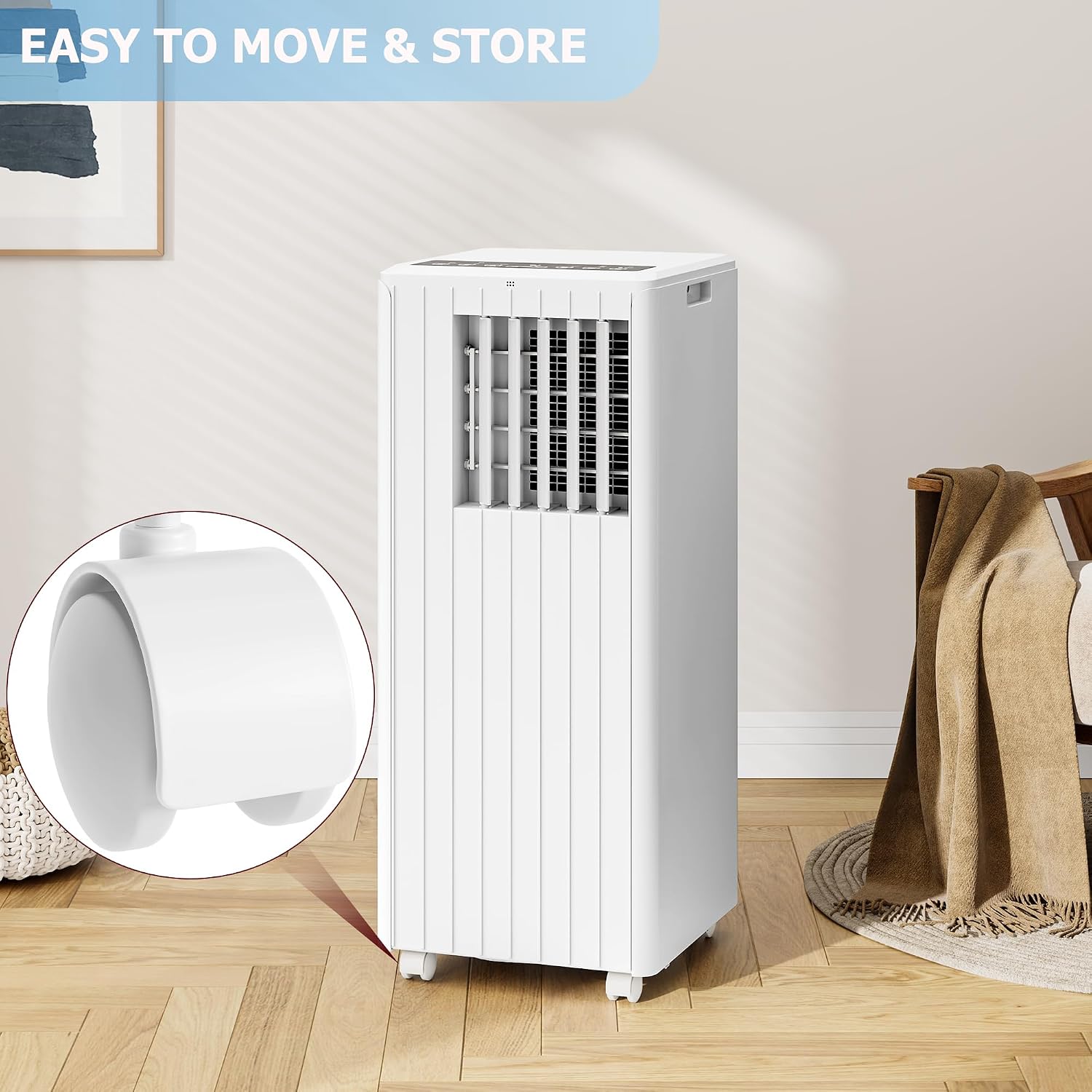
Image: A close-up view of one of the caster wheels located at the base of the portable air conditioner, highlighting its design for easy mobility.
5. Setup and Installation
The GARVEE Portable Air Conditioner is designed for quick and easy installation. No professional assistance is typically required.
- Position the Unit: Place the air conditioner on a flat, stable surface near a window and a grounded electrical outlet. Ensure there is at least 20 inches of clear space around the unit for proper airflow.
- Install the Window Kit:
- Adjust the window slider panels to fit your window opening.
- Secure the panels in the window frame.
- Connect the Exhaust Hose:
- Attach the hose connector to one end of the exhaust hose.
- Attach the exhaust hose adapter to the other end of the exhaust hose.
- Connect the hose connector to the exhaust outlet on the back of the air conditioner unit.
- Insert the exhaust hose adapter into the opening of the window kit. Ensure a tight seal to prevent air leakage.

Image: The portable air conditioner unit with its exhaust hose properly connected and extending to a window, illustrating the quick installation process.
- Plug In: Plug the power cord into a grounded 115V AC electrical outlet.
6. Operating Instructions
Your GARVEE Portable Air Conditioner offers three primary operating modes: Cooling, Dehumidifying, and Fan.

Image: The portable air conditioner unit in a room, with graphical overlays indicating its three operational modes: Cooling, Dehumidifying, and Fan.
General Operation
- Power On/Off: Press the Power button on the control panel or remote control to turn the unit on or off.
- Select Mode: Press the Mode button repeatedly to cycle through the available modes: Cool, Dry (Dehumidifying), and Fan. The selected mode will be indicated on the display.
- Adjust Fan Speed: In Cool or Fan mode, press the Speed button to select between Low and High fan speeds.
- Set Temperature (Cool Mode Only): In Cool mode, use the Up and Down arrow buttons to set your desired temperature. The temperature range is typically 61°F to 88°F (16°C to 31°C).
- Swing Function: Press the Swing button to activate or deactivate the automatic louver swing, which helps distribute air evenly.
Timer Function
The timer function allows you to set the unit to automatically turn on or off after a specified period.
- Auto-Off: With the unit running, press the Timer button. Use the Up and Down buttons to set the desired number of hours (1-24) before the unit turns off.
- Auto-On: With the unit off, press the Timer button. Use the Up and Down buttons to set the desired number of hours (1-24) before the unit turns on.
Sleep Mode
Press the Sleep button to activate Sleep mode. In this mode, the unit operates more quietly, and the set temperature will gradually increase by 1°F (or 1°C) after 30 minutes, and then by another 1°F (or 1°C) after another 30 minutes, maintaining a comfortable sleeping environment.
7. Maintenance
Regular maintenance ensures optimal performance and extends the lifespan of your air conditioner. Always unplug the unit before performing any maintenance.
Cleaning the Air Filter
The air filter should be cleaned every two weeks or more frequently depending on usage and air quality.
- Turn off and unplug the unit.
- Locate and remove the air filter from the back or side of the unit.
- Wash the filter with warm, soapy water. Rinse thoroughly.
- Allow the filter to air dry completely before reinstalling. Do not expose to direct sunlight.
Draining Water
During cooling and dehumidifying operations, water will accumulate inside the unit. The unit has a self-evaporative system, but in high humidity conditions, manual draining may be necessary. A 'FULL' indicator on the display may appear when the water tank is full.
- Turn off and unplug the unit.
- Place a shallow pan or tray under the drain port (usually located at the bottom rear of the unit).
- Remove the drain plug to allow water to flow out.
- Once drained, replace the drain plug securely.
Cleaning the Unit Exterior
Wipe the exterior of the unit with a soft, damp cloth. Do not use harsh chemicals or abrasive cleaners.
8. Troubleshooting
Before contacting customer support, please refer to the following troubleshooting guide for common issues.
| Problem | Possible Cause | Solution |
|---|---|---|
| Unit does not turn on | No power; Power cord unplugged; Water tank full | Check power outlet; Plug in power cord; Drain water tank |
| Unit does not cool effectively | Air filter dirty; Room too large; Doors/windows open; Exhaust hose not properly installed; Temperature setting too high | Clean air filter; Ensure room size is within limits; Close doors/windows; Check exhaust hose connection; Lower temperature setting |
| Unit is noisy | Unit not on a flat surface; Air filter dirty; Internal components vibrating | Place on a flat surface; Clean air filter; Contact customer support if noise persists |
| Water leaks from unit | Drain plug loose; Unit tilted; Water tank full | Secure drain plug; Ensure unit is level; Drain water tank |
9. Specifications
| Model Number | XSC-TDL1846-1K |
| Cooling Power | 8000 BTU |
| Recommended Floor Area | Up to 300 Square Feet |
| Product Dimensions (D x W x H) | 13" x 13" x 34" |
| Item Weight | 49 pounds |
| Voltage | 115 Volts (AC) |
| Noise Level | 53 Decibels |
| Capacity | 2400 Cubic Feet |
| Seasonal Energy Efficiency Ratio (SEER) | 10 |
| Color | White |
| Power Source | Corded Electric |
| Special Features | Cool/Dehumidifying/Fan Mode |
10. Warranty Information
This GARVEE Portable Air Conditioner is covered by a 2-year manufacturer's warranty from the date of purchase. This warranty covers defects in materials and workmanship under normal use. It does not cover damage resulting from misuse, accident, alteration, neglect, or unauthorized repair.
Please retain your proof of purchase for warranty claims.
11. Customer Support
If you have any questions, require assistance, or need to make a warranty claim, please contact GARVEE customer support.
- Email: support@garvee.com (Example)
- Phone: 1-800-GARVEE (Example)
- Website: www.garvee.com (Example)
Please have your model number (XSC-TDL1846-1K) and purchase date ready when contacting support.


