
1. Introduction
Thank you for purchasing the Digital Nc Portable RGB Video Light. This compact and versatile lighting solution is designed to enhance your photography and videography with adjustable color temperature, full RGB color options, and a long-lasting rechargeable battery. This manual provides detailed instructions for safe operation, setup, and maintenance of your device.

Image 1.1: The Digital Nc Portable RGB Video Light, highlighting its compact and portable design with dimensions of 3.14" (height) x 2.59" (width) x 1.18" (thickness).
2. Safety Information
Please read all safety instructions before using the product to prevent injury or damage to the device. Keep this manual for future reference.
- Do not expose the device to water or excessive moisture.
- Do not disassemble, repair, or modify the device. Unauthorized modifications may void the warranty and pose safety risks.
- Keep the device away from direct sunlight, high temperatures, and open flames.
- Use only the provided or certified USB Type-C cable for charging.
- Do not operate the device if it has been dropped or damaged.
- Keep out of reach of children.
- Dispose of the battery according to local regulations. Do not dispose of in fire.
3. Package Contents
Verify that all items are present in your package:
- Digital Nc Portable RGB Video Light
- USB Type-C Charging Cable
- User Manual (this document)
4. Product Overview
Familiarize yourself with the components and controls of your RGB Video Light.
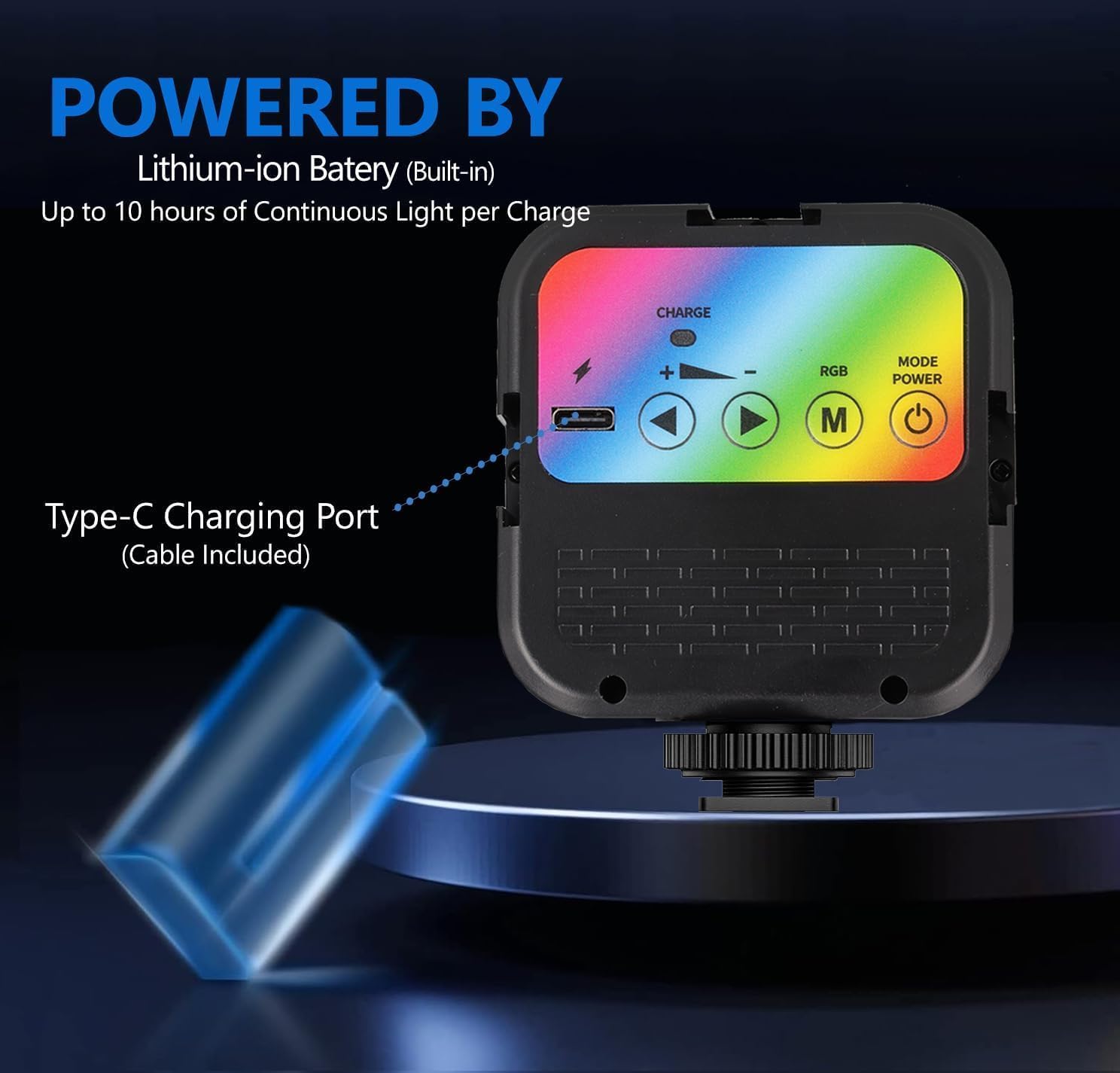
Image 4.1: Rear view of the RGB Video Light, showing the control panel. Key features include the Type-C Charging Port, Charge Light Indicator, Adjustment/Selection Buttons, RGB Switch (M button), Power On/Off button, Standard Cold Shoe, 1/4" Screw, and Cold Shoe Fastening Wheel.
- Type-C Charging Port: For connecting the USB Type-C charging cable.
- Charge Light Indicator: Displays charging status.
- Adjustment/Selection Buttons: Used to increase/decrease values or navigate options.
- RGB Switch (M Button): Toggles between white light mode (CCT) and RGB color mode.
- Power On/Off Button: Press and hold to turn the light on or off.
- Standard Cold Shoe: For mounting the light onto cameras or other accessories.
- 1/4" Screw: Standard tripod screw mount for versatile attachment.
- Cold Shoe Fastening Wheel: Secures the light to a cold shoe mount.
5. Setup
5.1 Charging the Battery
The RGB Video Light features a built-in 2000mAh rechargeable lithium-ion battery. Fully charge the device before first use.
- Connect the supplied USB Type-C cable to the charging port on the light.
- Connect the other end of the cable to a USB power adapter (not included) or a computer's USB port.
- The Charge Light Indicator will illuminate during charging. It will change or turn off once fully charged.
- A full charge provides up to 10 hours of continuous use, depending on brightness and color settings.

Image 5.1: Illustration of the Type-C charging port and the internal lithium-ion battery, emphasizing the charging process.
5.2 Mounting the Light
The light offers versatile mounting options:
- Cold Shoe Mount: Slide the standard cold shoe base of the light into a camera's hot shoe or a cold shoe adapter. Tighten the Cold Shoe Fastening Wheel to secure it.
- 1/4" Standard Tripod Screw Mount: Attach the light to any tripod, light stand, or accessory with a 1/4" screw thread.
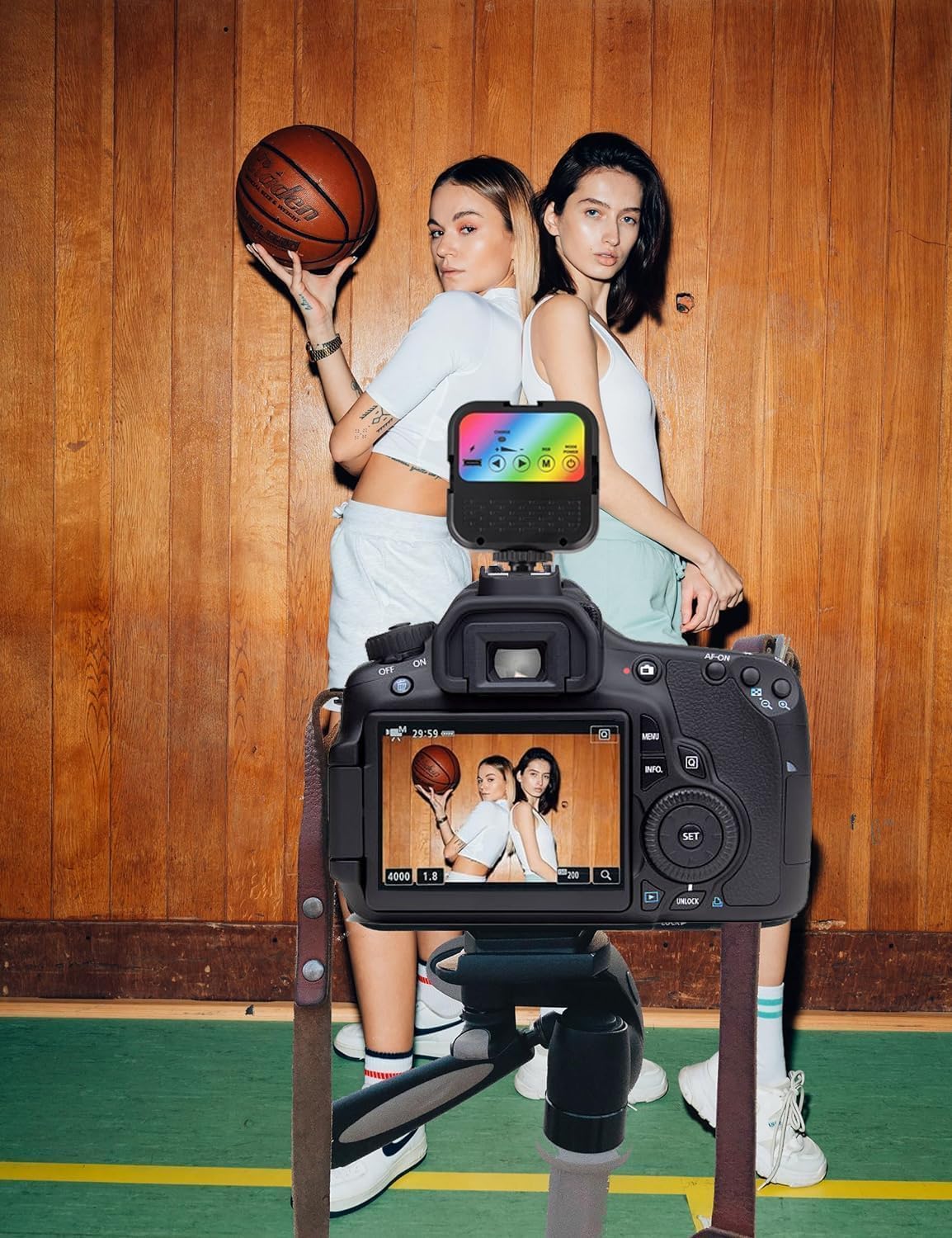
Image 5.2: The RGB Video Light mounted on a camera, demonstrating its use in a photography setup.
6. Operation
6.1 Power On/Off
- To turn on: Press and hold the Power On/Off Button for approximately 2 seconds.
- To turn off: Press and hold the Power On/Off Button for approximately 2 seconds.
6.2 Adjusting Color Temperature (CCT Mode)
In CCT (Correlated Color Temperature) mode, you can adjust the white light from warm to cool tones.
- Ensure the light is in CCT mode. If not, press the RGB Switch (M Button) until the display indicates CCT mode.
- Use the Adjustment/Selection Buttons to adjust the color temperature between 3000K (warm) and 7000K (cool).
- The display will show the current color temperature setting.

Image 6.1: The RGB Video Light in use, demonstrating its ability to project different color temperatures, such as a cool blue light.
6.3 Adjusting RGB Colors (RGB Mode)
In RGB mode, you can select from a wide range of colors to create specific moods or effects.
- Press the RGB Switch (M Button) to cycle through modes until you reach RGB mode.
- Use the Adjustment/Selection Buttons to cycle through the available RGB color options.
- The light offers 23 LED color choices, including various solid colors and dynamic effects.

Image 6.2: A visual representation of the 23 distinct LED color choices available on the device, showcasing the variety of lighting effects.
7. Maintenance
Proper maintenance ensures the longevity and optimal performance of your RGB Video Light.
- Cleaning: Use a soft, dry cloth to wipe the surface of the light. Do not use harsh chemicals or abrasive cleaners.
- Storage: Store the device in a cool, dry place away from direct sunlight and extreme temperatures.
- Battery Care: For optimal battery life, avoid fully discharging the battery frequently. If storing for extended periods, charge the battery to approximately 50% every three months.
8. Troubleshooting
If you encounter issues with your RGB Video Light, refer to the following common problems and solutions:
| Problem | Possible Cause | Solution |
|---|---|---|
| Light does not turn on. | Battery is depleted. | Charge the device using the provided USB Type-C cable. |
| Light does not charge. | Faulty cable or power source. | Try a different USB Type-C cable or a different USB power adapter/port. Ensure connections are secure. |
| Cannot change color or mode. | Incorrect mode selected or buttons not functioning. | Press the RGB Switch (M Button) to cycle through modes. Ensure buttons are pressed firmly. If unresponsive, try turning the device off and on again. |
| Light flickers or dims unexpectedly. | Low battery or internal issue. | Charge the battery fully. If the issue persists, contact customer support. |
9. Specifications
| Feature | Detail |
|---|---|
| Model Number | 128276-458243 |
| LED Count | 70 LEDs |
| Color Temperature Range | 3000K - 7000K |
| Color Modes | CCT (White Light), RGB (23 color choices) |
| Battery Type | Built-in 2000mAh Lithium-ion |
| Battery Life | Up to 10 hours (depending on settings) |
| Charging Port | USB Type-C |
| Mounting Options | Standard Cold Shoe, 1/4" Screw Mount |
| Product Dimensions | 2.5"L x 1.18"W x 3.14"H (6.35cm L x 3cm W x 7.98cm H) |
| Item Weight | 3.5 ounces (99.2 grams) |
| Manufacturer | Digital Nc |
10. Warranty and Support
Digital Nc products are designed and manufactured to the highest quality standards. For warranty information and customer support, please refer to the documentation provided at the time of purchase or visit the official Digital Nc website. If you experience any issues with your product, please contact our customer service team for assistance.
Contact Information:
- For support, please visit the Digital Nc Store on Amazon.