
Product Overview
This manual provides detailed instructions for the installation, operation, and maintenance of your Bruni Screen Protector, specifically designed for the UniStrong UT32/UG908 device. This protective film is engineered from highly transparent PET material, offering robust scratch resistance and maintaining the original display clarity and touch sensitivity.
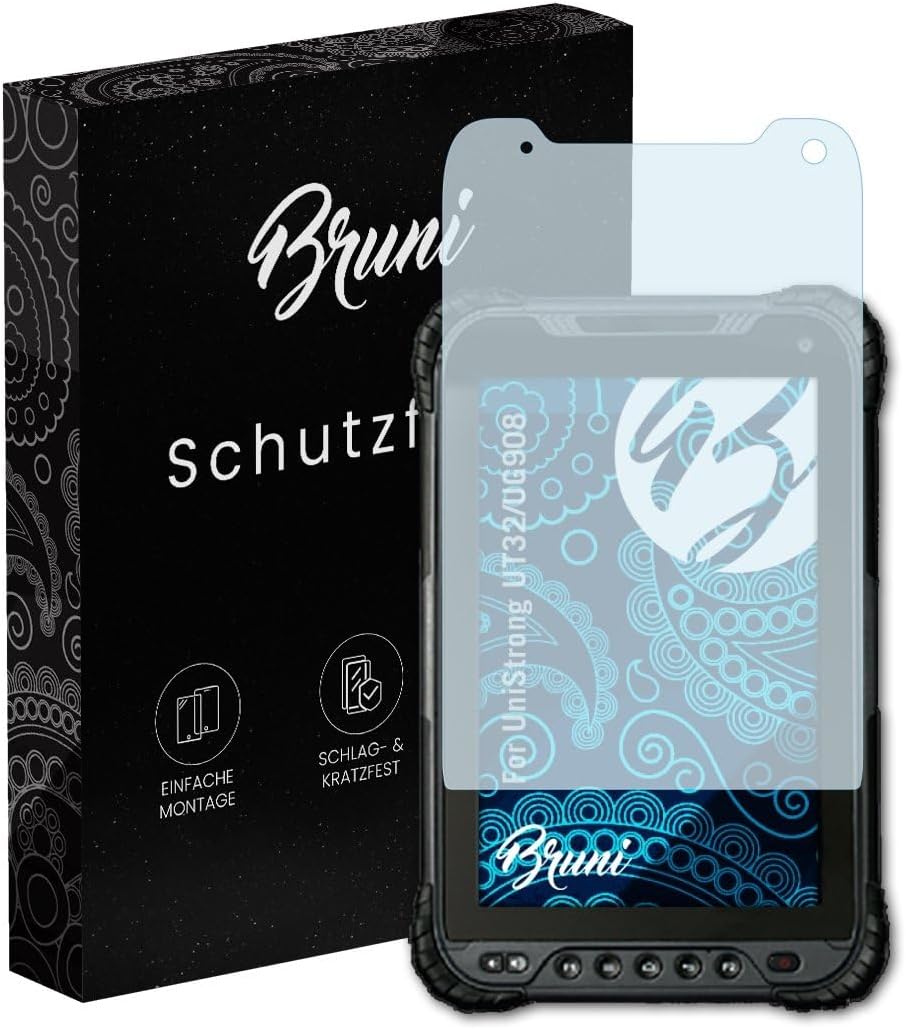
Image: The Bruni Screen Protector packaging alongside the protective film applied to a UniStrong UT32/UG908 device, illustrating the product's appearance and intended use.
Setup and Installation
Proper installation is crucial for optimal performance and longevity of your screen protector. Please follow these steps carefully.
Package Contents

Image: An illustration of the items included in the Bruni Screen Protector package: the display protection film, a mounting tool, a microfiber cloth, and mounting instructions.
Before beginning, ensure all components are present:
- Bruni Screen Protector Film (2X)
- Mounting Tool
- Microfiber Cleaning Cloth
- Installation Guide (this document)
Installation Steps
- Clean the Device Screen: Use the provided microfiber cloth to thoroughly clean the UniStrong UT32/UG908 screen. Ensure there are no dust particles, smudges, or fingerprints. A clean screen is essential for bubble-free application.
- Align the Protector: Carefully peel back a small portion of the protective layer from the screen protector. Align the screen protector with the device's screen, paying close attention to cutouts for cameras or sensors.
- Apply Gradually: Slowly lower the screen protector onto the device's screen, peeling off the remaining protective layer as you go. Use the mounting tool or a credit card wrapped in the microfiber cloth to gently push out any air bubbles towards the edges.
- Final Smoothing: Once the protector is fully applied, use the mounting tool to smooth out any remaining small bubbles. Work from the center outwards.

Image: A person's hands carefully applying the screen protector to a device, demonstrating the gradual application process.
The Bruni Screen Protector is designed for easy, bubble-free application and can be repositioned if necessary during installation without leaving residue.
Operation and Performance
The Bruni Screen Protector is engineered to provide protection without compromising the functionality of your UniStrong UT32/UG908 device.
Touch Sensitivity
The protective film is optimized for use on touch displays, ensuring that the device's touch sensitivity remains unadulterated. You should experience no impairment in responsiveness or accuracy when interacting with your screen.

Image: A finger interacting with a device screen that has the Bruni Screen Protector applied, illustrating the maintained touch sensitivity.
Display Clarity
The highly transparent PET material ensures an unadulterated display of screen contents. Colors remain vibrant and true, and the clarity of your device's screen is preserved.

Image: A device screen showcasing vibrant colors and sharp details, demonstrating that the Bruni Screen Protector does not diminish visual quality.
Care and Maintenance
To ensure the longevity and effectiveness of your Bruni Screen Protector, follow these simple care guidelines.
- Cleaning: Use a soft, lint-free cloth, such as the provided microfiber cloth, to gently wipe the screen protector. For stubborn smudges, slightly dampen the cloth with water or a screen-safe cleaner. Avoid harsh chemicals or abrasive materials.
- Scratch Resistance: The film is made of scratch-resistant material (4H hardness). However, avoid contact with sharp objects like keys or knives to prevent damage.
- Removal: If you need to remove or replace the screen protector, it can be peeled off without leaving any sticky residue on your device's screen.

Image: A metal key being pressed against a screen protected by the Bruni film, illustrating the product's scratch-resistant properties.
Troubleshooting
Common issues and their solutions during or after installation.
- Bubbles After Installation:
Cause: Trapped air or dust particles during application.
Solution: For small bubbles, gently push them towards the nearest edge using the mounting tool or a soft cloth. If bubbles persist or are large, carefully lift the nearest edge of the protector and reapply, ensuring no dust is present. Re-clean the screen if necessary.
- Dust Under the Protector:
Cause: Dust particles settled on the screen before or during application.
Solution: Carefully lift the edge of the screen protector near the dust particle. Use a piece of adhesive tape to gently dab the dust off both the screen and the adhesive side of the protector. Reapply the protector slowly.
- Protector Not Sticking Properly:
Cause: Oily residue on the screen or improper alignment.
Solution: Ensure the screen is completely clean and dry before application. If the edges are not adhering, gently press them down. The film is designed for optimal edge adhesion once applied.
Product Specifications
| Brand | Bruni |
| Model Compatibility | UniStrong UT32/UG908 |
| Material | Polyethylenterephthalat (PET) |
| Item Hardness | 4H |
| Color | Basics-Clear |
| Product Dimensions (Film) | 8.2"L x 5.1"W (approximate) |
| Item Weight | 1.13 ounces (package weight) |
| Manufacturer | atFoliX GmbH |
| Country of Origin | Germany |
Warranty Information
Bruni products are manufactured with high-quality standards. For specific warranty details regarding your screen protector, please refer to the information provided by the retailer or contact the manufacturer directly. General return policies typically allow for returns within 30 days of purchase if the product is defective or not as described.
Customer Support
For further assistance, questions, or support regarding your Bruni Screen Protector, please contact the manufacturer, atFoliX GmbH, or your point of purchase. You may find additional resources and contact information on the official Bruni or atFoliX websites.
Manufacturer: atFoliX GmbH
For online resources, search for "Bruni Screen Protector support" or "atFoliX GmbH contact".