
1. Introduction
This manual provides detailed instructions for the installation, operation, and maintenance of your Asurity by Diversitech ULTRACP-22 120V Compact HVAC Condensate Pump. This pump is designed to automatically remove condensate from HVAC/R equipment such as air conditioners, furnaces, and dehumidifiers. Please read this manual thoroughly before installation and use to ensure proper function and safety.
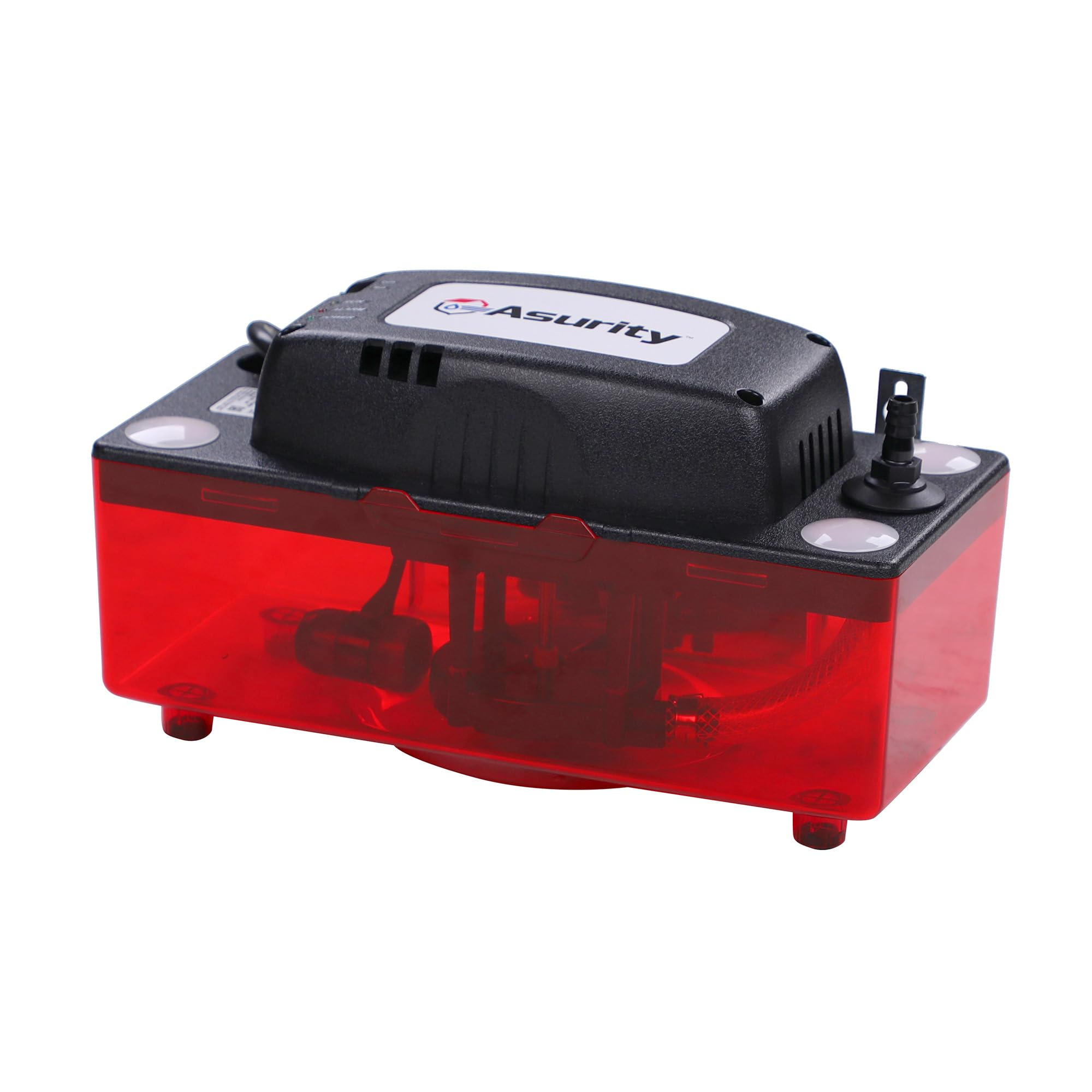
Figure 1: Asurity ULTRACP-22 Condensate Pump highlighting key features.
2. Safety Information
Always disconnect power before servicing the pump or connected equipment. Ensure the pump is installed on a level surface to prevent overflow. Do not pump flammable liquids or chemicals. This pump is designed for condensate up to 160°F (71°C). Refer to local electrical and plumbing codes for proper installation.
3. Package Contents
Verify that all items are present in the package:
- Asurity ULTRACP-22 Condensate Pump
- Power Cord
- Installation and Safety Instructions
- Wiring for alarm system (optional use)
4. Setup
The ULTRACP-22 pump features a compact design and multiple inlet options for flexible installation.
4.1 Placement
Place the pump on a stable, level surface. The pump can also be mounted using the integrated metal mounting tabs. Ensure the pump is positioned to receive condensate from your HVAC unit via one of the four available inlet holes.

Figure 2: Compact design of the ULTRACP-22 pump for versatile placement.
4.2 Condensate Inlet Connection
Connect the condensate drain line from your HVAC equipment to one of the four inlet holes on the pump. The translucent red tank allows for easy visual inspection of water levels and potential blockages.

Figure 3: Proper placement and connection of the condensate pump.
4.3 Discharge Line Connection
Attach a suitable discharge hose to the pump's outlet port. Ensure the hose is securely fastened and routed to a proper drain. The pump is capable of a maximum vertical lift of 22 feet.

Figure 4: The pump's capability for 22 feet of vertical lift.
4.4 Electrical Connection
Plug the pump's power cord into a standard 120V AC outlet. The pump also includes wiring for an optional alarm system, which can be connected to your HVAC system to shut it down in case of a pump malfunction or overflow.
Video 1: Overview of the Diversitech CP-22 Condensate Pump, demonstrating its components and basic setup.
Video 2: Detailed unboxing and installation of the ULTRACP-22 Ultra Series Automatic Condensate Pump for HVAC.
5. Operating Instructions
The Asurity ULTRACP-22 operates automatically. When condensate water in the reservoir reaches a predetermined level, an internal float switch activates the pump. The pump will then discharge the water through the connected hose until the water level drops, at which point the pump will turn off.
5.1 LED Indicators
The pump features LED indicators on its top panel to provide status information:
- POWER: Indicates the pump is receiving electrical power.
- RUN: Illuminates when the pump motor is actively discharging condensate.
- ALARM: Lights up if the water level exceeds the normal operating range, indicating a potential issue or overflow condition.

Figure 5: The pump in an operational setup, showing connections.
6. Maintenance
Regular maintenance ensures optimal performance and extends the life of your condensate pump.
6.1 Cleaning the Reservoir
Periodically inspect the translucent reservoir for algae or sludge buildup. Disconnect power, remove the motor assembly, and clean the reservoir with warm, soapy water. Rinse thoroughly before reassembling.
6.2 Check Valve
The pump includes a removable check valve. Inspect it during cleaning to ensure it is free of debris and functioning correctly to prevent backflow.

Figure 6: The removable check valve for easy cleaning and maintenance.
6.3 Condensate Tablets
For continuous maintenance and to prevent biological growth, condensate pan treatment tablets can be placed in the designated compartment. These tablets dissolve slowly, helping to keep the lines clear.
7. Troubleshooting
| Problem | Possible Cause | Solution |
|---|---|---|
| Pump does not run | No power; Float switch stuck; Motor failure | Check power connection; Inspect float for obstructions; Contact support if motor fails. |
| Water overflow | Clogged discharge line; Pump not level; Pump capacity exceeded | Clear discharge line; Ensure pump is level; Verify pump capacity meets demand. |
| Alarm LED is on | High water level; Float switch malfunction | Check for clogs or pump failure; Inspect float switch. |
| Excessive noise | Debris in pump; Loose mounting | Clean pump interior; Secure mounting tabs. |
8. Specifications
| Feature | Specification |
|---|---|
| Model Number | ULTRACP-22 |
| Voltage | 120 Volts |
| Maximum Lift Height | 22 Feet |
| Maximum Flow Rate | 1.8 Gallons Per Minute |
| Condensate Temperature | Up to 160°F (71°C) |
| Product Dimensions (L x W x H) | 11.75" x 6" x 7.75" |
| Material | Plastic |
| Color | Red (translucent reservoir) |
| Included Components | Condensate pump |
9. Warranty
The Asurity by Diversitech ULTRACP-22 Condensate Pump comes with a 3-Year Protection Plan. This warranty covers defects in materials and workmanship under normal use. For specific terms and conditions, please refer to the warranty documentation included with your product or visit the manufacturer's website.

Figure 7: The ULTRACP-22 pump is backed by a 3-year warranty.
10. Support
For technical assistance, replacement parts, or warranty claims, please contact Diversitech customer support. You can find contact information on the official Diversitech website or in the product packaging.
Visit the Diversitech Store for more information and products.


