1. Introduction
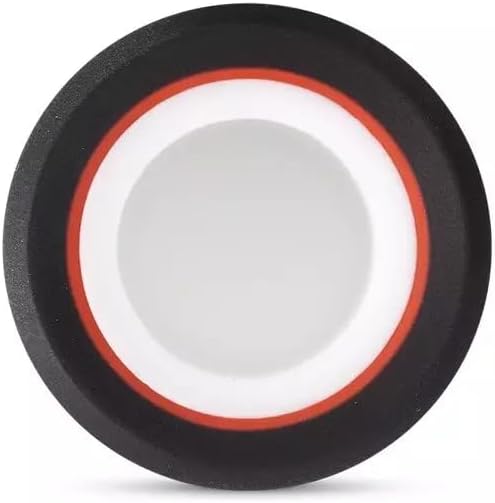
The Puffco Peak Pro 3D Atomizer is an innovative component designed to elevate your vaporization experience. This high-quality accessory is specifically engineered for the Puffco Peak Pro device, offering enhanced performance and efficiency. It has quickly become a preferred choice for owners of the Puffco Peak Pro vaporizer.
Key Features:
- Designed specifically for Puffco Peak Pro vaporizers.
- Innovative 3D heating system that pushes concentrate towards the internal walls for uniform heating.
- Constructed from durable stainless steel and rubber.
- This product does NOT contain nicotine and is not intended for tobacco consumption or its derivatives.

2. Setup and Installation
This atomizer is a replacement part for the Puffco Peak Pro. Ensure your device is powered off and cooled down before proceeding with installation.
- Remove Old Atomizer: Gently twist and unscrew the existing atomizer from the base of your Puffco Peak Pro device.
- Inspect Connections: Ensure the contact points on both the new 3D Atomizer and your Peak Pro base are clean and free of debris.
- Install New Atomizer: Carefully align the new Puffco Peak Pro 3D Atomizer with the base of your Peak Pro. Screw it in clockwise until it is finger-tight. Do not overtighten.
- Power On: Turn on your Puffco Peak Pro device. The device should recognize the new atomizer.

3. Operating Instructions
The 3D Atomizer enhances the heating capabilities of your Puffco Peak Pro. For detailed operating instructions of the Puffco Peak Pro device itself, please refer to its dedicated user manual.
- Loading Concentrate: Open the atomizer cap. Using a dab tool, place a small amount of concentrate directly onto the bottom of the ceramic chamber. Avoid overfilling.
- Close Atomizer: Securely close the atomizer cap.
- Activate Device: Follow your Puffco Peak Pro's instructions to select your desired temperature setting and initiate the heating cycle. The 3D Atomizer will heat the concentrate evenly from the side walls and bottom.
- Inhale: Once the device indicates it's ready, inhale gently through the mouthpiece.
- Post-Use: After each use, it is recommended to swab the chamber with a cotton swab to remove any residual concentrate.
4. Maintenance
Regular cleaning and maintenance will ensure optimal performance and longevity of your 3D Atomizer.
Cleaning Instructions:
- Disassemble: Ensure the atomizer is cool. Unscrew the atomizer from the Peak Pro base.
- Swab Chamber: Use a dry cotton swab to gently wipe out any remaining concentrate from the ceramic chamber after each session. For stubborn residue, a cotton swab lightly dampened with isopropyl alcohol (90% or higher) can be used.
- Soak (Deep Clean): For a deeper clean, you may carefully remove the ceramic bowl from the atomizer housing (if designed for removal) and soak it in isopropyl alcohol for 20-30 minutes. Do not soak the entire atomizer assembly, especially parts with rubber or electrical contacts, unless specifically instructed by Puffco.
- Rinse and Dry: After soaking, rinse the ceramic bowl thoroughly with warm water and allow it to air dry completely before reassembly. Ensure no alcohol residue remains.
- Clean Contacts: Periodically clean the gold contact pins on the bottom of the atomizer and the corresponding contacts on your Peak Pro base with a cotton swab lightly dampened with isopropyl alcohol. Ensure they are dry before reassembly.
Care Tips:
- Avoid using abrasive cleaning tools or harsh chemicals.
- Do not drop the atomizer, as this can damage the ceramic heating element.
- Store the atomizer in a clean, dry place when not in use.
5. Troubleshooting
If you encounter issues with your 3D Atomizer, try the following troubleshooting steps:
| Problem | Possible Cause | Solution |
|---|---|---|
| Atomizer not recognized by device | Loose connection, dirty contacts, faulty atomizer | Ensure atomizer is screwed in tightly. Clean contact pins on both atomizer and device. If problem persists, the atomizer may need replacement. |
| No vapor or weak vapor production | Insufficient concentrate, incorrect temperature, dirty chamber, faulty heating element | Ensure adequate concentrate is loaded. Check Peak Pro temperature settings. Clean the ceramic chamber thoroughly. If still no vapor, the heating element may be damaged. |
| Device displays atomizer error | Atomizer short circuit, connection issue | Remove and re-install the atomizer. Clean all contact points. If the error persists, the atomizer may be defective. |
If these steps do not resolve the issue, please contact Puffco customer support or your retailer for further assistance.
6. Specifications
| Feature | Detail |
|---|---|
| Product Name | Puffco Peak Pro 3D Atomizer |
| Model | 3D Atomizer |
| Compatibility | Puffco Peak Pro |
| Manufacturer | Puffco |
| Dimensions (L x W x H) | 3.1 x 3.1 x 2.8 cm |
| Materials | Stainless steel, rubber, ceramic (heating chamber) |
| Heating Technology | 3D heating (side and bottom) |
7. Warranty and Support
For information regarding warranty coverage for your Puffco Peak Pro 3D Atomizer, please refer to the official Puffco website or the warranty documentation included with your original Puffco Peak Pro device. Warranty terms typically cover manufacturing defects.
If you require technical assistance, have questions about your product, or need to initiate a warranty claim, please contact Puffco customer support directly through their official website or the retailer from whom you purchased the atomizer.
Puffco Official Website: www.puffco.com


