
Nuroum OW20B
Nuroum OW20B Open-Ear Bluetooth Earphones with Microphone User Manual
Model: OW20B
Introduction
Thank you for choosing the Nuroum OW20B Open-Ear Bluetooth Earphones. This manual provides detailed instructions for the safe and efficient use of your new earphones. Please read it thoroughly before use and retain it for future reference.
Important Safety Information
- Do not expose the earphones to extreme temperatures or humidity.
- Avoid dropping or subjecting the earphones to strong impacts.
- Do not disassemble or modify the earphones. This may void the warranty and cause damage.
- Keep out of reach of children and pets.
- Use only the provided charging cable.
- Avoid using the earphones at high volume for extended periods to prevent hearing damage.
Package Contents
Please check that all items are present:
- Nuroum OW20B Bluetooth Earphones x 1
- Charging Cable x 1
- Instruction Manual x 1
Product Overview
The Nuroum OW20B features an open-ear design for comfort and situational awareness, a rotatable boom microphone for clear communication, and integrated controls for ease of use.

Figure 1: Nuroum OW20B Open-Ear Bluetooth Earphones. This image shows the overall design of the earphones, highlighting their open-ear form factor and the integrated boom microphone.
Components:
- Ear Hooks: Designed for a secure and comfortable fit over the ear.
- Speaker Units: Deliver audio without blocking the ear canal.
- Rotatable Boom Microphone: Can be positioned for optimal voice pickup during calls or rotated away when not in use.
- Control Buttons: For power, volume, track control, and call management.
- Charging Port: For connecting the charging cable.
Design and Comfort
The Nuroum OW20B earphones are engineered for comfort and a secure fit, weighing only 22g. Their open-ear design allows you to stay aware of your surroundings while enjoying audio, preventing the stuffiness often associated with in-ear headphones. The soft silicone ear hooks ensure a snug fit without discomfort, even during extended wear or active use like running or cycling.

Figure 2: Open-Ear Comfort & Fit. This image illustrates the benefits of the open-ear design compared to traditional in-ear headphones, emphasizing comfort and a secure fit with soft silicone ear hooks.
Setup
1. Charging the Earphones
Before first use, fully charge the earphones. A full charge takes approximately 2 hours and provides up to 15 hours of continuous playback.
- Connect the provided charging cable to the charging port on the earphones.
- Connect the other end of the charging cable to a USB power adapter (not included) or a computer's USB port.
- The indicator light will show the charging status. It will typically turn off or change color once fully charged.
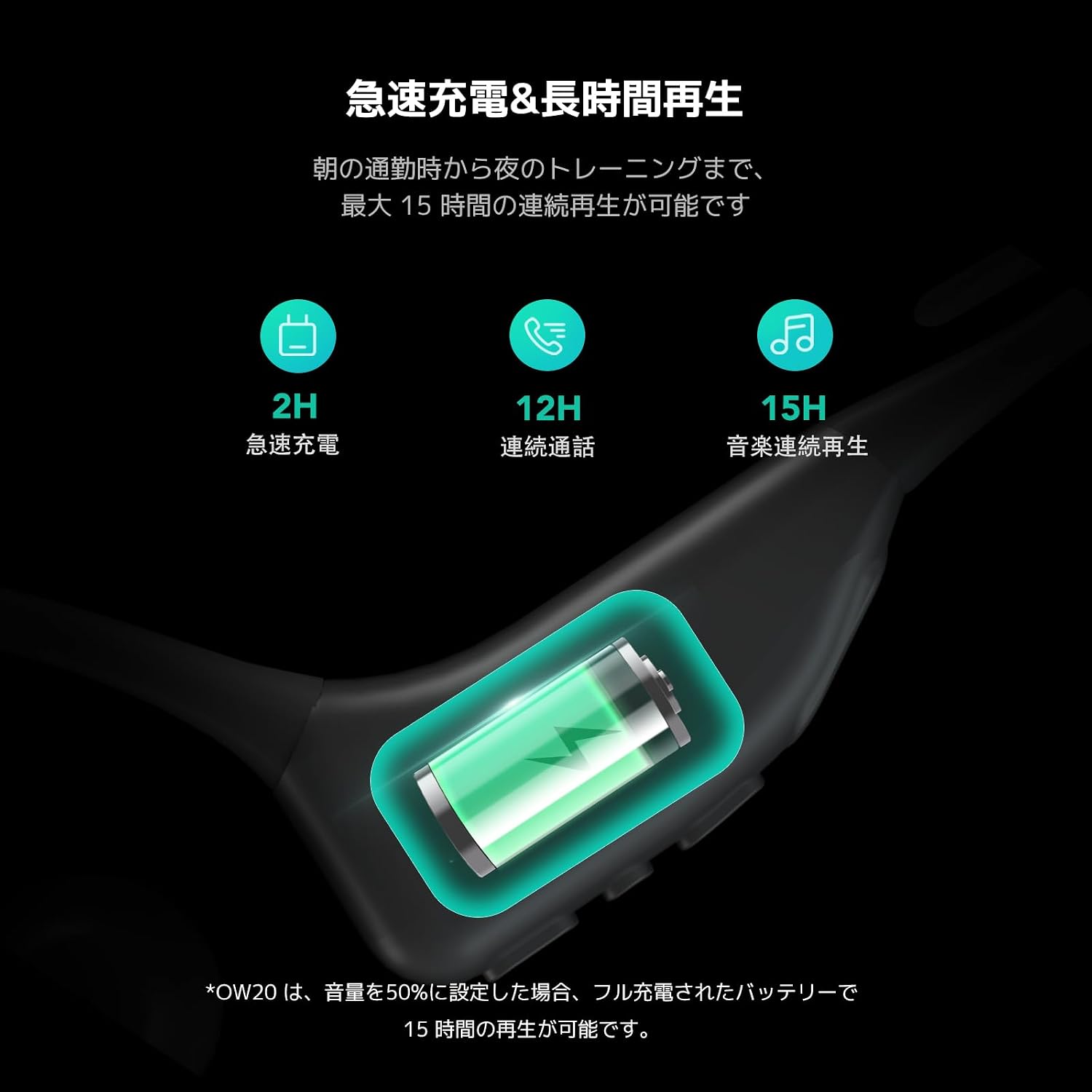
Figure 3: Fast Charging & Long Playback. This image displays the charging process and highlights the battery performance, including 2 hours for fast charging and up to 15 hours of continuous music playback.
2. Powering On/Off
- To Power On: Press and hold the Multi-Function Button (MFB) for approximately 3 seconds until you hear a power-on prompt and the indicator light flashes.
- To Power Off: Press and hold the MFB for approximately 5 seconds until you hear a power-off prompt and the indicator light turns off.
3. Bluetooth Pairing
The Nuroum OW20B uses Bluetooth 5.3 for a stable and seamless connection.
- Ensure the earphones are powered off.
- Press and hold the MFB for about 5-7 seconds until the indicator light flashes red and blue alternately, indicating pairing mode.
- On your device (smartphone, tablet, computer), enable Bluetooth and search for available devices.
- Select "Nuroum OW20B" from the list of found devices.
- Once connected, the indicator light will flash blue slowly, and you will hear a connection confirmation prompt.
Note: The earphones support multi-point connection, allowing simultaneous connection to two devices. After pairing with the first device, disable Bluetooth on it, then pair with the second device. Re-enable Bluetooth on the first device, and the earphones should connect to both.
Operating Instructions
Controls
The earphones feature intuitive controls for managing audio and calls.

Figure 4: User-Friendly Integrated Controls. This image highlights the control buttons on the earphone body, including volume up (+), volume down (-), and the Multi-Function Button (MFB), along with the mute button on the microphone boom.
| Function | Action |
|---|---|
| Power On | Press and hold MFB for 3 seconds |
| Power Off | Press and hold MFB for 5 seconds |
| Play/Pause Music | Single press MFB |
| Next Track | Double press MFB |
| Previous Track | Triple press MFB |
| Volume Up | Single press '+' button |
| Volume Down | Single press '-' button |
| Answer/End Call | Single press MFB |
| Reject Call | Press and hold MFB for 2 seconds |
| Mute/Unmute Microphone | Single press the mute button on the boom mic |
Microphone Usage
The rotatable boom microphone is designed for optimal voice clarity during calls, featuring ENC (Environmental Noise Cancellation) and a DSP chip to reduce ambient noise by 99.9%.
- For calls, rotate the microphone boom forward so it is positioned near your mouth.
- When listening to music or not needing the microphone, rotate it backward behind your ear for convenient storage and a less obtrusive profile.

Figure 5: Rotatable Boom Microphone. This image demonstrates how to position the rotatable boom microphone for clear calls (forward, near mouth) and for storage (backward, behind ear).

Figure 6: Industry-leading Noise Cancelling with HiFi 4 DSP. This image illustrates the ENC (Environmental Noise Cancellation) and DSP chip technology, showing how it processes and reduces background noise for clearer voice transmission during calls.
Audio Quality
Equipped with a large driver and a private bass boost algorithm powered by HiFi4 DSP, the Nuroum OW20B delivers powerful volume and rich bass. This ensures an enjoyable listening experience for your favorite music, whether you are running outdoors or traveling on an airplane.
Maintenance
- Clean the earphones regularly with a soft, dry cloth. Do not use abrasive cleaners or solvents.
- Store the earphones in a cool, dry place away from direct sunlight and extreme temperatures.
- Avoid prolonged exposure to liquids. While designed for sports, excessive moisture can still cause damage.
- When not in use for extended periods, charge the earphones at least once every three months to maintain battery health.
Troubleshooting
| Problem | Solution |
|---|---|
| Earphones do not power on. | Ensure the earphones are charged. Connect to a power source using the provided cable. |
| Cannot pair with a device. |
|
| No sound or low volume. |
|
| Microphone not working. |
|
| Connection drops frequently. |
|
Specifications
| Feature | Detail |
|---|---|
| Model Name | AW-OW20B-JP |
| Brand | Nuroum |
| Connectivity Technology | Wireless (Bluetooth 5.3) |
| Headphone Form Factor | Open-Ear, Ear-hook |
| Special Features | ENC Noise Cancelling, Microphone, Lightweight (22g) |
| Continuous Playback Time | Up to 15 hours |
| Charging Time | Approx. 2 hours |
| Wireless Range | Up to 10 meters (33 feet) |
| Color | Black |
Warranty and Support
The Nuroum OW20B Open-Ear Bluetooth Earphones come with a 1-year warranty from the date of purchase.
For warranty claims, technical support, or any inquiries regarding your product, please contact Nuroum customer service through the retailer where you purchased the product or visit the official Nuroum website for contact information.
Please retain your proof of purchase for warranty validation.
Ask a question about this manual
Ask about setup, troubleshooting, compatibility, parts, safety, or missing instructions. Manuals+ will review the question and use this page’s manual context to help answer it.