
JBL Xtreme 4
JBL Xtreme 4 Portable Bluetooth Speaker User Manual
Model: Xtreme 4
Introduction
This manual provides essential information for the proper use and maintenance of your JBL Xtreme 4 portable Bluetooth speaker. Please read this guide thoroughly before operating the device to ensure optimal performance and longevity.

Image: The JBL Xtreme 4 speaker in its camo design, showcasing its robust build.
Safety Information
Always follow basic safety precautions when using electrical products to reduce the risk of fire, electric shock, and injury. Keep the speaker away from extreme temperatures, direct sunlight, and open flames. Do not attempt to disassemble or modify the speaker. Ensure the charging port is dry before connecting the charging cable.
What's in the Box
Verify that all items are present upon unboxing:
- 1 x JBL Xtreme 4 Speaker
- 1 x PD adaptor (plug type varies by region)
- Quick Start Guide
- Safety Sheet
- Warranty Card
Product Overview and Features
Sound Quality
The JBL Xtreme 4 delivers powerful JBL Pro Sound through two woofers, two powerful drivers, and dual JBL Bass Radiators. AI Sound Boost technology analyzes the audio signal in real-time to optimize performance, maximize dynamic range, and reduce distortion, even at high volumes.

Image: An internal diagram illustrating the speaker's components, including woofers, tweeters, and the AI Sound Boost processor.
Battery Life and Powerbank
Enjoy up to 24 hours of playtime. The Playtime Boost feature can extend battery life by an additional 6 hours by optimizing sound performance. A built-in power bank allows you to charge external devices directly from the speaker.

Image: The JBL Xtreme 4 speaker positioned on a sandy beach, illustrating its suitability for extended outdoor use.
Portability
The speaker includes a convenient shoulder strap for easy transport. The strap can be adjusted for shoulder or crossbody carrying.

Image: A person carrying the JBL Xtreme 4 speaker over their shoulder using the adjustable strap.
Durability
With an IP67 waterproof and dustproof rating, the JBL Xtreme 4 is designed to withstand various outdoor conditions, including submersion in water and exposure to dust.
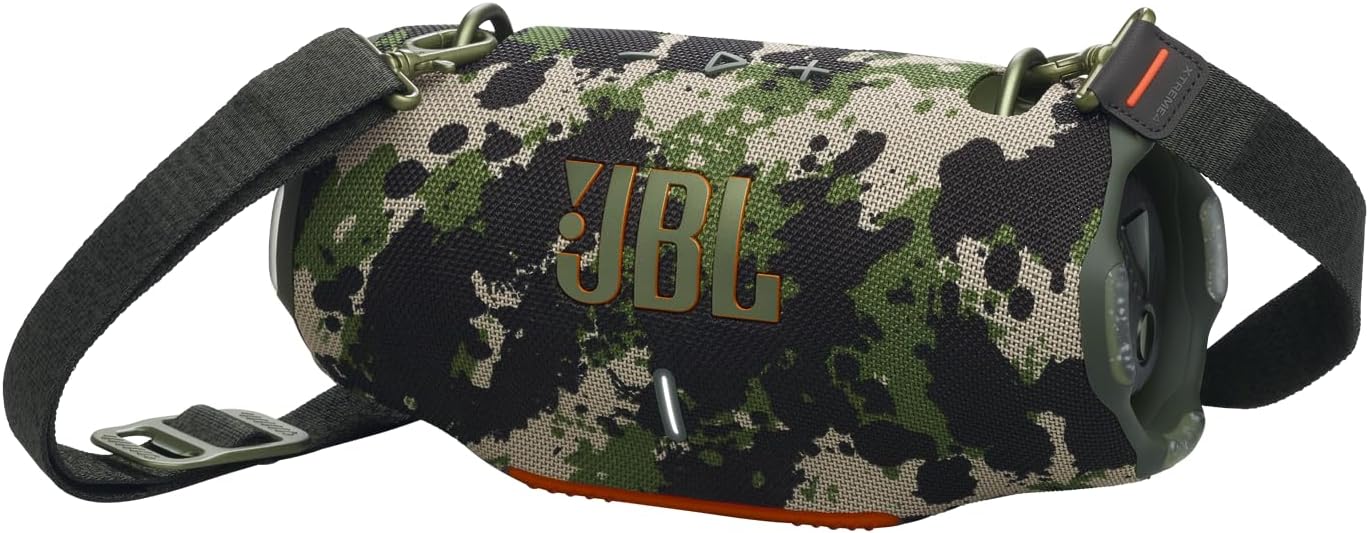
Image: The JBL Xtreme 4 speaker attached to a bicycle, highlighting its durable and portable design for outdoor activities.
Connectivity
The speaker supports Bluetooth wireless communication. For multi-speaker setups, Auracast allows connection with compatible JBL portable speakers for a wider sound stage. JBL PartyBoost can also be used via the JBL Portable app to pair with other PartyBoost-compatible speakers.
Replaceable Battery
The rechargeable battery is replaceable, allowing for extended product lifespan. Replacement batteries are sold separately.
JBL Portable App
The JBL Portable app provides access to updates, product support, and additional features. It includes multiple EQ presets and a customizable equalizer for personalized sound adjustments.
Setup
Charging the Speaker
- Connect the provided PD adaptor to the speaker's USB-C charging port.
- Plug the adaptor into a power outlet.
- The charging indicator light will show the charging status. A full charge takes approximately 3.5 hours.
Powering On/Off
- To power on, press the power button located on the top panel.
- To power off, press and hold the power button until the indicator lights turn off.

Image: A close-up of the speaker's top control panel, displaying the power, Bluetooth, volume, and Auracast buttons.
Bluetooth Pairing
- Power on the JBL Xtreme 4.
- Press the Bluetooth button on the top panel to enter pairing mode. The Bluetooth indicator will flash.
- On your device (smartphone, tablet, laptop), enable Bluetooth and select "JBL Xtreme 4" from the list of available devices.
- Once connected, the Bluetooth indicator will remain solid.
JBL Portable App Installation
Download the JBL Portable app from your device's app store (Google Play Store or Apple App Store) to access advanced features and settings.
Operating
Basic Controls
- Volume Up/Down: Use the '+' and '-' buttons.
- Play/Pause: Press the play/pause button.
- Skip Track: Double-press the play/pause button to skip forward.
Auracast / PartyBoost Pairing
To connect multiple JBL Xtreme 4 speakers or other compatible JBL speakers:
- Ensure all speakers are powered on and in close proximity.
- For Auracast, press the Auracast button on all speakers you wish to connect. They will automatically link.
- For PartyBoost, use the JBL Portable app to initiate pairing with compatible speakers.
Using the Power Bank
Connect your external device to the speaker's USB-A output port using a compatible charging cable. The speaker will begin charging your device automatically.
Playtime Boost
Activate Playtime Boost via the JBL Portable app to extend battery life by up to 6 hours. This feature optimizes sound output for longer playback duration.
Maintenance
Cleaning
Wipe the speaker with a soft, damp cloth. Do not use abrasive cleaners or solvents. Ensure the charging port is clean and dry before charging.
Battery Replacement
The JBL Xtreme 4 features a replaceable battery. Refer to the detailed instructions provided with the replacement battery for proper installation. Replacement batteries are sold separately.
Troubleshooting
- No Power: Ensure the speaker is charged. Connect to a power source and try again.
- No Sound: Check volume levels on both the speaker and your connected device. Ensure the device is properly paired via Bluetooth.
- Bluetooth Pairing Issues: Make sure the speaker is in pairing mode. Disable and re-enable Bluetooth on your device. Try forgetting the speaker from your device's Bluetooth list and re-pairing.
- Distorted Sound: Reduce the volume on both the speaker and your device. Ensure there are no obstructions between the speaker and the audio source.
- Auracast/PartyBoost Connection Issues: Ensure all speakers are compatible and within range. Try restarting the speakers and re-initiating the connection through the app or Auracast button.
Specifications
| Feature | Specification |
|---|---|
| Model Name | JBL Xtreme 4 |
| Dimensions (D x W x H) | 11.69" x 5.55" x 5.87" |
| Item Weight | 4.62 pounds (2.1 Kilograms) |
| Connectivity Technology | Bluetooth |
| Wireless Communication Technology | Bluetooth |
| Water Resistance Level | Waterproof (IP67) |
| Power Source | Battery Powered |
| Battery Capacity | 9444 Milliamp Hours |
| Charging Time | 3.5 Hours |
| Speaker Maximum Output Power | 80 Watts |
| Frequency Response | 44 Hz |
| Maximum Range | 10 Meters |
| Supported Internet Services | Auracast |
| UPC | 050036398213 |

Image: The JBL Xtreme 4 speaker with its physical dimensions clearly indicated.
Warranty and Support
The JBL Xtreme 4 comes with a limited warranty. Please refer to the included Warranty Card for specific terms and conditions. For product support, updates, and additional features, download the JBL Portable app.
For further assistance, visit the official JBL support website or contact customer service.
Related documentsXtreme 4


Ask a question about this manual
Ask about setup, troubleshooting, compatibility, parts, safety, or missing instructions. Manuals+ will review the question and use this page’s manual context to help answer it.