
1. Introduction
The Cooler Master MK770 Mechanical Keyboard is designed to enhance your computing experience with its advanced features and versatile connectivity. This manual provides essential information for setting up, operating, and maintaining your keyboard.
The MK770 features factory-lubricated Kailh Box V2 switches, a gasket structure, and a hot-swappable design for easy customization. Its compact 95% layout saves desk space while retaining essential functions. Enjoy hybrid wireless connectivity via 2.4GHz for lag-free input or Bluetooth 5.1 for flexible use. PBT double-shot keycaps ensure durability and colorfastness. The keyboard also includes a tactile 3-way dial for convenient control.
2. Package Contents
Upon unboxing your Cooler Master MK770 keyboard, please ensure all the following items are present:
- Cooler Master MK770 Wireless Mechanical RGB Gaming Keyboard
- Keycap Puller
- 2.4GHz Dongle
- USB Type-C to USB-A Braided Cable
- Cherry MX Green Switch Kit
- Extension Adapter
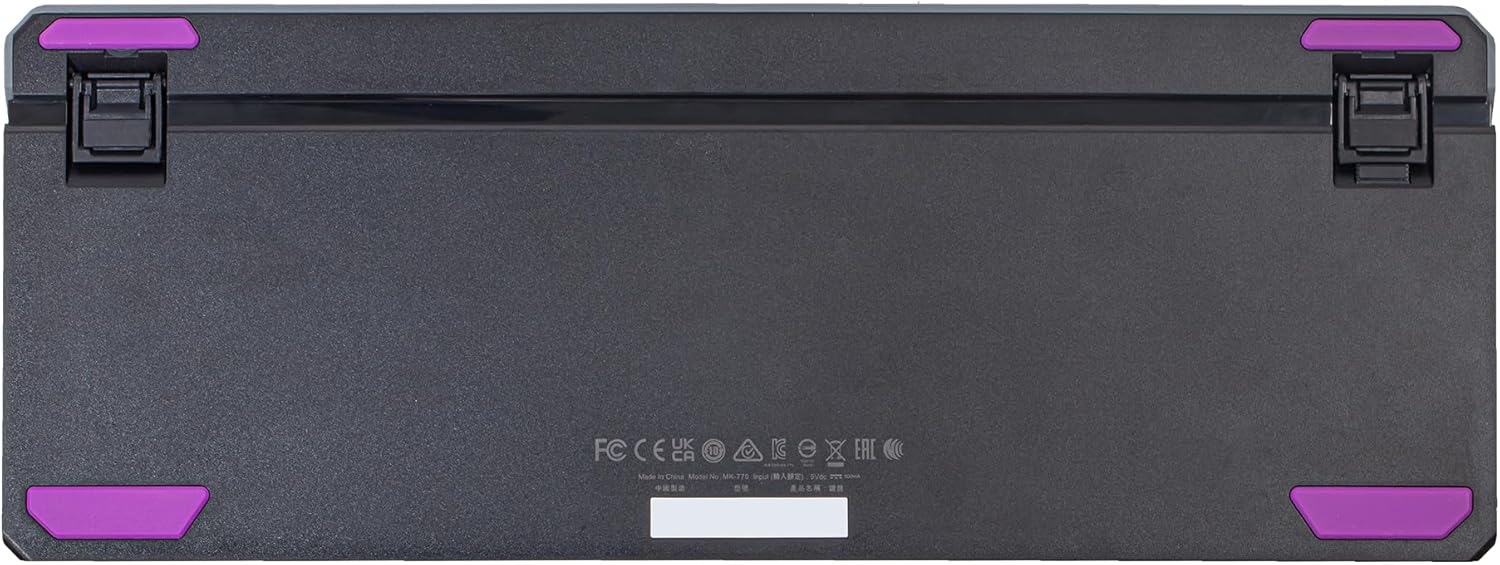
Figure 1: Cooler Master MK770 Product Packaging. The box highlights key features such as 95% hybrid wireless keyboard, gasket structure, hot-swappable design, and RGB lighting.
3. Key Features
- 98 Key Layout: The MK770 maintains a Numpad while optimizing the function area, reducing overall length to conserve desk space without sacrificing most regular keyboard functions.

Figure 2: The 98-key layout of the MK770, demonstrating its compact design with a full Numpad.
- Hot-Swappable Kailh Box V2 Switches: These switches offer enhanced durability and reinforced stems, providing a consistent typing experience. They can be easily customized to suit individual preferences.
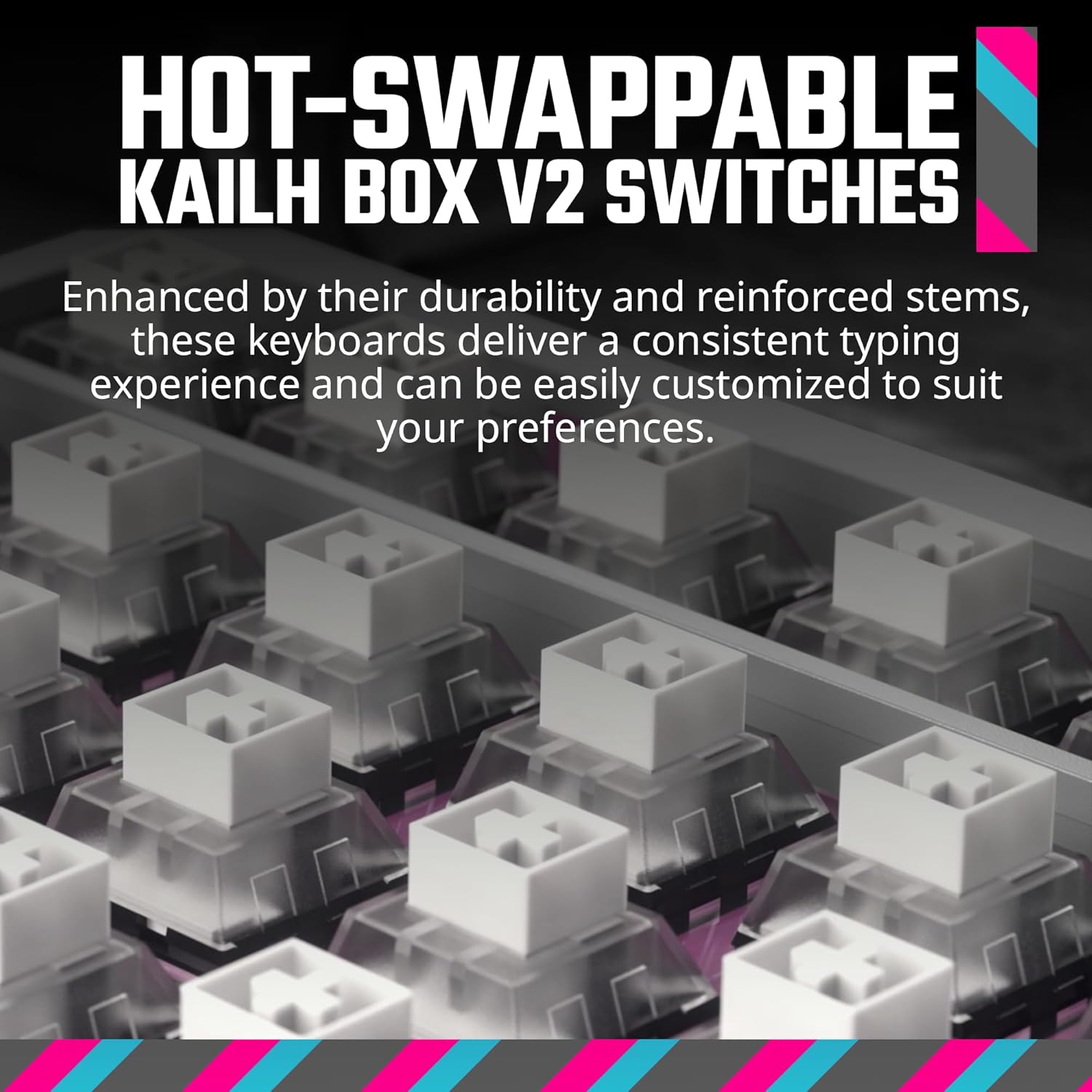
Figure 3: Detail of the hot-swappable Kailh Box V2 switches, illustrating the ease of customization.
- Hybrid Wireless Technology: Enjoy versatile connectivity options including wired Type-C, 2.4GHz wireless for lag-free input, or Bluetooth 5.1 for convenient and flexible connections.

Figure 4: The connectivity panel on the side of the keyboard, featuring USB-C and a switch for wireless modes.
- Gasket Structure and Cushions: This design minimizes vibration and noise, ensuring a comfortable and quiet typing experience. Silicone dampers and EVA materials work together to effectively dampen keystroke sounds.

Figure 5: An exploded diagram illustrating the internal gasket structure and cushioning for improved acoustics and typing feel.
- 3-Way Roller: Enhance your computing experience with versatile functions, including volume control and cycling through lighting modes, providing a more streamlined and personalized user experience.

Figure 6: The multi-function 3-way roller, used for volume control and lighting adjustments.
- Customizable RGB: Effortlessly map 16.7 million colors to any key, customize lighting modes, and fine-tune macros with the latest MasterCTRL software for a truly personalized experience.

Figure 7: Customizable RGB lighting on the MK770 keyboard, showcasing vibrant illumination.
4. Setup
4.1. Initial Connection
The MK770 keyboard offers multiple connection methods:
- Wired Connection: Connect the provided USB Type-C to USB-A braided cable from the keyboard's USB-C port to an available USB-A port on your computer.
- 2.4GHz Wireless: Insert the 2.4GHz dongle into an available USB-A port on your computer. Ensure the keyboard's connectivity switch (located near the USB-C port) is set to 2.4GHz mode.
- Bluetooth 5.1: Set the keyboard's connectivity switch to Bluetooth mode. On your device (computer, laptop, smartphone, or tablet), search for Bluetooth devices and select the MK770 to pair.
4.2. Adjusting Keyboard Height
The keyboard features adjustable feet on the underside to modify its typing angle for ergonomic comfort.

Figure 8: Side view of the keyboard with adjustable feet extended for an elevated typing position.

Figure 9: Underside of the keyboard, illustrating the adjustable feet and the integrated dongle storage.
5. Operating Instructions
5.1. Basic Typing
The MK770 provides a responsive and comfortable typing experience. Its gasket structure and Kailh Box V2 switches contribute to a satisfying tactile feedback.

Figure 10: User's hands positioned for typing on the MK770 keyboard.
5.2. Using the 3-Way Roller
The multi-function roller, located on the top right of the keyboard, allows for quick adjustments:
- Volume Control: Rotate the roller to adjust system volume.
- Lighting Modes: Press the roller to cycle through various RGB lighting modes.
5.3. RGB Customization
The MK770 features per-key RGB backlighting. To customize lighting effects, colors, and create macros, download and install the Cooler Master MasterCTRL software from the official Cooler Master website. The software allows for extensive personalization of your keyboard's aesthetics and functionality.
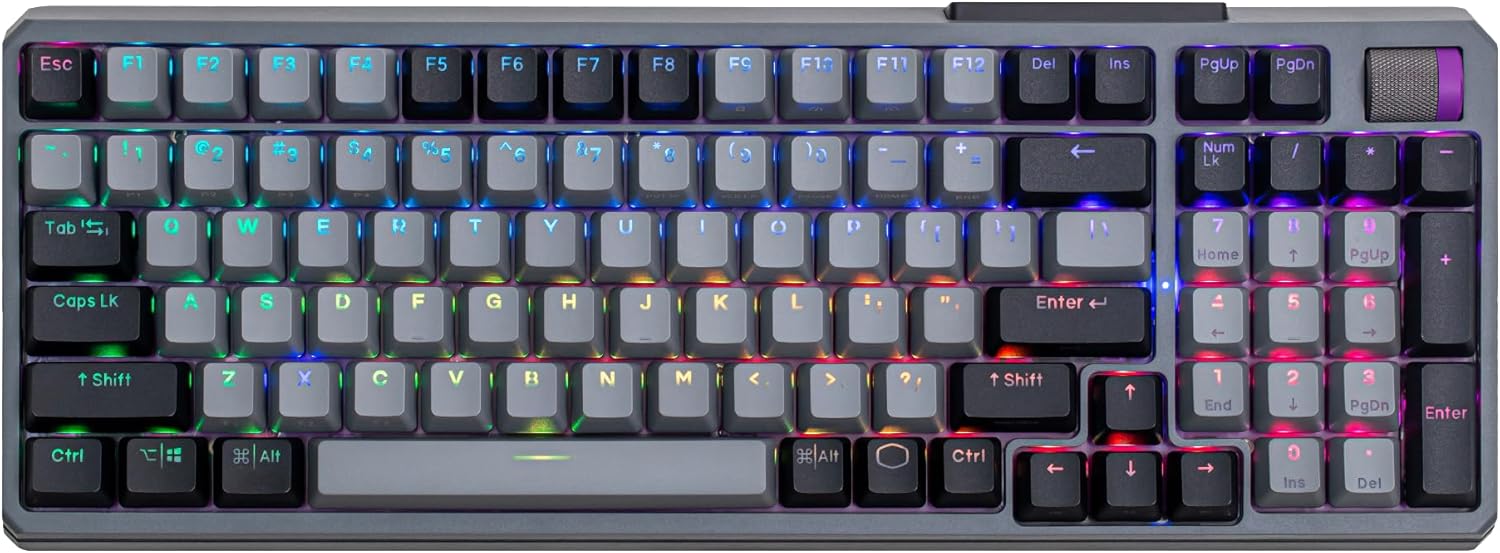
Figure 11: Top view of the MK770 showcasing its full RGB backlighting.
5.4. Operating System Compatibility
The MK770 is designed for compatibility with both Windows and macOS. Keycaps include dual OS legends. To switch between operating system modes, use the designated function key combination (e.g., Fn + Shift).
6. Maintenance
To ensure the longevity and optimal performance of your Cooler Master MK770 keyboard, follow these maintenance guidelines:
- Cleaning: Use a soft, dry cloth to wipe down the keyboard surface. For deeper cleaning, use the provided keycap puller to remove keycaps and clean dust or debris with compressed air.
- Switch Care: As the switches are hot-swappable, they can be removed and replaced if needed. Refer to the Cherry MX Green Switch Kit instructions for switch replacement.
- Storage: When not in use for extended periods, store the keyboard in a clean, dry environment away from direct sunlight and extreme temperatures.
7. Troubleshooting
If you encounter issues with your Cooler Master MK770 keyboard, please refer to the following common solutions:
- Battery Life: If the battery drains quickly, consider reducing RGB brightness or setting the keyboard to auto-sleep after a short period of inactivity. Ensure the keyboard is fully charged before use.
- Bluetooth Connectivity: If Bluetooth fails to connect, ensure the keyboard is in Bluetooth mode and your device's Bluetooth is enabled. Try unpairing and re-pairing the keyboard. If issues persist, try connecting via 2.4GHz wireless or wired mode.
- Wired Mode Issues: If the keyboard charges but does not register inputs in wired mode, try restarting your computer and replugging the USB-C cable. Ensure drivers are correctly installed.
- Software (MasterCTRL) Issues: If the MasterCTRL software is not functioning as expected, try restarting the application or reinstalling it from the official Cooler Master website. Ensure your keyboard's firmware is up to date.
- Keycap Legends: The alternate printing for function keys may be difficult to see in low light. Adjust RGB lighting or use the MasterCTRL software to customize key functions if needed.
8. Specifications
| Feature | Detail |
|---|---|
| Brand | Cooler Master |
| Series | MK770 Kailh Box V2 Soft Click White Switches |
| Item Model Number | MK-770-GKKW1-US |
| Hardware Platform | Laptop |
| Item Weight | 2.32 pounds |
| Product Dimensions (LxWxH) | 14.99 x 5.53 x 1.69 inches |
| Color | Soft Click White |
| Power Source | Battery Powered |
| Batteries | 1 Lithium Polymer battery required (included) |
| Compatible Devices | Gaming Console, Laptop, PC, Smartphone, Tablet |
| Connectivity Technology | 2.4GHz, Bluetooth, USB 2.0 Type A (Computer Side), USB-C |
| Keyboard Description | Mechanical |
| Special Feature | Gasket Structure, Hot-Swappable Switches, Kailh Box V2 Soft Click White Switches, Tactile 3-Way Dial, Wireless Bluetooth|2.4GHz |
| Keyboard Backlighting Color Support | RGB |
9. Official Product Overview
Watch this official video from Cooler Master for a comprehensive overview of the MK770 keyboard's features and design.
Video 1: Cooler Master MK770 - The Ultimate In Customization And Comfort. This video provides a visual demonstration of the keyboard's features, including its design, customizable RGB, and connectivity options.
10. Warranty and Support
The Cooler Master MK770 keyboard typically comes with a 2-year warranty. For detailed warranty information, technical support, or service inquiries, please visit the official Cooler Master website or contact their customer support directly.
You can find more information and support resources at the Cooler Master Store.


