
1. Introduction
This manual provides essential information for the setup, operation, and maintenance of your Xtrfy Cherry K5V2 Compact Mechanical Gaming Keyboard. Designed for optimal performance, this 65% format keyboard features hot-swappable Cherry MX2A RED switches, impressive customizable RGB lighting, and super scan technology for rapid response times.
2. Package Contents
- Xtrfy Cherry K5V2 Compact Mechanical Gaming Keyboard
- USB Cable
- Keycap Puller
- Switch Puller
- Additional Switches (for replacement)
- Quick Start Guide
3. Setup
3.1 Connecting the Keyboard
- Locate the included USB-A to USB-C cable.
- Connect the USB-C end to the port on the back of the K5V2 keyboard.
- Connect the USB-A end to an available USB port on your computer.
- The keyboard should be automatically recognized by your operating system.

Figure 1: Xtrfy Cherry K5V2 Keyboard connected via USB cable.
3.2 Adjusting Keyboard Height
The keyboard features adjustable feet on the underside. Gently flip out the feet to raise the keyboard to your preferred typing angle. Ensure both feet are extended for stability.
4. Operating Instructions
4.1 Key Functions and Layout
The K5V2 is a 65% compact keyboard, meaning it omits the numeric keypad and some function keys to save space. Essential functions are accessed via the Fn key in combination with other keys. Refer to the quick start guide for a detailed map of all Fn key combinations, including media controls and macros.
4.2 RGB Lighting Customization
The keyboard features impressive, customizable RGB lighting with LED strips for each individual key. All settings for RGB effects, colors, and brightness are controlled directly on the keyboard using specific Fn key combinations, eliminating the need for external software.

Figure 2: Customizable RGB lighting on the K5V2 keyboard.
Video 1: Overview of the Xtrfy Cherry K5V2 Compact Mechanical Gaming Keyboard, highlighting its RGB features and compact design.
4.3 Hot-Swappable Cherry MX2A RED Switches
The K5V2 is equipped with hot-swappable Cherry MX2A RED switches, offering a smooth and direct typing feel with linear switching characteristics (no click). These switches are rated for over 100 million actuations per key. The hot-swappable design allows for easy replacement of switches without soldering.
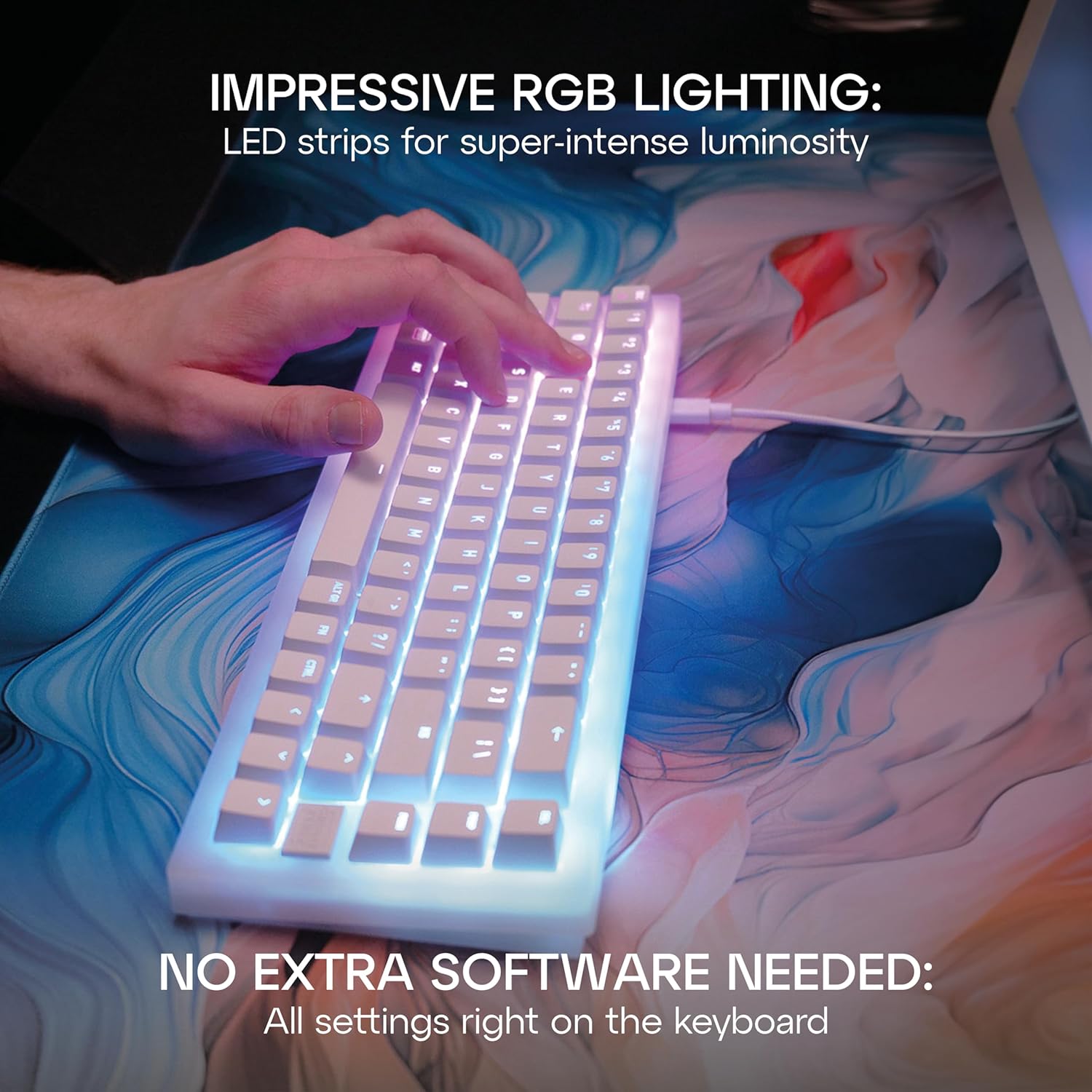
Figure 3: Close-up view of the Cherry MX2A RED switches.
4.4 Super Scan Technology
The K5V2 Compact incorporates super scan technology, which scans all keys every half-millisecond. This ensures instant responses and extremely low latency, crucial for competitive gaming.
5. Maintenance
5.1 Cleaning
To clean your keyboard, disconnect it from your computer. Use a soft, dry cloth to wipe down the surface. For deeper cleaning, use the provided keycap puller to remove keycaps and clean underneath with compressed air or a small brush.
5.2 Replacing Keycaps and Switches
Use the included keycap puller to carefully remove keycaps. To replace switches, use the switch puller to gently extract the old switch and insert a new compatible 3-pin or 5-pin hot-swappable switch. Ensure the switch pins are aligned correctly before pressing firmly into place.

Figure 4: Keycap and switch puller tools for maintenance.
6. Troubleshooting
- Keyboard not responding: Ensure the USB cable is securely connected to both the keyboard and the computer. Try a different USB port or cable.
- RGB lighting not working: Check Fn key combinations for lighting control (brightness, effects). Ensure the keyboard is receiving sufficient power.
- Keys not registering: If specific keys are not working, try hot-swapping the affected switch with one of the spare switches provided. Ensure the switch is fully seated.
- Unexpected behavior: Refer to the official Xtrfy website for the latest firmware updates or advanced troubleshooting guides.
7. Specifications
| Feature | Detail |
|---|---|
| Product Dimensions | 14.17 x 6.77 x 1.73 inches |
| Item Weight | 2.46 pounds |
| Brand | Xtrfy |
| Model Number | CX-K5V2-RGB-CPT-BLACK-R-US |
| Compatible Devices | PC |
| Connectivity Technology | USB-A (Wired) |
| Keyboard Description | Gaming, 65% Compact |
| Recommended Uses | Gaming |
| Special Feature | Compact, Hot-Swappable Switches, RGB Backlighting, Super Scan Technology |
| Keyboard Backlighting Color Support | RGB |
| Switches | Cherry MX2A RED (Linear) |
| Stabilizers | Pre-lubricated, PCB-mounted |
| Sound Dampening | Double-layered, sound-absorbing foam |
8. Warranty and Support
For warranty information and technical support, please refer to the official Xtrfy website or the documentation included with your product packaging. The manufacturer is Cherry Xtrfy AB.
Official Xtrfy Website: cherryxtrfy.com/crt


