Introduction
This manual provides detailed instructions for the installation, operation, and maintenance of your BOSS Audio Systems Single-DIN, Wired Apple CarPlay & Android Auto, 9" Touchscreen MECH-LESS Multimedia Player. Please read this manual thoroughly before using the product to ensure proper functionality and safety.
Key Features
- Apple CarPlay: Access iPhone icons via Siri voice controls or touchscreen for Phone, Music, Maps, Text messages, Radio, Podcasts, and Audiobooks.
- Android Auto: Use "Ok Google" for Google Assistant, real-time alerts on Google Maps and Waze, calls, messages, and music apps.
- Maps Integration: Search along your route using Siri or Google Assistant. Supports third-party navigation apps like Google Maps, Waze, and Baidu.
- Inputs: USB, USB charging, AV, front & rear camera, steering wheel interface (Metra ASWC-1 recommended, sold separately).
- Outputs: Front, rear & subwoofer pre-amp for speakers (front left / front right and rear left / rear right) and subwoofer.
- Wide Angle Backup Camera: 170-degree wide angle view for maximum visibility behind your vehicle, eliminating blind spots.
Setup and Installation
Proper installation is crucial for optimal performance. It is recommended that installation be performed by a qualified professional. Ensure the vehicle's battery is disconnected before beginning installation.
Mounting the Head Unit
The 9-inch floating head unit is designed to install in a single DIN space. The display can be rotated and tilted for optimal viewing angles.
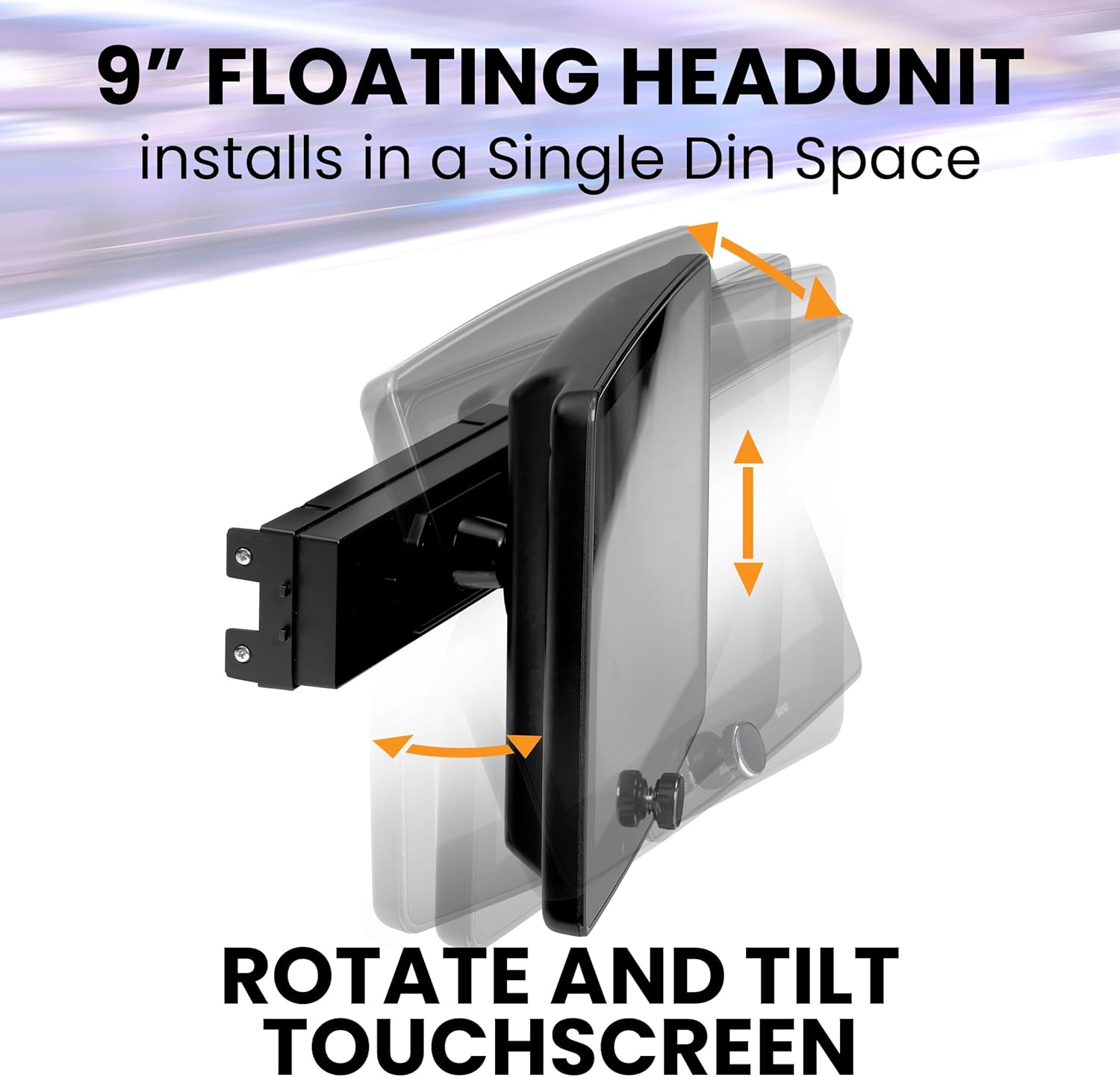
Image: The 9-inch floating headunit is shown installed in a single DIN space, highlighting its adjustable rotation and tilt features for customized viewing.
Refer to the diagram below for the dimensions of the head unit and display to ensure compatibility with your vehicle's dashboard.

Image: A detailed diagram illustrating the width, height, and depth measurements of both the 9-inch display and the single DIN chassis for accurate installation planning.
Wiring Connections
Connect the power, ground, speaker wires, and any auxiliary inputs/outputs according to the wiring diagram provided in the full owner's manual. Ensure all connections are secure to prevent electrical issues.
For vehicles with steering wheel controls, a compatible interface (e.g., Metra ASWC-1) may be required and is sold separately.
Backup Camera Installation
The included backup camera provides a 170-degree wide-angle view. Install the camera above your vehicle's license plate for optimal rear visibility. Connect the camera's video output to the designated rear camera input on the head unit.
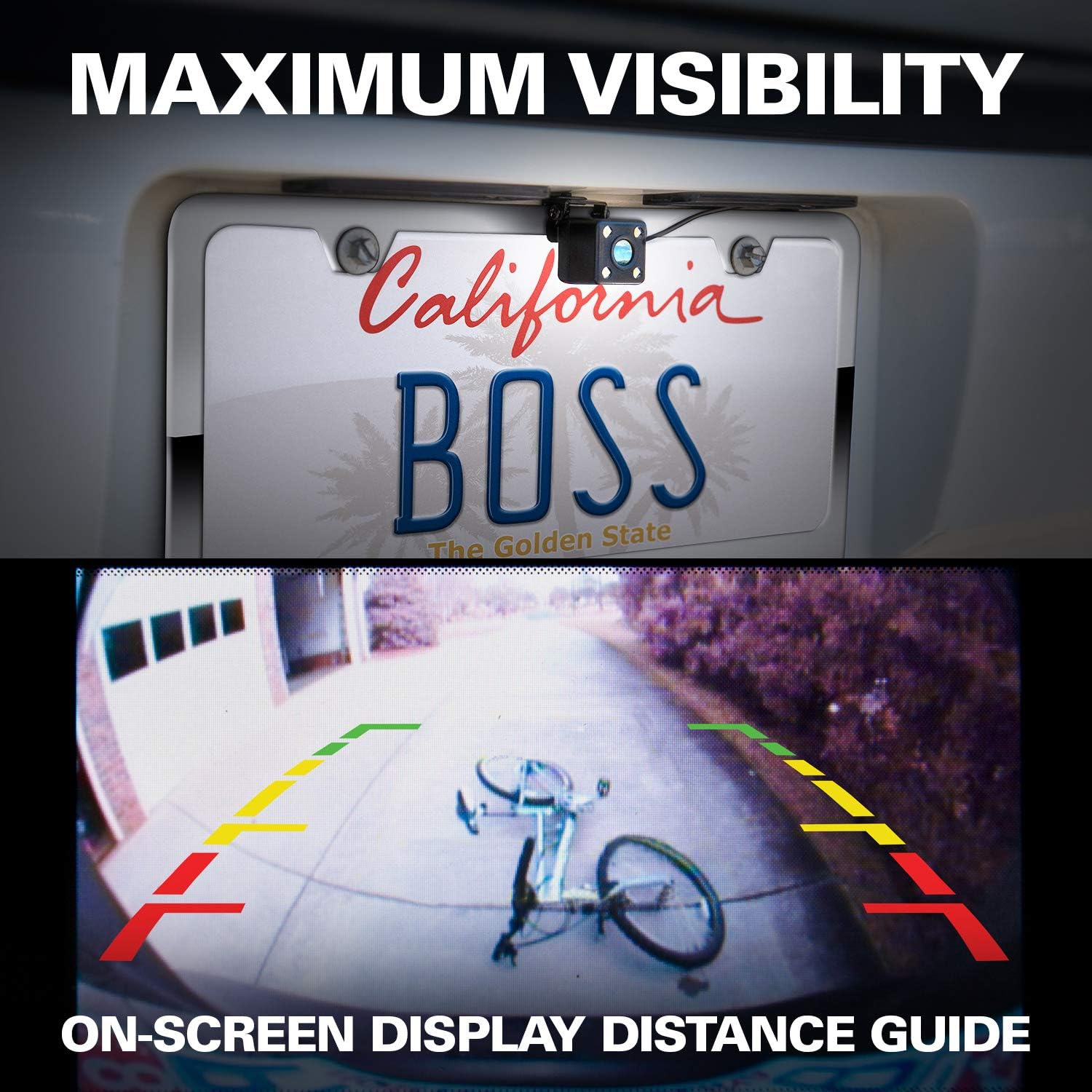
Image: A visual representation of the backup camera's functionality, displaying a wide-angle view on the car stereo screen with clear on-screen distance guidelines for safe reversing.

Image: A graphical representation highlighting the 170-degree wide-angle capability of the backup camera, emphasizing its ability to eliminate blind spots for enhanced safety.

Image: Detailed dimensions of the backup camera, including its length, height, and depth, to assist with precise mounting and installation.
Installation Overview Video
Video: This video provides a general overview of the BOSS Audio Systems BVCPA9W Car Stereo, demonstrating its features and user interface. It offers insights into the product's design and basic operation.
Operating Instructions
The multimedia player features a responsive touchscreen interface for easy navigation.

Image: The car stereo's 9-inch screen is shown displaying both Apple CarPlay and Android Auto interfaces, with various application icons for phone, music, maps, and messages, indicating seamless smartphone integration.
Apple CarPlay
Connect your iPhone via USB to activate Apple CarPlay. Use Siri voice commands or the touchscreen to access navigation, music, calls, and messages.
Android Auto
Connect your Android phone via USB to activate Android Auto. Use "Ok Google" voice commands or the touchscreen for navigation, music, calls, and messages.
Bluetooth Connectivity
Pair your smartphone via Bluetooth for hands-free calling and audio streaming. Access the Bluetooth menu on the head unit to search for and connect to your device.
Tuner (FM/AM Radio)
Select the Tuner option to access FM/AM radio. Use the touchscreen controls to scan for stations, save presets, and switch between mono and stereo modes.
USB and AV Input
Utilize the USB port for media playback from USB drives or for charging devices. The AV input allows connection of external audio/video sources.
Backup Camera Functionality
When the vehicle is shifted into reverse, the backup camera view will automatically display on the screen, providing a clear view of the area behind your vehicle with distance guidelines.
Backup Camera Overview Video
Video: This video demonstrates the features and functionality of the BOSS Audio Systems LPCB40 Backup Car Camera, highlighting its wide-angle view and integration with the car stereo system.
Audio Configuration
Adjust audio settings to optimize your listening experience.
- Balance/Fader: Adjust the audio distribution between front/rear and left/right speakers.
- Subwoofer Control: Enable/disable the subwoofer, adjust the subwoofer filter (e.g., 160Hz), and set the subwoofer level.
- Equalizer (EQ): Customize sound frequencies with preset options or manual adjustments.
- Loudness: Enhance bass and treble frequencies at low volume levels.
Maintenance
To ensure the longevity and optimal performance of your multimedia player, follow these maintenance guidelines:
- Cleaning: Use a soft, dry cloth to clean the screen and unit. Avoid abrasive cleaners or solvents.
- Software Updates: Periodically check the BOSS Audio Systems website for any available firmware updates to ensure the latest features and bug fixes.
- Temperature: Avoid exposing the unit to extreme temperatures, which can affect performance and lifespan.
Troubleshooting
If you encounter any issues with your multimedia player, refer to the following common problems and solutions:
- No Power: Check the vehicle's fuse box and the unit's power connections. Ensure the ignition is on.
- No Audio: Verify speaker connections and audio settings. Check the volume level and ensure mute is not activated.
- Touchscreen Unresponsive: Perform a soft reset by pressing the reset button (if available) or disconnecting the vehicle's battery for a few minutes.
- Apple CarPlay/Android Auto Not Connecting: Ensure your phone's operating system is up to date. Try a different USB cable. Verify the USB port is functioning correctly.
- Backup Camera No Signal: Check the camera's power and video connections. Ensure the vehicle is in reverse.
For further assistance, please contact BOSS Audio Systems customer support.
Specifications
| Feature | Detail |
|---|---|
| ASIN | B0CTMZGCGY |
| Item Model Number | 88ffc4e3-a745-478b-95a1-90243d02a80e |
| Wireless Communication Technologies | Bluetooth |
| Connectivity Technologies | Bluetooth |
| Special Features | Touchscreen |
| Other Display Features | Wireless |
| Color | Black |
| Manufacturer | BOSS Audio Systems |
| Date First Available | January 31, 2024 |
| Controller Type | Google Assistant |
| Compatible Devices | Speaker |
| Connector Type | USB |
| Audio Output Mode | Stereo |
| Surround Sound Channel Configuration | 5.1 |
| Number of Channels | 6 |
Warranty and Support
Your BOSS Audio Systems multimedia player is covered by a manufacturer's warranty. Please refer to the warranty card included in your product packaging for specific terms and conditions.
For technical support, troubleshooting assistance, or warranty claims, please visit the official BOSS Audio Systems website or contact their customer service department. Keep your purchase receipt and product model number handy for faster service.


