
XIAOMI BHR8034GL
Xiaomi Watch 2
User Manual
Introduction
Welcome to the user manual for your new Xiaomi Watch 2. This guide provides essential information on setting up, operating, maintaining, and troubleshooting your smartwatch. The Xiaomi Watch 2 is designed to enhance your daily life with smart features, comprehensive health monitoring, and robust performance.
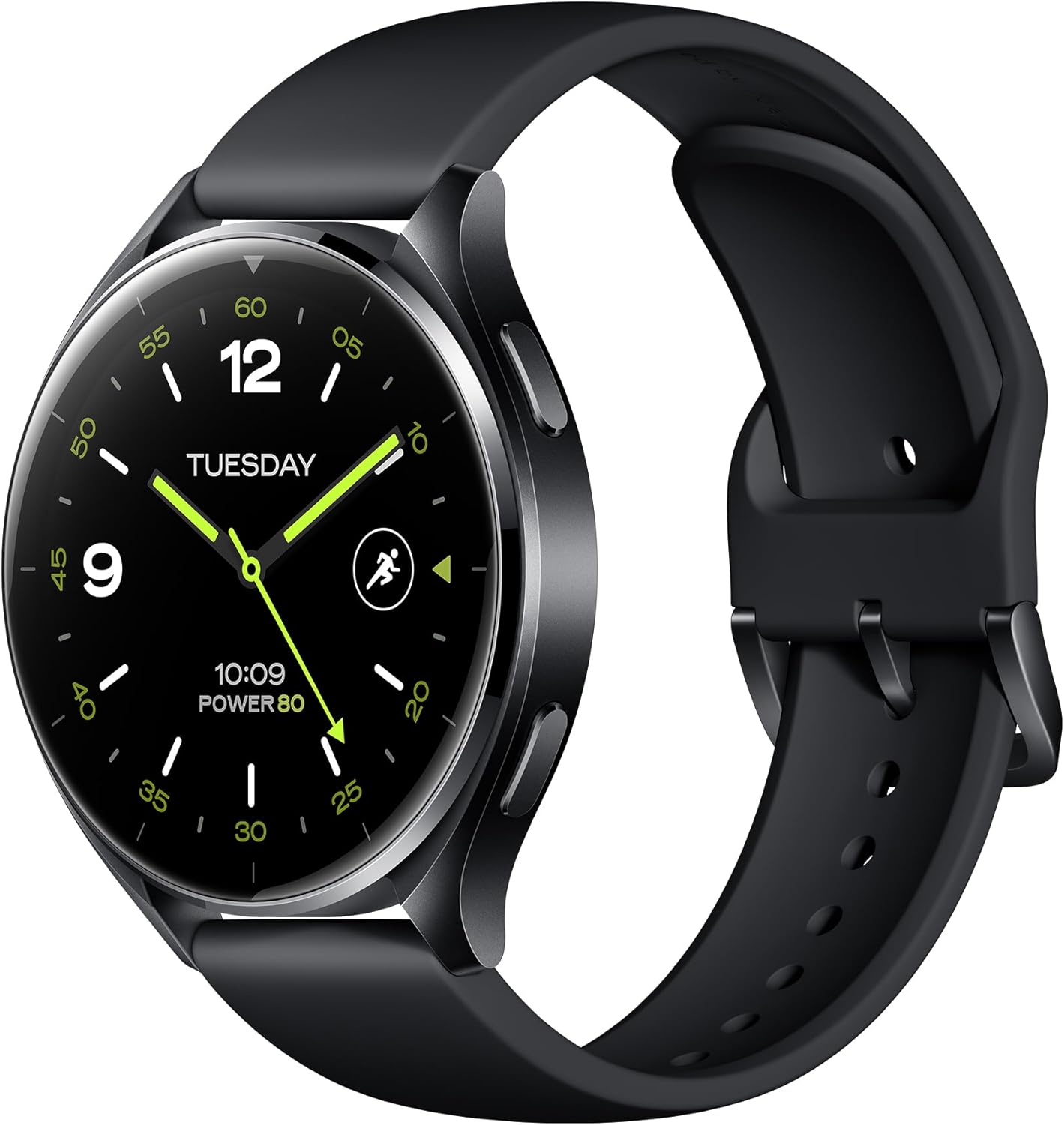
Figure 1: Xiaomi Watch 2 Overview
The Xiaomi Watch 2 features a 1.43" AMOLED display, Google Wear OS, and a powerful Qualcomm Snapdragon W5+ Gen 1 processor, offering a seamless and responsive user experience.
What's in the Box
Upon unboxing your Xiaomi Watch 2, please ensure all the following items are present:
- Xiaomi Watch 2 Smartwatch
- Magnetic Charging Cable
- User Manual (including Warranty Notice)
Setup
1. Charging the Device
Before first use, fully charge your Xiaomi Watch 2. Connect the magnetic charging cable to the charging contacts on the back of the watch and plug the USB end into a power adapter (not included) or a computer's USB port. A full charge takes approximately 45 minutes.
2. Powering On/Off
- Power On: Press and hold the power button (usually the top right button) until the Xiaomi logo appears.
- Power Off: Press and hold the power button, then select 'Power Off' on the screen.
3. Pairing with Your Smartphone
- Download the 'Mi Fitness' app from the Google Play Store or Apple App Store on your smartphone.
- Open the Mi Fitness app and follow the on-screen instructions to create or log in to your Xiaomi account.
- On your watch, select your preferred language.
- In the Mi Fitness app, tap 'Add device' and select 'Xiaomi Watch 2'.
- Follow the prompts to pair your watch via Bluetooth 5.2. Confirm the pairing code on both devices.
4. Initial Configuration
Once paired, the app will guide you through setting up your Google account, Wi-Fi connection, and other essential settings for Wear OS functionality.
Operating the Device
Display and Navigation
The Xiaomi Watch 2 features a vibrant 1.43" AMOLED display with a resolution of 466 x 466 pixels. Navigate the watch using touch gestures and the physical buttons.

Figure 2: Watch Buttons for Navigation
- Swipe Down: Access quick settings and notifications.
- Swipe Up: View notifications.
- Swipe Left/Right: Cycle through tiles (widgets) like heart rate, weather, and activity.
- Top Button: Typically acts as a 'Home' button or app launcher.
- Bottom Button: Customizable shortcut, often for fitness tracking.
Key Features
The Xiaomi Watch 2 integrates seamlessly with Google's ecosystem, offering a wide range of functionalities.

Figure 3: Google Wear OS Applications
- Wear OS by Google: Access Google Play for apps, use Hey Google for voice commands, make payments with Google Wallet, and navigate with Google Maps.
- Calling: Answer calls directly from your watch using the built-in microphone and speaker.
- Fitness Tracking: Supports over 160 sports modes. Monitor your heart rate, SpO2, and track activities with the accelerometer and gyroscope sensors.
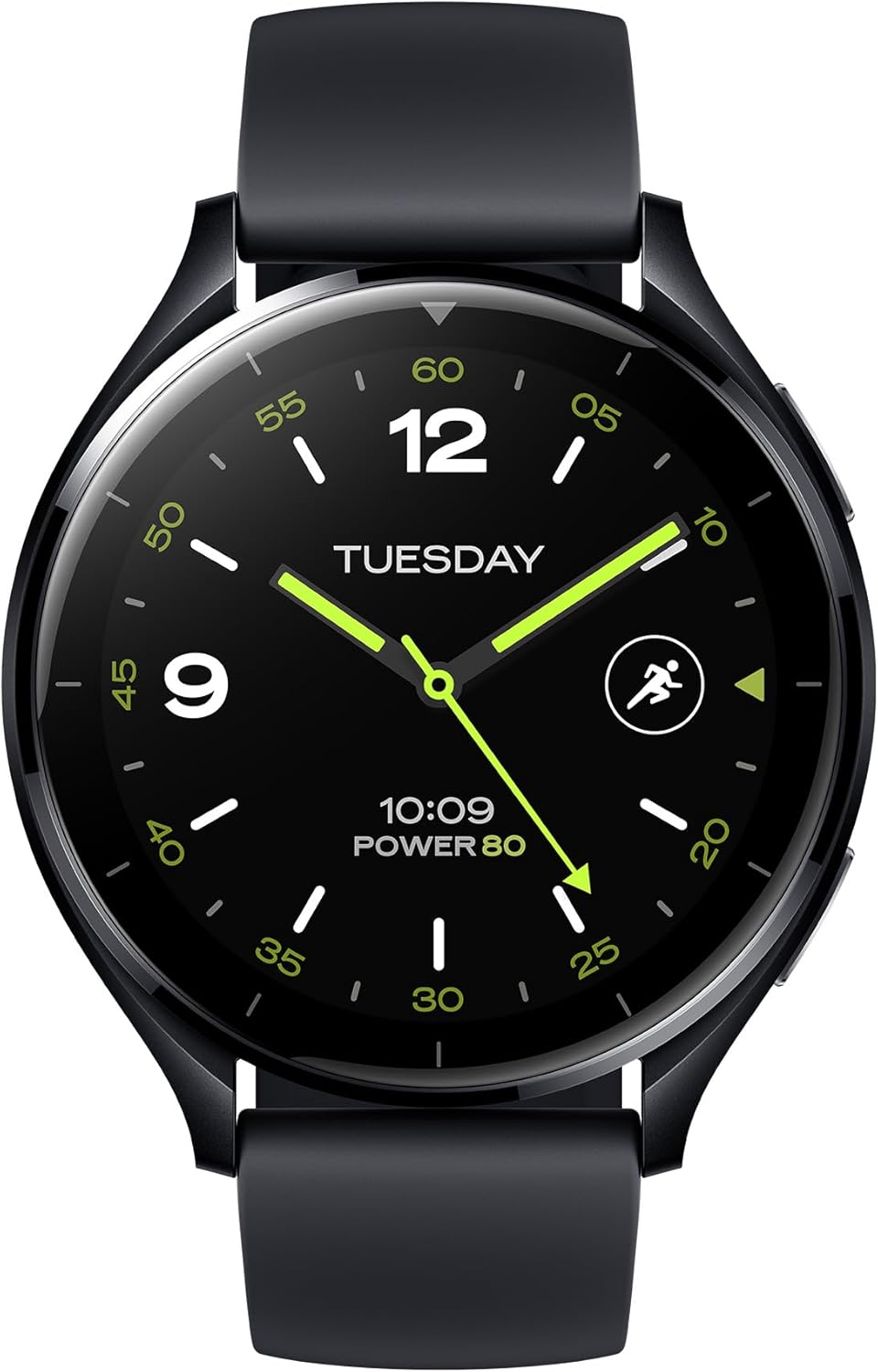
Figure 4: Water Resistance and Sports Modes
- GPS: Integrated L1+L5 GNSS for accurate location tracking during outdoor activities.
- Water Resistance: Rated 5 ATM, suitable for shallow-water activities like swimming in a pool or ocean. Not suitable for diving or high-pressure water activities.
- Sensors: Equipped with Optical Heart Rate Sensor, Accelerometer Sensor, Gyro Sensor, Ambient Light Sensor, Electronic Compass Sensor, and Barometer Sensor for comprehensive data collection.

Figure 5: GPS and Health Monitoring
Battery Life and Performance
The Xiaomi Watch 2 is powered by a Qualcomm Snapdragon W5+ Gen 1 processor, ensuring smooth performance. It offers a battery life of up to 65 hours under normal usage conditions, supported by a 495 mAh Lithium Ion battery and 32GB of storage.

Figure 6: Processor and Battery Information
Maintenance
Cleaning the Watch
Regularly clean your watch and strap to prevent skin irritation and maintain device functionality. Use a soft, lint-free cloth. For stubborn dirt, slightly dampen the cloth with water. Avoid using harsh chemicals or abrasive materials.
Water Resistance Precautions
While the watch is 5 ATM water resistant, avoid exposing it to hot water, steam, or high-velocity water. Dry the watch thoroughly after exposure to water, especially the charging contacts, to prevent corrosion.
Software Updates
Keep your watch's software updated to ensure optimal performance, security, and access to new features. Connect your watch to Wi-Fi and check for updates via the Mi Fitness app or directly on the watch settings.
Troubleshooting
If you encounter issues with your Xiaomi Watch 2, try the following common solutions:
- Watch not powering on: Ensure the watch is fully charged. Connect it to the charger for at least 10 minutes.
- Pairing issues: Ensure Bluetooth is enabled on your phone and watch. Restart both devices. Clear Bluetooth cache on your phone.
- Inaccurate data: Ensure the watch is worn snugly on your wrist. Clean the sensors on the back of the watch.
- Battery drains quickly: Reduce screen brightness, disable always-on display, limit background app refresh, and turn off unnecessary notifications.
- Watch unresponsive: Try restarting the watch by holding the power button. If unresponsive, perform a force restart (refer to specific instructions in the Mi Fitness app or Xiaomi support).
- Factory Reset: As a last resort, you can perform a factory reset from the watch settings. This will erase all data on the watch and restore it to its original state.
Specifications
| Feature | Specification |
|---|---|
| Model Number | BHR8034GL |
| Display | 1.43" AMOLED, 466 x 466 pixels, 326 dpi |
| Processor | Qualcomm Snapdragon W5+ Gen 1 |
| Operating System | Wear OS by Google |
| Memory | 2 GB RAM |
| Storage | 32 GB |
| Battery Capacity | 495 mAh Lithium Ion |
| Charging Time | Approx. 45 minutes |
| Normal Use Battery Life | Up to 65 hours |
| Connectivity | Bluetooth 5.2, 2.4/5 GHz Wi-Fi |
| Water Resistance | 5 ATM |
| GPS | Built-in L1+L5 GNSS |
| Sensors | Optical Heart Rate, Accelerometer, Gyro, Ambient Light, Electronic Compass, Barometer |
| Weight | 46 Grams (1.62 ounces) |
| Shape | Round |
Warranty and Support
Warranty Information
Your Xiaomi Watch 2 comes with a limited warranty. Please refer to the separate Warranty Notice included in your product packaging for detailed terms and conditions, including warranty period, coverage, and claim procedures.
Customer Support
For further assistance, technical support, or service inquiries, please visit the official Xiaomi support website or contact their customer service. You can find contact information and FAQs on the Xiaomi website:
Related documentsBHR8034GL


Ask a question about this manual
Ask about setup, troubleshooting, compatibility, parts, safety, or missing instructions. Manuals+ will review the question and use this page’s manual context to help answer it.