
ICECO VL75 ProD Olive
ICECO VL75 ProD 12V Refrigerator User Manual
Model: VL75 ProD Olive | Brand: ICECO
Introduction
This manual provides essential information for the safe and efficient operation of your ICECO VL75 ProD 12V Refrigerator. Please read it thoroughly before initial use and retain it for future reference.
The ICECO VL75 ProD is a portable dual-zone refrigerator and freezer designed for versatile use in vehicles, camping, and home environments. It features a high-efficiency SECOP compressor, independent temperature control for two compartments, and multiple power input options.
Safety Information
To ensure safe operation and prevent damage, observe the following precautions:
- Do not block ventilation openings. Ensure adequate airflow around the unit.
- Do not use electrical appliances inside the food storage compartments unless they are of the type recommended by the manufacturer.
- Do not store explosive substances such as aerosol cans with a flammable propellant in this appliance.
- Do not damage the refrigerant circuit.
- This appliance is not intended for use by persons (including children) with reduced physical, sensory or mental capabilities, or lack of experience and knowledge, unless they have been given supervision or instruction concerning use of the appliance by a person responsible for their safety.
- Children should be supervised to ensure that they do not play with the appliance.
- Disconnect the power supply before cleaning or performing maintenance.
- Avoid placing the unit in direct sunlight or near heat sources.
- Ensure the unit is stable and level during operation to prevent compressor issues.
What's in the Box
Your ICECO VL75 ProD package includes the following components:
- ICECO VL75 ProD Refrigerator Unit
- Removable Basket (quantity: 3)
- Replacement Handles
- Corner Protectors
- Drain Plugs
- AC Cable
- DC Cable
- Screws (quantity: 2) & Screwdriver

Figure 1: Included components with the ICECO VL75 ProD.
Setup
Unpacking and Placement
Carefully remove the refrigerator from its packaging. Place the unit on a stable, level surface. Ensure there is sufficient space around the unit for proper ventilation, especially around the compressor area.
Power Connection
The VL75 ProD supports both AC and DC power inputs. It features double-sided 12V DC plug-in ports for flexible placement.
- AC Power (Home Use): Connect the AC cable to the refrigerator's AC input and then to a standard 110-240V wall socket. The built-in AC transformer allows for pre-cooling at home.
- DC Power (Car/Vehicle Use): Connect the DC cable to either of the 12/24V DC ports on the refrigerator and then to your vehicle's cigarette lighter socket.

Figure 2: Power input options and USB ports on the ICECO VL75 ProD.

Figure 3: Multiple power supply combinations for the portable refrigerator.
Initial Use
Before first use, it is recommended to clean the interior of the refrigerator. Allow the unit to stand upright for at least 6 hours after transport before plugging it in to allow the refrigerant to settle.
Operating Instructions
Control Panel and Temperature Adjustment
The control panel allows you to set and monitor the temperature for each zone. The cooling range is from 0°F to 50°F (-18℃ to 10℃).
- Use the + and - buttons to adjust the desired temperature for the left and right zones independently.
- Press the Settings button to cycle through modes.
- Select MAX mode for rapid cooling.
- Select ECO mode for energy-efficient operation.

Figure 4: Detailed view of the control panel for temperature and mode selection.
Dual Zone Operation
The VL75 ProD features dual zones with independent temperature control, allowing you to configure each compartment as a freezer or a refrigerator. You can also turn off one zone to save energy.

Figure 5: Flexible dual-zone configuration options.

Figure 6: Example configurations for dual zone operation.
App Control
The refrigerator can be controlled remotely via a dedicated mobile application, allowing for temperature adjustments and performance monitoring.
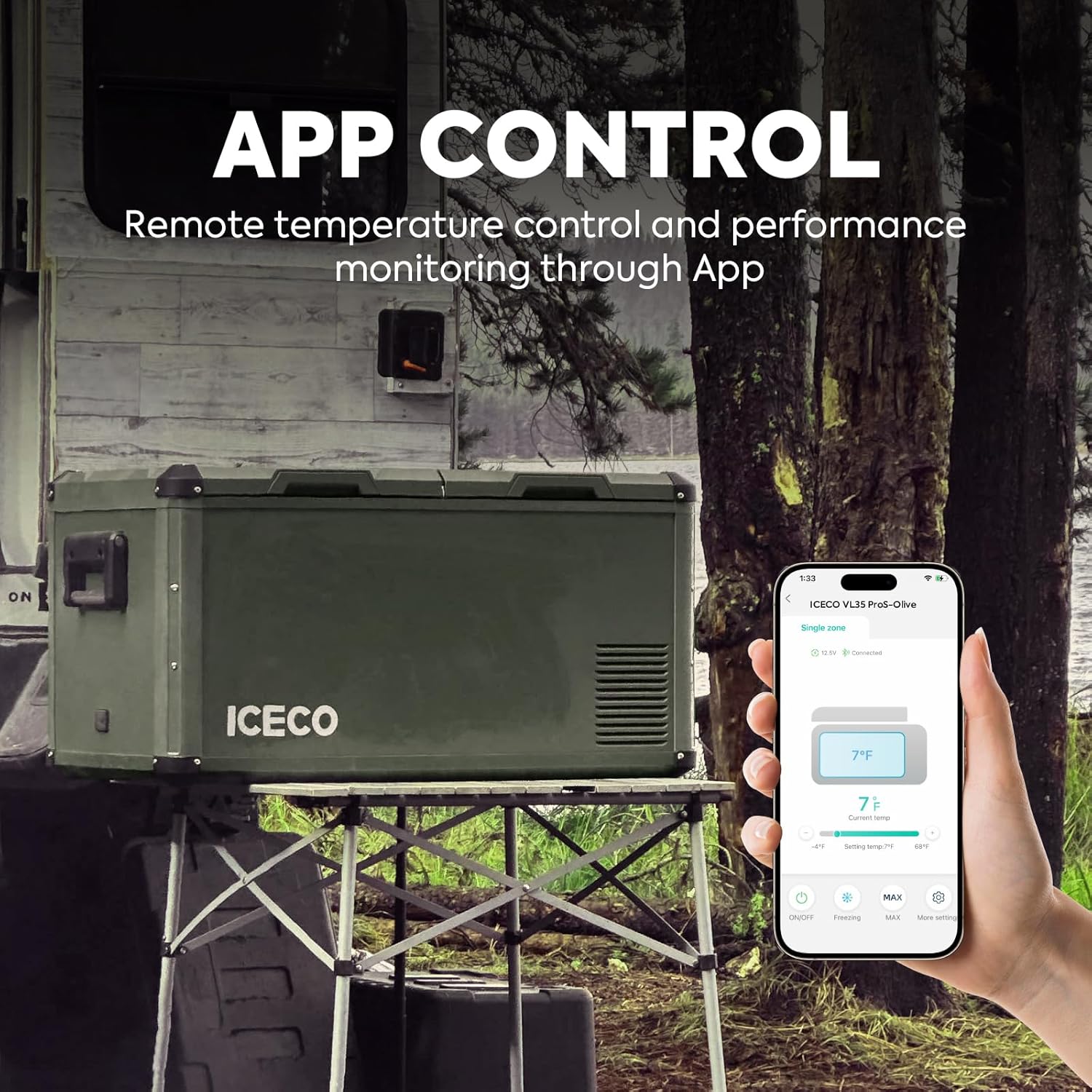
Figure 7: Remote temperature control and monitoring via the ICECO app.
Battery Protection
The unit features a 3-level battery protection system (High, Medium, Low) to prevent your vehicle's battery from being depleted. The refrigerator will automatically power off according to your selected setting.

Figure 8: Three-level battery protection system.
Multi-opening Lid Design
The lid of the ICECO VL75 ProD has a unique design that allows you to change its opening direction without reassembly. This provides easy access to contents, even in confined spaces.

Figure 9: Versatile multi-opening lid design for convenient access.
USB Charging Ports
Two USB outlets are integrated into the unit for charging mobile devices. These ports are available only when the unit is powered by DC (12/24V).
Video 1: Demonstrates the features of the ICECO VL75 ProD, including dual-sided power input, magnetic battery compatibility, dual-zone operation, temperature range, USB charging, large capacity, and multi-directional lid access. This video is provided by ICECO (Seller).
Maintenance
Cleaning
Regular cleaning helps maintain the efficiency and longevity of your refrigerator.
- Disconnect the power supply before cleaning.
- Clean the interior and exterior surfaces with a damp cloth and mild detergent. Avoid abrasive cleaners.
- The unit is designed with a drain hole for easy cleaning and water removal.
- Ensure the waterproof baffle is properly in place after cleaning.
- Periodically clean the ventilation grilles to ensure proper airflow and prevent overheating.
Storage
When storing the refrigerator for extended periods, ensure it is clean and dry. Leave the lids slightly ajar to prevent odors and mold growth.
Troubleshooting
If you encounter issues with your ICECO VL75 ProD, refer to the following common problems and solutions:
| Problem | Possible Cause | Solution |
|---|---|---|
| Refrigerator not cooling | No power, incorrect temperature setting, blocked vents, ambient temperature too high. | Check power connection. Adjust temperature. Ensure proper ventilation. Move to a cooler environment if possible. |
| Unit is noisy | Unit not level, fan obstruction, normal compressor operation. | Ensure unit is on a level surface. Check for obstructions around the fan. The SECOP compressor is designed for low noise, but some operational sound is normal. |
| Error code displayed | Specific internal fault. | Refer to the full troubleshooting guide in the comprehensive manual or contact customer support. |
| Battery protection activating frequently | Battery voltage too low, battery protection setting too high. | Check vehicle battery charge. Adjust battery protection setting to a lower level (e.g., from High to Medium or Low) if safe for your battery. |
For more detailed troubleshooting or issues not listed here, please contact ICECO customer support.
Specifications
| Feature | Detail |
|---|---|
| Brand | ICECO |
| Model | VL75 ProD Olive |
| Capacity | 75 Liters (79 Quarts) |
| Cooling Range | 0°F to 50°F (-18℃ to 10℃) |
| Compressor | SECOP |
| Power Input | 12V/24V DC, 110-240V AC |
| Item Weight | 69.5 pounds |
| Product Dimensions | 36.5"D x 18.1"W x 18.5"H |
| Special Features | Portable, Anti-Shake (up to 40° tilt), Low Noise, Independent Dual Zones, Door Lock, USB Charging Ports, Multi-opening Lid, Drain Hole, Waterproof Baffle, LED Lights, Removable Handles, Metal Shell. |
| Annual Energy Consumption | 232 Kilowatt Hours Per Year |

Figure 10: Internal and external dimensions with capacity examples.
Warranty and Support
ICECO provides comprehensive warranty coverage for your VL75 ProD refrigerator:
- Compressor: 5-year warranty.
- All Other Parts: 1-year warranty.
For after-sales service, technical support, or warranty claims, please contact ICECO customer service. Local support and telephone service are available, with messages typically answered within 24 hours, including weekends.

Figure 11: SECOP Compressor and warranty details.
Related documentsVL75 ProD Olive


Ask a question about this manual
Ask about setup, troubleshooting, compatibility, parts, safety, or missing instructions. Manuals+ will review the question and use this page’s manual context to help answer it.