
1. Introduction
This manual provides essential information for the safe operation, assembly, and maintenance of your RCB Hoverboard and Hoverkart. Please read this manual thoroughly before first use to ensure proper function and safety.
Package Contents:
- 1 x RCB 6.5-inch Self-Balancing Hoverboard
- 1 x Hoverkart Attachment
- 1 x Power Charger
- 1 x User Manual
2. Safety Information
Your safety is paramount. Operating a hoverboard and hoverkart carries inherent risks. Always follow these safety guidelines:
- Age Recommendation: Suitable for users 8 years and older.
- Weight Limit: Do not exceed the maximum load of 100 kg (220 lbs).
- Protective Gear: Always wear a helmet, knee pads, elbow pads, and wrist guards.
- Operating Environment: Use on flat, dry surfaces away from traffic, pedestrians, and obstacles. Avoid wet conditions, steep inclines, or uneven terrain.
- Speed: The maximum speed is 10-12 km/h (6-7.5 mph). The device includes a speed warning system.
- Battery Safety: The hoverboard features a durable, rechargeable lithium battery with protection against short circuits and overloads. A low power reminder is included.
- Visibility: The hoverboard is equipped with LED lights for enhanced visibility, especially during night use.
- Hoverkart Usage: The hoverkart provides additional stability but may consume more battery power. Ensure it is securely attached before use.
- Pre-Ride Check: Before each use, inspect the hoverboard and hoverkart for any loose parts, damage, or low battery.

Image: RCB Hoverboard highlighting its multiple protection systems, including low battery reminder, overspeed reminder, battery monitoring, short circuit protection, anti-fire shell, and 6.5-inch non-slip tires. The image also shows the hoverboard's dimensions (584mm length, 178mm height) and weight (6.5kg).
3. Setup
3.1 Charging the Hoverboard
- Ensure the hoverboard is turned off.
- Connect the charger to the charging port on the hoverboard.
- Plug the charger into a standard electrical outlet.
- The indicator light on the charger will typically turn red during charging and green when fully charged.
- Charging time is approximately 2-3 hours (2.5 hours according to specifications). Do not overcharge.
3.2 Assembling the Hoverkart
The hoverkart is designed for easy installation. Follow the instructions provided with the hoverkart attachment for detailed assembly steps. Typically, it involves:
- Attaching the seat to the frame.
- Connecting the handles to the steering mechanism.
- Securing the hoverkart to the hoverboard using the provided Velcro straps. Ensure the straps are tight and the kart is stable.
- Adjust the length of the hoverkart to suit the rider's height (adjustable from 48 cm to 83 cm).

Image: RCB Hoverkart highlighting its features: compatibility with 6.5"-10" hoverboards, high-quality processing, adjustable length (31"-44.5"), suitability for adults and children, inclusion of 6 strong Velcro straps, and a 360° swivel sturdy front wheel. Smaller images show the front wheel, footrests, and handle grips.
4. Operating Instructions
4.1 Riding the Hoverboard (without Hoverkart)
The hoverboard is controlled by your center of gravity:
- Power On: Press the power button.
- Mounting: Place one foot on a footpad, then quickly and confidently step up with the other foot. Maintain balance.
- Forward/Backward: Lean slightly forward to move forward, and lean slightly backward to move backward.
- Turning: To turn left, press your right foot forward. To turn right, press your left foot forward.
- Dismounting: Step off backward, one foot at a time.

Image: Diagram illustrating how the RCB Hoverboard is controlled by the center of gravity. It shows a figure leaning backward to move backward and leaning forward to move forward. The hoverboard itself is shown with its LED lights and capability for 360-degree rotation.
4.2 Using the Hoverkart
Once the hoverkart is securely attached to the hoverboard:
- Sit comfortably on the seat.
- Use the two foam-covered handles to steer and control movement. Push both handles forward to move forward, pull both back to reverse.
- To turn, push one handle forward while pulling the other back. The 360° swivel front wheel allows for easy maneuvering.

Image: A child wearing a helmet and protective gear, riding an RCB Hoverboard with the Hoverkart attachment outdoors. The image also displays key specifications: Charging Time 2-3h, Max Speed <15 KM/H, Max Load 100 KG.
4.3 Bluetooth Connectivity and LED Lights
The hoverboard features an integrated Bluetooth speaker and LED lights:
- Bluetooth Pairing: Turn on the hoverboard. Activate Bluetooth on your mobile device (iOS or Android) and search for the hoverboard's Bluetooth name (usually 'RCB' or similar). Pair the devices. You can now play music through the hoverboard's built-in speaker.
- LED Lights: The hoverboard is equipped with front LED lights, fender lights, and colorful wheel lights that illuminate during operation, enhancing visibility and adding to the riding experience.

Image: RCB Hoverboard highlighting its Bluetooth speaker feature. The image shows the hoverboard with musical notes and small figures enjoying music, indicating the ability to connect and play audio.
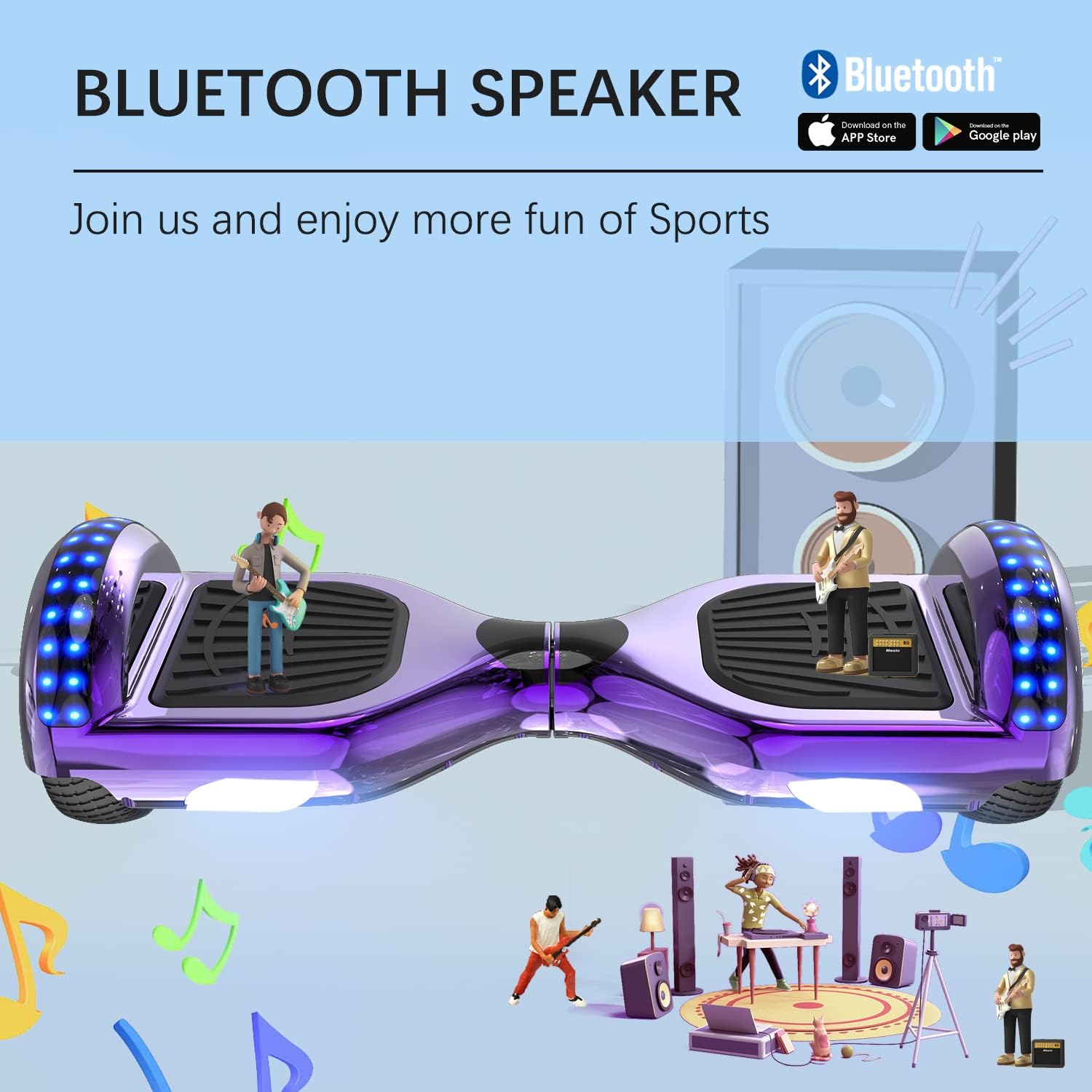
Image: RCB Hoverboard showcasing its LED Lights System, which includes LED Front Lights, LED Fender Lights, and LED Colorful Lights. The text states these lights make night riding safer and more interesting.
5. Maintenance
5.1 Cleaning
Wipe the hoverboard and hoverkart with a damp cloth. Do not use harsh chemicals or abrasive cleaners. Avoid direct water spray or submersion, as the device is only dust and water-resistant, not waterproof.
5.2 Battery Care
- Charge the battery fully before first use.
- Recharge the battery after each use.
- If storing for an extended period, charge the battery to approximately 50% every 2-3 months to prolong its lifespan.
- Do not expose the battery to extreme temperatures.
5.3 Storage
Store the hoverboard and hoverkart in a cool, dry place, away from direct sunlight and moisture. Ensure the device is turned off before storage.
6. Troubleshooting
If you encounter issues, refer to the following common problems and solutions:
- Hoverboard not turning on: Ensure the battery is charged. Connect the charger and check if the charging indicator lights up.
- Hoverboard not balancing: Recalibrate the hoverboard. Turn it off, place it on a flat surface, and hold the power button for 5-10 seconds until the lights flash. Release and restart.
- Bluetooth not connecting: Ensure the hoverboard is on and Bluetooth is enabled on your device. Try restarting both devices.
- Reduced range/power: This may indicate a low battery. Charge the hoverboard fully. Hoverkart usage can also increase power consumption.
- Unusual noises: Stop using the device immediately and inspect for any loose or damaged parts. Contact customer support if the issue persists.
7. Specifications
| Feature | Specification |
|---|---|
| Model Number | FW-S65A |
| Brand | RCB |
| Wheel Size | 6.5 inches |
| Battery Type | Rechargeable Lithium |
| Charging Time | 2-3 hours (2.5 hours) |
| Max Load | 100 kg (220 lbs) |
| Max Speed | 10-12 km/h (6-7.5 mph) |
| Shell Material | Durable ABS |
| Tire Type | Solid, Non-slip |
| Special Features | LED lights (front, fender, colorful), Built-in Bluetooth speaker |
| Hoverkart Min. Length | 48 cm |
| Hoverkart Max. Length | 83 cm |
| Hoverkart Max. Load | 100 kg |
| Hoverkart Handle Distance | 40-54 cm |
| Hoverkart Net Weight | 5.5 kg |
8. Warranty and Support
Products purchased from our store are covered by a warranty. We are committed to providing professional customer service. If you require assistance, have questions, or encounter any issues not covered in this manual, please do not hesitate to contact our customer support team.
Always refer to the specific warranty terms and conditions provided at the time of purchase for detailed information.


