
L8star PF9 Pro
L8star Golf Range Finder User Manual
Model: PF9 Pro
Introduction
Thank you for choosing the L8star Golf Range Finder. This high-precision laser rangefinder is designed to enhance your golf game by providing accurate distance measurements, including slope compensation. It features a magnetic strip for convenient attachment, fast flagpole lock with pulse vibration, and a long-lasting rechargeable battery. Please read this manual thoroughly before using the device to ensure optimal performance and longevity.
Product Features
- Accurate Slope-Switch Measurement: Utilizes continuous arc technology to automatically calculate incline/decline, providing true distance to target.
- Precise Flag Lock Technology: Emits a short vibrating pulse to confirm target lock, preventing measurement of background objects. Measures 5 to 800 yards with +/- 0.5 yard accuracy.
- Clear Vision: Fully multi-coated optics lenses reduce reflected light and increase light transmission for a brighter, clearer image. Adjustable diopter for precise focus.
- Fast Focus and Read: Easily adjust focus by rotating the eyepiece. Measurements are displayed within 8 seconds. Automatic power-off after 15 seconds of inactivity.
- Type-C Charging: Equipped with a 1000mAh rechargeable lithium-ion battery, providing approximately 5000 measurements on a single full charge.
- Magnetic Strip: Integrated magnetic strip for secure attachment to golf carts or metal surfaces.
Package Contents
Upon opening the package, please verify that all items are present and in good condition:
- L8star Golf Range Finder (Model: PF9 Pro)
- Type-C Charging Cable
- User Manual (this document)
- Carrying Case (if included with your specific purchase)
- Cleaning Cloth (if included)
Setup
1. Charging the Battery
Before first use, fully charge the range finder's internal lithium-ion battery.
- Locate the Type-C charging port on the device.
- Connect the provided Type-C charging cable to the range finder and a compatible USB power source (e.g., computer USB port, wall adapter).
- The charging indicator light will illuminate. Once fully charged, the light may change color or turn off, depending on the model.
- A full charge provides approximately 5000 measurements.
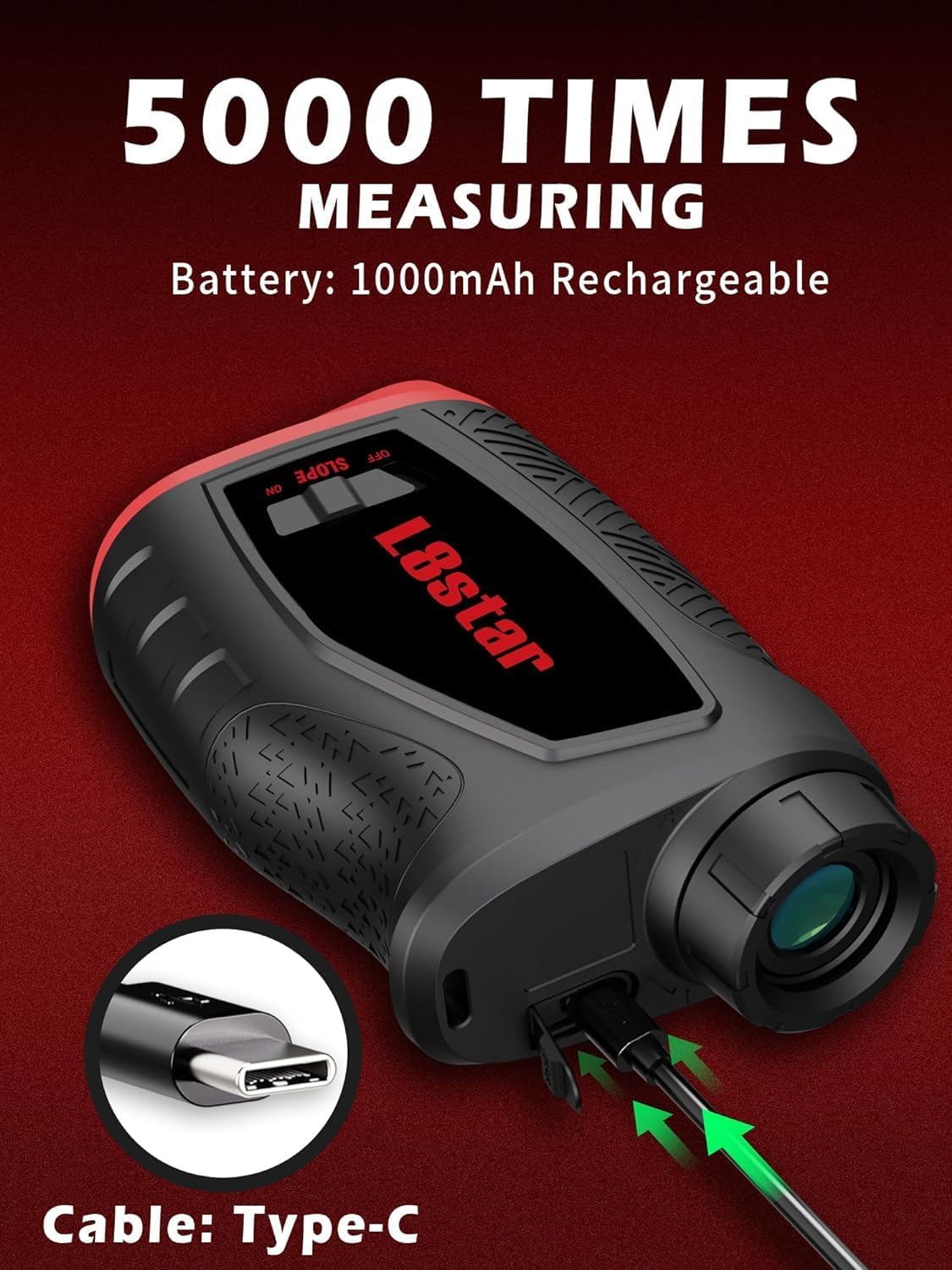
Figure 1: Connecting the Type-C charging cable to the range finder.
2. Adjusting the Eyepiece (Diopter)
For clear viewing, adjust the diopter to match your eyesight.
- Look through the eyepiece without pressing any buttons.
- Rotate the eyepiece ring clockwise or counter-clockwise until the internal display (reticle, numbers) appears sharp and clear.
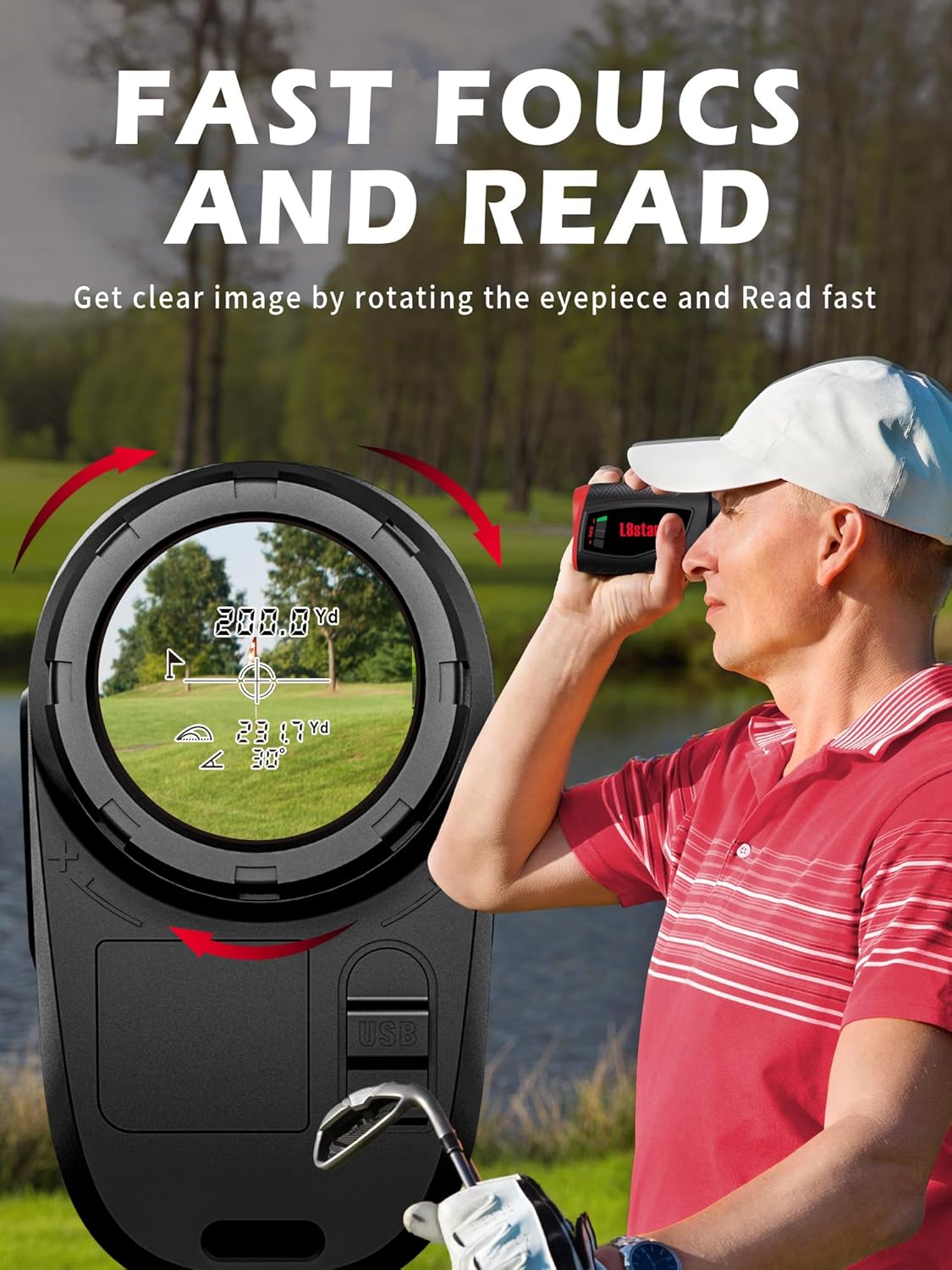
Figure 2: Adjusting the eyepiece for clear focus.
Operating Instructions
1. Powering On/Off
- To power on, press the power button (usually located on top).
- The device will automatically power off after 15 seconds of inactivity to conserve battery. Press the power button again to reactivate.
2. Measuring Distance
- Look through the eyepiece and aim the reticle at your desired target.
- Press the power/measurement button once. The distance will be displayed on the internal LCD.
- For continuous scanning, press and hold the power/measurement button while sweeping across multiple targets. Release the button to stop scanning.
3. Flag Lock Technology with Pulse Vibration
This feature helps you lock onto the flagpole without picking up background objects.
- Aim the reticle at the flagpole.
- Press and hold the power/measurement button. Slowly sweep the reticle across the flagpole.
- Once the device identifies the flagpole, it will vibrate briefly and display the distance. This confirms you have locked onto the closest target.
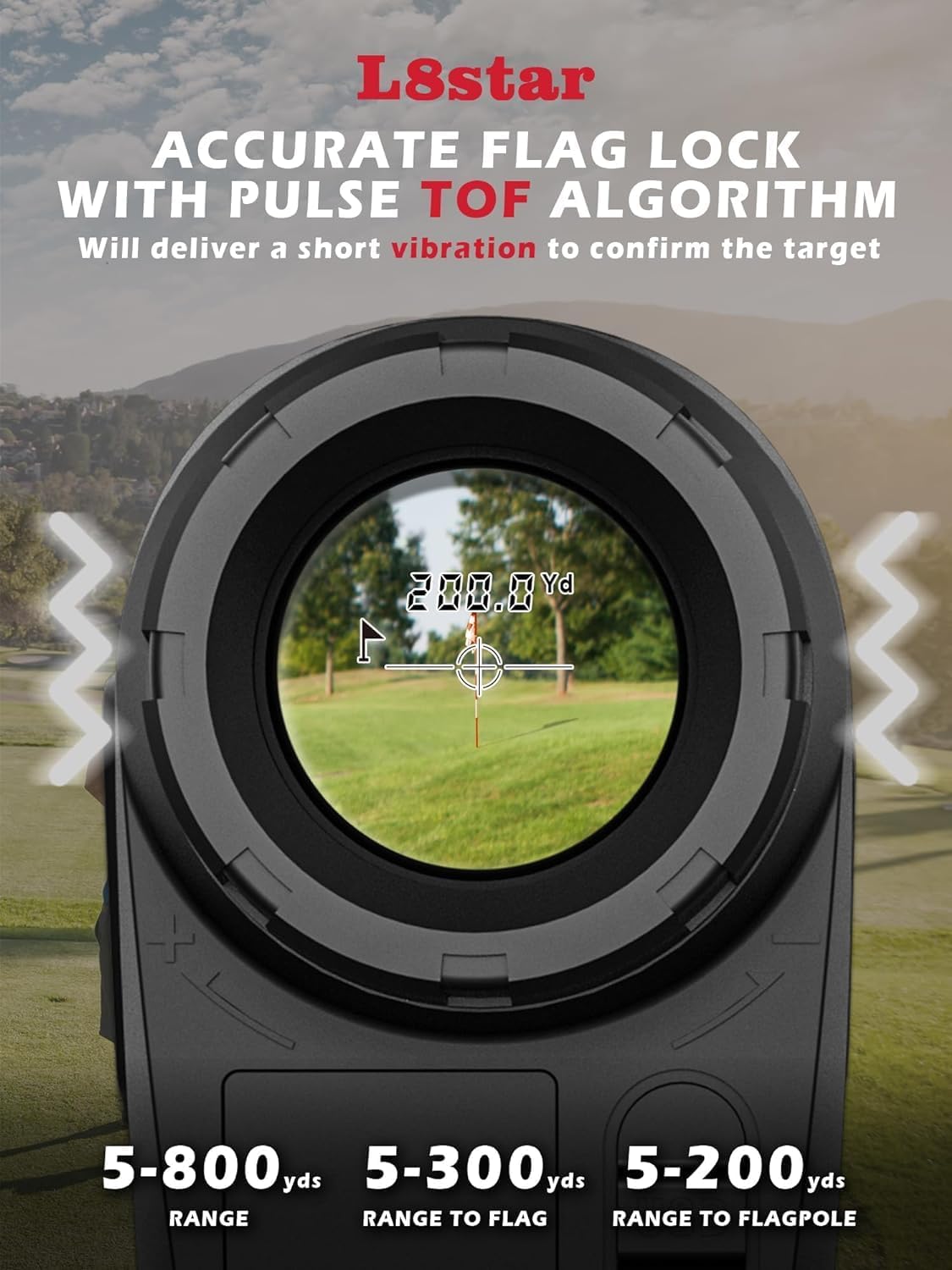
Figure 3: Flag Lock feature in action, showing target confirmation.
4. Slope-Switch Function
The slope function provides compensated distance based on elevation changes. It can be toggled on or off.
- Locate the "SLOPE ON/OFF" switch on the side of the device.
- Slope ON: Slide the switch to the "ON" position. The display will show both the actual distance and the slope-compensated distance. This mode is useful for practice and understanding true playing distances.
- Slope OFF: Slide the switch to the "OFF" position. The display will show only the actual line-of-sight distance. This mode is legal for tournament play.

Figure 4: Toggling the Slope-Switch function.
5. Magnetic Strip Usage
The integrated magnetic strip allows for convenient attachment to metal surfaces, such as a golf cart frame.
- Simply place the side of the range finder with the magnetic strip against a clean, flat metal surface.
- Ensure a secure attachment before releasing the device.
Maintenance and Care
- Cleaning Lenses: Use a soft, clean microfiber cloth to gently wipe the lenses. Do not use abrasive materials or chemical cleaners.
- Storage: Store the range finder in its protective case when not in use. Keep it in a cool, dry place, away from direct sunlight and extreme temperatures.
- Battery Care: Recharge the battery regularly, even if not frequently used, to maintain battery health. Avoid fully discharging the battery for extended periods.
- Water Resistance: The device has an IPX4 water resistance rating, meaning it is resistant to splashing water from any direction. It is not designed for submersion. Wipe off any moisture immediately.
- Avoid Impact: Protect the device from drops and impacts, which can damage internal components.
Troubleshooting
| Problem | Possible Cause | Solution |
|---|---|---|
| Device does not power on. | Low or depleted battery. | Charge the battery using the provided Type-C cable. |
| Inaccurate distance readings. | Lens is dirty; target is too small or reflective; environmental interference (fog, heavy rain). | Clean the lenses. Ensure you are targeting a suitable object. Avoid use in extreme weather conditions. |
| Display is blurry. | Diopter not adjusted correctly. | Rotate the eyepiece ring to adjust the diopter until the display is clear. |
| Flag Lock not working. | Not sweeping across the flag slowly enough; flag is obscured. | Ensure a slow, steady sweep across the flagpole. Make sure the flag is clearly visible. |
Specifications
| Feature | Detail |
|---|---|
| Model Name | PF9 Pro |
| Measuring Range | 5-800 yards |
| Accuracy | +/- 0.5 yard |
| Magnification | 6x |
| Lens Coating | Fully Multi-Coated |
| Battery Type | 1000mAh Rechargeable Lithium-Ion |
| Charging Interface | Type-C |
| Water Resistance Level | IPX4 (Splash-proof) |
| Item Weight | 0.32 Kilograms (approx. 0.7 lbs) |
| Product Dimensions (LxWxH) | 5.63" x 3.82" x 2.72" |
| Material | Plastic |
| Color | Black |

Figure 5: Product dimensions.
Warranty Information
The L8star Golf Range Finder (Model PF9 Pro) comes with a 1-year limited warranty from the date of purchase. This warranty covers manufacturing defects in materials and workmanship under normal use. It does not cover damage caused by misuse, accident, unauthorized modification, or improper storage.
To make a warranty claim, please retain your proof of purchase and contact L8star customer support.
Customer Support
For any questions, technical assistance, or warranty inquiries, please contact L8star customer support through the following channels:
- Email: Refer to the contact information provided in your product packaging or on the official L8star website.
- Online Support: Visit the L8star brand store on Amazon: L8star Store
Please have your product model (PF9 Pro) and purchase date ready when contacting support.
Ask a question about this manual
Ask about setup, troubleshooting, compatibility, parts, safety, or missing instructions. Manuals+ will review the question and use this page’s manual context to help answer it.