
1. Introduction
Thank you for choosing the QWORK WD11053 48-Hook Key Cabinet. This manual provides essential information for the safe and efficient installation, operation, and maintenance of your new key cabinet. Please read these instructions thoroughly before use and retain them for future reference.
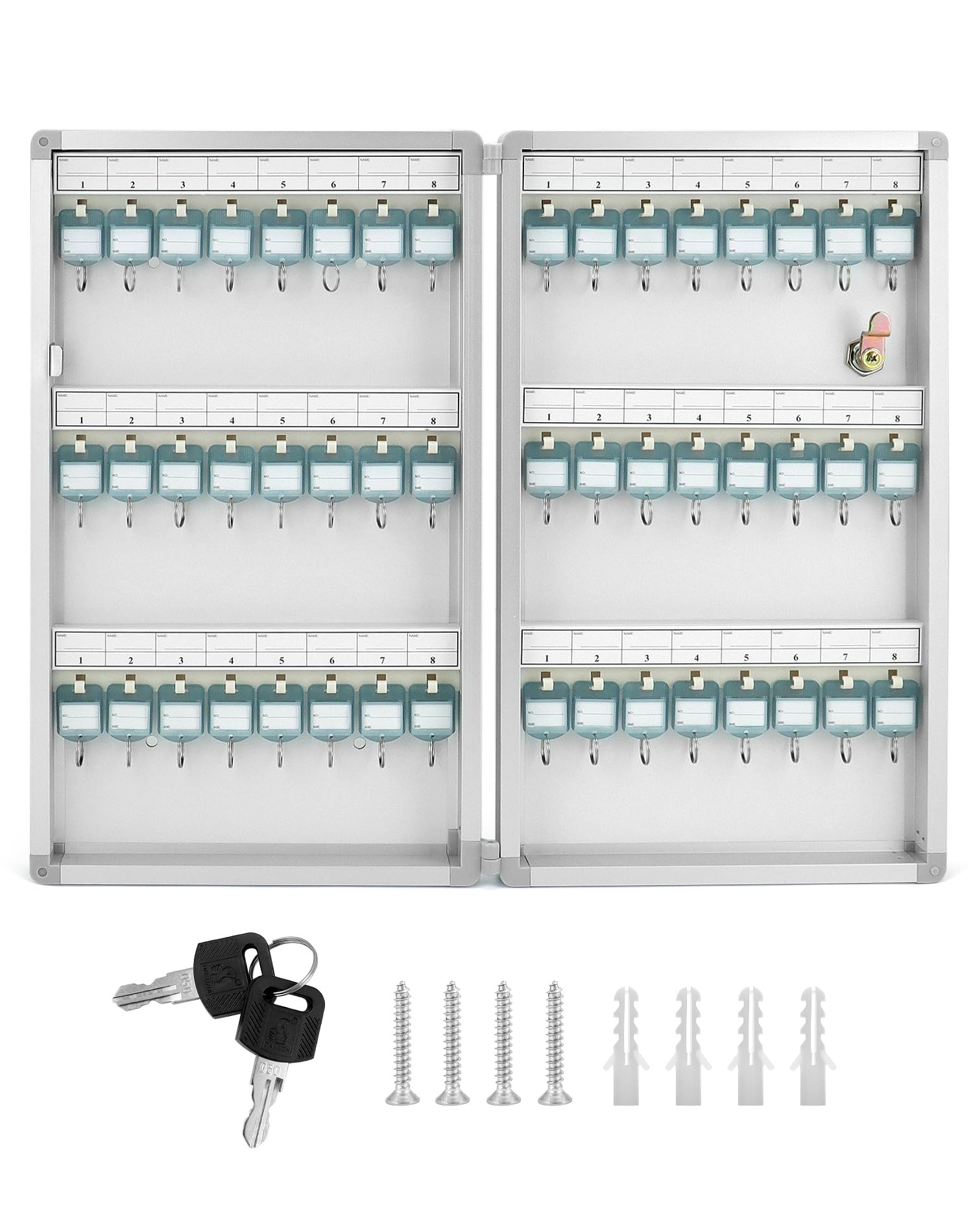
Image 1.1: The QWORK 48-Hook Key Cabinet in its closed state, showcasing its compact and secure design.
2. Safety Information
Please observe the following safety precautions to prevent injury or damage to the product:
- Always handle the key cabinet with care to avoid dropping it.
- Ensure the cabinet is securely mounted to a stable wall surface to prevent it from falling.
- Keep keys and small parts away from children to prevent choking hazards.
- Do not attempt to force the lock if it is jammed. Refer to the troubleshooting section.
3. Package Contents
Verify that all components are present in the package:
- 1 x QWORK 48-Hook Key Cabinet
- 2 x Keys for the cabinet lock
- 48 x Key Tags with labels
- Mounting Hardware (screws and wall anchors)
4. Product Features
The QWORK WD11053 Key Cabinet is designed for efficient and secure key organization:
- Wall-Mounted Design: Saves space and keeps keys organized in a central location.
- 48 Key Hooks: Provides ample storage for a large number of keys.
- Double-Sided Key Racks: Maximizes storage capacity without increasing cabinet size.
- Durable Construction: Made from aluminum alloy for long-lasting use.
- Security Lock: Features a robust lock mechanism to keep your keys secure.
- Key Rack Labels: Built-in labels on key tags allow for easy identification and classification.
- Magnetic Door Catch: Ensures the cabinet door remains securely closed when unlocked.
- Rounded Corners: Enhances safety and aesthetic appeal.

Image 4.1: The key cabinet open, illustrating the double-sided key racks, security lock, and aluminum alloy edging.

Image 4.2: Detail of the cabinet's rounded corners for safety and the robust security lock mechanism.
5. Setup and Installation
The key cabinet is designed for easy wall mounting. Follow these steps for secure installation:
- Choose a Location: Select a suitable wall location that is sturdy and can support the weight of the cabinet and its contents. Ensure there is enough clearance to open the door fully.
- Mark Drilling Points: Hold the cabinet against the wall at the desired height. Use a pencil to mark the positions of the four mounting holes on the back of the cabinet.
- Drill Holes: Using an appropriate drill bit for your wall type (e.g., masonry for concrete, wood bit for studs), drill pilot holes at the marked positions. If drilling into drywall, insert the provided wall anchors.
- Mount the Cabinet: Align the cabinet's mounting holes with the drilled holes. Insert the screws through the cabinet and into the wall/anchors. Tighten the screws firmly until the cabinet is securely fastened to the wall. Do not overtighten.

Image 5.1: The rear view of the key cabinet, highlighting the pre-drilled screw holes for wall mounting.
6. Operating Instructions
Using your QWORK Key Cabinet is straightforward:
- Unlocking the Cabinet: Insert one of the provided keys into the lock on the front of the cabinet. Turn the key clockwise to unlock, then pull the door open.
- Attaching Keys to Tags: Each key tag includes a small label. Write the key's identification (e.g., room number, car model) on the label. Attach the key to the ring on the tag.
- Organizing Keys: Hang the key tags onto the hooks inside the cabinet. Utilize the numbered slots and double-sided design for systematic organization.
- Locking the Cabinet: Close the cabinet door. Ensure it is fully closed and the magnetic catch engages. Insert the key into the lock and turn counter-clockwise to secure. Remove the key and store it in a safe place.

Image 6.1: A visual guide demonstrating how to attach keys to the provided tags and label them for easy identification.

Image 6.2: The QWORK key cabinet effectively organizing keys in a professional environment, such as a car dealership.
7. Maintenance
To ensure the longevity and proper function of your key cabinet:
- Cleaning: Wipe the exterior and interior surfaces with a soft, damp cloth. Avoid abrasive cleaners or solvents that could damage the finish.
- Lock Care: Periodically apply a small amount of graphite lubricant to the lock mechanism if it becomes stiff. Do not use oil-based lubricants.
- Inspection: Regularly check the mounting screws to ensure they remain tight and the cabinet is securely attached to the wall.
8. Troubleshooting
If you encounter any issues with your key cabinet, refer to the following common problems and solutions:
- Cabinet Door Does Not Close Properly:
Solution: Check for any obstructions inside the cabinet or if the cabinet itself is mounted unevenly. Ensure the magnetic catch is clean and free of debris. - Key Is Difficult to Turn in Lock:
Solution: Apply a small amount of graphite lubricant to the keyhole. Ensure the key is fully inserted and not bent or damaged. - Cabinet Feels Loose on Wall:
Solution: Re-tighten the mounting screws. If the wall anchors are damaged, consider relocating the cabinet or using stronger anchors. - Lost Keys to the Cabinet:
Solution: If you have lost both keys, you may need to contact a locksmith to open the cabinet. It is recommended to keep a spare key in a secure, separate location.
9. Specifications
| Attribute | Specification |
|---|---|
| Brand | QWORK |
| Model Number | WD11053 |
| Color | Light Grey (RAL 7035) |
| Dimensions (L x W x H) | 435 mm x 60 mm x 264 mm (17-1/8" x 2-3/8" x 10-3/8") |
| Material | Aluminum |
| Weight | 1.36 Kilograms |
| Hook Capacity | 48 Hooks |
| Special Feature | Security Lock Design |
| Mounting Type | Wall Mount |

Image 9.1: Detailed dimensions of the QWORK key cabinet, showing length, width, and height.
10. Warranty Information
QWORK products are manufactured to high-quality standards. For specific warranty details, please refer to the warranty card included with your purchase or visit the official QWORK website. Keep your purchase receipt as proof of purchase for any warranty claims.
11. Customer Support
If you have any questions, require assistance, or need to report an issue with your QWORK WD11053 Key Cabinet, please contact QWORK customer support through the retailer's platform or the official QWORK website. Our team is dedicated to providing prompt and helpful service.