
1. Introduction
The AJAZZ AKP815 is a 75% low-profile mechanical keyboard designed for enhanced productivity and gaming. It features a unique 4.33-inch LED touch screen, programmable RGB lighting, and a gasket-mounted structure for a comfortable typing experience. This manual provides detailed instructions for setup, operation, and maintenance.
2. Package Contents
Please verify that all items are present in the package:
- AJAZZ AKP815 Mechanical Keyboard
- USB-C to USB-A Cable
- Keycap Puller
- User Manual (this document)
3. Physical Overview
Familiarize yourself with the keyboard's components:
- 75% Layout: Compact design with 81 keys.
- 4.33'' LCD Touch Screen: Located on the right side for customizable controls.
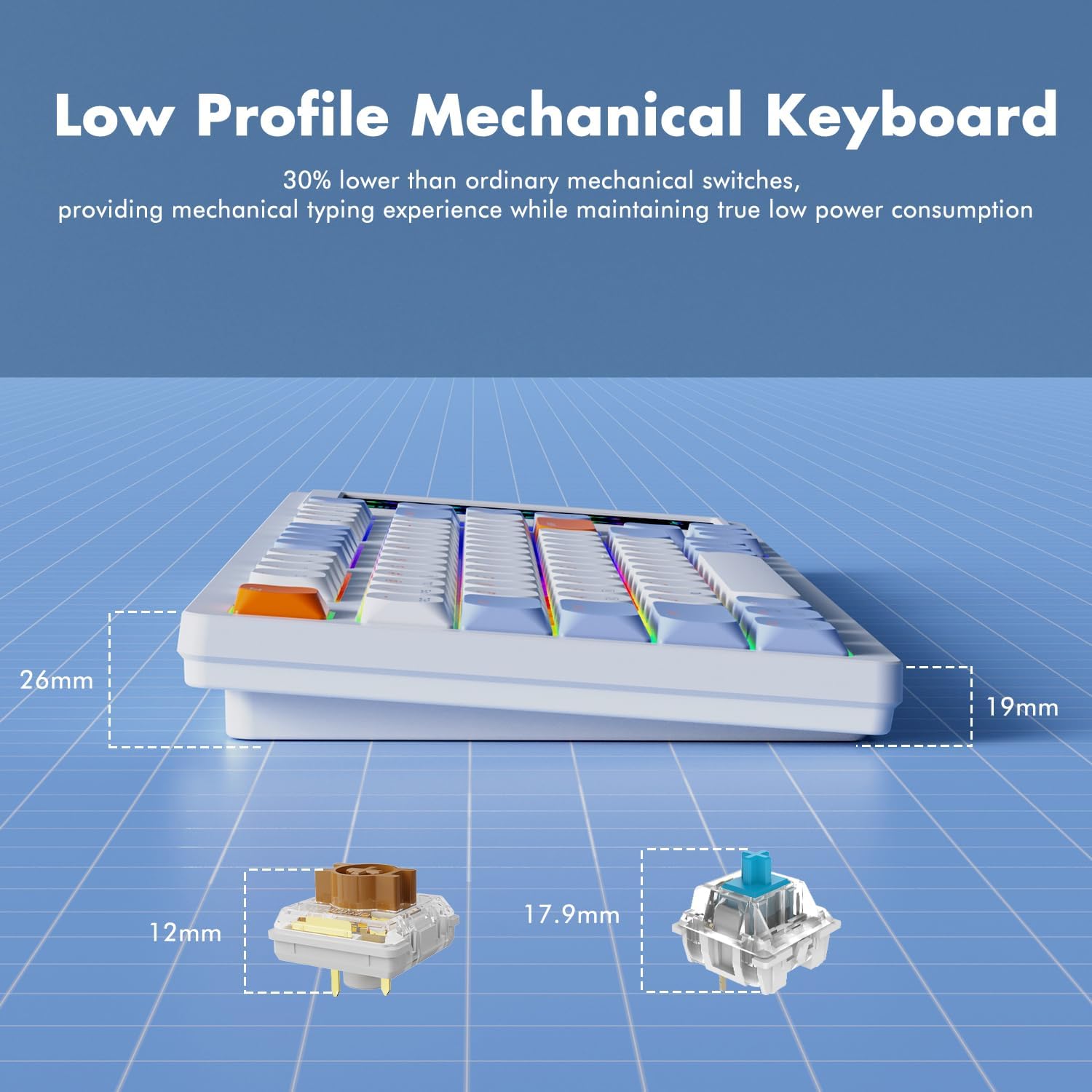
- Low Profile HUANO Mechanical Switches: Designed for a responsive typing experience.
- Adjustable Two-Level Stand: For ergonomic typing angles.
- USB-C Interface: For wired connection and charging.
- System Mode Switch: Located on the underside to toggle between Windows and Mac compatibility.

4. Setup & Connectivity
4.1. System Mode Selection
Before connecting, locate the switch on the underside of the keyboard to select the appropriate operating system mode (Windows or Mac).
4.2. Wired Connection
- Connect the provided USB-C cable to the keyboard's USB-C port.
- Connect the USB-A end of the cable to an available USB port on your computer.
- The keyboard will be automatically recognized by your system.
4.3. 2.4G Wireless Connection
The keyboard supports 2.4G wireless connectivity via a USB dongle. The dongle is typically stored in a compartment on the underside of the keyboard.
- Remove the 2.4G USB dongle from its storage slot on the keyboard's underside.
- Plug the dongle into an available USB port on your computer.
- Ensure the keyboard is switched to 2.4G wireless mode (refer to the underside switch).
- The keyboard should automatically connect.
4.4. Bluetooth Connection
The keyboard supports Bluetooth connectivity for up to three devices.
- Ensure the keyboard is switched to Bluetooth mode (refer to the underside switch).
- On your device (computer, tablet, smartphone), enable Bluetooth and search for new devices.
- Select 'AJAZZ AKP815' (or similar) from the list of available devices to pair.
- Follow any on-screen prompts to complete the pairing process.

5. Driver Installation
For full functionality and customization of both the keyboard and the touch screen, specific drivers are required.
- Keyboard Driver: Download the keyboard driver from the official AJAZZ website.
- Touch Screen Controller Driver:
For Windows systems: AJAZZ.key123.vip/ENGwin
For Mac systems: AJAZZ.key123.vip/ENGmac
Important: Always download drivers from the official AJAZZ website or the provided links to ensure compatibility and security.
6. Operating Instructions
6.1. Touch Screen Operation
The 4.33-inch LCD touch screen acts as a customizable desktop control center with 15 programmable buttons. Use the dedicated driver to:
- Manage desktop applications.
- Access websites.
- Control chat applications.
- Edit shortcuts in software like Photoshop.
- Utilize a calculator or analyze stock market data.
- Customize key icons for quick control.


6.2. RGB Lighting Customization
The keyboard features programmable RGB lighting with 16.8 million color spectrums. Use the keyboard driver to:
- Select from various lighting modes and effects.
- Adjust lighting brightness.
- Synchronize lighting with music rhythms.
The south-facing LED design and two-color injection molded non-shine keycaps ensure soft and clear RGB illumination.


6.3. FN Key Functionality
The FN key provides access to secondary functions for various keys, enhancing efficiency for work or gaming. Refer to the keyboard's keycap legends for specific FN key combinations.
7. Advanced Features
- Gasket Structure Technology: Built-in EVA sandwich cotton reduces hollow sounds and improves typing feel.
- 30% Ultra-Thin Design: Achieved with thin keycaps and low-profile HUANO mechanical switches, offering a mechanical typing experience with low power consumption.
- N-Key Rollover: Each key is controlled by a separate switch, allowing multiple keys to be pressed simultaneously without conflict.

8. Maintenance
To ensure the longevity and optimal performance of your AJAZZ AKP815 keyboard, follow these maintenance guidelines:
- Cleaning: Use a soft, dry cloth to wipe down the keyboard surface. For deeper cleaning, use the provided keycap puller to remove keycaps and clean underneath with compressed air or a small brush.
- Avoid Liquids: Do not expose the keyboard to liquids. In case of spills, immediately disconnect the keyboard and allow it to dry completely before reconnecting.
- Storage: Store the keyboard in a cool, dry place away from direct sunlight and extreme temperatures.
9. Troubleshooting
- Keyboard Not Responding:
- Ensure the USB cable is securely connected or the wireless dongle is properly inserted.
- Verify the system mode switch (Windows/Mac) is set correctly.
- For wireless connections, check battery level and ensure proper pairing. - Touch Screen Issues:
- Ensure the touch screen controller driver is correctly installed and running.
- Restart the driver software or your computer.
- Check for any physical obstructions or damage to the screen. - RGB Lighting Not Working:
- Ensure the keyboard driver is installed.
- Check lighting settings within the driver software.
- Try cycling through lighting modes using FN key combinations. - Accidental Touch Screen Activation:
- Adjust your typing posture to avoid unintentional contact with the screen.
- Review touch screen driver settings for sensitivity adjustments if available.
10. Specifications
| Feature | Detail |
|---|---|
| Model Number | AKP815 |
| Product Dimensions | 15.7"L x 5.4"W x 0.8"H (40 x 13.7 x 2 cm) |
| Item Weight | 1.98 pounds (0.9 kg) |
| Keyboard Layout | 75% (81 keys) |
| Touch Screen Size | 4.33 inches |
| Switch Type | Low Profile HUANO Mechanical Switches |
| Connectivity | USB-C Wired, 2.4G Wireless, Bluetooth |
| Backlighting | Programmable RGB |
| Compatible Devices | Laptop, PC, Smart TV, Smartphone, Tablet |
| Compatible OS | Windows, Mac |
11. Official Product Video
Watch this official video for a brief overview of the AJAZZ AKP815 keyboard.
12. Warranty and Support
For warranty information, technical support, or further assistance, please visit the official AJAZZ website. Ensure you have your product model number (AKP815) available when contacting support.


