
EPOS EPOS Impact 860
EPOS Impact 860 Dual-Sided Wired Headset
User Manual
Brand: EPOS | Model: EPOS Impact 860
Introduction
The EPOS IMPACT 860 is a professional double-sided wired headset designed for optimal performance in office and remote work environments. It integrates advanced technologies like EPOS BrainAdapt and EPOS AI to enhance multitasking and communication clarity. This headset provides crystal-clear calls through adaptive microphones and super wideband stereo sound, ensuring a seamless experience across various devices with its USB-C plug-and-play functionality.

Figure 1: The EPOS Impact 860 Dual-Sided Wired Headset, showcasing its sleek black design and microphone boom arm.
What's in the Box
Your EPOS Impact 860 package includes the following components:
- EPOS Impact 860 Headset: The main dual-sided wired headset with integrated microphone.
- USB-C to USB-A Adapter: For versatile connectivity with various devices.
- Carry Bag: A soft pouch for convenient storage and transport of your headset.
- User Guide: Provides detailed instructions for setup and usage.
- Compliance Sheet: Contains regulatory and safety information.
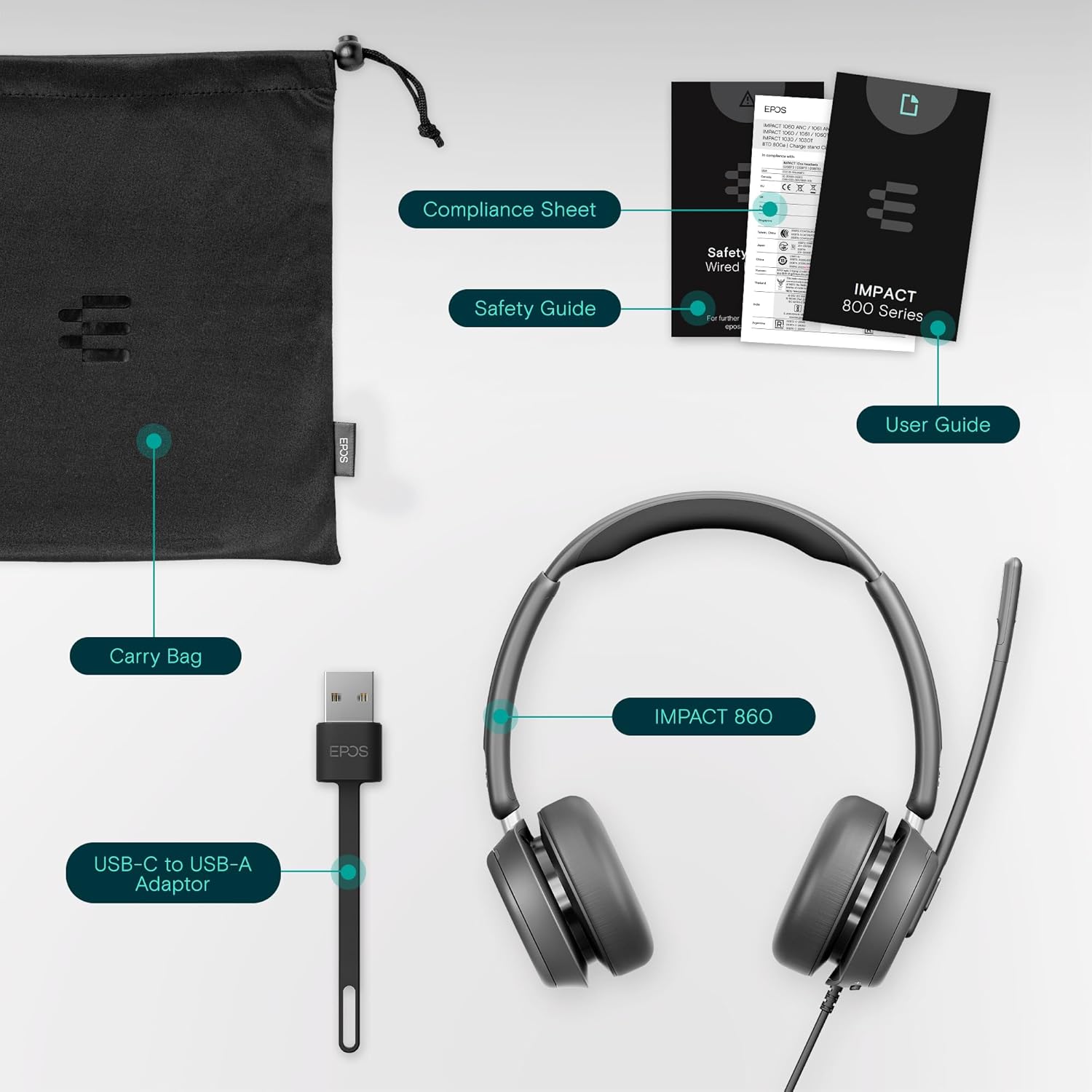
Figure 2: All components included in the EPOS Impact 860 package, neatly laid out.
Setup
The EPOS Impact 860 headset offers simple plug-and-play connectivity, making it easy to get started.
- Connect to Device:
- For devices with a USB-C port, directly plug the headset's USB-C connector into the port.
- For devices with a USB-A port, attach the provided USB-C to USB-A adapter to the headset's USB-C connector, then plug the adapter into the USB-A port.
- System Recognition: Your operating system (Windows, macOS, Chrome OS, Linux, iOS, iPadOS, Android) should automatically recognize the headset. No additional drivers are typically required.
- Audio Settings: Verify that the EPOS Impact 860 is selected as the default audio input and output device in your computer's sound settings or your communication application's settings (e.g., Microsoft Teams, Zoom, Google Meet).
Operating the Headset
The headset is designed for intuitive control and enhanced communication.
Controls and Features
- Volume Control: Located on one of the earcups, allowing you to adjust the incoming audio volume.
- ANC (Active Noise Cancellation) Button: Found on an earcup, this button activates or deactivates the Active Noise Cancellation feature, helping to reduce ambient noise for improved focus.
- Microphone Boom Arm: The flexible boom arm can be rotated to position the microphone optimally for voice pickup. Moving the boom arm up or down can also mute/unmute the microphone in compatible applications.
- Busylight: A 360-degree busylight is integrated into the headset, indicating to others when you are on a call or busy, minimizing interruptions.
Audio and Microphone Performance
The Impact 860 is engineered for superior audio clarity and voice pickup:
- EPOS BrainAdapt & EPOS AI: These technologies work together to optimize sound processing, improving multitasking performance and communication accuracy by focusing on your voice and reducing background distractions.
- Adaptive Digital Microphones: The advanced microphone system delivers industry-leading voice pickup, ensuring your voice is heard clearly even in noisy environments.
- Super Wideband Stereo Sound: Provides rich, natural-sounding conversations and high-quality audio for media consumption.
- ActiveGard Hearing Protection: This technology protects your ears from sudden loud noises, ensuring safe listening levels during extended use.

Figure 3: Overview of the headset's main features.
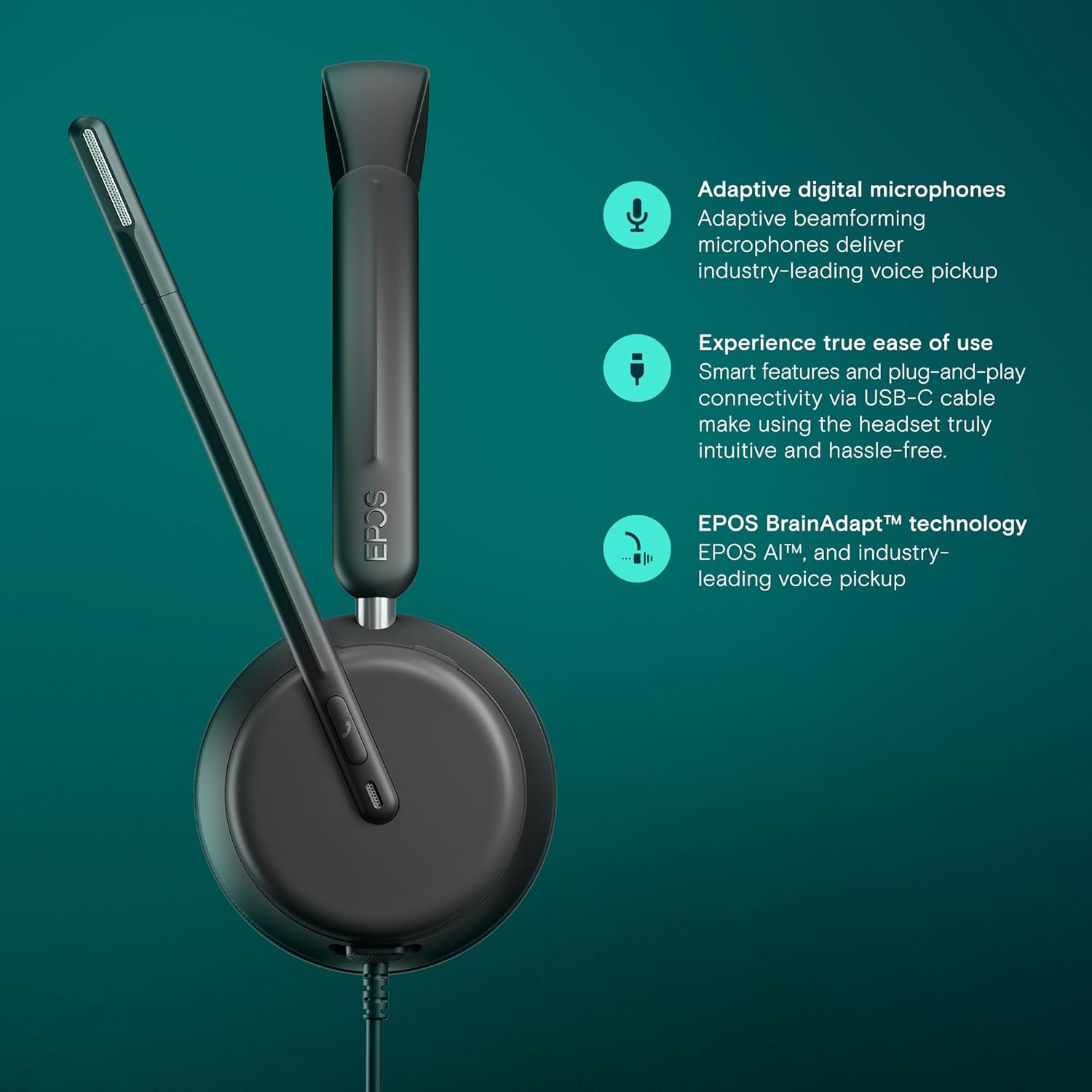
Figure 4: Detailed view of the microphone and earcup, emphasizing advanced audio technologies.

Figure 5: Illustrates the headset's benefit in improving efficiency in a professional environment.

Figure 6: The headset positioned as a standard for open office environments.
Comfort and Design
The EPOS Impact 860 is built for extended wear and durability:
- Lightweight Build: Designed to be comfortable for all-day wear, reducing fatigue during long calls or meetings.
- Soft Ear Cushions: The earcups feature soft, breathable cushions for enhanced comfort.
- Padded Headband: Provides additional comfort and a secure fit.
- Durable Materials: Constructed from a combination of memory foam, leather/faux leather, plastic, and metal for longevity.
Maintenance
To ensure the longevity and optimal performance of your EPOS Impact 860 headset, follow these maintenance guidelines:
- Cleaning:
- Gently wipe the ear cushions and headband with a soft, damp cloth. Avoid using harsh chemicals or abrasive materials.
- For the microphone and other plastic surfaces, use a dry or slightly damp cloth.
- Storage: When not in use, store the headset in its provided carry bag to protect it from dust and physical damage. Avoid extreme temperatures and direct sunlight.
- Cable Care: Do not excessively bend or pull the cable. Store it neatly to prevent tangles and damage.
Troubleshooting
If you encounter issues with your headset, try the following steps:
- No Audio/Microphone Not Working:
- Ensure the headset is securely plugged into the correct USB port (USB-C or USB-A with adapter).
- Check your computer's sound settings to confirm the EPOS Impact 860 is selected as the default input and output device.
- Verify that the microphone is not muted (check the boom arm position and any software mute controls).
- Try connecting the headset to a different USB port or another device to rule out port or device-specific issues.
- Poor Audio Quality:
- Ensure the ear cushions are properly seated on your ears for optimal sound isolation.
- Adjust the volume using the headset's controls or your device's volume settings.
- If using ANC, ensure it is activated for noisy environments.
- Headset Not Recognized:
- Restart your computer or device.
- Ensure your operating system is up to date.
Specifications
| Feature | Detail |
|---|---|
| Model Name | IMPACT 860 |
| Connectivity Technology | Wired (USB-C with USB-A adapter) |
| Headphones Jack | USB-C Jack |
| Ear Placement | On Ear |
| Noise Control | Hybrid Noise Cancellation |
| Frequency Range | 20 Hz - 20,000 Hz |
| Microphone Type | Adaptive Digital Microphones (Boom Arm) |
| Compatible Devices | Laptops, Desktops, Tablets, and Cellphones |
| Item Weight | 12.3 ounces |
| Package Dimensions | 8.46 x 8.27 x 2.24 inches |
| Manufacturer | Demant Sound Epos Audio A/S |
| Country of Origin | China |
Warranty and Support
For detailed warranty information and technical support, please refer to the official EPOS website or the documentation included in your product package. Extended protection plans may also be available for purchase.
You can also visit the EPOS Store on Amazon for more product information and resources.
Ask a question about this manual
Ask about setup, troubleshooting, compatibility, parts, safety, or missing instructions. Manuals+ will review the question and use this page’s manual context to help answer it.