
Portronics Conch Beat A (POR-2280)
Portronics Conch Beat A Wired Earphones User Manual
Model: Conch Beat A (POR-2280)
Introduction
The Portronics Conch Beat A earphones are designed to provide a high-quality audio experience with their advanced 10mm drivers. These wired earphones offer universal compatibility via a 3.5mm audio jack, making them suitable for various devices. Crafted with durable metal alloy earbuds and featuring in-line controls, they are built for comfort, convenience, and robust performance, even with an IPX5 water-resistant rating.
Package Contents
- Portronics Conch Beat A Wired Earphones (1N)
Key Features
- 10mm Dynamic Drivers: Delivers crystal-clear vocals and immersive audio for gaming, music, and calls.
- Universal Compatibility: Features a 3.5mm Type A audio jack for effortless connection to smartphones, tablets, laptops, and other compatible devices.
- Durable Metal Alloy Earbuds: Ensures superior sound quality, all-day comfort, and an elegant design with extended lifespan.
- In-Line Controls & Microphone: Integrated controls for call management, music playback (play/pause), and volume adjustment, along with a high-sensitivity built-in microphone for clear communication.
- IPX5 Water Resistance: Provides protection against water splashes, sweat, and light rain, ideal for active use.
- 1.2m TPE Tangle-Free Wire: Flexible, durable, and lightweight cable designed to prevent tangles for hassle-free use.
Product Overview

Figure 1: Front view of the Portronics Conch Beat A wired earphones, showcasing both earpieces, the in-line remote, and the 3.5mm audio jack.

Figure 2: Illustration of the earphones' plug-and-play compatibility, showing connection to a laptop, smartphone, and tablet via the Aux Audio Jack.

Figure 3: Detailed view of the metal alloy body of the earbuds, emphasizing their durable construction and elegant design.

Figure 4: Earphone shown in an ear, illustrating its lightweight body, skin-friendly material, and comfortable fit for extended wear.

Figure 5: The 1.2-meter TPE wire coiled, demonstrating its tangle-free design for convenient storage and use.

Figure 6: Exploded diagram illustrating the internal components of the 10mm high-performance audio driver, responsible for premium sound quality.
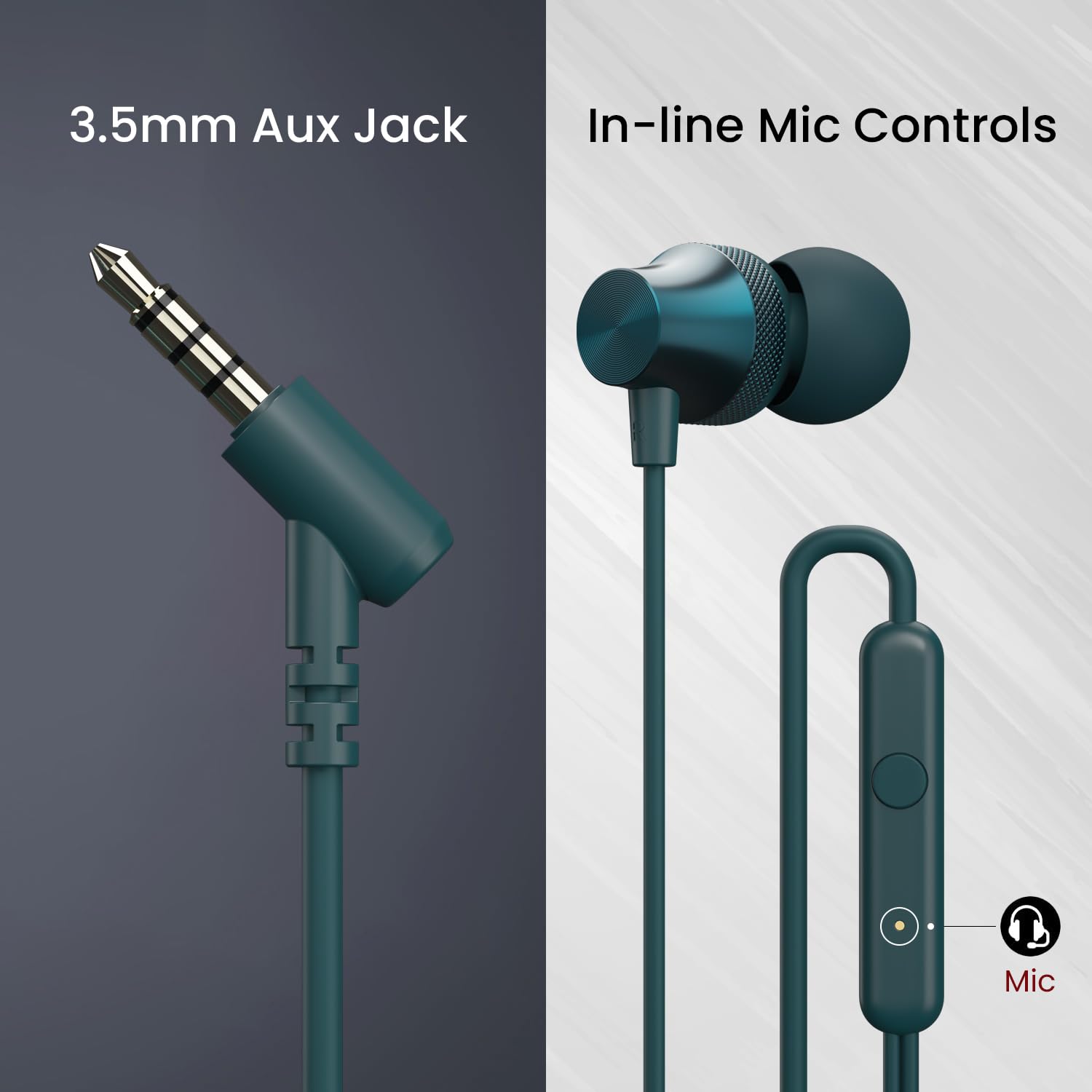
Figure 7: Split image showing the 3.5mm Aux Jack for universal connectivity and the in-line microphone controls for easy management of calls and music.
Setup Guide
Connecting Your Earphones
The Portronics Conch Beat A earphones are designed for simple plug-and-play operation. Follow these steps to connect them to your device:
- Locate the 3.5mm audio jack on your smartphone, tablet, laptop, or other compatible audio device.
- Insert the 3.5mm plug of the Portronics Conch Beat A earphones firmly into the audio jack until it clicks into place.
- Once connected, your device should automatically recognize the earphones. You can now play audio through them.
Note: Ensure the audio jack on your device is clean and free from debris for optimal connection.
Operating Instructions
Using In-Line Controls
The Portronics Conch Beat A earphones feature a convenient in-line remote with a built-in microphone, allowing you to manage audio playback and calls without needing to access your device.
- Play/Pause Music: Press the multi-function button once to play or pause the current track.
- Next Track: Press the multi-function button twice quickly to skip to the next track.
- Previous Track: Press the multi-function button three times quickly to go back to the previous track.
- Answer/End Call: Press the multi-function button once to answer an incoming call or end an ongoing call.
- Reject Call: Press and hold the multi-function button for approximately 2 seconds to reject an incoming call.
- Volume Control: Use the dedicated volume up (+) and volume down (-) buttons on the in-line remote to adjust the audio volume.
Audio Quality
Equipped with 10mm dynamic drivers, the Portronics Conch Beat A earphones deliver a powerful and clear audio experience. These drivers are engineered to produce rich bass, natural mids, and crisp highs, ensuring an immersive listening experience for all types of audio content.
Maintenance and Care
Proper care and maintenance will extend the lifespan of your Portronics Conch Beat A earphones.
Cleaning
- Gently wipe the earbuds and cable with a soft, dry, lint-free cloth.
- For stubborn dirt, slightly dampen the cloth with water, but avoid getting moisture into the speaker grilles or the 3.5mm jack.
- Do not use harsh chemicals, cleaning solvents, or strong detergents.
Storage
- When not in use, store the earphones in a clean, dry place, away from extreme temperatures.
- Utilize the tangle-free design by coiling the cable neatly to prevent knots and damage.
Water Resistance (IPX5)
The earphones are rated IPX5 water-resistant, meaning they can withstand splashes of water from any direction. This makes them suitable for workouts and light rain. However, they are not designed for submersion in water. Do not expose them to running water or immerse them.
Troubleshooting
If you encounter any issues with your Portronics Conch Beat A earphones, refer to the following common problems and solutions:
| Problem | Possible Cause | Solution |
|---|---|---|
| No sound or low volume | Incorrect connection, device volume too low, dirty audio jack, or damaged cable. | Ensure the 3.5mm jack is fully inserted. Increase volume on your device. Clean the audio jack. Test with another device to check if earphones are faulty. |
| Microphone not working | Microphone port blocked, device settings, or incompatible device. | Ensure the microphone on the in-line remote is not covered. Check your device's audio input settings. Some older devices may not fully support in-line mic functions. |
| Sound distortion or crackling | Loose connection, interference, or damaged cable/drivers. | Re-insert the 3.5mm jack. Move away from sources of electromagnetic interference. If the issue persists, the earphones may be damaged. |
| In-line controls not responding | Incompatible device, software glitch, or damaged controls. | Ensure your device supports the in-line control functions. Restart your device. Test on another device. |
Technical Specifications
| Feature | Detail |
|---|---|
| Model Name | Conch Beat A |
| Model Number | POR-2280 |
| Headphones Jack | 3.5 mm Jack |
| Connectivity Technology | Wired |
| Audio Driver Type | Dynamic Driver |
| Audio Driver Size | 10 mm |
| Control Type | In-line button control |
| Microphone Format | Built-In |
| Cable Feature | Tangle Free (1.2m TPE Wire) |
| Water Resistance Level | IPX5 Water Resistant |
| Material | ABS Plastic, Metal Alloy |
| Item Weight | 100 Grams |
| Product Dimensions (LxWxH) | 12 x 8.6 x 2 cm |
| Compatible Devices | Cellphones, Tablets, Laptops, Desktops |
Warranty Information
The Portronics Conch Beat A Wired Earphones come with a 6-month limited warranty from the date of purchase. This warranty covers manufacturing defects and issues arising from normal use. It does not cover damage caused by misuse, accidents, unauthorized modifications, or normal wear and tear.
To claim warranty service, please retain your purchase receipt as proof of purchase. For further details or to initiate a warranty claim, please contact Portronics customer support.
Customer Support
For any queries, technical assistance, or support regarding your Portronics Conch Beat A Wired Earphones, please contact the manufacturer directly:
Manufacturer: Portronics Digital Pvt Ltd
Address: Unit No. 1082-1090, 10th Floor, Block-B, Vegas, Dwarka, Sec-14, New Delhi-110075, India
Phone: 9555-245-245
You can also visit the official Portronics website for more information and support resources.
Ask a question about this manual
Ask about setup, troubleshooting, compatibility, parts, safety, or missing instructions. Manuals+ will review the question and use this page’s manual context to help answer it.