
Cryfokt Cryfokthtgye5m2nk
Automatic Curtain Opener User Manual
Model: Cryfokthtgye5m2nk | Brand: Cryfokt
Introduction
Thank you for choosing the Cryfokt Automatic Curtain Opener. This smart device is designed to automate your curtains, providing convenience through various control methods including voice, remote, and app control. It features a light sensor for intelligent operation and a quiet mode for undisturbed use. Please read this manual carefully to ensure proper installation, operation, and maintenance of your device.

Image: The Cryfokt Automatic Curtain Opener system, showing the main control unit and two curtain robot modules designed for Roman rods.
Key Features
- Intelligent Voice Control: Seamless integration for voice commands to open and close curtains (requires compatible smart home assistant, gateway not included).
- Light Sensor Automation: Automatically adjusts curtain position based on ambient light levels, enhancing comfort and protecting interiors from sun exposure.
- Percentage Control: Precise control over curtain opening, allowing partial or full closure as desired.
- Quiet Mode Operation: Motor runs at less than 25 decibels, ensuring minimal disturbance, ideal for bedrooms and quiet environments.
- Easy Installation: Simple 3-step installation process, no complicated wiring required thanks to the built-in 4000mAh battery.
- Timer Setup: Schedule automatic opening and closing times to suit your daily routine.
- App Control: Remote control and monitoring of curtain status via a dedicated mobile application.
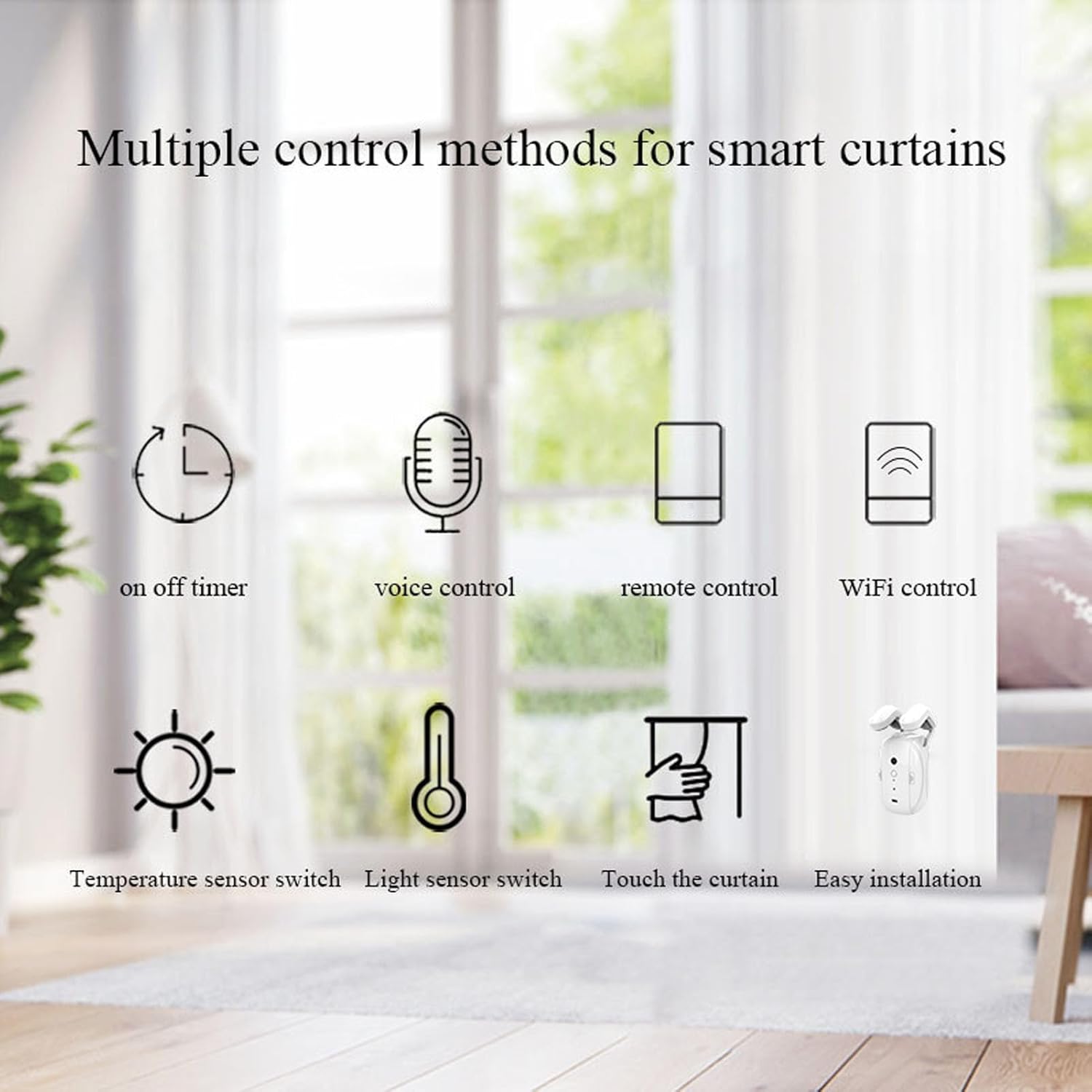
Image: Visual representation of various control methods including timer, voice control, remote control, Wi-Fi control, temperature sensor, light sensor, touch control, and easy installation.
Package Contents
Please verify that all the following items are included in your package:
- Main Control Unit (x1)
- Curtain Robot Modules (x2)
- USB Charging Cable (x1)
- Bead Chain (for Roman Rod installation)

Image: All components included in the package: main unit, two curtain robots, USB charging cable, and bead chain for installation.
Setup Guide
1. Charging the Device
Before first use, ensure the main control unit and curtain robot modules are fully charged using the provided USB charging cable. The built-in 4000mAh battery provides long-lasting operation.
2. Installation on Roman Rod
- Identify the Roman rod where you intend to install the curtain opener.
- Attach the curtain robot modules to the Roman rod. Ensure they are securely fastened and can move freely along the rod.
- Connect the bead chain to the curtain robots as per the specific design for Roman rod curtains.
- Hang the main control unit in an appropriate position, ensuring it has a clear line of sight to the curtain robots and is within reach for manual interaction if needed.
3. App Connection and Calibration
- Download the official Cryfokt app from your smartphone's app store.
- Open the app and follow the on-screen instructions to add your new device. This typically involves pairing via Bluetooth or Wi-Fi.
- Calibrate the curtain opener through the app. This step is crucial for the device to learn the full open and close positions of your curtains.
- Test the opening and closing functions via the app to ensure smooth operation.

Image: Illustration of the hand pull start feature, where sensing the amplitude and direction of hand pulling will automatically open or close the curtain. Also highlights the light sensor location on the device.

Image: A detailed view of the main control unit, showing its compact design and the USB charging port.
Operating Instructions
Manual Control
The device supports manual control. By gently pulling the curtain, the device will sense the direction and amplitude of the pull and automatically complete the opening or closing action.
App Control
The Cryfokt app provides comprehensive control over your curtain opener:
- Open/Close/Pause: Directly control the curtain's movement.
- Percentage Adjustment: Set the curtain to open to a specific percentage (e.g., 50% open).
- Timer Setup: Schedule specific times for curtains to open or close. For example, set to open at 7:00 AM and close at 10:00 PM.
- Light Sensor Settings: Adjust sensitivity and thresholds for automatic closing based on strong light environments.
- Temperature Sensor Settings: Configure automatic closing when temperature exceeds a set value.
- Quiet Mode Activation: Enable quiet mode for slower, quieter operation, reducing motor noise to below 25 decibels.
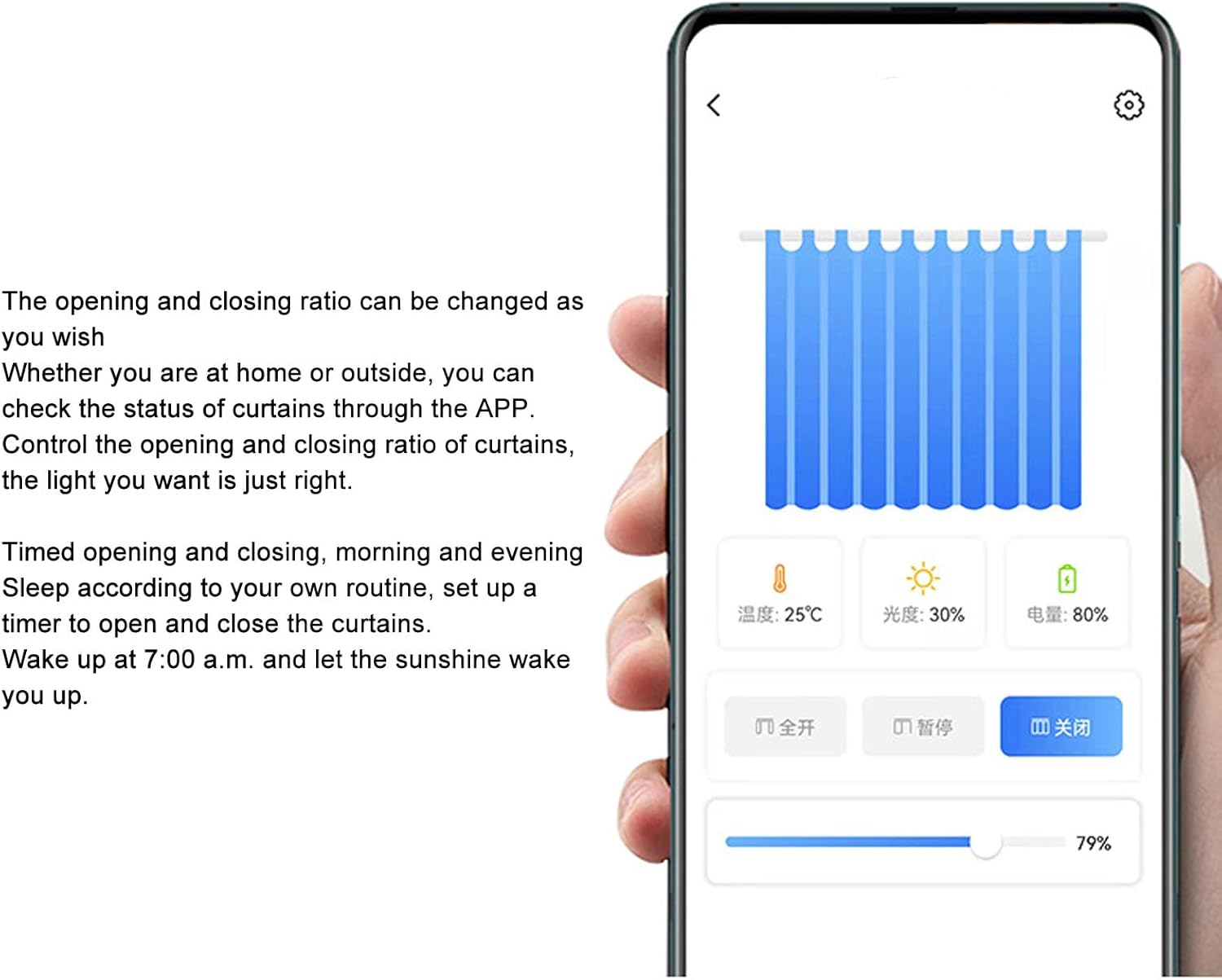
Image: The mobile application interface showing controls for opening/closing, percentage adjustment, and displaying current temperature and light sensor readings.

Image: A visual demonstration of timed curtain operation, showing curtains fully open at 7:00 AM and fully closed at 11:00 PM (23:00).
Voice Control
If integrated with a compatible smart home system (e.g., Alexa, Google Assistant), you can control your curtains using voice commands. Refer to your smart home system's instructions for connecting third-party devices.

Image: A collage illustrating the four primary control methods: APP control, Voice control, Brightness control (automatic light sensing), and Manual control (hand pull).
Maintenance
- Cleaning: Wipe the device surfaces with a soft, dry cloth. Do not use abrasive cleaners or solvents.
- Battery Care: Recharge the device when the battery indicator shows low power. Avoid prolonged exposure to extreme temperatures, which can affect battery life.
- Mechanism Check: Periodically check that the curtain robots move smoothly along the Roman rod and that the bead chain is free from obstructions.
Troubleshooting
| Problem | Possible Cause | Solution |
|---|---|---|
| Device not responding to app/voice commands. |
|
|
| Curtains not opening/closing fully. |
|
|
| Device making unusual noise. |
|
|
| Light sensor not working as expected. |
|
|
Technical Specifications
| Model Number | Cryfokthtgye5m2nk |
| Brand | Cryfokt |
| Manufacturer | Cryfokt |
| Dimensions (Main Unit) | Approx. 21.4 x 16.9 x 7.2 cm (Parcel Dimensions) |
| Item Weight | 650 g |
| Battery | Built-in 4000mAh (Rechargeable) |
| Noise Level | Less than 25 dB (in Quiet Mode) |
| Control Methods | App Control, Voice Control, Light Sensor, Manual Pull |
| Usage Environment | Home (Bedroom, Living Room, Office, Baby Room, etc.) |
| Country of Origin | China |
Warranty and Support
Warranty Information
Cryfokt products are typically covered by a limited warranty against defects in materials and workmanship. Please refer to the product packaging or the official Cryfokt website for specific warranty terms and conditions applicable to your region and purchase date. Keep your purchase receipt as proof of purchase for warranty claims.
Customer Support
For technical assistance, troubleshooting, or warranty inquiries, please contact Cryfokt customer support. Contact information can usually be found on the product packaging, the official Cryfokt website, or through the retailer where you purchased the product.
When contacting support, please have your product model number (Cryfokthtgye5m2nk) and a detailed description of the issue ready.