
INFINMIND L910
INFINMIND Wireless Bluetooth Mouse User Manual
Model: L910
1. Product Overview
The INFINMIND Wireless Bluetooth Mouse (Model L910) is engineered for efficiency and comfort, offering seamless connectivity across multiple devices and operating systems. Its ergonomic design ensures a comfortable grip, while advanced features like the Smart Flying Scroll and adjustable DPI settings provide precise control for various tasks.
Key Features:
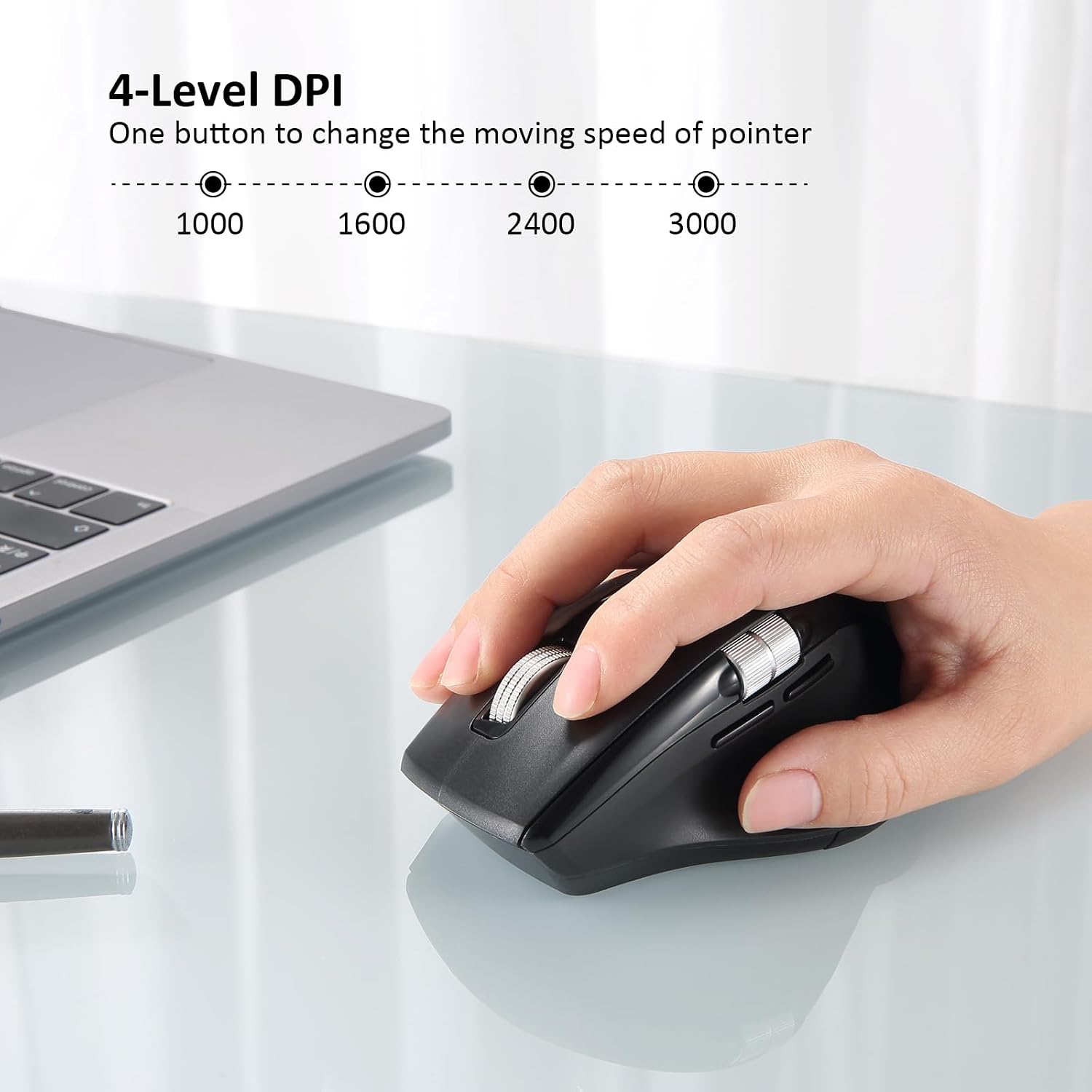
- 4-level DPI Settings: Adjustable (1000/1600/2400/3000) for precise control.
- Smart Flying Scroll: Metal roller design for remarkable speed and near-silent, smooth scrolling.
- Ergonomic Design: Contoured shape with soft rubber grips and a thumb wheel for reduced hand fatigue.
- Multi-Device Connectivity: Connects to up to 3 devices (2.4G Wireless + Bluetooth*2) with easy switching.
- Wide Compatibility: Supports Windows, Mac OS, Linux, iOS, Android, and Chrome OS.
- Long Battery Life: Operates with 1 or 2 AA batteries, lasting up to 40 months (depending on usage).

This mouse is designed to adapt to your workflow, whether you are engaged in daily office tasks, creative projects, or casual browsing.
2. Setup
2.1. Battery Installation
- Locate the battery compartment on the underside of the mouse.
- Slide the battery cover open.
- Insert one or two AA batteries, ensuring correct polarity (+/-). The mouse can function with a single battery, allowing you to adjust its weight preference.
- Close the battery cover securely.

2.2. Connectivity Options
The L910 mouse supports three connection modes: 2.4G Wireless (via USB dongle) and two Bluetooth channels (BT1 and BT2).
2.2.1. 2.4G Wireless Connection
- Locate the USB receiver stored inside the battery compartment.
- Plug the USB receiver into an available USB-A port on your computer.
- Turn the power switch on the bottom of the mouse to the 'ON' position.
- Select the 2.4G wireless mode using the mode switch on the bottom of the mouse (indicated by the USB dongle icon).
- The mouse should automatically connect to your device.
2.2.2. Bluetooth Connection (BT1 / BT2)
- Turn the power switch on the bottom of the mouse to the 'ON' position.
- Select either Bluetooth 1 (BT1) or Bluetooth 2 (BT2) mode using the mode switch on the bottom of the mouse. The corresponding indicator light will blink.
- On your device (computer, laptop, tablet, smartphone), go to Bluetooth settings and search for new devices.
- Select "INFINMIND L910" from the list of available devices to pair.
- Once paired, the indicator light will become solid.

You can easily switch between connected devices by pressing the mode switch button on the bottom of the mouse.
3. Operating Instructions
3.1. DPI Adjustment
The mouse features 4 adjustable DPI (Dots Per Inch) levels: 1000, 1600, 2400, and 3000. To change the pointer speed, press the 'DPI' button located on the top of the mouse, below the main scroll wheel. Each press cycles through the available DPI settings.
3.2. Smart Flying Scroll
The main scroll wheel features a Smart Flying Scroll design, allowing for rapid and smooth scrolling through long documents or web pages with minimal effort. This metal roller provides a near-silent operation.

3.3. Side Thumb Scroll and Navigation Buttons
The mouse is equipped with a side thumb wheel for horizontal scrolling, useful for navigating wide spreadsheets or timelines. Additionally, two buttons are located near the thumb wheel for convenient forward and backward navigation in web browsers or file explorers.

3.4. Multi-OS Compatibility
The INFINMIND L910 mouse is broadly compatible with various operating systems, including Windows, Mac OS, Linux, iOS, Android, and Chrome OS. This ensures seamless integration with a wide range of devices such as computers, laptops, tablets, MacBooks, all-in-one PCs, and smartphones.

4. Maintenance
4.1. Cleaning
To maintain optimal performance, regularly clean the mouse surface with a soft, dry cloth. For the optical sensor and scroll wheels, use a cotton swab lightly dampened with isopropyl alcohol to remove dust and debris. Ensure the mouse is powered off before cleaning.
4.2. Battery Life
The mouse is designed for long battery life. With one AA battery, it can last up to 20 months, and with two AA batteries, it can last up to 40 months. Actual battery life may vary based on usage patterns and environmental conditions. Replace batteries when the mouse's performance degrades or the low battery indicator (if applicable) activates.
5. Troubleshooting
5.1. Connectivity Issues
- Mouse not responding: Ensure the mouse is powered on and the correct connection mode (2.4G Wireless, BT1, or BT2) is selected.
- 2.4G Wireless: Verify the USB receiver is securely plugged into a working USB port. Try a different USB port.
- Bluetooth: Ensure Bluetooth is enabled on your device. Remove any previous pairings of the mouse from your device's Bluetooth settings and attempt to re-pair.
- Intermittent connection: Move the mouse closer to your device to reduce interference. Ensure no other wireless devices are causing interference.
5.2. Tracking Issues
- Inaccurate tracking: Clean the optical sensor on the bottom of the mouse. Ensure you are using the mouse on a suitable surface; highly reflective or transparent surfaces (like glass) may affect tracking.
- Pointer erratic: Adjust the DPI setting to a lower value if the pointer is too sensitive or jumps erratically.
5.3. Button/Scroll Wheel Issues
- Side scroll not working: Some users have reported that the side scroll functionality may improve when connected via Bluetooth instead of the USB dongle. Try switching your connection method.
- Accidental button presses (e.g., emoji panel): Ensure the mouse is set to the correct operating system mode (Windows/Mac) using the switch on the bottom. Incorrect mode selection can sometimes lead to unintended button functions.
- Buttons unresponsive: Check battery levels and replace if necessary.
6. Specifications
| Feature | Detail |
|---|---|
| Brand | INFINMIND |
| Model Number | L910 |
| Connectivity Technology | Bluetooth, 2.4G Wireless |
| Movement Detection Technology | Optical |
| DPI Settings | 1000/1600/2400/3000 |
| Special Features | Smart Flying Scroll, Thumb Scroll, Ergonomic Design |
| Batteries Required | 2 AA batteries (included) |
| Item Weight | 6.4 ounces |
| Package Dimensions | 4.61 x 3.19 x 2.17 inches |
| Country of Origin | China |
7. Warranty and Support
For warranty information and customer support regarding your INFINMIND L910 Wireless Bluetooth Mouse, please refer to the documentation included with your purchase or visit the official INFINMIND website. Our dedicated support team is available to assist you with any questions or issues you may encounter.
Ask a question about this manual
Ask about setup, troubleshooting, compatibility, parts, safety, or missing instructions. Manuals+ will review the question and use this page’s manual context to help answer it.