
Introduction
Thank you for choosing ENEGON EN-EL15C USB C Direct Charging Replacement Batteries. This manual provides essential information for the safe and efficient use of your new batteries. These 2100mAh, 7.2V/15.1Wh lithium-ion batteries are designed to provide extended power for compatible Nikon cameras, featuring convenient direct USB-C charging capabilities.

Image: Two ENEGON EN-EL15C batteries and the included 2-in-1 USB-C charging cable, showcasing the product contents.
Setup
Initial Charging
Before first use, fully charge both batteries. The batteries feature a built-in USB-C port for direct charging. Use the provided 2-in-1 USB-C charging cable or any compatible USB-C cable with a power source such as a USB wall charger, power bank, or laptop USB port.
- Connect the USB-C end of the cable to the battery's USB-C port.
- Connect the USB-A or other USB-C end of the cable to a power source.
- The LED indicator on the battery will show red during charging and turn green when fully charged.

Image: An ENEGON EN-EL15C battery connected to a power bank via its USB-C port, illustrating direct charging convenience.
Inserting into Camera
Ensure your camera is powered off before inserting or removing the battery. Open the battery compartment cover on your Nikon camera, align the battery according to the polarity indicators, and gently push it in until it locks into place. Close the battery compartment cover securely.
Operating Instructions
Charging the Batteries
The ENEGON EN-EL15C batteries offer versatile charging options:
- Direct USB-C Charging: Connect a USB-C cable directly to the battery's USB-C port. This allows charging from various sources like laptops, power banks, car USB ports, and wall chargers. The LED indicator will be red during charging and green when complete.
- Simultaneous Charging: The included 2-in-1 USB-C cable allows you to charge two ENEGON EN-EL15C batteries or one battery and another USB-C device (e.g., a smartphone) simultaneously.
- Traditional Charger: These batteries are also compatible with original Nikon MH-25/MH-25a chargers and other third-party EN-EL15 compatible chargers.
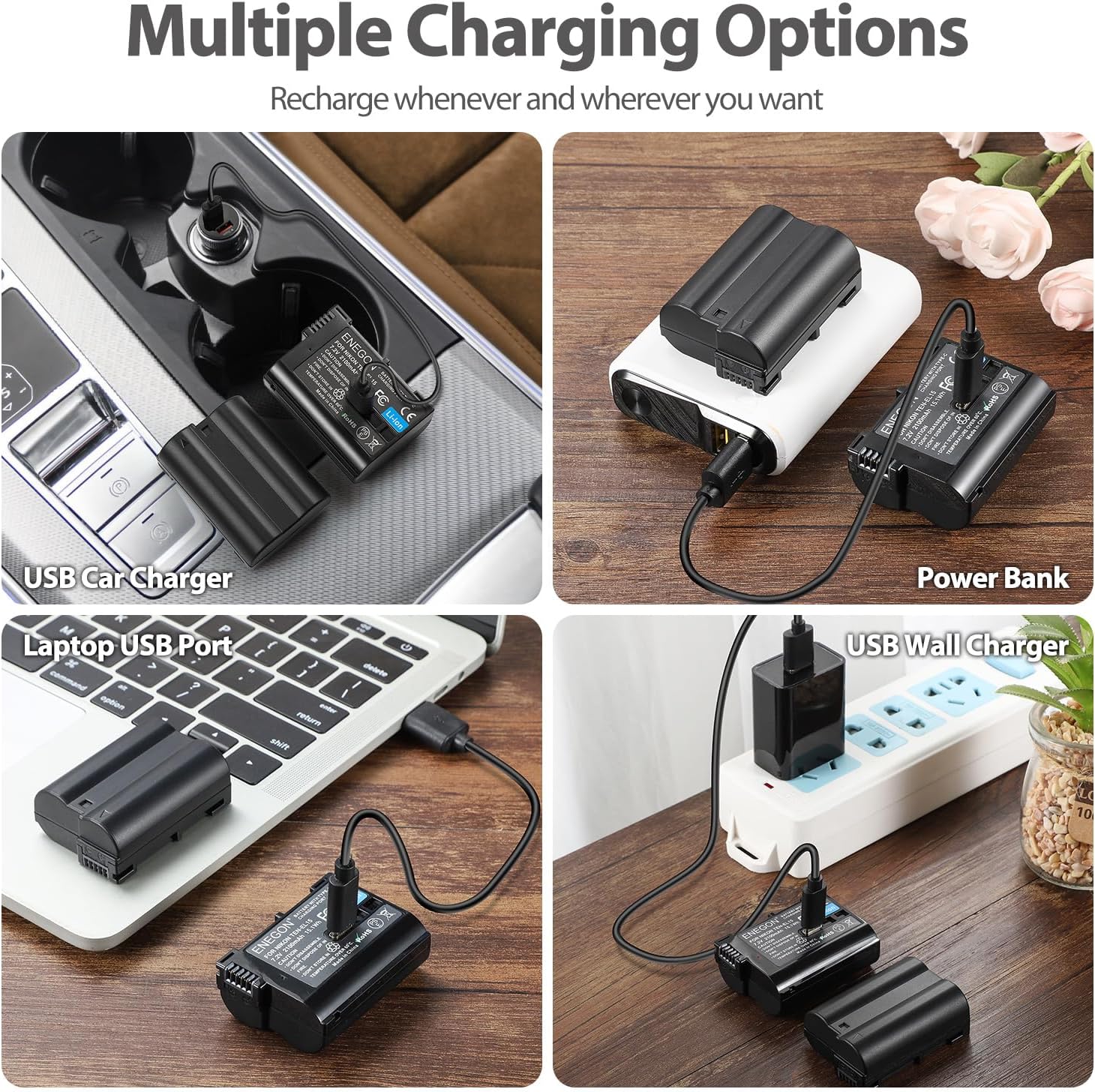
Image: A collage demonstrating multiple charging options for the ENEGON EN-EL15C batteries, including car, power bank, laptop, and wall charging.
Battery Level Indication
The LED indicator on the battery provides charging status:
- Red LED: Battery is currently charging.
- Green LED: Battery is fully charged.
Maintenance
Care and Storage
- Store batteries in a cool, dry place away from direct sunlight and extreme temperatures.
- Avoid short-circuiting the battery terminals.
- Do not disassemble, crush, or puncture the battery.
- If storing for extended periods, charge the batteries to approximately 50% capacity every 3-6 months to maintain optimal performance and lifespan.
- Keep batteries away from children and pets.
Safety Features
ENEGON EN-EL15C batteries are equipped with multiple protection features to ensure safe operation:
- Over-voltage protection
- Over-current protection
- Short circuit protection
- Over-temperature protection
- Over-charge protection
- Over-discharge protection

Image: A visual representation of the intelligent protection systems integrated into ENEGON batteries for safe and long-lasting performance.
Troubleshooting
- Battery Not Charging:
- Ensure the USB-C cable is securely connected to both the battery and the power source.
- Verify the power source is active and providing power.
- Try a different USB-C cable or power source.
- Check if the battery's LED indicator is red during charging. If not, the battery may not be receiving power.
- Camera Does Not Recognize Battery:
- Ensure the battery is fully inserted and the compartment door is closed.
- Power off the camera, remove the battery, and reinsert it.
- Clean the battery contacts on both the battery and the camera with a dry, soft cloth.
- Some camera firmware updates may occasionally affect third-party battery recognition. Ensure your camera's firmware is up to date, or consult your camera's manual for compatibility with third-party batteries.
- Short Battery Life:
- Ensure the battery is fully charged before use (green LED).
- Extreme temperatures (very hot or very cold) can reduce battery performance.
- Frequent use of power-intensive camera features (e.g., live view, video recording, continuous shooting, Wi-Fi) will consume battery faster.
- Battery capacity naturally degrades over time and with many charge cycles.
Specifications
| Brand | ENEGON |
| Model | EN-EL15C |
| Battery Cell Composition | Lithium Ion |
| Battery Capacity | 2100 mAh |
| Voltage | 7.2V |
| Energy | 15.1 Wh |
| Reusability | Rechargeable |
| Compatible Camera Models | Nikon D500, D600, D610, D750, D800, D800e, D810, D810a, D850, D7000, D7100, D7200, D7500, 1 v1, Z5, Z6, Z7 |
| Compatible Chargers | Nikon MH-25, MH-25a, and USB-C power sources |
| Unit Count | 2.0 Count (Batteries) |
| Battery Weight | 29 Grams (per battery) |
| UPC | 721295890984 |

Image: An ENEGON EN-EL15C battery displayed with a Nikon camera, highlighting its wide compatibility with various Nikon DSLR and mirrorless models.
Warranty and Support
ENEGON products are designed for reliability and performance. For any questions, technical support, or warranty claims, please contact ENEGON customer service through the retailer where the product was purchased or visit the official ENEGON website for contact information. Please retain your proof of purchase for warranty purposes.

