
1. Product Overview
This document provides instructions for the Generic 10ft AC DC Power Extension Cord Cable, Model A4771. This cable is designed to extend the reach of your existing power adapter for the NordicTrack NTEL710142 Elliptical. It is important to note that this product is an extension cord only and does not include a power adapter.
The extension cable provides an additional 10 feet of length, allowing for greater flexibility in device placement. It features a female connector for your AC adapter and a male connector for your electronic device.

Image 1.1: The 10ft AC DC Power Extension Cord Cable, coiled for storage.

Image 1.2: Visual representation confirming the cable's 10-foot length.
2. Setup Instructions
Follow these steps to properly connect the extension cord:
- Identify Components: Locate your existing AC power adapter and the power input port on your electronic device (e.g., NordicTrack NTEL710142 Elliptical).
- Connect AC Adapter: Plug the male end of your AC power adapter into the female connector of the extension cord. Ensure a secure connection.
- Connect to Device: Plug the male connector of the extension cord into the power input port of your electronic device. Ensure a secure connection.
- Power On: Once both connections are secure, plug your AC power adapter into a wall outlet. Your device should now receive power.
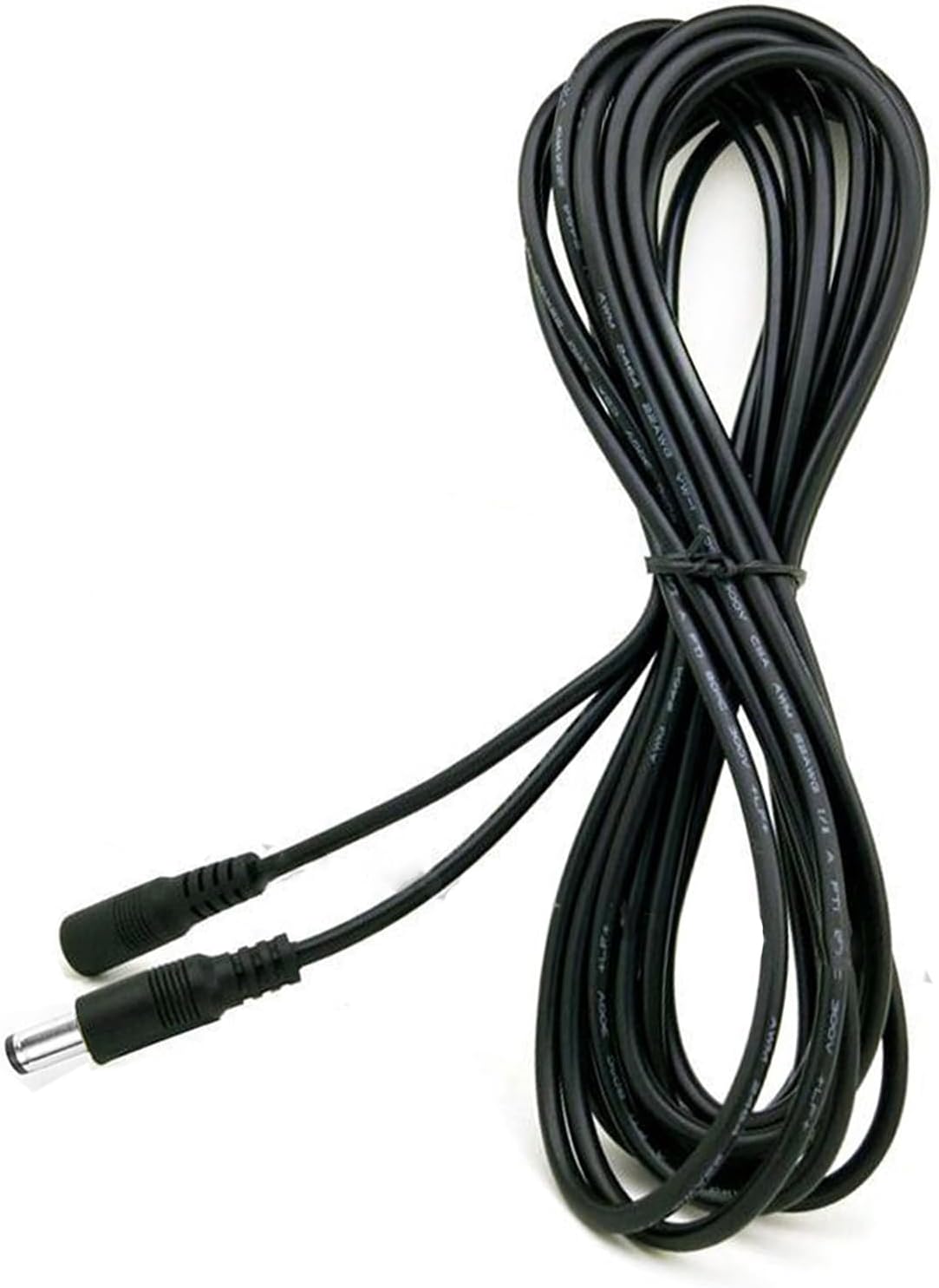
Image 2.1: Connection diagram illustrating where to connect your AC adapter and electronic device to the extension cord.
Important Note: This extension cord is designed for specific models, including the NordicTrack NTEL710142 Elliptical. Verify compatibility if using with other devices.
3. Operating Instructions
The extension cord operates passively, extending the reach of your power adapter. Once connected as described in the Setup section, it facilitates power delivery to your electronic device. No additional operational steps are required for the cord itself.
- Ensure all connections are firm to prevent power interruptions.
- Avoid placing the cable in high-traffic areas where it could be tripped over or damaged.
- Do not coil the cable tightly while in use, as this can generate heat.
4. Maintenance
Proper care will prolong the life of your extension cord:
- Cleaning: Wipe the cable with a dry, soft cloth to remove dust. Do not use liquid cleaners.
- Storage: When not in use, coil the cable loosely and store it in a dry, cool place away from direct sunlight and extreme temperatures.
- Inspection: Periodically inspect the cable and connectors for any signs of damage, such as fraying, cuts, or bent pins. Discontinue use if damage is observed.
5. Troubleshooting
If your device is not receiving power after connecting the extension cord, consider the following:
- Check Connections: Ensure all connections (AC adapter to extension cord, extension cord to device, AC adapter to wall outlet) are fully seated and secure.
- Verify Power Outlet: Test the wall outlet with another device to confirm it is supplying power.
- Inspect Cable: Visually inspect the extension cord for any visible damage. If damaged, replace the cord.
- Test AC Adapter: Ensure your original AC power adapter is functioning correctly. The extension cord only extends the reach of a working adapter.
- Battery Issues (if applicable): If your device uses rechargeable batteries, remember that batteries have a limited lifespan (typically 1 to 3 years). An old or dead battery may not accept a charge, which is not an issue with the power cable. If unsure, a voltmeter can be used to test the charger's output.
If you continue to experience issues, please refer to the "Warranty and Support" section for assistance.
6. Specifications
| Feature | Detail |
|---|---|
| Model Number | A4771 |
| Brand | Generic |
| Length | 10 feet |
| Color | Black |
| Connector Gender | Female-to-Male (for AC adapter to device) |
| Voltage | 120 Volts (Pass-through) |
| Input Current | 2 Amps (Pass-through) |
| Item Weight | 3 Ounces |
| UL Listed | No |
7. Warranty and Support
Warranty: This product comes with a 30-day refund warranty from the date of purchase. Please retain your proof of purchase for warranty claims.
Support: For further assistance, compatibility questions, or troubleshooting not covered in this manual, please contact the seller directly through the Amazon messaging system. Provide your ASIN (B0CTK46MR7) and model number (A4771) for quicker service.
Manufacturer: GuyPower