
1. Important Safeguards
Please read all instructions carefully before using your JIMMYJANE Form 2 Pro. Keep this manual for future reference.
- Hygiene: Always clean the device before and after each use as instructed in the 'Cleaning and Care' section.
- Material Safety: The device is made from body-safe silicone. If you experience any irritation, discontinue use immediately.
- Water Resistance: The Form 2 Pro is IPX7 waterproof, meaning it can be submerged in up to 1 meter of water for 30 minutes. Ensure the charging port is dry before charging.
- Charging: Use only the provided magnetic USB charging cable. Do not use the device while it is charging.
- Storage: Store the device in a cool, dry place, away from direct sunlight and extreme temperatures. Keep out of reach of children.
- Disposal: Do not dispose of the device with household waste. Follow local regulations for electronic waste disposal.
2. Product Overview
The JIMMYJANE Form 2 Pro is designed for clitoral stimulation, featuring dual motors for powerful and precise vibrations. Its ergonomic shape and flexible arms are crafted for comfortable use.
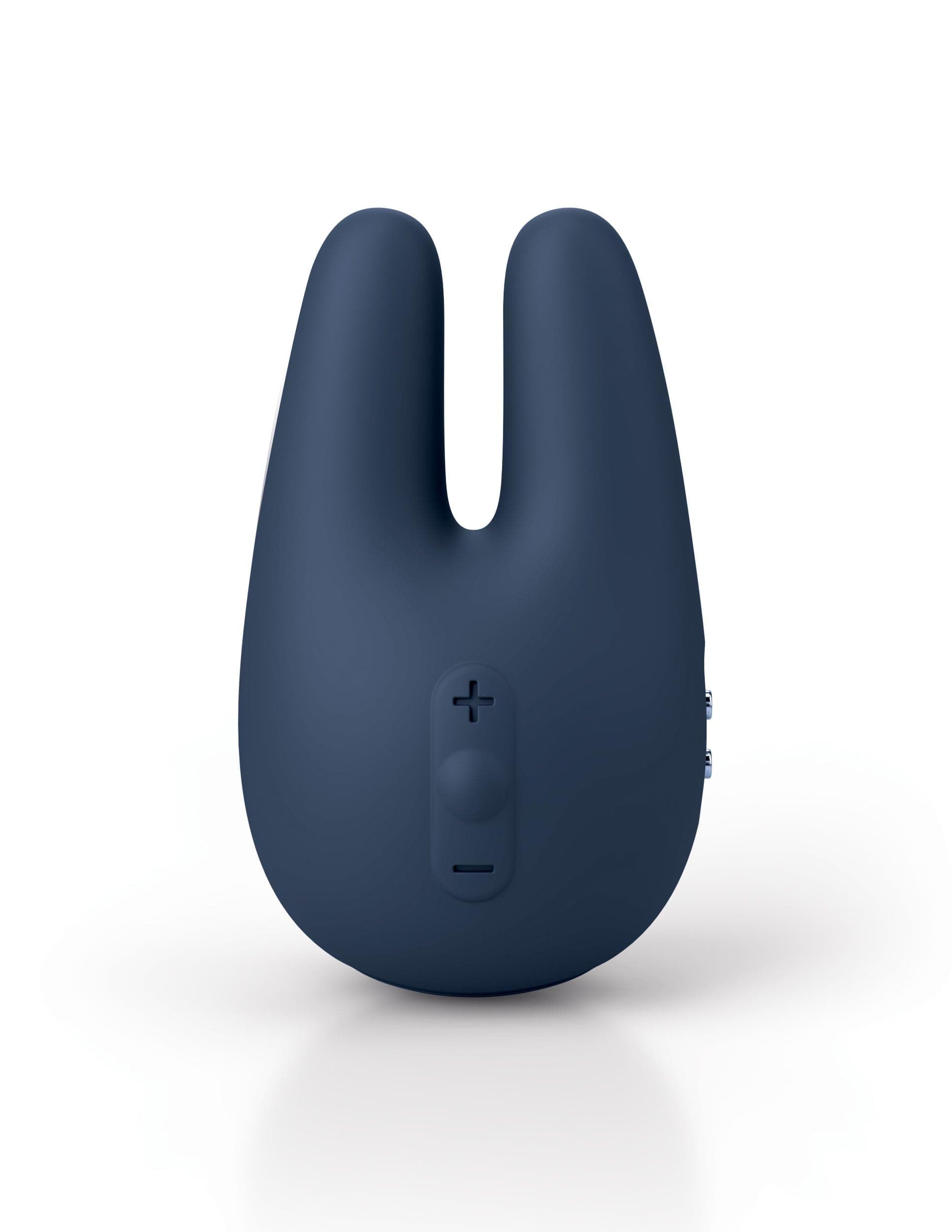
Image: The JIMMYJANE Form 2 Pro clitoral vibrator in slate color. This image displays the device's ergonomic design, highlighting its flexible arms and the main body where controls are located.
Components:
- Flexible Arms: Designed to surround and stimulate sensitive areas.
- Control Panel: Located on the main body for power, mode, and speed adjustments.
- Magnetic Charging Port: For convenient recharging.
- Dual Motors: Independent motors for targeted and powerful vibrations.
3. Charging
The Form 2 Pro is equipped with a rechargeable battery. Before first use, fully charge the device.
- Locate the magnetic charging port on the device.
- Connect the provided magnetic USB charging cable to the device's charging port.
- Plug the USB end of the cable into a standard USB power adapter (not included) or a computer USB port.
- The indicator light on the device will illuminate to show it is charging. Refer to the product packaging or manufacturer's website for specific indicator light behavior (e.g., blinking while charging, solid when fully charged).
- A full charge typically takes approximately 2-3 hours.
- Once fully charged, disconnect the cable.
Note: Do not use the device while it is charging. Ensure the charging port is completely dry before connecting the charger to prevent damage.
4. Operation
Power On/Off:
- To turn on: Press and hold the power button (usually marked with a circle or power symbol) for 2-3 seconds. The device will start vibrating.
- To turn off: Press and hold the power button again for 2-3 seconds.
Adjusting Modes and Speeds:
The Form 2 Pro offers 4 distinct pleasure modes and 5 intensity levels, providing 25 customizable vibration settings.
- Changing Modes: While the device is on, short press the mode button (often marked with a wave or 'M' symbol) to cycle through the 4 vibration patterns.
- Adjusting Speed: Within each mode, use the '+' and '-' buttons (or a single button that cycles through speeds) to increase or decrease the vibration intensity across 5 levels.
Travel Lock:
The travel lock feature prevents accidental activation during transport.
- Activate Travel Lock: With the device turned off, press and hold the power button and the mode button simultaneously for 3-5 seconds until the indicator light flashes (refer to product specifics for exact light behavior). The device is now locked.
- Deactivate Travel Lock: Repeat the activation steps (press and hold power and mode buttons simultaneously for 3-5 seconds). The indicator light will confirm unlocking, and the device can then be powered on normally.
5. Cleaning and Care
Proper cleaning and care ensure the longevity and hygiene of your device.
- Always clean the device before and after each use.
- Wash the device with warm water and a mild, toy-safe soap.
- Rinse thoroughly to remove all soap residue.
- Pat dry with a lint-free cloth or allow it to air dry completely.
- Do not use cleaners containing alcohol, petroleum, or acetone, as these can damage the silicone material.
- Avoid boiling the device or placing it in a dishwasher.
6. Storage
Store your JIMMYJANE Form 2 Pro in a clean, dry, and cool place, away from direct sunlight and extreme temperatures. Keep it separate from other toys made of different materials to prevent potential reactions or damage to the silicone.
7. Troubleshooting
| Problem | Possible Cause | Solution |
|---|---|---|
| Device does not turn on. | Battery is depleted. Travel lock is active. | Charge the device fully. Deactivate the travel lock as per 'Operation' section. |
| Device does not charge. | Charging cable not properly connected. USB power source issue. Charging port is wet. | Ensure magnetic cable is securely attached. Try a different USB port or power adapter. Ensure charging port is completely dry. |
| Vibrations are weak or inconsistent. | Low battery. | Recharge the device fully. |
If you encounter issues not listed here or if troubleshooting steps do not resolve the problem, please contact customer support.
8. Specifications
- Model Name: Form 2 Pro
- Item Model Number: JJ10904
- Material: Body-safe Silicone, Stainless Steel Accents
- Power Source: Rechargeable Battery
- Vibration Settings: 4 Modes, 5 Speeds (25 total settings)
- Waterproof Rating: IPX7 (submersible up to 1 meter for 30 minutes)
- Dimensions: Approximately 16.61 x 3.94 x 7.52 inches
- Weight: Approximately 5.93 ounces
9. Warranty and Support
Your JIMMYJANE Form 2 Pro is covered by a limited warranty against manufacturing defects. Please refer to the warranty information provided with your purchase or visit the official JIMMYJANE website for details on warranty terms and conditions.
For technical support, product inquiries, or warranty claims, please contact JIMMYJANE customer service through their official website or the contact information provided in your product packaging.