
PowerLocus Free X
PowerLocus Free X Open Ear Bluetooth Headphones User Manual
Model: Free X
Product Overview
The PowerLocus Free X Open Ear Bluetooth Headphones are designed to provide a unique audio experience, allowing you to enjoy high-fidelity sound while remaining aware of your surroundings. Featuring an ergonomic open-ear design, these lightweight earbuds offer comfort and stability for various activities, from sports to daily use. Equipped with advanced Bluetooth 5.3 technology, they ensure a stable and fast connection to your devices, along with long-lasting battery life.
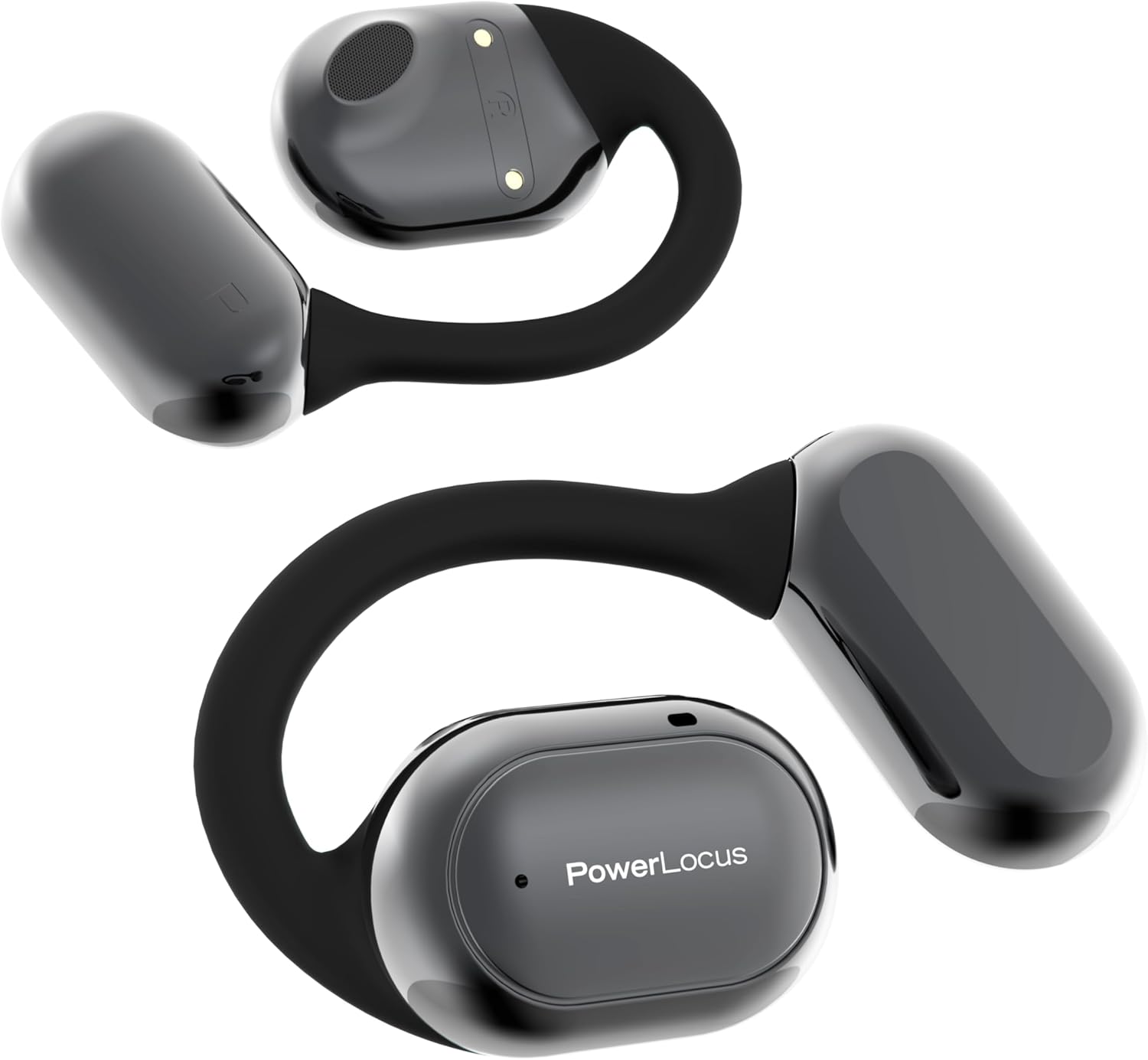
Image: The PowerLocus Free X Open Ear Bluetooth Headphones, showcasing their sleek design and ear hook.
Key Features
- Open-Ear Design: Experience audio without blocking your ear canal, allowing for situational awareness.
- High-Fidelity Audio: Equipped with 16.2mm audio drivers for immersive sound, powerful bass, and balanced audio, enhanced by an AI sound algorithm.
- Ergonomic and Comfortable Fit: Flexible ear hooks made of ultra-soft silicone ensure a secure and comfortable fit for various ear sizes, weighing only a few grams.
- IPX5 Waterproof: Designed to withstand water splashes and sweat, making them ideal for sports and outdoor activities.
- Extended Battery Life: Offers over 6 hours of playtime per charge, with a total of 30+ hours using the portable charging case.
- Stable Bluetooth 5.3 Connectivity: Provides a fast, reliable, and wide-ranging wireless connection to any compatible device.
- Clear Hands-Free Calls: Features enhanced noise-cancelling microphones for clear communication.
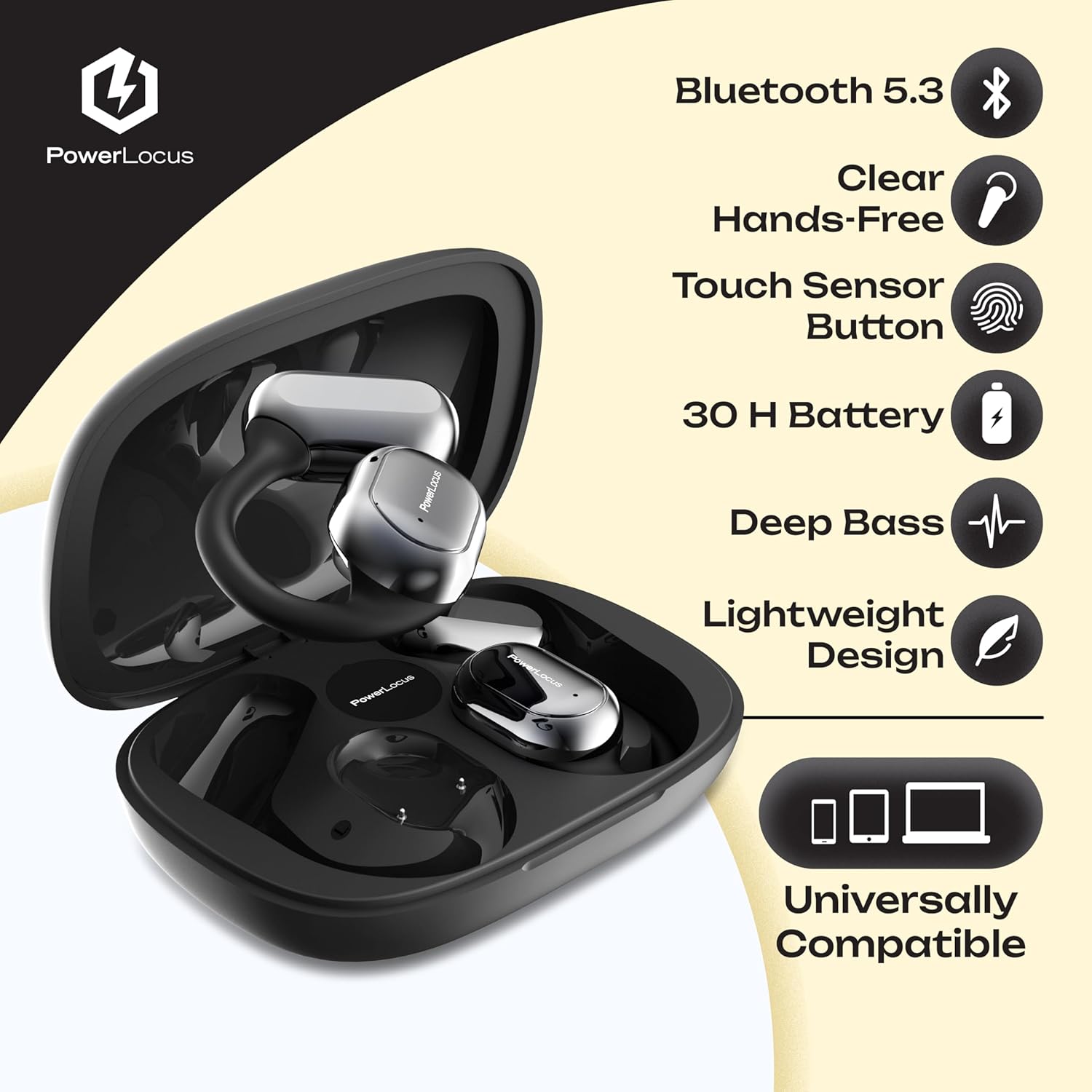
Image: Visual representation of key features including Bluetooth 5.3, clear hands-free, touch sensor, 30H battery, deep bass, lightweight design, and universal compatibility.
Package Contents
Please check the package for the following items:
- PowerLocus Free X Open Ear Bluetooth Headphones (Left and Right)
- Portable Charging Case
- USB-C Charging Cable
- User Manual (this document)

Image: Illustration of the PowerLocus Free X headphones, charging case, and USB-C charging cable included in the box.
Setup Guide
1. Charging the Headphones and Case
Before first use, fully charge the headphones and the charging case. Connect the provided USB-C cable to the charging port on the case and the other end to a USB power source (e.g., computer USB port, wall adapter). The indicator lights on the case will show the charging status. The headphones will charge automatically when placed inside the case.
2. Pairing with Your Device
- Ensure the headphones are charged.
- Open the charging case. The headphones will automatically enter pairing mode, indicated by a flashing LED light on the earbuds.
- On your device (smartphone, tablet, laptop), go to the Bluetooth settings.
- Search for available devices and select "PowerLocus Free X" from the list.
- Once connected, the LED indicator on the headphones will stop flashing, and your device will confirm the connection.

Image: Diagram illustrating the instant pairing process with various devices (phone, tablet, laptop) and the Bluetooth symbol.
Operating Instructions
Wearing the Headphones
Gently place the ear hook over your ear, positioning the speaker part comfortably near your ear canal. Adjust the flexible silicone hook for a secure and comfortable fit. The open-ear design ensures that your ear canal remains open.

Image: Illustration demonstrating the ergonomic fit and non-falling design of the PowerLocus Free X headphones, highlighting the silicone hook for flexibility.
Touch Controls
The PowerLocus Free X headphones feature intuitive touch controls on each earbud. The specific functions are as follows:
| Action | Function |
|---|---|
| Single Tap (Left/Right) | Play/Pause Music, Answer/End Call |
| Double Tap (Right) | Next Track |
| Double Tap (Left) | Previous Track |
| Triple Tap (Right) | Volume Up |
| Triple Tap (Left) | Volume Down |
| Long Press (2 seconds) | Reject Call, Activate Voice Assistant |
Power On/Off
- Power On: Open the charging case, and the headphones will automatically power on.
- Power Off: Place the headphones back into the charging case and close the lid. They will automatically disconnect and power off.
Maintenance
Cleaning
Regularly clean your headphones to ensure optimal performance and hygiene. Use a soft, dry, lint-free cloth to wipe the earbuds and charging case. For stubborn dirt, a slightly damp cloth can be used, but ensure no moisture enters any openings. Do not use harsh chemicals or abrasive materials.
Storage
When not in use, store the headphones in their charging case to protect them from dust, dirt, and physical damage. Store the case in a cool, dry place, away from direct sunlight and extreme temperatures.
Water Resistance (IPX5)
The PowerLocus Free X headphones are IPX5 water-resistant, meaning they can withstand splashes of water and sweat. They are not designed for submersion in water. Do not wear them while swimming or showering. If they get wet, wipe them dry before placing them back in the charging case.

Image: Close-up of the PowerLocus Free X earbuds with water droplets, illustrating their IPX5 waterproof rating.
Troubleshooting
| Problem | Possible Cause | Solution |
|---|---|---|
| Headphones not pairing | Low battery; not in pairing mode; device Bluetooth off. | Charge headphones and case; ensure case is open for pairing; turn on Bluetooth on your device. |
| No sound or low volume | Volume too low on device/headphones; headphones not connected; audio source issue. | Increase volume on both device and headphones; re-pair headphones; check audio source. |
| Intermittent connection | Too far from device; interference; low battery. | Move closer to your device; avoid strong electromagnetic interference; charge headphones. |
| Microphone not working | Microphone muted on device; app permissions; dirty microphone port. | Check device settings; grant app permissions; gently clean microphone area. |
| Headphones not charging | Charging cable/port issue; headphones not seated correctly in case. | Try a different USB-C cable or power source; ensure headphones are properly seated in the charging case. |
Specifications
| Feature | Detail |
|---|---|
| Model Name | Free X |
| Brand | PowerLocus |
| Connectivity Technology | Wireless (Bluetooth 5.3) |
| Ear Placement | Open Ear |
| Form Factor | True-Wireless |
| Audio Drivers | 16.2 mm |
| Impedance | 32 Ohm |
| Water Resistance | IPX5 |
| Battery Life (Earbuds) | 6+ hours per charge |
| Total Playtime (with Case) | 30+ hours |
| Weight | Approx. 40 grams (total package) |
| Color | Black |
Warranty and Support
Warranty Information
PowerLocus products typically come with a standard manufacturer's warranty. Please refer to the warranty card included in your product packaging or visit the official PowerLocus website for detailed warranty terms and conditions specific to your region and purchase date. Keep your proof of purchase for warranty claims.
Customer Support
For any questions, technical assistance, or support regarding your PowerLocus Free X headphones, please contact PowerLocus customer service. You can usually find contact information (email, phone, or support portal) on the official PowerLocus website or through the retailer where you purchased the product.
Online Support: Visit the official PowerLocus website for FAQs, troubleshooting guides, and contact forms.
Store Link: PowerLocus Official Store on Amazon
Related documentsFree X

Ask a question about this manual
Ask about setup, troubleshooting, compatibility, parts, safety, or missing instructions. Manuals+ will review the question and use this page’s manual context to help answer it.