
1. Important Safety Instructions
Please read all instructions carefully before using this appliance and retain them for future reference. Failure to follow these instructions may result in electric shock, fire, or serious personal injury.
- Always ensure the fan is unplugged from the power outlet before cleaning, servicing, or moving.
- Do not operate the fan with a damaged cord or plug. If the supply cord is damaged, it must be replaced by the manufacturer, its service agent, or similarly qualified persons to avoid a hazard.
- Keep fingers, pencils, or any other objects out of the fan grille when operating.
- Do not use the fan near windows, in wet areas, or where it may be exposed to water.
- Place the fan on a stable, level surface to prevent it from tipping over.
- This appliance is intended for household use only. Do not use outdoors.
- Ensure the voltage indicated on the rating label corresponds to your mains voltage.
2. Product Overview
The Sona SSO 6062N is a 12-inch power stand fan designed to provide efficient air circulation. It features a robust aluminium alloy fan blade for strong and powerful wind delivery, along with a durable anti-rust coating for longevity. The fan offers 3-speed control and wide-angle oscillation for comprehensive cooling coverage, complemented by a free neck for tilt adjustment.
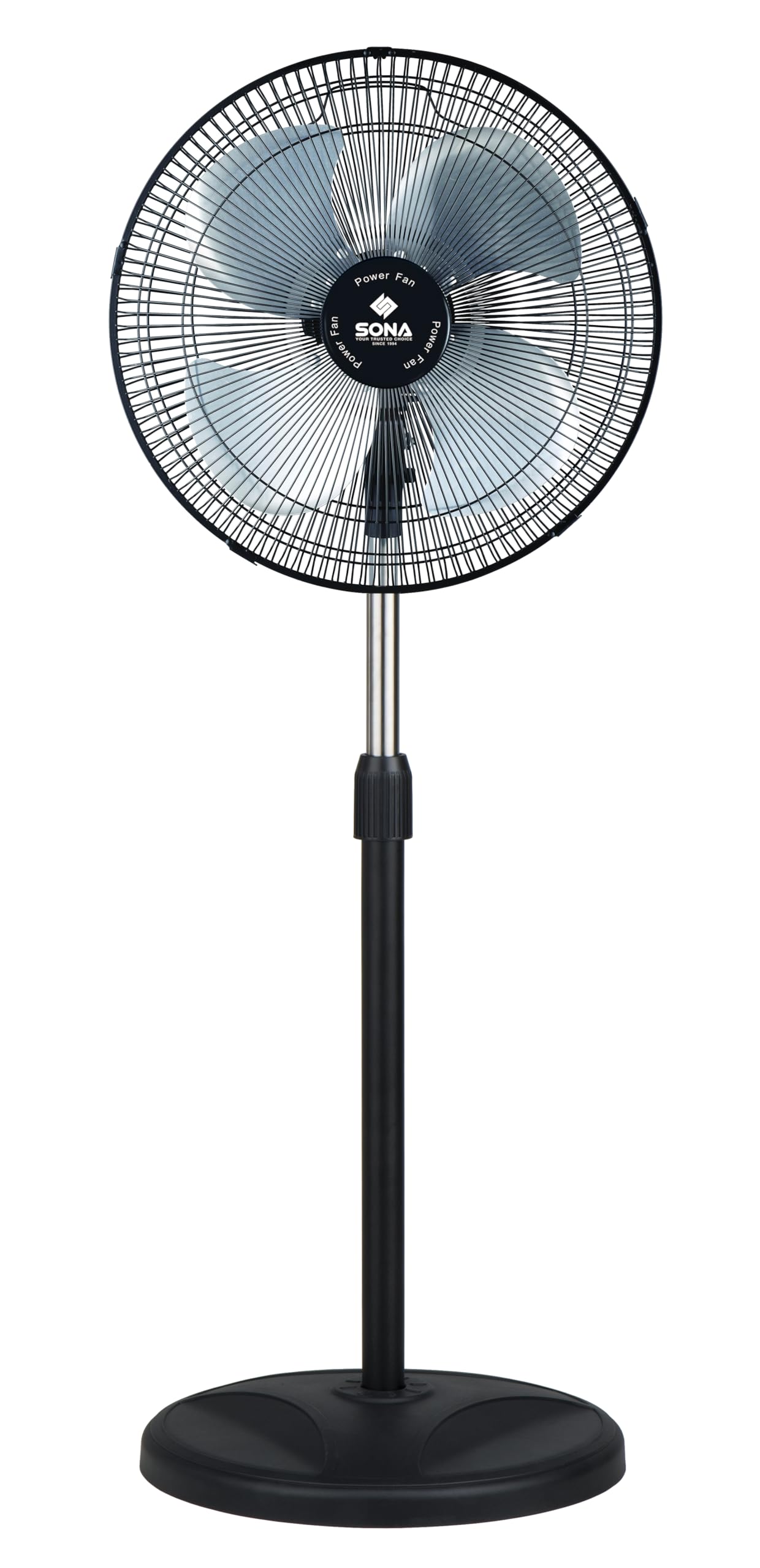
Image 2.1: Sona SSO 6062N 12-inch Power Stand Fan. This image displays the fully assembled stand fan, showcasing its pedestal design, fan head with grille, and control panel on the motor unit.
3. Package Contents
Before assembly, ensure all components are present and undamaged. If any parts are missing or damaged, do not attempt to assemble or operate the fan. Contact customer support.
- Fan Motor Unit (with rear grille and power cord)
- Fan Blades (Aluminium Alloy)
- Front Grille
- Grille Retaining Nut
- Blade Retaining Nut
- Adjustable Stand Pole
- Round Base
- Base Fixing Screw
- User Manual
4. Assembly and Setup
Follow these steps to assemble your Sona SSO 6062N stand fan:
- Attach the Stand Pole to the Base: Insert the adjustable stand pole into the round base. Secure it from underneath the base using the provided base fixing screw. Tighten firmly.
- Mount the Motor Unit: Place the fan motor unit onto the top of the stand pole. Ensure it is seated securely.
- Install the Rear Grille: The rear grille is typically pre-attached to the motor unit. If not, align it with the motor unit and secure it with the grille retaining nut.
- Attach the Fan Blades: Slide the aluminium alloy fan blades onto the motor shaft. Ensure the blades are correctly oriented and seated firmly. Secure them with the blade retaining nut, turning it clockwise until tight.
- Install the Front Grille: Place the front grille over the fan blades, aligning it with the rear grille. Secure the front grille by clipping it into place or using any provided fasteners. Ensure it is fully closed and locked for safety.
- Position the Fan: Place the assembled fan on a stable, flat surface, away from curtains or other objects that could obstruct airflow or get caught in the blades.
5. Operation
Once assembled, plug the fan into a suitable power outlet. The controls are located on the motor unit.
- Power On/Off and Speed Control: Use the rotary switch or push buttons on the control panel to turn the fan on and select your desired speed. The fan offers 3 speed settings: 1 (Low), 2 (Medium), and 3 (High). Select '0' or 'OFF' to turn the fan off.
- Oscillation Function: To activate the wide-angle oscillation, press down the oscillation knob located on top of the motor unit. To stop oscillation and fix the fan in one direction, pull the knob up.
- Tilt Adjustment: The fan head features a free neck for tilt adjustment. Gently push or pull the fan head up or down to direct the airflow to your preferred angle. Do not force the head beyond its natural range of motion.
- Height Adjustment: To adjust the fan's height, loosen the height adjustment knob on the stand pole, raise or lower the pole to the desired height, and then firmly tighten the knob.
6. Maintenance and Cleaning
Regular cleaning and maintenance will ensure optimal performance and extend the life of your fan.
- Always unplug the fan from the power outlet before cleaning.
- Exterior Cleaning: Wipe the exterior surfaces of the fan with a soft, damp cloth. Do not use abrasive cleaners, waxes, or polishes as these may damage the finish.
- Grille and Blades Cleaning: To clean the fan blades and inside of the grilles, you may need to carefully remove the front grille. Refer to the assembly instructions in reverse for safe removal. Use a soft cloth or a vacuum cleaner with a brush attachment to remove dust and debris. Ensure all parts are completely dry before reassembling and operating the fan.
- Storage: If storing the fan for an extended period, clean it thoroughly, disassemble if desired, and store it in its original packaging or a suitable container in a cool, dry place.
7. Troubleshooting
If you encounter any issues with your fan, refer to the following common problems and solutions:
| Problem | Possible Cause | Solution |
|---|---|---|
| Fan does not turn on. | No power supply. Fan not plugged in. Power switch is off. | Check the power outlet. Ensure the plug is fully inserted. Turn the speed control knob to a numbered setting (1, 2, or 3). |
| Fan is not oscillating. | Oscillation knob is pulled up. | Press down the oscillation knob on top of the motor unit. |
| Unusual noise during operation. | Loose parts. Obstruction in blades/grille. | Unplug the fan and check for any loose screws or components. Unplug the fan and carefully check for any foreign objects or debris caught in the blades or grilles. Clean as per maintenance instructions. |
If the problem persists after attempting these solutions, please contact customer support.
8. Specifications
Technical details for the Sona SSO 6062N Power Stand Fan:
- Brand: Sona
- Model Name: SSO 6062N
- Fan Type: Pedestal Fan / Stand Fan
- Size: 12 inches
- Dimensions (D x W x H): 33D x 35W x 109H centimetres
- Material: Aluminium (Blades), Coated Finish
- Number of Speeds: 3
- Special Features: Oscillating, Tilt Adjustment
- Mounting Type: Floor Mount
- Manufacturer: Cahaya Electronics PTE LTD
9. Warranty and Support
This Sona SSO 6062N Power Stand Fan comes with a 6 Years Warranty on Motor from the date of purchase. Please retain your proof of purchase for warranty claims.
The warranty covers manufacturing defects in the motor under normal household use. It does not cover damage caused by misuse, accident, unauthorized modification, or normal wear and tear.
For warranty service, technical support, or inquiries, please contact your retailer or the manufacturer's authorized service center. Contact information can typically be found on the product packaging or the manufacturer's official website.