Introduction
Thank you for choosing the Green Lion 2nd Gen Earbuds Pro. These wireless earbuds are designed to provide a high-quality audio experience with Environmental Noise Cancellation (ENC) and convenient Type-C charging. This manual will guide you through the setup, operation, and maintenance of your new earbuds.
Package Contents
- Green Lion 2nd Gen Earbuds Pro (Left and Right)
- Charging Case
- USB Type-C Charging Cable
- User Manual
Product Overview
The Green Lion 2nd Gen Earbuds Pro are true wireless stereo (TWS) earbuds featuring Bluetooth connectivity for seamless audio streaming. They incorporate Environmental Noise Cancellation (ENC) technology to reduce ambient noise during calls, ensuring clearer communication. The earbuds are designed for comfort and ease of use, suitable for various activities including music listening, calls, and exercise.
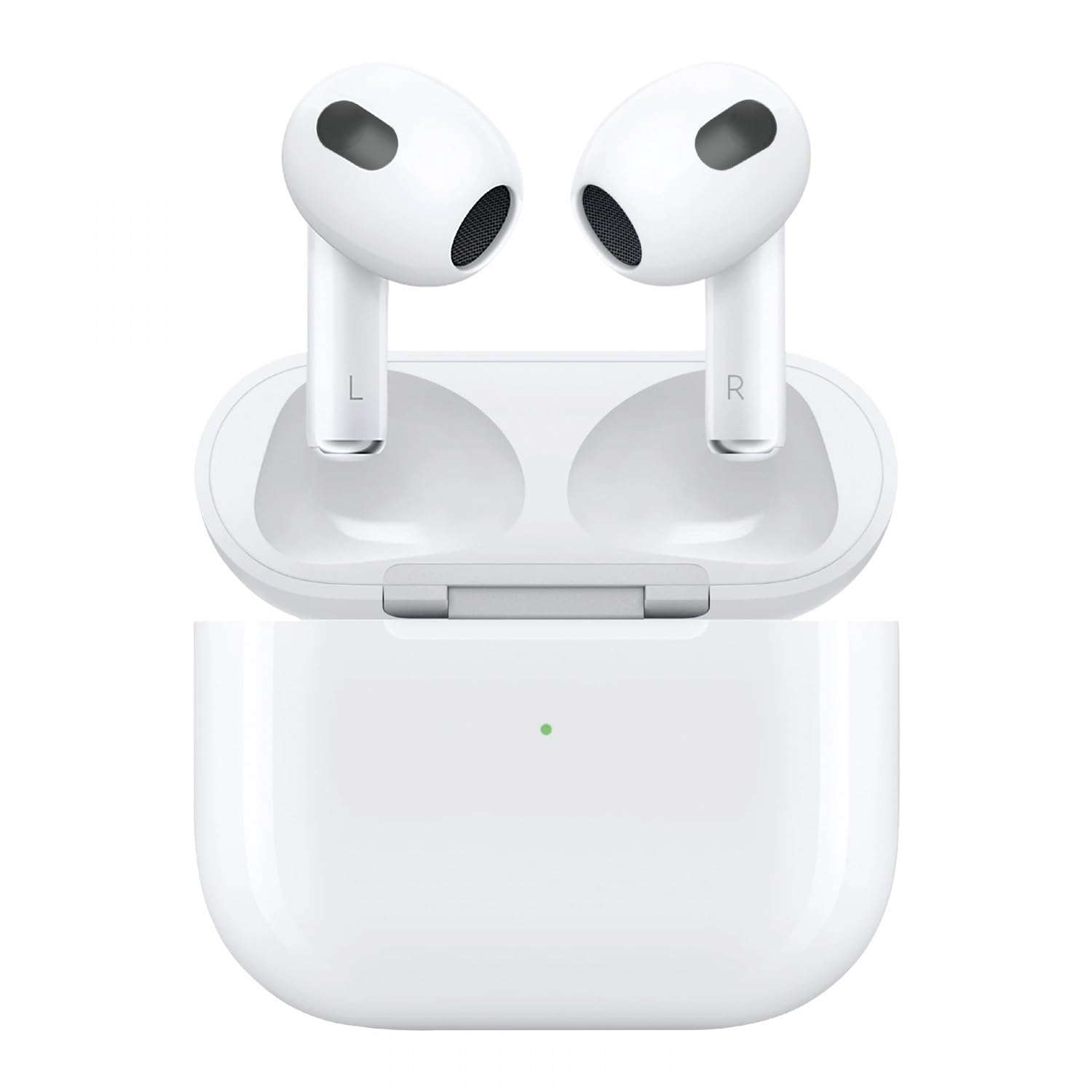
Image: Green Lion 2nd Gen Earbuds Pro. This image displays the two white Green Lion 2nd Gen Earbuds Pro, featuring their sleek design and indicating left (L) and right (R) earbud identification. A subtle sound wave graphic is in the background.
Setup
1. Charging the Earbuds and Case
- Initial Charge: Before first use, place both earbuds into the charging case and connect the Type-C charging cable to the case and a power source. Ensure the case and earbuds are fully charged.
- Charging Status: Indicator lights on the charging case will show the charging status. Refer to the specific light patterns for full charge indication.
2. Pairing with a Device
- Open the charging case. The earbuds will automatically enter pairing mode (indicator lights will flash).
- On your device (smartphone, tablet, laptop), enable Bluetooth.
- Search for available Bluetooth devices and select "Green Lion Earbuds Pro" from the list.
- Once connected, the earbuds will indicate successful pairing (e.g., a voice prompt or steady light).
- The earbuds will automatically reconnect to the last paired device when taken out of the case, if Bluetooth is enabled on the device.
Operating Instructions
Power On/Off
- Power On: Open the charging case, or long-press the touch control area on both earbuds for a few seconds.
- Power Off: Place the earbuds back into the charging case and close the lid, or long-press the touch control area on both earbuds for several seconds until they power off.
Music Playback
- Play/Pause: Single tap on either earbud.
- Next Track: Double tap on the right earbud.
- Previous Track: Double tap on the left earbud.
Call Management
- Answer/End Call: Single tap on either earbud.
- Reject Call: Long press on either earbud for 2 seconds.
Voice Assistant
- Activate Voice Assistant: Triple tap on either earbud (e.g., Siri, Google Assistant).
Environmental Noise Cancellation (ENC)
The ENC feature is automatically active during calls to reduce background noise for clearer conversations. There is no manual control for activating/deactivating ENC for music listening, as its primary function is for call clarity.
Maintenance
- Cleaning: Use a soft, dry, lint-free cloth to clean the earbuds and charging case. Do not use harsh chemicals or abrasive materials.
- Storage: When not in use, store the earbuds in their charging case to protect them from dust and damage.
- Battery Care: To prolong battery life, avoid fully discharging the earbuds and charging case frequently. Charge them regularly, even if not used for extended periods.
- Water Resistance: These earbuds are not water resistant. Avoid exposure to water, sweat, or high humidity.
Troubleshooting
| Problem | Solution |
|---|---|
| Earbuds not pairing |
|
| No sound from one earbud |
|
| Charging case not charging |
|
| Poor call quality |
|
Specifications
| Feature | Detail |
|---|---|
| Model Name | GNTWSPRO2GWH |
| Connectivity Technology | Wireless (Bluetooth) |
| Wireless Communication Technology | Bluetooth |
| Special Feature | Environmental Noise Cancellation (ENC), Lightweight, User Friendly |
| Recommended Uses | Calling, Cycling, Exercising, Gaming, Running, Music |
| Compatible Devices | Laptops, Desktops, Tablets, Cellphones |
| Control Type | Media Control (Touch) |
| Cable Feature | Without Cable |
| Item Weight | 100 Grams |
| Water Resistance Level | Not Water Resistant |
| Audio Driver Type | Dynamic Driver |
| Ear Placement | In Ear |
| Form Factor | In Ear |
| Product Dimensions | 10 x 5 x 3 cm |
Warranty and Support
For warranty information and customer support, please refer to the warranty card included with your product or visit the official Green Lion website. Keep your purchase receipt as proof of purchase for any warranty claims.
For further assistance, contact Green Lion customer service through their official channels.


