
Introduction
The LiNKFOR 1000Mbps RJ45 Gigabit Ethernet Splitter is designed to expand your network connectivity, allowing a single Ethernet input to be shared by two devices simultaneously. This device supports high-speed data transfer up to 1000Mbps, ensuring stable and fast network performance for your connected devices. It is compatible with various Ethernet cable categories from Cat 5e to Cat 8 and requires external USB power for optimal operation.
This splitter is ideal for connecting multiple devices such as routers, computers, laptops, network switches, and smart TVs to a single Ethernet line without significant signal interference.
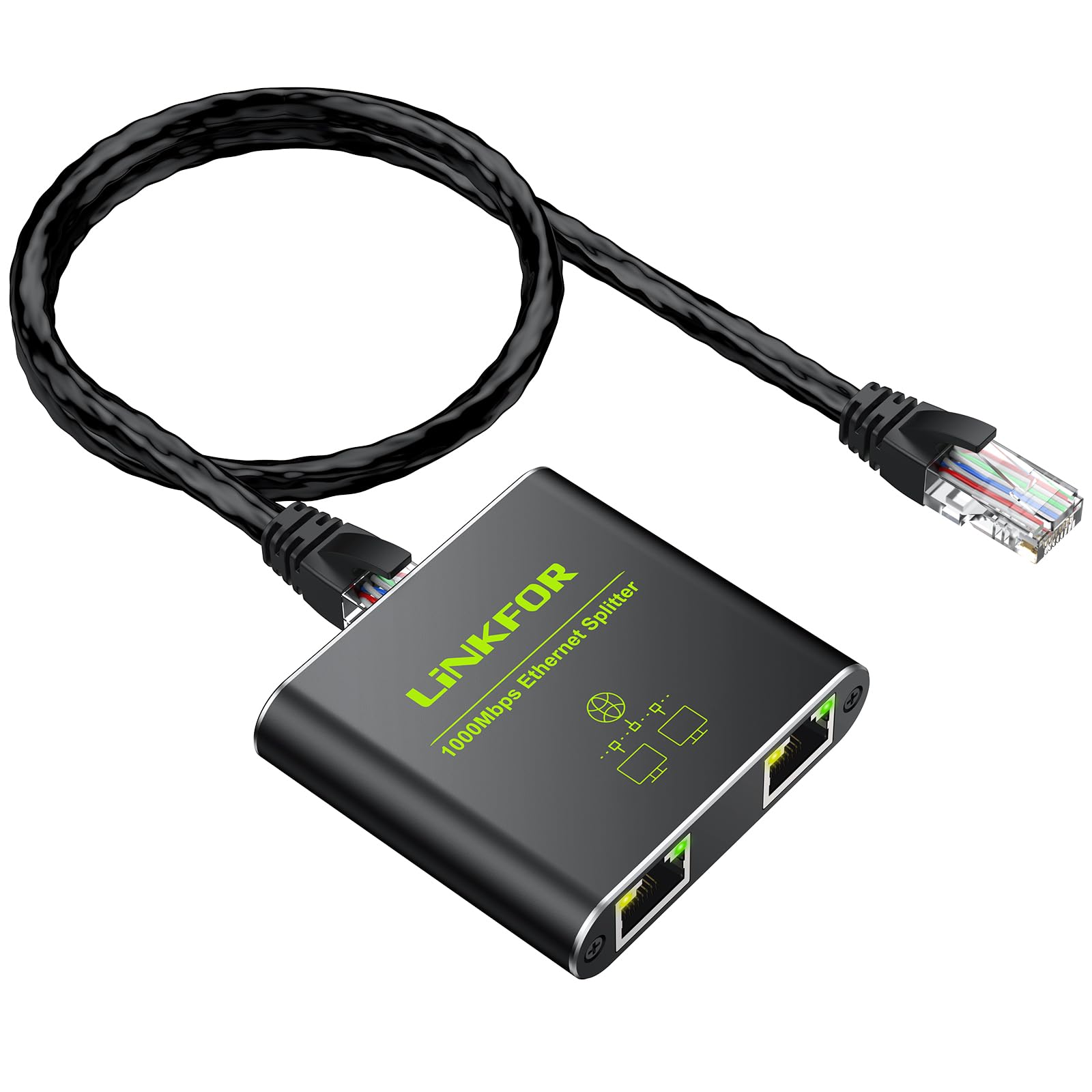
Image: The LiNKFOR Ethernet Splitter in use, demonstrating its support for 1000 Mbps network speed and USB power.

Image: A technical diagram showcasing the broad compatibility of the splitter with different Ethernet cable categories and devices.
Package Contents
Please verify that all items are present in your package:
- 1x RJ45 Ethernet Splitter
- 1x USB Type-C Power Cable
- 1x User Manual

Image: The LiNKFOR Ethernet Splitter, a USB Type-C power cable, and the user manual are shown, illustrating the complete package contents.
Specifications
| Feature | Detail |
|---|---|
| Brand | LiNKFOR |
| Model Number | 1X2 |
| Number of Ports | 2 |
| Color | Black |
| Housing Material | Aluminum |
| Product Dimensions (L x W x H) | 5L x 5.8W x 2.2H cm |
| Item Weight | 60 Grams |
| Voltage | 5 Volts (DC) |
| Current Rating | 210 mA |
| Interface Type | RJ45 |
| Data Transfer Rate | 1000 Megabits per second (Mbps) |
| Upper Temperature Rating | 60 Degrees Celsius |
| Compatible Devices | Desktop, Network Switch, Computer, Laptop, Router, Television |
| Compatible Cables | Cat 5e, Cat 6, Cat 7, Cat 8 Ethernet Cables |

Image: A visual representation of the product's technical specifications and included items, highlighting key features.
Setup and Installation
The LiNKFOR Ethernet Splitter is designed for plug-and-play operation, requiring no driver installation. Follow these steps for proper setup:
- Connect Power: Connect the provided USB Type-C power cable to the splitter's USB 5V port and plug the other end into a 5V/1A USB power source (e.g., a computer USB port, a USB wall adapter). This external power is essential for stable operation and full Gigabit speed.
- Connect Input: Connect your main Ethernet cable (from your router, modem, or network switch) to the "LAN IN" port on the splitter.
- Connect Outputs: Connect two separate Ethernet cables from the splitter's two output ports to your desired devices (e.g., two computers, a computer and a smart TV).
- Verify Connection: Check the LED indicators on the splitter. When operating at 1000Mbps, all LEDs should be illuminated. If operating at 100Mbps, the yellow LED will not be lit.
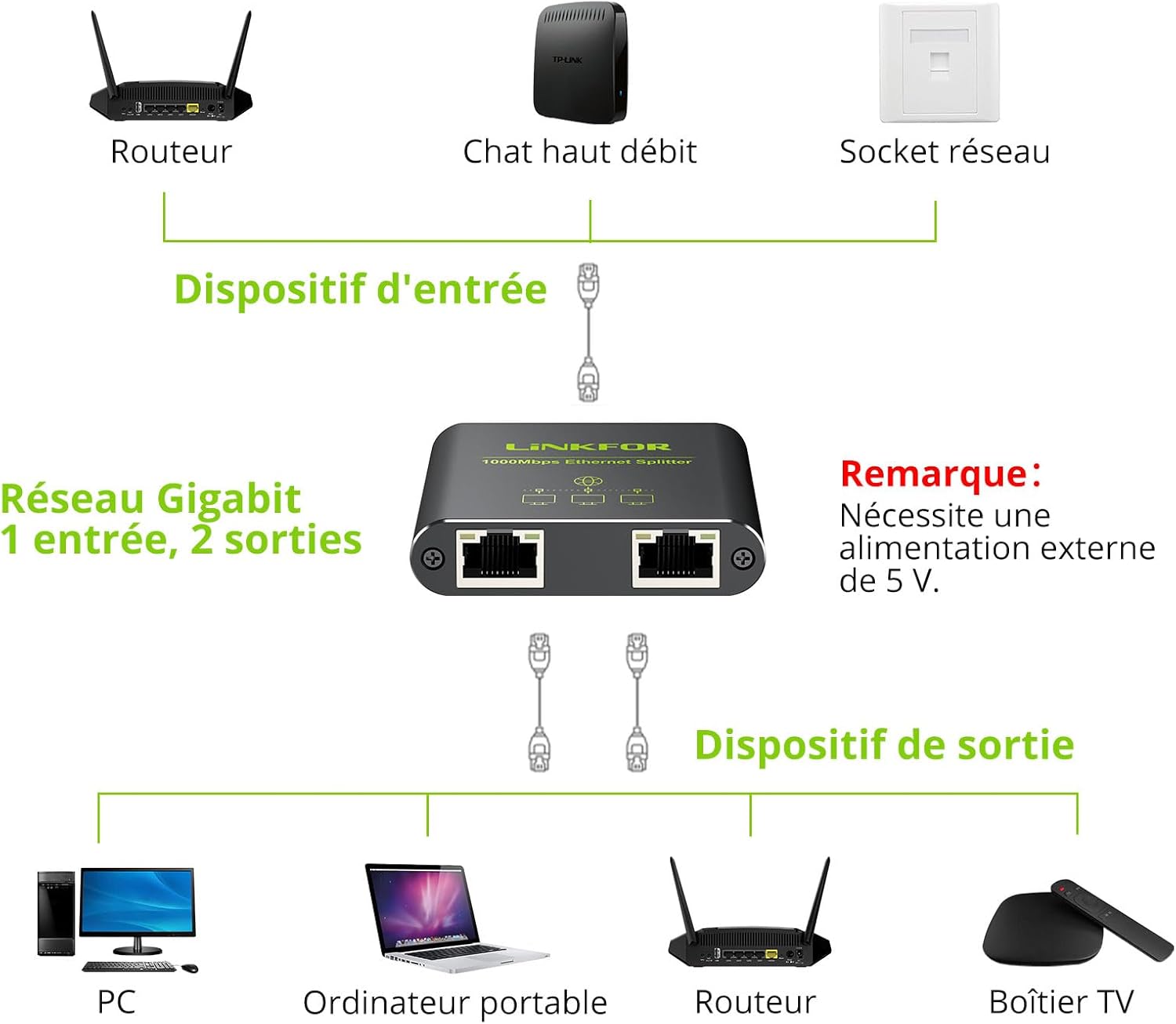
Image: A clear diagram illustrating the connection process for the Ethernet splitter, showing one input from a router and two outputs to devices like a PC and a laptop.

Image: A simplified network setup diagram emphasizing the plug-and-play nature of the Ethernet splitter, showing easy connection steps.

Image: A detailed view of the splitter's ports, including the USB 5V power input and the LAN IN port, along with LED indicators for connection status.
Operating Instructions
Once properly connected and powered, the LiNKFOR Ethernet Splitter will automatically distribute the network signal from the single input to the two connected output devices. Both output devices can access the network simultaneously.
- Simultaneous Use: The splitter allows two devices to share a single Ethernet cable connection at the same time.
- Gigabit Speed: The device supports a maximum data transfer rate of 1000Mbps (1 Gigabit per second), provided your network infrastructure (router, cables, and connected devices) also supports these speeds.
- Stable Transmission: The splitter is designed to ensure that the transmission signals to the two output devices do not interfere with each other, maintaining stable network performance.

Image: Two laptops are shown connected to the splitter, actively using the network simultaneously, highlighting the device's capability.

Image: A graphic representation of Gigabit Ethernet speed, indicating the splitter's ability to handle high data transfer rates.
Video: This video demonstrates the LiNKFOR Ethernet Splitter in action, showing its package contents, how to connect it, and its ability to provide simultaneous network access to multiple devices at Gigabit speeds without interference.
Maintenance
To ensure the longevity and optimal performance of your LiNKFOR Ethernet Splitter, follow these maintenance guidelines:
- Cleaning: Use a soft, dry cloth to clean the device. Avoid using liquid cleaners or aerosols.
- Environment: Keep the splitter in a cool, dry place, away from direct sunlight, heat sources, and excessive moisture.
- Cable Management: Ensure all connected cables are not bent sharply or under strain, which can damage the cables or ports.
- Power Supply: Always use a stable 5V/1A USB power source. Unstable power can affect performance or damage the device.
Troubleshooting
If you encounter issues with your Ethernet splitter, refer to the following common troubleshooting steps:
- No Network Connection:
- Ensure the USB power cable is securely connected to a 5V/1A power source and the splitter. The splitter requires external power to function.
- Check all Ethernet cables for secure connections at both ends (splitter, router/modem, and end devices).
- Verify that the main Ethernet cable connected to the "LAN IN" port is active and providing a network signal.
- Try using different Ethernet cables to rule out faulty cables.
- Restart your router/modem and the connected devices.
- Slow Network Speed:
- Confirm that the USB power cable is connected. Without sufficient power, the splitter may operate at reduced speeds (e.g., 100Mbps instead of 1000Mbps).
- Check the LED indicators on the splitter. If the yellow LED is not lit, it indicates a 100Mbps connection. Ensure your main Ethernet cable and connected devices support Gigabit speeds.
- Ensure you are using Cat 5e or higher rated Ethernet cables for Gigabit speeds.
- Test your network speed directly from your router/modem to one device to determine if the issue is with the splitter or your overall network.
- Intermittent Connection:
- Check for loose cable connections.
- Ensure the power supply is stable.
- Avoid placing the splitter near strong electromagnetic interference sources.
Warranty and Support
LiNKFOR products are designed for reliability and performance. For warranty information or technical support, please refer to the contact details provided on the product packaging or visit the official LiNKFOR website. Please have your product model number (1X2) and ASIN (B0CTHJCDQP) ready when contacting support.
Spare Parts Availability: Information regarding spare parts availability is not provided.
Software Updates: Information regarding guaranteed software updates is not provided.