
1. Introduction
Thank you for choosing the MEDION Life H10 MD11319 Cordless Hard Floor Cleaner. This manual provides important information on the safe operation, assembly, use, and maintenance of your new appliance. Please read this manual thoroughly before first use and keep it for future reference.
2. Safety Instructions
- Always ensure the appliance is switched off and unplugged before cleaning or performing maintenance.
- Do not immerse the appliance in water or other liquids.
- Keep the appliance away from children and pets.
- Use only the original power adapter supplied with the device for charging.
- Do not use the appliance to clean flammable or combustible liquids.
- Ensure all tanks are properly secured before operation.
3. Package Contents
Carefully unpack your MEDION Life H10 and check that all items are present and undamaged. If any items are missing or damaged, please contact customer support.
- MEDION Life H10 Cordless Hard Floor Cleaner
- Storage Station
- Power Adapter
- Brush Roller (pre-installed or separate)
4. Product Overview
Familiarize yourself with the main components of your hard floor cleaner.

Figure 4.1: The MEDION Life H10 MD11319 Cordless Hard Floor Cleaner shown with its accompanying charging and storage station.

Figure 4.2: The cleaner features two separate tanks: one for fresh water (450 ml capacity) and one for dirty water (300 ml capacity), ensuring clean water is always used for cleaning.
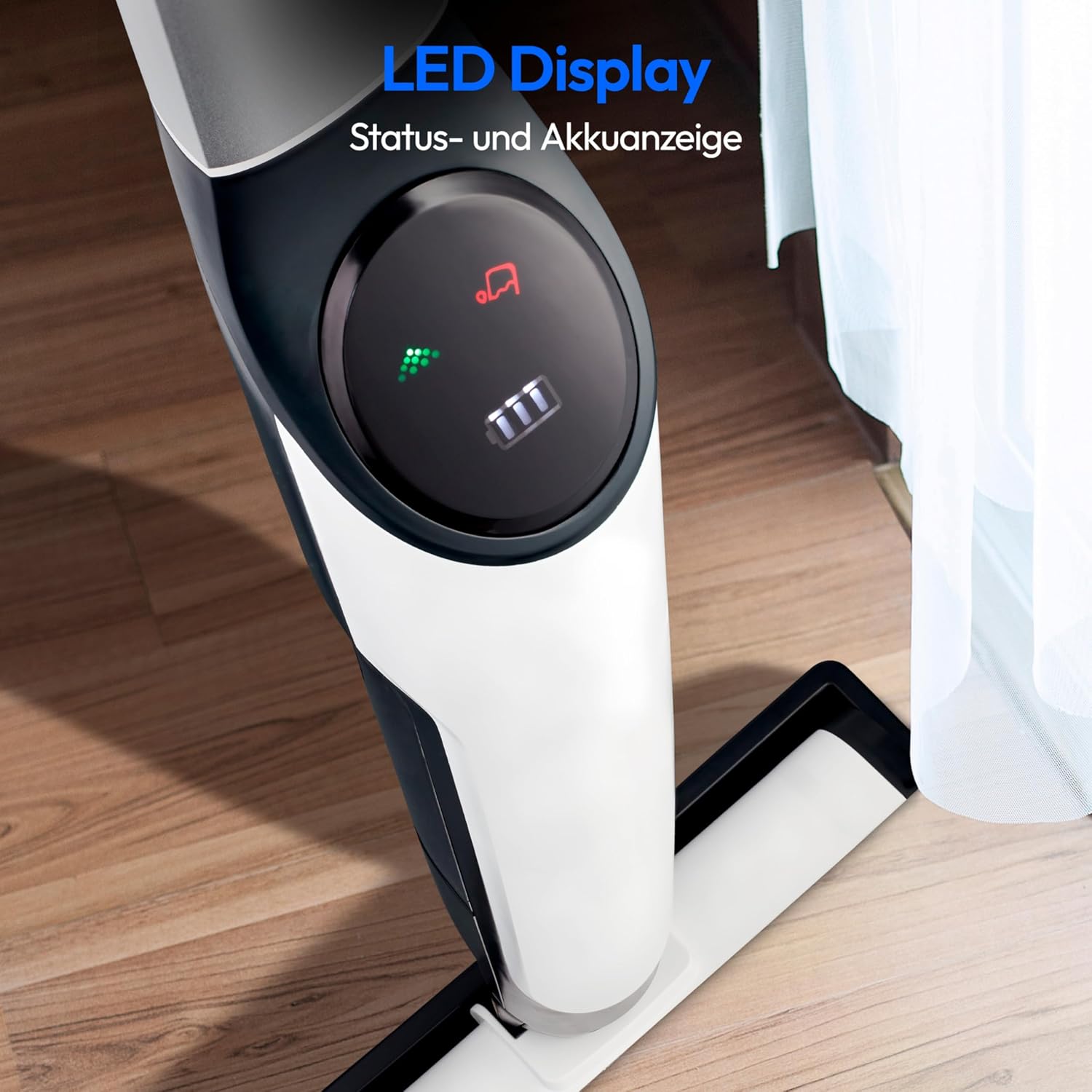
Figure 4.3: The integrated LED display provides clear indications of the device's status and battery level, allowing for easy monitoring during use.

Figure 4.4: Dimensions of the cleaner: 19.6 cm (width) x 28.8 cm (depth) x 111.5 cm (height), making it compact for storage and maneuverable during cleaning.
5. Setup
5.1 Assembly
- Carefully remove all packaging materials.
- Insert the handle into the main body of the cleaner until it clicks securely into place.
- Ensure the brush roller is correctly installed in its compartment.
5.2 Charging the Battery
The appliance comes with a product-specific battery included. Before first use, fully charge the battery.
- Place the cleaner on its storage station.
- Connect the power adapter to the charging port on the storage station and plug it into a wall outlet.
- The LED display will indicate the charging status. A full charge provides up to 45 minutes of cordless cleaning.
5.3 Filling the Fresh Water Tank
- Remove the fresh water tank from the appliance.
- Open the tank cap and fill with clean tap water. You may add a small amount of suitable floor cleaning solution if desired (follow solution manufacturer's instructions). Do not overfill.
- Securely close the tank cap and reinsert the tank into the appliance until it clicks into place.
6. Operating the Cleaner
The MEDION Life H10 is designed for efficient cleaning of all common hard floors.

Figure 6.1: The cordless design allows for freedom of movement, making it easy to clean large areas without being restricted by power outlets.

Figure 6.2: The powerful motor and brush roller effectively clean spills and dirt from hard surfaces, leaving them spotless.
6.1 Starting and Stopping
- Press the power button on the handle to turn on the appliance. The brush roller will begin to rotate, and water will be dispensed.
- To stop cleaning, press the power button again.
6.2 Cleaning Process
- Move the cleaner slowly and steadily across the hard floor surface.
- The motorized brush roller will scrub the floor, while the vacuum function simultaneously collects dirty water into the dirty water tank.
- For heavily soiled areas, you may need to pass over them multiple times.
6.3 Self-Cleaning Function
The MEDION Life H10 features a convenient self-cleaning function to maintain the brush roller.
- After cleaning, place the appliance back on its storage station.
- Ensure there is sufficient clean water in the fresh water tank.
- Press the self-cleaning button (refer to the LED display for icon). The appliance will automatically clean the brush roller.
- Once the self-cleaning cycle is complete, empty the dirty water tank.
7. Maintenance
Regular maintenance ensures optimal performance and extends the lifespan of your cleaner.
7.1 Emptying the Dirty Water Tank
- After each use, remove the dirty water tank from the appliance.
- Open the tank and dispose of the dirty water.
- Rinse the tank thoroughly with clean water and allow it to air dry before reattaching.
7.2 Cleaning the Brush Roller
- Remove the brush roller from its compartment.
- Rinse the brush roller under running water to remove any debris or hair.
- Allow the brush roller to air dry completely before reinserting it into the appliance.
7.3 Cleaning the Appliance Body
- Wipe the exterior of the cleaner with a soft, damp cloth.
- Do not use abrasive cleaners or solvents.
8. Troubleshooting
If you encounter issues with your MEDION Life H10, refer to the table below for common problems and solutions.
| Problem | Possible Cause | Solution |
|---|---|---|
| Appliance does not turn on. | Battery is not charged. | Charge the battery fully. |
| No water is dispensed. | Fresh water tank is empty or not properly installed. | Fill the fresh water tank and ensure it is securely in place. |
| Poor cleaning performance. | Brush roller is dirty or worn. Dirty water tank is full. | Clean or replace the brush roller. Empty the dirty water tank. |
| Appliance leaves streaks. | Dirty water tank is full or brush roller is excessively dirty. | Empty and clean the dirty water tank. Clean the brush roller. |
9. Specifications
| Feature | Detail |
|---|---|
| Brand | MEDION |
| Model Number | MD11319 |
| Dimensions (L x W x H) | 19.6 x 28.8 x 111.5 cm |
| Weight | 3.5 Kilograms |
| Power | 30 Watts |
| Voltage | 22.2 Volts |
| Battery Autonomy | Up to 45 minutes |
| Fresh Water Tank Capacity | 0.45 Liters |
| Dirty Water Tank Capacity | 0.3 Liters |
| Noise Level | 75 dB |
| Special Features | Cordless, Separable Water Tank, Motorized Brush Roller, Self-cleaning Function |
| Recommended Surface | Hard Floor |
10. Warranty and Support
MEDION is committed to providing high-quality products and excellent customer service. For any questions, technical support, or warranty claims, please refer to the contact information provided with your product packaging or visit the official MEDION website. Our competent customer service team is available to assist you.
