1. Introduction
Thank you for purchasing the DEWENWILS Remote Control Outlet. This device is designed to simplify the control of your indoor electrical appliances, providing convenience and energy efficiency. With its wireless remote functionality, you can easily switch lights, fans, and other devices on or off from a distance, even through walls and doors. This manual provides detailed instructions for safe installation, operation, and maintenance of your new remote control outlet system.

Image: The DEWENWILS Remote Control Outlet kit, showing five compact white outlets and two white remote controls.
2. What's in the Box
Upon opening your DEWENWILS Remote Control Outlet package, you should find the following components:
- 5 x Remote Control Outlets
- 2 x Remote Controllers
- 1 x CR2032 Battery (pre-installed in one remote)
- 1 x User Manual (this document)
3. Product Features
- Simplified Control: Easy one-key remote operation for hard-to-reach areas, eliminating the need to frequently plug and unplug devices.
- Plug-in & Play: Outlets are pre-programmed for immediate use, requiring no WiFi, Bluetooth, or app setup.
- Compact Design: Designed to not obstruct adjacent sockets when plugged into a standard duplex outlet.
- Dual Remotes & Multiple Outlets: Includes two remote controls to operate five individual outlets, allowing control from different locations. Each remote can control up to 5 different devices.
- Extended RF Range: Powerful RF signal provides up to 200 feet (60 meters) control range in open areas, capable of working through walls and doors without interference.
- High Capacity: Rated for 120V, 60Hz, 15A, 1800W resistance, suitable for most household appliances.
- Safety Certified: FCC & ETL Listed, ensuring safety and quality standards are met.

Image: A visual representation of the wireless remote control outlet system, highlighting the indoor use, pre-programmed nature, remote control capability, and 200-foot range.
4. Safety Information
Please read and understand all safety instructions before using this product. Failure to follow these instructions may result in electric shock, fire, or serious injury.
- For indoor use only. Do not expose to rain or moisture.
- Do not exceed the maximum load rating of 15A, 1800W. Overloading may cause overheating and fire.
- Ensure the device is fully inserted into the wall outlet.
- Do not disassemble or modify the product. There are no user-serviceable parts inside.
- Keep out of reach of children.
- Unplug the device from the wall outlet before cleaning.
- If the product appears damaged, do not use it. Contact customer support.
5. Setup and Installation
The DEWENWILS Remote Control Outlets are designed for quick and easy setup.
5.1 Initial Setup (Plug-in & Play)
- Unpack all components from the box.
- Plug one of the remote control outlets into a standard 120V AC wall socket.
- Plug your desired appliance (e.g., lamp, fan) into the remote control outlet.
- The outlets and remotes are pre-programmed from the factory. Each button (1-5) on the remote corresponds to a specific outlet. Press the 'ON' or 'OFF' button for the corresponding number to control the plugged-in device.
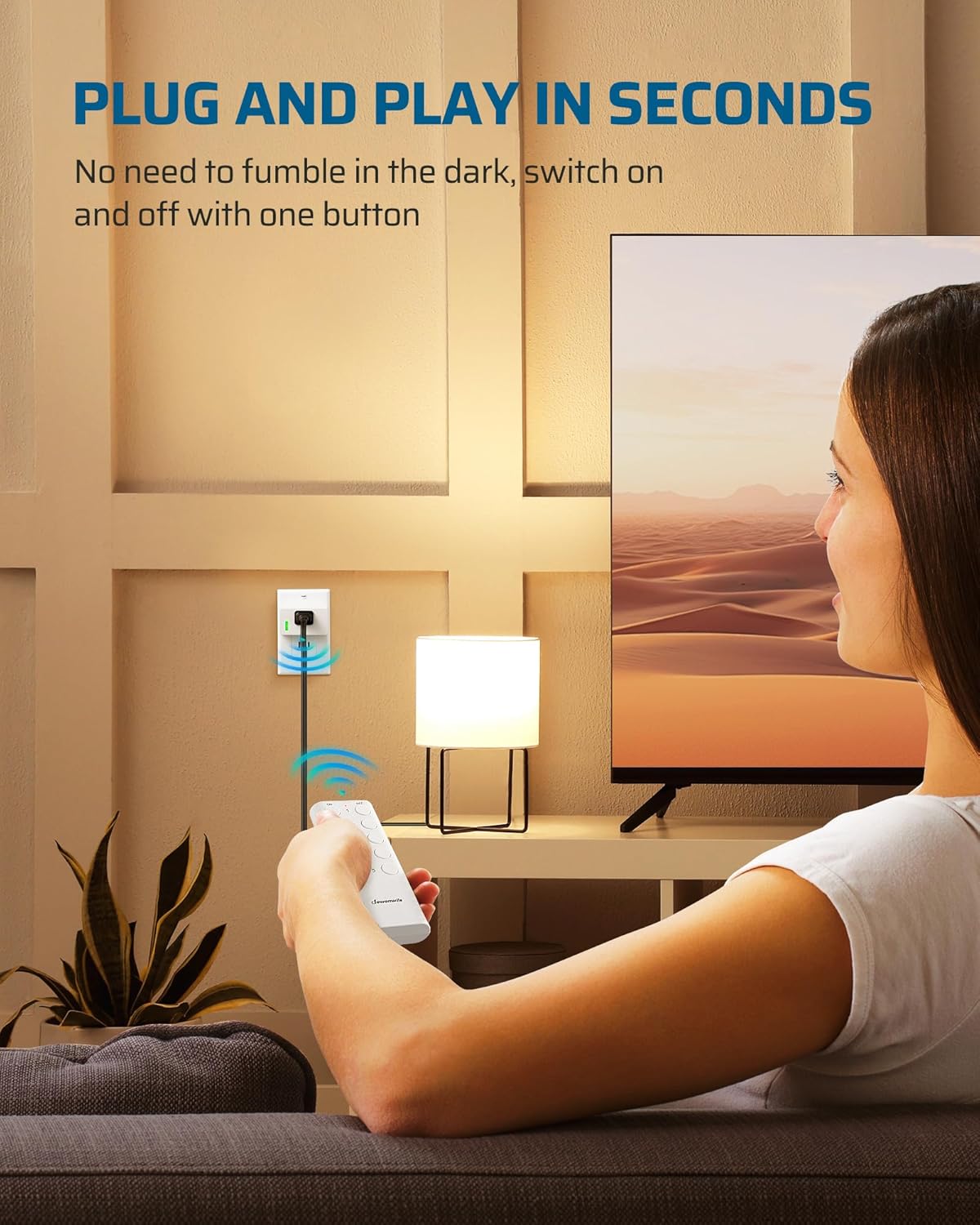
Image: A person's hand holding the remote control, demonstrating how to turn on a lamp connected to a DEWENWILS remote outlet, illustrating the 'plug and play' simplicity.
5.2 Pairing/Reprogramming Outlets (If Needed)
In rare cases, or if you wish to change the pairing, you can reprogram the outlets:
- Plug the remote control outlet into a wall socket.
- Press and hold the small green indicator light/button on the side of the outlet for approximately 5 seconds until the indicator light begins to flash.
- While the light is flashing, press the desired 'ON' button (e.g., 'ON 1') on the remote control. The outlet's indicator light will stop flashing and remain solid, indicating successful pairing.
- Repeat for other outlets and remote buttons as desired.

Image: A close-up view of the DEWENWILS remote control outlet and its remote, showing their compact dimensions and highlighting the location of the indicator light/program button on the outlet.
5.3 Remote Battery Installation/Replacement
The remote control uses one CR2032 battery, which is typically pre-installed. To replace the battery:
- Turn the remote control to its back side.
- Locate the small buckle/tab on the battery compartment cover.
- Using a small flat-head screwdriver, gently press the buckle down.
- Slide the cover open to reveal the battery compartment.
- Remove the old CR2032 battery and insert a new one, ensuring the positive (+) side faces upwards.
- Slide the cover back into place until it clicks securely.

Image: A three-step visual guide demonstrating how to open the battery compartment on the back of the DEWENWILS remote control using a screwdriver.
6. Operation
Operating your DEWENWILS Remote Control Outlet system is straightforward.
6.1 Using the Remote Control
- Each remote control has five numbered buttons (1-5) and corresponding 'ON' and 'OFF' buttons.
- To turn on an appliance connected to a specific outlet, press the 'ON' button next to its assigned number.
- To turn off an appliance, press the 'OFF' button next to its assigned number.
- The remote's powerful RF signal allows control from up to 200 feet away, even through walls and furniture.

Image: A diagram illustrating the 200-foot RF remote range, showing a remote control operating multiple outlets located throughout a multi-story house, emphasizing signal penetration through walls.
6.2 Manual Control
Each remote control outlet also features a manual switch/indicator light on its side. Pressing this button will manually toggle the power of the connected appliance on or off, regardless of the remote control's state.

Image: A DEWENWILS remote control outlet plugged into a wall socket behind a bedside table, demonstrating its use for controlling a lamp in a hard-to-reach area.
7. Maintenance
The DEWENWILS Remote Control Outlet system requires minimal maintenance.
- Cleaning: To clean the outlets or remotes, unplug the outlet from the wall and wipe surfaces with a soft, dry cloth. Do not use liquid cleaners or sprays.
- Battery Replacement: Replace the CR2032 battery in the remote control when its range decreases or it stops responding. Refer to section 5.3 for instructions.
- Storage: When not in use for extended periods, store the outlets and remotes in a cool, dry place away from direct sunlight and extreme temperatures.
8. Troubleshooting
If you encounter issues with your DEWENWILS Remote Control Outlet, refer to the following common problems and solutions:
| Problem | Possible Cause | Solution |
|---|---|---|
| Outlet does not respond to remote. | 1. Remote battery is low or dead. 2. Outlet is not powered. 3. Outlet and remote are not paired. 4. Appliance plugged into outlet is off or faulty. | 1. Replace the CR2032 battery in the remote. 2. Ensure the outlet is securely plugged into a live wall socket. 3. Reprogram the outlet to the remote (see Section 5.2). 4. Check the appliance's power switch and functionality. |
| Remote range is reduced. | 1. Low remote battery. 2. Excessive interference from other RF devices. 3. Obstructions (thick walls, metal objects). | 1. Replace the CR2032 battery. 2. Move the remote or outlet away from other electronic devices. 3. Try to minimize physical obstructions between the remote and outlet. |
| Outlet indicator light is off. | 1. Outlet is not receiving power. 2. Outlet is faulty. | 1. Check the wall socket with another device. Ensure the outlet is firmly plugged in. 2. If still no light, the outlet may be faulty. Contact customer support. |
| Multiple outlets respond to one remote button. | Outlets are accidentally paired to the same remote button. | Reprogram each outlet individually to its desired unique remote button (see Section 5.2). |
9. Specifications
| Specification | Value |
|---|---|
| Model Number | HRS205S |
| Input Voltage | 120 Volts AC |
| Current Rating | 15 Amps |
| Maximum Load | 1800 Watts |
| Frequency | 60 Hz |
| Remote Control Range | Up to 200 feet (60 meters) in open areas |
| Remote Battery Type | 1 x CR2032 (included) |
| Certifications | FCC, ETL Listed |
| Product Dimensions (Outlet) | Approximately 2.5 x 1.4 x 1.2 inches (L x W x H) |
| Product Dimensions (Remote) | Approximately 3.9 x 1.5 inches (L x W) |
10. Warranty and Support
DEWENWILS products are designed for reliability and performance. For warranty information or technical support, please contact the seller or manufacturer directly. Keep your purchase receipt as proof of purchase.
Manufacturer: Dewenwils
For further assistance, please visit the official DEWENWILS store or contact their customer service through the platform where you purchased the product.


