
1. Introduction
Thank you for choosing the ORFELD V18 Cordless Vacuum Cleaner. This manual provides essential information for the safe and efficient operation, maintenance, and troubleshooting of your new appliance. Please read it thoroughly before first use and keep it for future reference.
2. Product Overview
The ORFELD V18 is a powerful and versatile cordless vacuum cleaner designed for comprehensive home cleaning. It features a 550W brushless motor, delivering up to 45,000 Pa of suction power. The intelligent LED display and automatic sensor mode enhance user experience, while the anti-tangle V-roller brush and 5-stage filtration system ensure effective cleaning across various surfaces.

Image 2.1: The ORFELD V18 Cordless Vacuum Cleaner with its main body, extension wand, floor brush, and various accessories including a crevice tool, upholstery brush, and cleaning tool.
3. Package Contents
Please check the package for the following components:
- Main Vacuum Unit (with dustbin and motor)
- Extension Wand
- Motorized Floor Brush with V-Roller
- Long Crevice Tool
- 2-in-1 Upholstery Brush
- Wall Mount Bracket
- Charging Adapter
- Cleaning Tool
- Spare HEPA Filter
- User Manual
4. Setup
4.1 Assembly
- Attach the Dustbin: Ensure the dustbin is securely attached to the main vacuum unit.
- Connect the Extension Wand: Insert the extension wand into the main vacuum unit until it clicks into place.
- Attach the Floor Brush: Connect the motorized floor brush to the other end of the extension wand, ensuring it locks securely.
- Install Wall Mount (Optional): Choose a suitable location and secure the wall mount bracket to the wall using the provided screws.
4.2 Initial Charging
Before first use, fully charge the vacuum cleaner. Connect the charging adapter to the charging port on the main unit or the wall mount. The intelligent LED display will indicate the charging status.
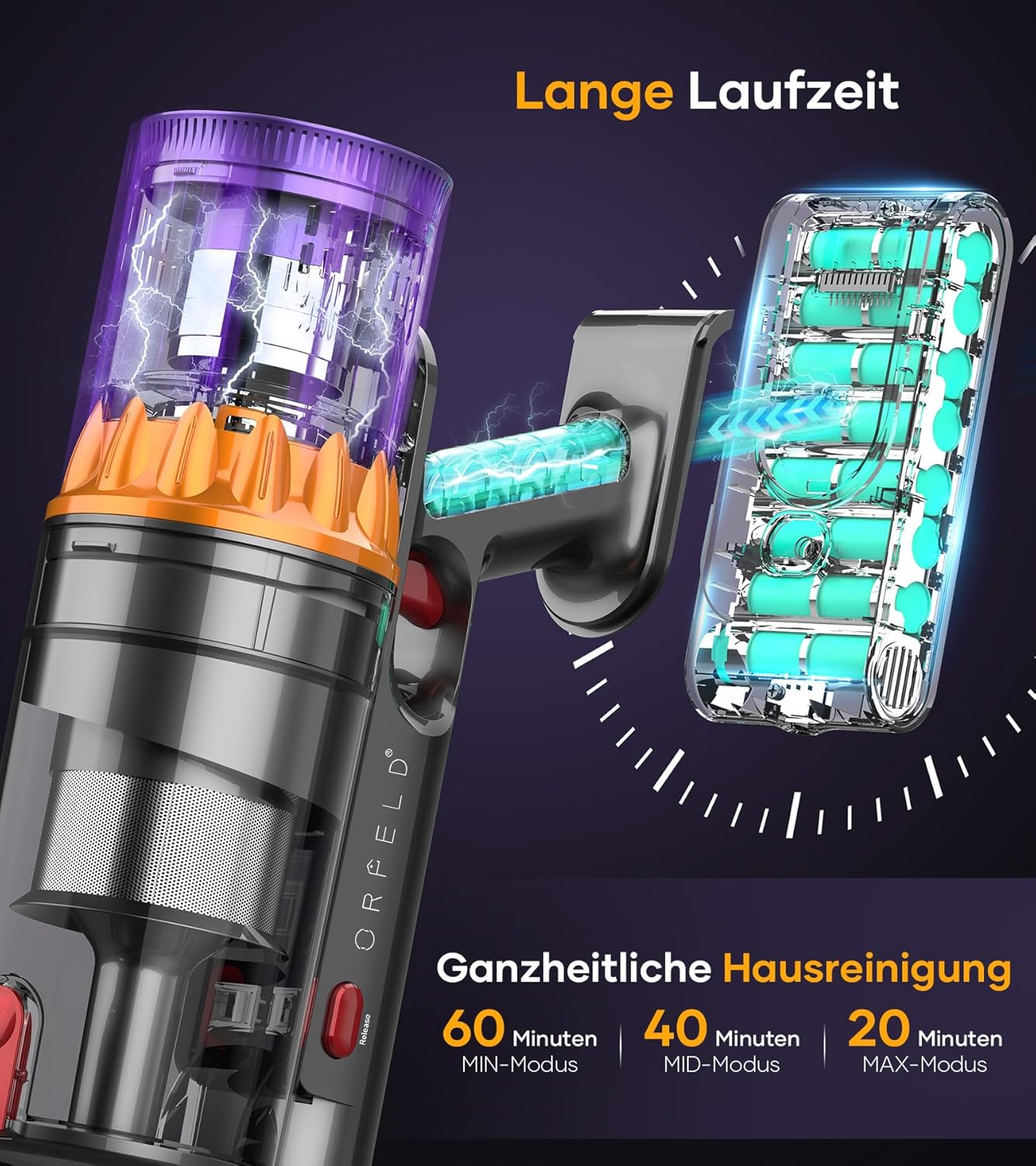
Image 4.1: Illustration of the vacuum's battery being charged via a wall mount, alongside a graphic indicating runtime: 60 minutes in MIN-Mode, 40 minutes in MID-Mode, and 20 minutes in MAX-Mode.
5. Operation
5.1 Powering On/Off
Press the power button on the main unit to turn the vacuum cleaner on or off.
5.2 Intelligent LED Display
The smart LED touchscreen provides real-time information:
- Battery Symbol: Shows current battery level.
- Power LED: Indicates the current suction power setting.
- Low/High Fill Level: Alerts for dustbin capacity.
- Brush Roll Blockage Reminder: Notifies if the brush roll is obstructed.
- AUTO/Manual Mode Indicator: Shows the active cleaning mode.
- Dustbin Full Reminder: Indicates when the dustbin needs emptying.

Image 5.1: A close-up diagram illustrating the various indicators on the ORFELD V18's smart LED display, including battery level, power mode, dustbin status, and brush roll blockage alerts.
5.3 Operating Modes
The vacuum offers both automatic and manual suction control:
- Automatic Sensor Mode: The vacuum automatically adjusts suction power based on the amount of dirt and dust detected, optimizing cleaning efficiency and battery life.
- Manual Modes: Use the touchscreen to switch between MIN, MID, and MAX suction levels for specific cleaning needs.
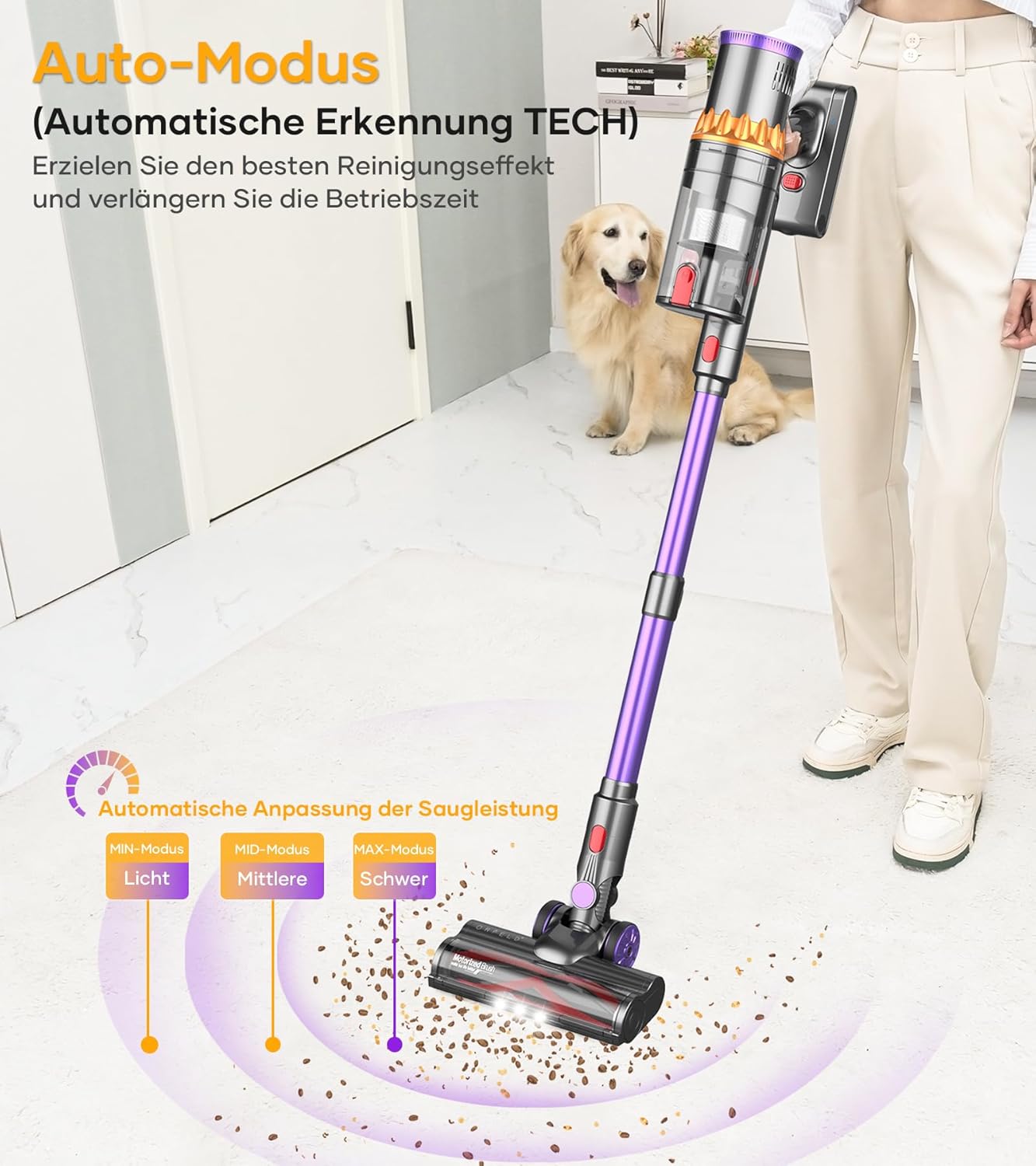
Image 5.2: A visual representation of the vacuum's automatic mode, showing how it adjusts suction power (Light, Middle, Heavy) based on the detected dirt level on the floor.
5.4 Using Attachments
The ORFELD V18 can be converted into a handheld vacuum for versatile cleaning. Simply detach the extension wand and floor brush, then attach the desired accessory directly to the main unit.
- Long Crevice Tool: Ideal for narrow gaps, corners, and hard-to-reach areas.
- 2-in-1 Upholstery Brush: Use the brush for dusting delicate surfaces or retract the bristles for vacuuming upholstery and fabrics.

Image 5.3: The ORFELD V18 vacuum cleaner shown in its multifunctional handheld configuration, demonstrating its use with a long crevice tool for high areas and a 2-in-1 upholstery brush for furniture.
6. Maintenance
Regular maintenance ensures optimal performance and extends the lifespan of your vacuum cleaner.
6.1 Emptying the Dustbin
When the 'Dustbin Full' indicator appears on the LED display, or when the dustbin reaches its maximum capacity (1.5L), it needs to be emptied. Press the dustbin release button and empty the contents into a waste bin.
6.2 Cleaning Filters
The ORFELD V18 features a 5-stage high-efficiency filtration system. Regular cleaning of these filters is crucial to maintain strong suction and prevent blockages.

Image 6.1: An exploded view diagram illustrating the 5-stage efficiency filter system of the ORFELD V18, including the dust cup filter, stainless steel filter, cyclone filter, HEPA filter, and exhaust HEPA filter, highlighting its 550W power, 45KPa suction, and 99.9% filtration.
- Remove Filters: Twist and pull to remove the dust cup, stainless steel filter, cyclone filter, and HEPA filters from the main unit.
- Clean: Tap out loose dust. For thorough cleaning, rinse the washable filters (stainless steel, cyclone, and HEPA) under running water.
- Dry Completely: Ensure all filters are completely dry before reassembling them into the vacuum cleaner. This may take up to 24 hours. Do not use the vacuum with wet filters.
6.3 Cleaning the V-Roller Brush
The V-shaped anti-tangle roller brush is designed to minimize hair entanglement. However, occasional cleaning may be necessary.
- Remove Brush Roll: Press the release button on the side of the floor brush to remove the V-roller brush.
- Clear Debris: Use the provided cleaning tool to cut and remove any tangled hair or debris from the brush roll.
- Reinstall: Insert the clean brush roll back into the floor brush until it clicks into place.
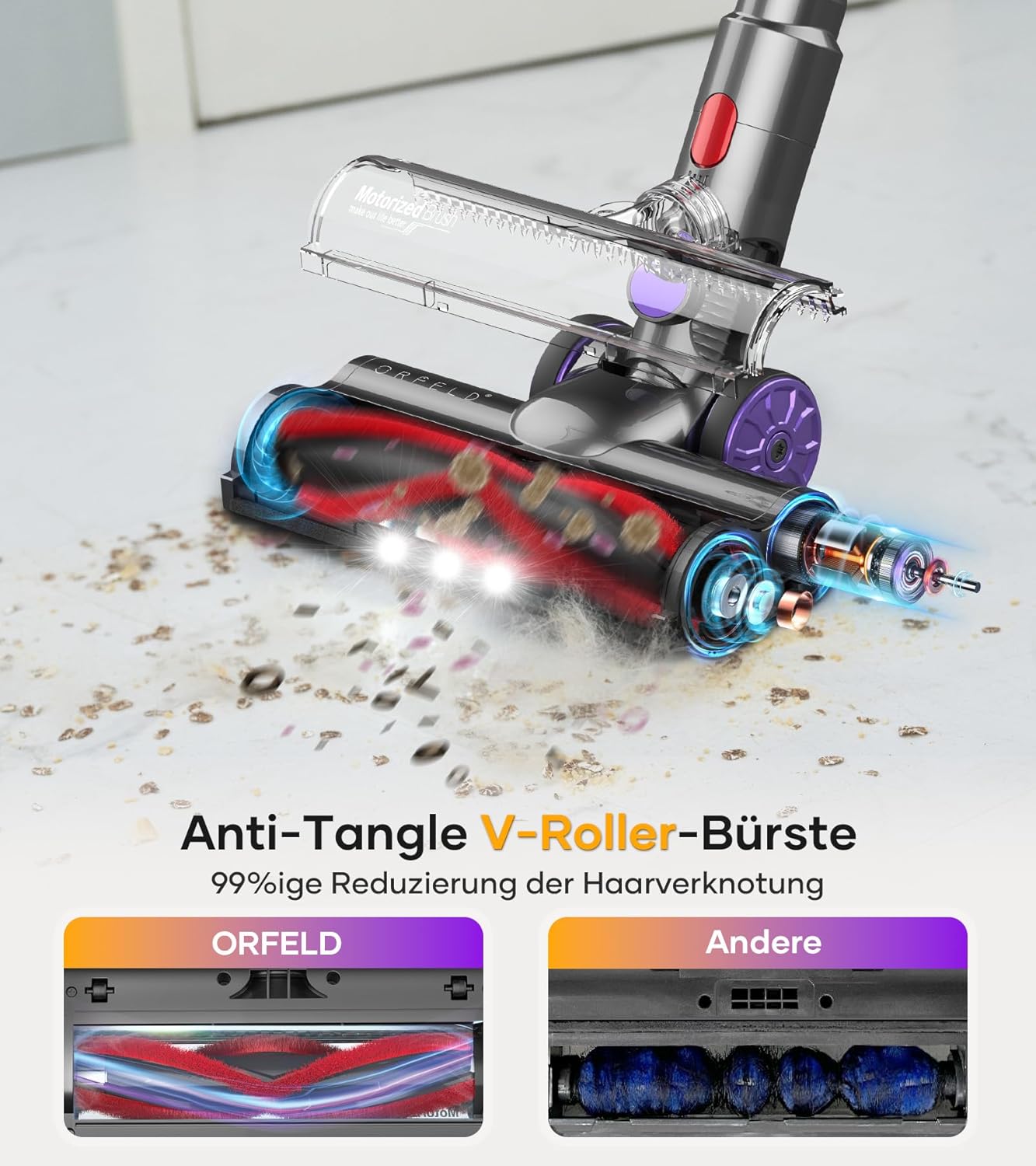
Image 6.2: A visual comparison highlighting the effectiveness of the Anti-Tangle V-Roller Brush, showing a clean ORFELD brush versus a standard brush with significant hair entanglement.
7. Troubleshooting
If you encounter any issues, please refer to the following common problems and solutions:
| Problem | Possible Cause | Solution |
|---|---|---|
| Vacuum does not turn on | Low battery; Power button not pressed correctly | Charge the battery; Ensure power button is fully pressed |
| Low suction power | Dustbin full; Filters clogged; Blockage in nozzle/wand/hose | Empty dustbin; Clean all filters; Remove any blockages |
| Brush roll not rotating | Brush roll tangled; Blockage in floor brush; Floor brush not properly attached | Clean brush roll of tangled hair/debris; Clear blockages; Reattach floor brush securely |
| Abnormal noise | Blockage; Damaged component | Check for and remove blockages; Contact customer support if noise persists |
| LED display shows error | Specific error (e.g., dustbin full, brush blockage) | Refer to the display indicator and perform the suggested action (empty dustbin, clean brush roll) |
If the problem persists after attempting these solutions, please contact ORFELD customer support.
8. Specifications
| Feature | Specification |
|---|---|
| Brand | ORFELD |
| Model Number | V18 (V18PEU-NEW) |
| Power | 550 Watts |
| Suction Power | Up to 45,000 Pa |
| Voltage | 25.9 Volts |
| Dustbin Capacity | 1.5 Liters |
| Runtime | Up to 60 minutes (Min mode), 20 minutes (Max mode) |
| Noise Level | 68 Decibels |
| Filter Type | Cartridge (5-stage filtration with HEPA) |
| Special Feature | Cordless, Smart LED Display, Automatic Sensor Mode, Anti-Tangle V-Roller Brush |
| Item Weight | 2.7 Kilograms |
| Power Source | Battery Powered (1 Lithium-ion battery required) |
| Surface Recommendation | All floors |
9. Warranty and Support
The ORFELD V18 Cordless Vacuum Cleaner comes with a 2-year warranty. ORFELD is committed to providing excellent customer service with 7x24h support.
For any questions, technical assistance, or warranty claims, please contact ORFELD customer service through the retailer where you purchased the product or visit the official ORFELD website for contact information.
Please ensure you clean the metal filter and HEPA filter regularly to prevent insufficient suction, as recommended by the manufacturer.


