
Powkey A9
Powkey A9 Car Jump Starter User Manual
Model: A9 | Brand: Powkey
Product Overview
The Powkey A9 is a versatile and powerful portable jump starter and power bank designed to provide reliable assistance for various vehicles and electronic devices. With a 2000A peak current, it can jump start gasoline engines up to 8.0L and diesel engines up to 6.5L. It also functions as a portable power bank with USB outputs and a DC output for other car accessories, and includes a multi-mode LED flashlight.

Image: The Powkey A9 Car Jump Starter, showing the main unit, smart jump cables, USB cable, cigarette lighter adapter, and carrying case.

Image: A detailed diagram highlighting the power button, battery indicator lights, LED flashlight, DC output, USB-A output, QC 3.0 output, Type-C input, and jump start connection port on the Powkey A9 unit.
What's in the Box
Upon opening your Powkey A9 package, please verify that all the following items are included:
- 1 x Powkey A9 Jump Starter Power Bank
- 1 x Smart Jump Cables
- 1 x USB Cable (Type-C)
- 1 x Cigarette Lighter Socket Adapter
- 1 x User Manual
- 1 x Tool Box (Carrying Case)

Image: All components included in the Powkey A9 package, neatly laid out: the jump starter unit, its carrying case, the user manual, a USB-C cable, a cigarette lighter adapter, and the smart jump cables.
Safety Information
Please read and understand all safety information before using this product. Failure to follow these instructions may result in electric shock, fire, or serious injury.
- Do not jump start a frozen battery.
- Do not use the jump starter if the cables or clamps are damaged.
- Do not connect the positive and negative clamps together.
- Ensure the jump starter is fully charged before use for optimal performance.
- Keep out of reach of children.
- Operate in a well-ventilated area.
- Remove the jump starter from the vehicle battery within 30 seconds after the vehicle starts.
- The smart jump cables are designed with multiple safety protections including over-current, overload, over-voltage, and overcharge protection.

Image: The intelligent jump starter cables, featuring robust metallic clamps and integrated safety protection mechanisms to prevent incorrect connections and sparks.
Setup and Charging
Charging the Powkey A9
Before first use, fully charge the Powkey A9. It can be charged using a Type-C cable and a 5V universal mobile phone adapter (adapter not included).
- Connect the Type-C cable to the "Type-C Input" port on the jump starter.
- Connect the other end of the Type-C cable to a 5V USB wall adapter (not included) or a compatible USB charging port.
- The battery indicator lights will illuminate and flash during charging, indicating the charge level. All four lights will be solid when fully charged.
Preparing for Jump Start
Ensure the jump starter has sufficient charge (at least 3 indicator lights) before attempting to jump start a vehicle.
Operating Instructions
Jump Starting a Vehicle
The Powkey A9 can jump start 12V vehicles with gasoline engines up to 8.0L and diesel engines up to 6.5L. It can be used up to 40 times on a full charge and operates in temperatures from -20°C to 65°C.
- Ensure the vehicle's ignition is off and all accessories are turned off.
- Connect the blue plug of the smart jump cables into the jump start port on the Powkey A9 unit. Ensure it is fully inserted.
- Connect the red positive (+) clamp to the positive (+) terminal of the vehicle's battery.
- Connect the black negative (-) clamp to the negative (-) terminal of the vehicle's battery.
- Once the clamps are correctly connected, the indicator light on the smart cable will turn solid green, indicating it's ready to jump start. If it flashes or turns red, check connections and battery status.
- Start the vehicle's engine.
- Once the engine starts, immediately remove the smart jump cables from the jump starter port, then disconnect the clamps from the vehicle battery (negative first, then positive).

Image: The Powkey A9 jump starter connected to a car battery, demonstrating its capability to start various vehicle types including cars, SUVs, motorboats, motorcycles, snowmobiles, and lawn mowers.

Image: A visual guide illustrating the Powkey A9's compatibility with various 12V vehicles, showing different engine sizes (1.5L to 6.2L) for motorcycles, cars, SUVs, trucks, and RVs.
Using as a Power Bank (USB Output)
The Powkey A9 features two USB outputs (5V/2.1A and a Quick Charge 3.0 port: 5V/3A, 9V/2A, 12V/1.5A) to charge your mobile devices.
- Connect your device's USB charging cable to one of the USB output ports on the Powkey A9.
- The Powkey A9 will automatically begin charging your device.

Image: The Powkey A9 unit connected via USB cables to a smartphone and a tablet, demonstrating its function as a power bank for charging various electronic devices.
Using the DC Output
The 12V-16V/6A DC output port, combined with the included cigarette lighter socket adapter, allows you to power other 12V car accessories.
- Connect the cigarette lighter socket adapter to the DC output port on the Powkey A9.
- Plug your 12V car accessory (e.g., tire inflator, car vacuum cleaner, car refrigerator) into the cigarette lighter socket adapter.
- Turn on the accessory if it has a power switch.

Image: An illustration showing the Powkey A9's 12-16V/6A DC output being used to power various car products such as a tire inflator, a vacuum cleaner, and a car refrigerator.

Image: The Powkey A9 jump starter connected to a tire inflator, demonstrating its capability to power external 12V devices.
Using the LED Flashlight
The integrated LED flashlight has three modes: illumination, strobe, and SOS. It is useful for emergencies, camping, or general lighting.
- Press and hold the power button for 3 seconds to turn on the flashlight (illumination mode).
- Press the power button once more to switch to strobe mode.
- Press the power button again to switch to SOS mode.
- Press and hold the power button for 3 seconds to turn off the flashlight.
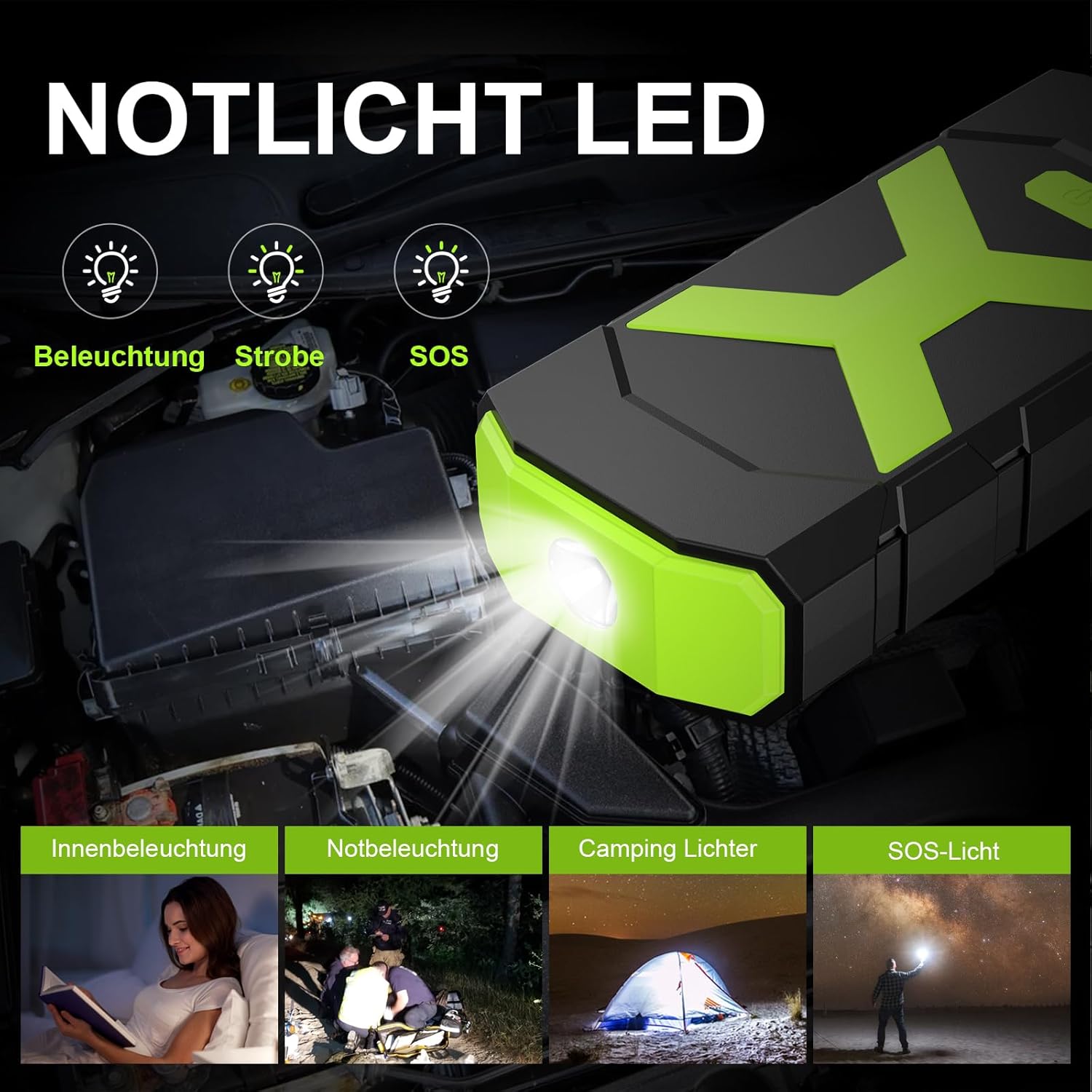
Image: The Powkey A9 unit with its LED flashlight illuminated, showing icons representing its three modes: standard illumination, strobe, and SOS, useful for various situations like interior lighting, emergency lighting, camping, and signaling.
Maintenance
- Storage: Store the jump starter in a cool, dry place away from direct sunlight and extreme temperatures. The device is IP66 water-resistant, dustproof, and shockproof, but prolonged exposure to harsh conditions should be avoided.
- Charging Frequency: For optimal battery life, it is recommended to fully charge the Powkey A9 every 3-6 months, even if not in use.
- Cleaning: Use a soft, dry cloth to clean the unit. Do not use harsh chemicals or abrasive cleaners.
- Operating Temperature: The device is designed to operate between -20°C and 65°C.

Image: An illustration showing the Powkey A9 unit with visual cues for its operating temperature range, from -20°C (cold) to 65°C (hot), indicating its robust design for various climates.
Troubleshooting
| Problem | Possible Cause | Solution |
|---|---|---|
| Vehicle does not start. | Low charge on jump starter; incorrect cable connection; vehicle battery completely dead; engine too large for unit. | Ensure jump starter is fully charged. Check that clamps are securely connected to correct battery terminals. If battery is completely dead, it may require more time or professional assistance. Verify engine displacement is within specified limits (8.0L gas, 6.5L diesel). |
| Smart cable indicator light is red or flashing. | Incorrect connection; short circuit; reverse polarity; over-temperature. | Disconnect clamps and reconnect them correctly (red to positive, black to negative). Ensure clamps are not touching each other. Allow unit to cool down if it has been used extensively. |
| Unit not charging. | Faulty cable or adapter; loose connection. | Try a different Type-C cable and/or 5V USB adapter. Ensure the cable is firmly plugged into both the unit and the power source. |
| USB output not charging devices. | Low battery on jump starter; faulty USB cable; device not compatible. | Charge the jump starter. Try a different USB cable. Ensure your device is compatible with 5V USB charging. |
Specifications
| Feature | Detail |
|---|---|
| Model | A9 |
| Peak Current | 2000A |
| Battery Capacity | 74 Wh (Lithium-polymer) |
| Engine Compatibility | Up to 8.0L Gasoline, Up to 6.5L Diesel |
| USB Output 1 | 5V/2.1A |
| USB Output 2 (QC 3.0) | 5V/3A, 9V/2A, 12V/1.5A |
| DC Output | 12V-16V/6A |
| Type-C Input | 5V (via universal phone adapter) |
| Operating Temperature | -20°C to 65°C (-4°F to 149°F) |
| Dimensions (L x W x H) | 16.6 x 4 x 8 cm (6.5 x 1.6 x 3.1 inches) |
| Weight | 870 g (1.92 lbs) |
| Water Resistance | IP66 |
Warranty and Support
Powkey is committed to providing high-quality products and excellent customer experience. If you have any questions or encounter quality issues with your Powkey A9 jump starter, please do not hesitate to contact us at any time.
Please refer to the contact information provided in your product packaging or on the official Powkey website for support.