
Introduction and Product Overview
Thank you for choosing the OGACFO 4500 Sq. Ft Dehumidifier. This powerful appliance is designed to efficiently remove excess moisture from large rooms, basements, and other indoor spaces, helping to prevent issues like mold, mildew, and musty odors. With intelligent humidity control and multiple operational modes, it provides a comfortable and healthy environment for your home.

Figure 1: Front view of the OGACFO Dehumidifier with the top air outlet open.
This dehumidifier is capable of removing 50-70 pints of moisture per day, making it suitable for areas up to 4,500 sq. ft. It features smart dehumidification, an easy-drain water tank, and an auto on/off timer for convenient operation.
Safety Information
Please read all safety warnings and instructions carefully before using this appliance to prevent injury or damage. Keep this manual for future reference.
- DANGER: Risk of Fire or Explosion. Flammable Refrigerant Used. To be repaired only by trained service personnel. Do not puncture refrigerant tubing.
- WARNING: Risk of Fire or Explosion. Dispose of property in accordance with federal or local regulations. Flammable refrigerant used.
- Ensure the unit is placed on a stable, flat surface.
- Maintain adequate clearance from walls and furniture (at least 8 inches) to ensure proper airflow.
- Do not operate the unit with a damaged power cord or plug.
- Keep out of reach of children. The unit includes a thoughtful child lock design for safety.
- Do not block air inlets or outlets.
Product Components and Features
Familiarize yourself with the main parts of your dehumidifier:
- Control Panel: Located on the top, with touch controls for various functions.
- Air Outlet: Top-mounted, with adjustable direction (0-120° auto swing).
- Air Inlet & Filter: Located at the back, housing the removable and washable filter.
- Water Tank: Large 5L capacity, located at the bottom rear, with a carrying handle for easy emptying.
- Drain Outlet: For continuous drainage using the included hose.
- 360° Rotatable Wheels: For easy mobility.
- Carry Handles: Integrated on the sides for convenient lifting.

Figure 2: Key features including the power cord buckle, 360° rotatable wheels, carry handle, and removable/washable filter.
Setup
- Unpacking: Carefully remove the dehumidifier from its packaging. Ensure all packing materials are removed, especially from the water tank compartment where the drain hose and power cord are stored.
- Placement: Place the unit upright on a firm, level surface. Ensure there is at least 8 inches of space around the unit for proper air circulation. Avoid placing it near heat sources or in direct sunlight.
- Power Connection: Plug the power cord into a grounded electrical outlet.
- Initial Operation: The unit is ready for use. For optimal performance, allow the unit to stand upright for at least 24 hours before first use if it was not transported upright.
Drainage Options:
- Manual Drainage (Water Tank): The unit will collect moisture in the 5L water tank. When the tank is full, the dehumidifier will automatically shut off and illuminate the full tank indicator. Carefully remove the tank using the handle and empty the collected water. Reinsert the tank firmly until it clicks into place.
- Continuous Drainage (Drain Hose): For continuous operation without needing to empty the tank, attach the included drain hose to the drain outlet at the back of the unit. Route the hose to a suitable drain (e.g., floor drain, sink) ensuring it is sloped downwards for gravity drainage.

Figure 3: Continuous drainage setup using the included hose.
Operating Instructions
The intelligent touch control panel allows for easy operation. The digital display shows the current humidity level.

Figure 4: Smart Control Panel with various function buttons.
Control Panel Functions:
- Power Button: Turns the unit On/Off.
- Mode Button: Cycles through different operating modes:
- Normal Dehumidifying: Maintains comfortable humidity levels (45%-55%) based on ambient temperature.
- Dry Clothes: Quickly removes moisture from clothes.
- Strong Dehumidifying: Operates continuously until ambient humidity reaches 30%.
- Continuous Dehumidifying: Runs continuously, ideal for very damp spaces.
- Humidity Setting Buttons (< >): Adjusts the desired humidity level from 30% to 80%.
- Fan Speed Button: Selects fan speed (Low, Medium, High).
- Timer Button: Sets a 24-hour on/off timer for worry-free operation and energy efficiency.
- Sleep Mode Button: Activates sleep mode, turning off the control screen for a comfortable sleeping environment.
- Air Clean Button: Engages the air clean feature for effective filtering of dust and impurities.
- Swinging Button: Activates the 0-120° auto swing function for the air outlet, allowing for customizable airflow.
- Child Lock: Locks the control panel to prevent accidental changes.
Humidity Indicator Lights:
The unit features indicator lights (Red, Green, Blue) to show the current humidity level:
- Red: High humidity.
- Green: Humidity below 50%.
- Blue: Moderate humidity.
Automatic Functions:
- Auto Restart: If power is interrupted, the unit will automatically restart with the previous settings once power is restored.
- Auto Defrost: The unit will automatically defrost when necessary to maintain efficient operation.

Figure 5: The Air Clean feature effectively filters airborne particles.

Figure 6: The 24-hour timer and sleep mode provide quiet, energy-efficient operation.
Maintenance
Regular maintenance ensures optimal performance and longevity of your dehumidifier.
- Emptying the Water Tank: When the water tank is full, the unit will stop operating and an indicator light will illuminate. Carefully pull out the water tank, empty the water, and slide it back into place until it is securely seated.
- Cleaning the Air Filter: The dehumidifier features a removable, washable, and reusable filter. It is recommended to clean the filter regularly (e.g., every two weeks or as needed) to maintain air quality and unit efficiency.
- Turn off and unplug the unit.
- Remove the filter from the back of the unit.
- Clean the filter with warm, soapy water or a vacuum cleaner.
- Rinse thoroughly and allow it to air dry completely before reinserting.
- Cleaning the Unit Exterior: Wipe the exterior with a soft, damp cloth. Do not use harsh chemicals or abrasive cleaners.
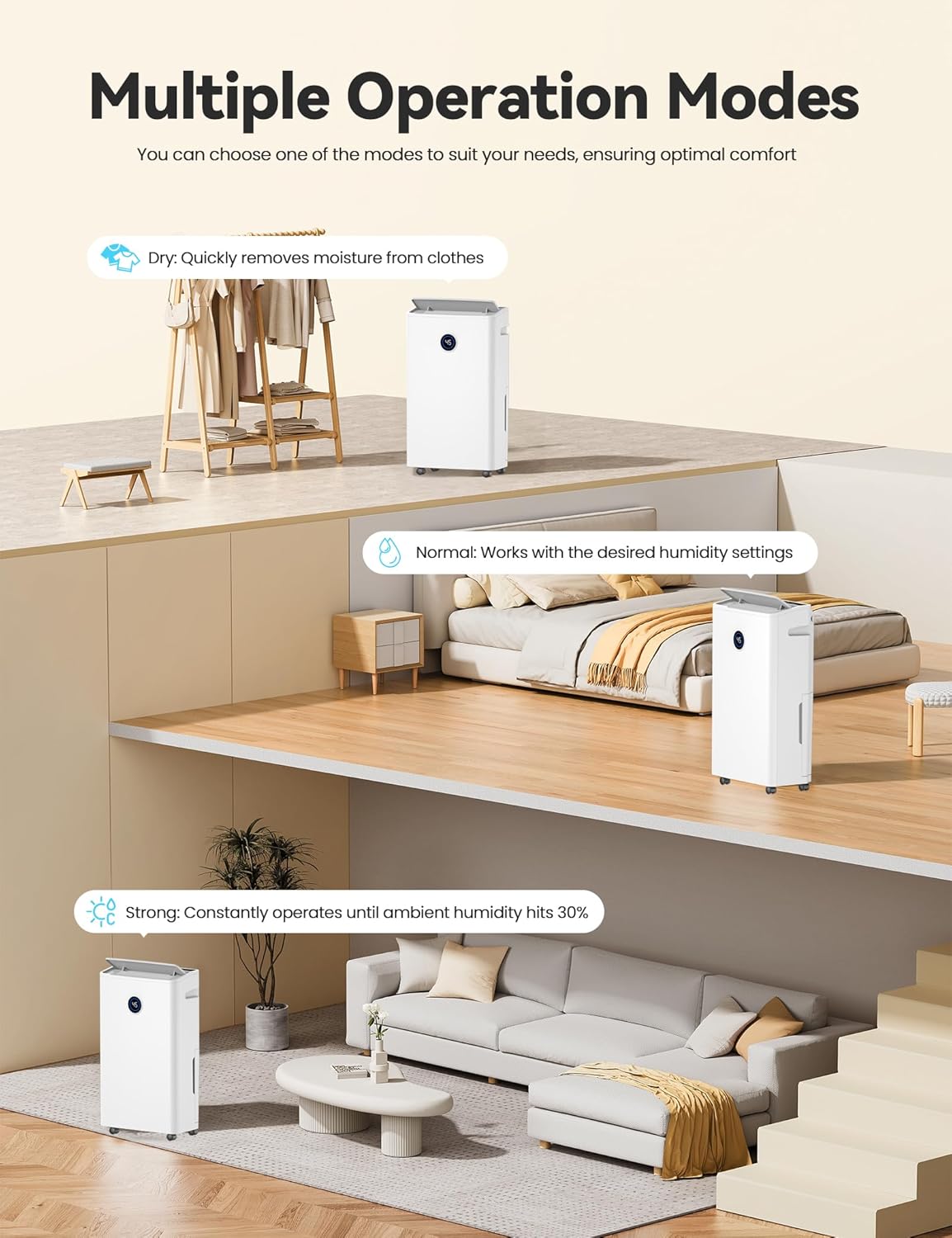
Figure 7: Accessing the removable and washable air filter for cleaning.
Troubleshooting
If you encounter issues with your dehumidifier, refer to the following common problems and solutions:
| Problem | Possible Cause | Solution |
|---|---|---|
| Unit does not turn on. | No power, power cord loose, full water tank. | Check power connection, ensure tank is empty and properly seated. |
| No dehumidification. | Air filter clogged, room temperature too low, humidity setting too high. | Clean air filter, ensure room temperature is above 41°F (5°C), lower humidity setting. |
| Unit is noisy. | Unit not on a level surface, air filter clogged. | Place on a level surface, clean air filter. |
| Water leaking. | Water tank not properly installed, continuous drain hose loose or blocked. | Reinstall water tank correctly, check drain hose connection and ensure it's not kinked. |
| Unit freezes up. | Low ambient temperature. | The unit has an auto-defrost function. If freezing persists, ensure room temperature is within operating range. |
If problems persist after attempting these solutions, please contact customer support.
Specifications
| Feature | Detail |
|---|---|
| Brand | OGACFO |
| Model Name | FDD25-5290ZV1R5 |
| Coverage Area | 4500 Square Feet |
| Capacity | 50 Pints (70 Pints 2012 DOE standard) |
| Tank Volume | 5 Liters |
| Product Dimensions | 7.67"D x 13.66"W x 23.81"H |
| Item Weight | 33.5 pounds |
| Special Features | Adjustable Humidity Control, Bucket Storage, Auto On/Off Timer, Sleep Mode, Air Clean, Auto Defrost, Child Lock, 360° Rotatable Wheels |
| Included Components | User Manual, Drain Hose, Dehumidifier |
| UPC | 614141633197 |
Warranty and Customer Support
This OGACFO dehumidifier typically comes with a 12-month warranty from the date of purchase, covering manufacturing defects. Please refer to your purchase documentation for specific warranty terms and conditions.
For technical assistance, troubleshooting beyond this manual, or warranty claims, please contact OGACFO customer support through the retailer's platform or the official OGACFO website. Have your model number (FDD25-5290ZV1R5) and purchase date ready when contacting support.