
E-flite EFL02050
E-flite SR-71 Blackbird 40mm Twin EDF RC Airplane User Manual
Model: EFL02050 | Brand: E-flite

Image: The E-flite SR-71 Blackbird 40mm Twin EDF RC Airplane, a detailed replica of the iconic aircraft.
Introduction
The Lockheed Martin SR-71 "Blackbird" is an iconic aircraft known for its speed and altitude capabilities. This E-flite SR-71 Blackbird Twin 40mm EDF model offers a practical and accessible replica for RC pilots. It is designed for ease of flight, compatible with 4S 2200mAh batteries, and features Spektrum AS3X and optional SAFE Select technologies. The model can be flown with or without fixed landing gear, providing versatility for different flying surfaces and performance preferences. It comes factory-finished and nearly ready to fly, aiming to deliver an authentic SR-71 flying experience.
Safety Information
WARNING: Read the ENTIRE instruction manual to become familiar with the features of the product before operating. Failure to operate the product correctly can result in damage to the product, personal property and cause serious injury. This is a sophisticated hobby product. It must be operated with caution and common sense and requires some basic mechanical ability. Failure to operate this Product in a safe and responsible manner could result in injury or damage to the product or other property. This product is not intended for use by children without direct adult supervision. Do not use with incompatible components or alter this product in any way outside of the instructions provided by Horizon Hobby, LLC. The product manual contains instructions for safety, operation and maintenance. It is essential to read and follow all the instructions and warnings in the manual, prior to assembly, setup or use, in order to operate correctly and avoid damage or serious injury.
What's in the Box
- SR-71 Blackbird 40mm Twin EDF BNF Basic aircraft
Needed to Complete
To operate your E-flite SR-71 Blackbird, you will need the following items, which are not included with the BNF Basic version:
- Compatible Transmitter
- Flight Battery (popular 4S 2200mAh 30+C batteries recommended)
- Battery Charger

Image: Visual representation of components needed to complete the setup: Battery, Charger, and Transmitter.
Features
- An officially-licensed replica of the world’s fastest and highest-flying manned aircraft that offers a flying experience unlike any other model.
- Twin 40mm fans and outrunner motors compatible with popular 4S 2200mAh 30+C batteries.
- Easier to fly with innovative and optional-use SAFE Select flight envelope protection.
- Includes an extra set of optional-use, red-painted vertical stabilizers that snap into place for improved visibility.
- Almost completely factory-assembled and ready to fly right out of the box.
- Real-time overall battery voltage, current, and other telemetry data via compatible transmitters.
- Spektrum receiver with fly-by range telemetry and industry-leading technology.
Setup and Assembly
The E-flite SR-71 Blackbird comes largely pre-assembled, requiring minimal setup to get airborne. Follow these steps for initial preparation:
- Unboxing and Inspection: Carefully remove all components from the packaging. Inspect the aircraft for any signs of damage during shipping.
- Landing Gear Installation (Optional): The model includes optional fixed landing gear with a steerable nose wheel. This allows for taxiing, takeoff, and landing on smooth surfaces. If you prefer more speed and vertical performance, especially when flying over grass, you can choose to leave the landing gear off.
- Vertical Stabilizers: The aircraft includes an extra set of optional-use, red-painted vertical stabilizers. These can be quickly snapped into place for improved visibility during flight.
- Battery Installation: Ensure your 4S 2200mAh 30+C LiPo battery is fully charged. Open the battery compartment and securely connect the battery, ensuring proper polarity.
- Transmitter Binding: Refer to your Spektrum transmitter's manual for instructions on binding it to the aircraft's receiver. Ensure all control surfaces respond correctly to transmitter inputs.

Image: The E-flite SR-71 Blackbird model showcasing the optional red vertical stabilizers, which can be easily attached for enhanced visibility during flight.
Operating Instructions
Operating the E-flite SR-71 Blackbird requires understanding its flight characteristics and utilizing its built-in technologies for optimal performance and safety.
Pre-Flight Checks:
- Verify battery is fully charged and securely installed.
- Ensure all control surfaces (elevons, rudders) move freely and correctly.
- Check for any loose connections or damaged components.
- Perform a range check with your transmitter.
- Select a suitable flying area, clear of obstacles and people.
Takeoff:
The SR-71 Blackbird can be launched from a smooth surface using its landing gear or hand-launched for greater flexibility.
- Ground Takeoff: Place the aircraft on a smooth, flat surface. Gradually increase throttle and apply slight up-elevator as speed builds to lift off.
- Hand Launch: For hand launching, the model features molded-in finger grips. Utilize the Hand Launch Assist Mode (if available and enabled via SAFE Select) which automatically stabilizes the aircraft, gains altitude, and then levels off after launch.

Image: The E-flite SR-71 Blackbird RC airplane in stable flight, demonstrating its aerodynamic design against a clear sky.
Flight Control:
The aircraft is equipped with Spektrum AS3X and optional SAFE Select technologies to enhance stability and ease of control.
- AS3X Technology: Works behind the scenes to smooth out the effects of wind and turbulence, providing a locked-in feel.
- SAFE Select Technology (Optional): Offers flight envelope protection, limiting pitch and bank angles, and providing automatic self-leveling. This is particularly useful for new pilots or when flying in challenging conditions.
Video: Official E-flite SR-71 EDF Launch Video. This video demonstrates the aircraft's flight capabilities, including takeoff, maneuvers, and landing, highlighting its stability and performance.
Landing:
Approach the landing area with reduced throttle. If using landing gear, aim for a smooth touchdown on a hard surface. If flying without landing gear, perform a gentle belly landing on grass or a soft surface.

Image: The E-flite SR-71 Blackbird model captured in flight with its fixed landing gear extended, preparing for a landing.
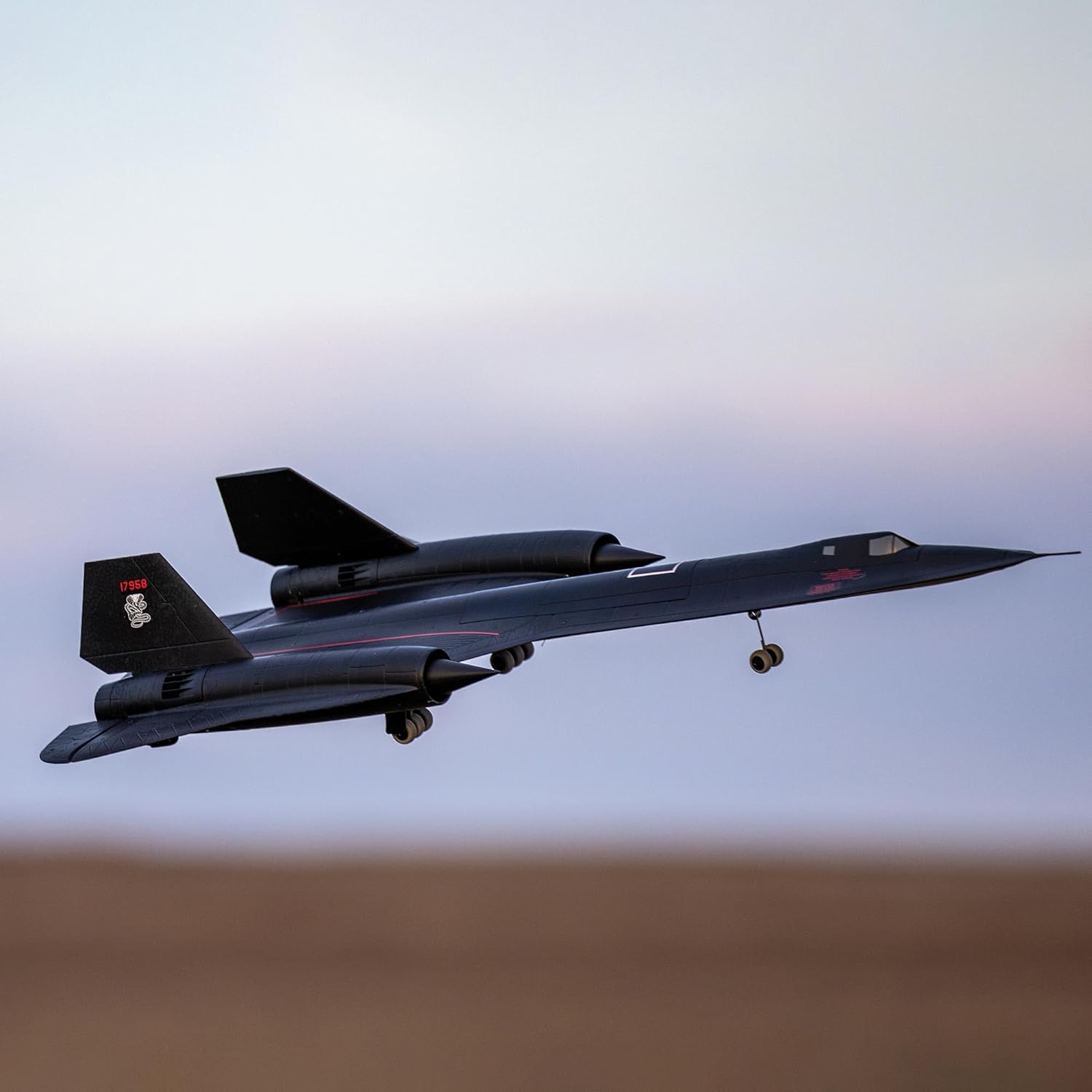
Image: The E-flite SR-71 Blackbird model with its fixed landing gear deployed, ready for ground operations.
Maintenance
Regular maintenance will ensure the longevity and optimal performance of your E-flite SR-71 Blackbird.
- Post-Flight Inspection: After each flight, inspect the airframe for any cracks, dents, or loose components. Check the propellers and EDF units for debris or damage.
- Battery Care: Always store LiPo batteries at a storage charge (around 3.8V per cell) when not in use for extended periods. Do not overcharge or over-discharge batteries.
- Cleaning: Use a soft, damp cloth to clean the aircraft. Avoid using harsh chemicals that could damage the EPO foam.
- Control Surface Check: Periodically check the hinges and linkages of all control surfaces to ensure they are secure and move freely.
Troubleshooting
If you encounter issues with your E-flite SR-71 Blackbird, consider the following common troubleshooting steps:
- Aircraft Not Responding: Ensure the transmitter is powered on and bound to the receiver. Check battery connections on both the aircraft and transmitter.
- Poor Flight Performance: Verify the battery is fully charged and capable of delivering sufficient current (30+C recommended). Check for propeller or EDF unit damage. Ensure control surfaces are properly aligned and not warped.
- Unstable Flight: Confirm that AS3X and SAFE Select settings are correctly configured according to the manual. Check for any physical damage to the airframe that might affect aerodynamics.
- Motor Issues: Listen for unusual noises from the EDF units. Inspect for obstructions or damage to the fan blades.
For more detailed troubleshooting or persistent issues, refer to the comprehensive manual provided by Horizon Hobby or contact their customer support.
Specifications
| Attribute | Value |
|---|---|
| Product Dimensions | 40.5 x 24 x 5.5 inches |
| Item Weight | 7.92 pounds |
| Country of Origin | China |
| ASIN | B0CTC383TM |
| Item Model Number | EFL02050 |
| Manufacturer Recommended Age | 14 years and up |
| Release Date | September 24, 2023 |
| Manufacturer | Horizon Hobby |
Warranty and Support
For detailed warranty information, technical support, or to purchase replacement parts, please visit the official Horizon Hobby website or contact their customer service department. Keep your proof of purchase for warranty claims.
Horizon Hobby Website: www.HorizonHobby.com
Related documentsEFL02050


Ask a question about this manual
Ask about setup, troubleshooting, compatibility, parts, safety, or missing instructions. Manuals+ will review the question and use this page’s manual context to help answer it.