
ILC G120
ILC G120 LED Large Globe Light Bulbs User Manual
Brand: ILC | Model: G120
1. Introduction
The ILC G120 LED Large Globe Light Bulbs are advanced smart lighting solutions designed for modern homes. These 15W bulbs offer 16 million colors, 25 dynamic modes, and natural white light at 4000K with 1500 lumens, equivalent to a 150W incandescent bulb. Featuring a high Color Rendering Index (CRI) of ≥95Ra, they ensure accurate color representation. The bulbs are compatible with Alexa-enabled Echo devices for voice control and can also be managed via the BRmesh app for comprehensive control and customization.
Key features include:
- Easy Installation: E26 screw base, 4.72 inches diameter, 6.1 inches length, designed for large pendant light fixtures. Not compatible with traditional dimmer switches.
- Smart Control: Supports Alexa voice commands (with Echo devices) and BRmesh app control.
- Vibrant Lighting: 16 million colors and 25 dynamic modes for diverse ambiance.
- High Quality Light: 4000K Natural White, 1500LM brightness, CRI≥95, flicker-free, low blue light.
- Advanced Features: Music/voice rhythm synchronization, timer function, group control, single control, scene customization, device sharing, and memory function.
2. What's in the Box
Your ILC G120 LED Large Globe Light Bulbs package includes:
- G120 Alexa bulb x 2
- User Manual x 1
3. Setup Guide
3.1. Prepare Your Echo Device (Required for Alexa Control)
Before setting up your ILC G120 bulbs, ensure your Amazon Echo device is properly set up and its software is updated to the latest version. You can ask your Echo device, "Alexa, is your software up to date?" to confirm.
3.2. Installing the Light Bulbs
Twist the ILC G120 light bulbs into any standard E26 screw base socket. Ensure the fixture is powered on.

Image: ILC G120 LED Large Globe Light Bulbs and control app interface.

Image: Dimensions of the ILC G120 bulb for proper fixture fitting.

Image: Key product features and specifications, including E26 base and wattage.
3.3. Pairing with Alexa
The ILC G120 bulbs connect via Bluetooth to your Echo device. Follow these steps to pair:
- Turn off the light fixture where the bulb is installed.
- Wait for more than 5 seconds.
- Turn on the light fixture.
- Say to your Echo device: "Alexa, find device."
Alexa will begin discovering new devices. Once found, you can control the light using voice commands. If you have multiple bulbs, Alexa will find them all. For stable control of more than 4 lights, the Virtual HUB feature supports up to 100 lights.

Image: Compatibility information for Alexa and BRmesh app control.

Image: Example of Alexa voice control for the light bulb.
Video: Instructions on how to pair ILC Alexa light bulbs with an Echo/Alexa device.
3.4. BRmesh App Setup
The BRmesh app allows direct control via your phone's Bluetooth without requiring Wi-Fi or a hub. Simply download the BRmesh application and enable Bluetooth on your phone. The app will detect the bulbs, allowing you to add and control them directly.
4. Operating Instructions
4.1. Alexa Voice Control Commands
Once paired with your Echo device, use the following common commands:
- Add a Light: "Alexa/Echo, Find device."
- Color Temperature Adjustment: "Alexa/Echo, Set [light name] to red." (e.g., Crimson, Salmon, Orange, Gold, Yellow, Green, Turquoise, Cyan, Sky blue, Blue, Purple, Magenta, Pink, Lavender, White).
- Adjust Brightness: "Alexa/Echo, Set [light name] to 1%." (or other brightness values from 1% to 100%).
- Power On/Off: "Alexa/Echo, Turn on/off [light name]."
4.2. BRmesh App Features
The BRmesh app provides extensive control over your ILC G120 bulbs:
- No Registration, Wi-Fi, or Hub Required: Direct Bluetooth connection.
- Maximum Devices: Control up to 100 devices.
- Dimmable: Adjust brightness from 1% to 100%.
- Color Temperature: 4000K Natural White.
- RGB Color: Access 16 million colors.
- Timer Function: Schedule on/off times.
- Group Control: Control multiple bulbs simultaneously.
- Scene Customization: Create and save custom lighting scenes.
- Device Sharing: Share control with others.
- Memory: Bulbs retain last settings.
4.3. Smart Dimming
The ILC G120 bulbs support smart dimming from 1% to 100% brightness. This feature is controlled exclusively via the BRmesh app or Alexa voice commands. These bulbs are not compatible with traditional dimmer switches, which can cause flickering or buzzing.
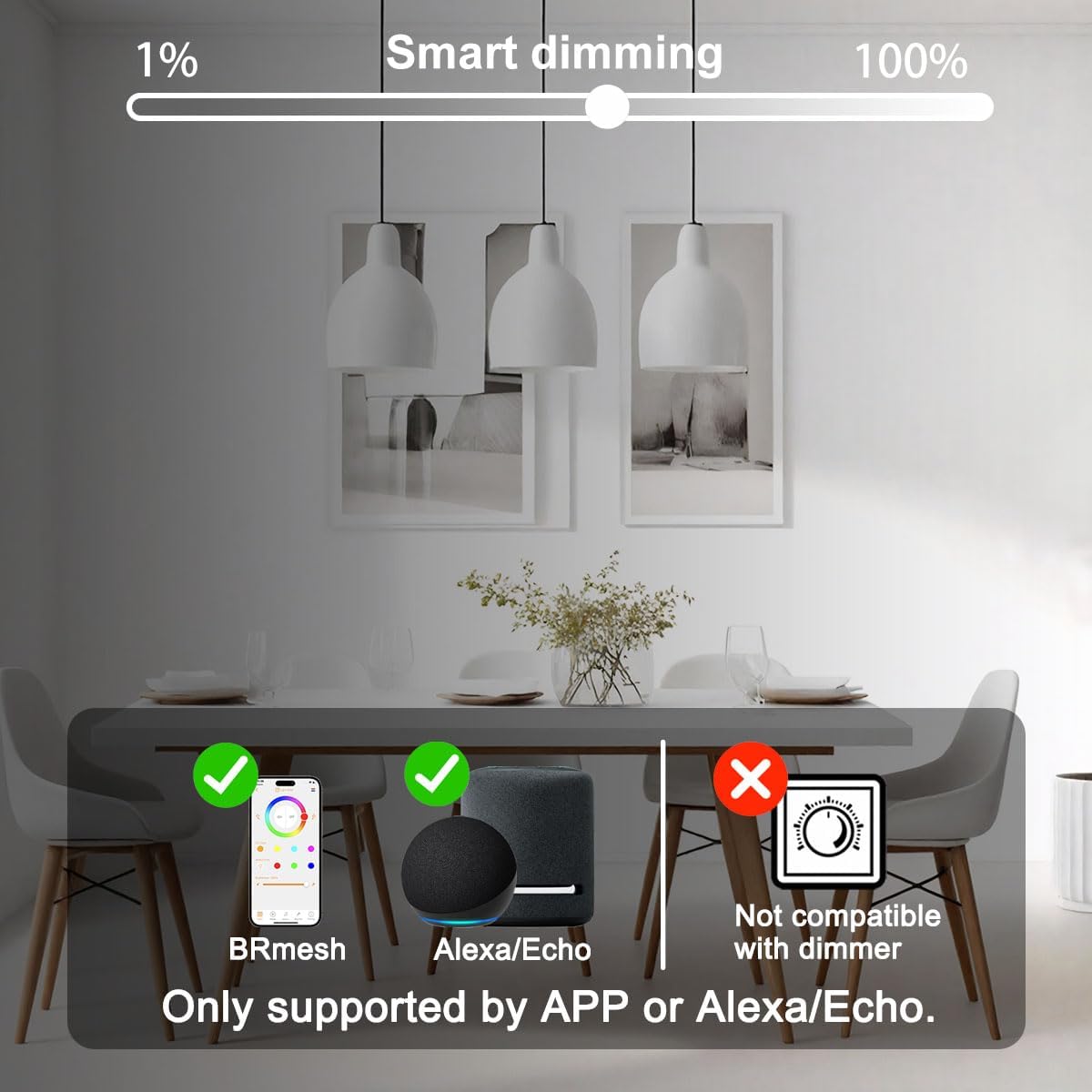
Image: Smart dimming capabilities and compatibility.
4.4. Music Rhythm and Dynamic Modes
Utilize the BRmesh app to access 25 dynamic modes and the music/sound sync feature. This allows the lights to change colors and patterns in sync with music played through your phone's microphone. Ensure the BRmesh app has microphone access enabled for this feature to work.

Image: High Color Rendering Index (CRI) for accurate color display.

Image: Absence of ripple effect, making bulbs suitable for photography and video.
5. Specifications
| Feature | Detail |
|---|---|
| Brand | ILC |
| Light Type | LED |
| Special Feature | Color Changing, Eye-Friendly, Flicker-Free, Music Sync, Work with Alexa |
| Wattage | 15 Watts |
| Bulb Base | E26 |
| Incandescent Equivalent Wattage | 150 Watts |
| Specific Uses For Product | Decoration, Floor Lamps, Pendant Light, Photography |
| Light Color | Multicolor (16 Million RGB) & 4000K Natural White |
| Voltage | 120 Volts |
| Unit Count | 2.0 Count |
| Color Temperature | 4000 Kelvin |
| Brightness | 1500 Lumen |
| Shape | Globe (G120) |
| Material | Plastic |
| Connectivity Technology | Bluetooth |
| Indoor/Outdoor Usage | Indoor |
| Controller Type | Amazon Alexa, Android, iOS (BRmesh App) |
| Color Rendering Index (CRI) | ≥95Ra |
| Average Life | 25000 Hours |
| Product Dimensions | 4.72"W x 6.1"H |
6. Maintenance
ILC G120 LED bulbs are designed for long-lasting performance with minimal maintenance. To ensure optimal operation and longevity:
- Cleaning: Ensure the bulb is cool and the power is off before cleaning. Gently wipe the bulb with a soft, dry cloth. Do not use liquid cleaners or abrasive materials.
- Environment: Use the bulbs in dry, indoor environments within their specified voltage range (120V). Avoid exposure to excessive moisture or extreme temperatures.
- Handling: Handle the bulbs by their base to avoid damaging the globe or internal components.

Image: Illustration of the bulb's brightness and suitable applications.
7. Troubleshooting
7.1. Bulb Not Responding to Alexa/App
- Check Power: Ensure the light fixture is powered on.
- Re-pair: Turn the light off for 5 seconds, then turn it back on and say "Alexa, find device."
- Echo Device Firmware: If the Alexa app frequently shows a red dot or device exception, upgrade your Echo speaker firmware.
- Bluetooth Connection: For BRmesh app control, ensure your phone's Bluetooth is enabled and you are within range of the bulb.
7.2. Flickering or Buzzing
- Dimmer Compatibility: ILC G120 bulbs are NOT compatible with traditional dimmer switches. If connected to a dimmer, remove it or ensure it is set to full power (non-dimming mode). Dimming should only be done via the Alexa app or BRmesh app.
7.3. Difficulty Connecting Multiple Bulbs to Alexa
- Virtual HUB Feature: If connecting more than 4 lights to a single Echo device, stability issues may occur. The Virtual HUB feature is designed to support up to 100 lights stably. Ensure your Echo device is updated to utilize this feature effectively.
8. Warranty and Support
For warranty information and technical support, please refer to the contact details provided on the product packaging or visit the official ILC website. Keep your purchase receipt for warranty claims.
Ask a question about this manual
Ask about setup, troubleshooting, compatibility, parts, safety, or missing instructions. Manuals+ will review the question and use this page’s manual context to help answer it.