
Introduction
The KEF LSX II LT Wireless HiFi Speakers deliver high-fidelity sound with versatile connectivity options. This manual provides essential information for setting up, operating, and maintaining your speakers to ensure optimal performance.
Key features include streaming up to 24bit/384kHz, HDMI ARC and USB-C inputs, and support for various streaming services and wireless technologies.
What's in the Box
- 1 Pair of LSX II LT Speakers
- Power Cord
- Interspeaker Cable (3m)
- Remote Control
Setup
Initial Placement
For optimal sound imaging, place the speakers approximately 6 inches from a wall and 8 feet apart. Ensure they are positioned at ear level when seated in your primary listening position.

Image: KEF LSX II LT speakers in Sage Green, positioned on a desktop with a computer monitor. This illustrates a typical setup for near-field listening.

Image: KEF LSX II LT speakers in White, arranged on a desk with a minimalist aesthetic. This shows an alternative color option in a similar desktop environment.
Connecting the Speakers
Connect both speakers to a power outlet using the provided power cords. Use the interspeaker cable (3m) to connect the primary speaker to the secondary speaker. The primary speaker features all input connections.
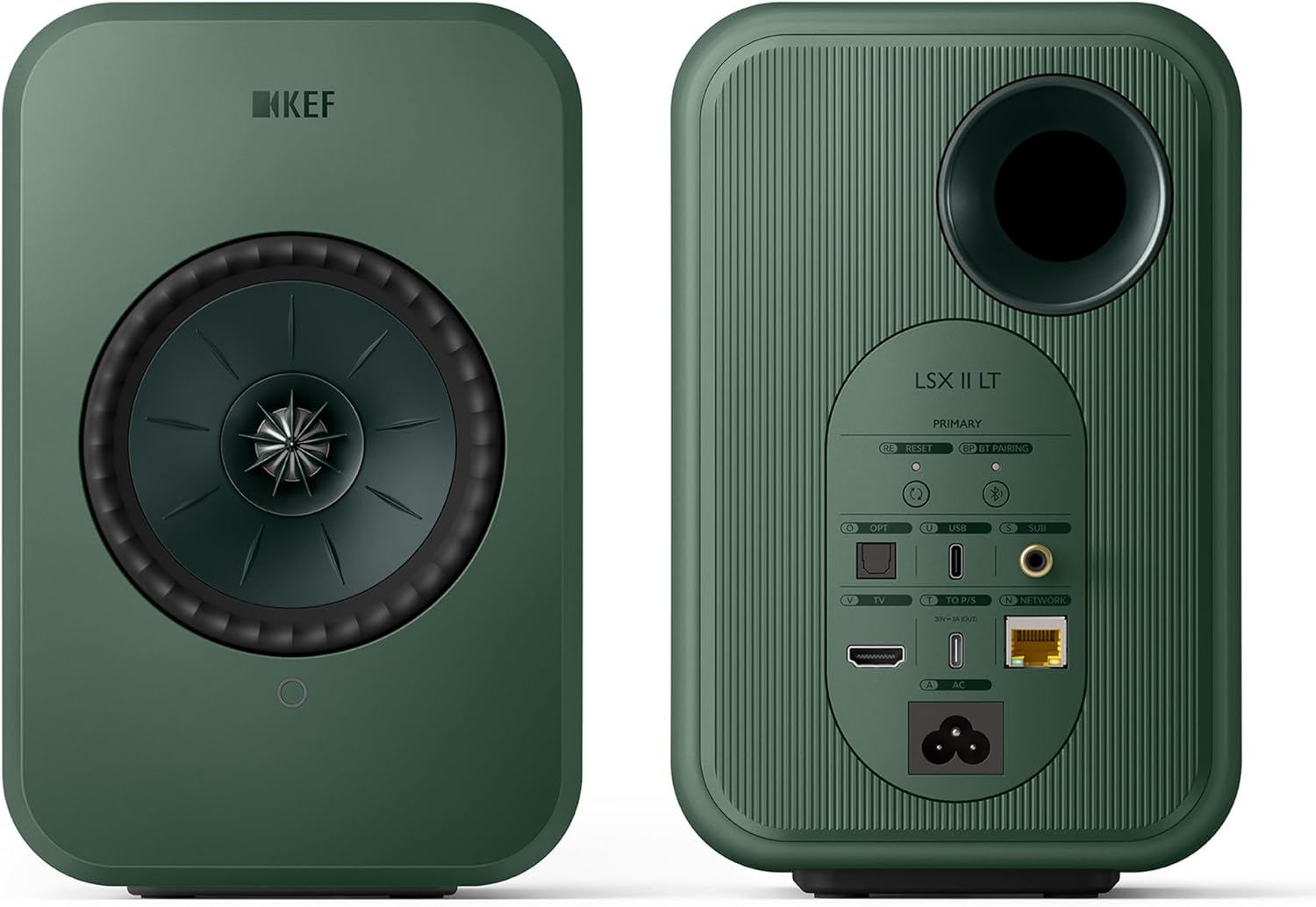
Image: Rear view of the KEF LSX II LT speakers, highlighting the various input ports including HDMI ARC, USB-C, Optical, Coaxial, and Ethernet.
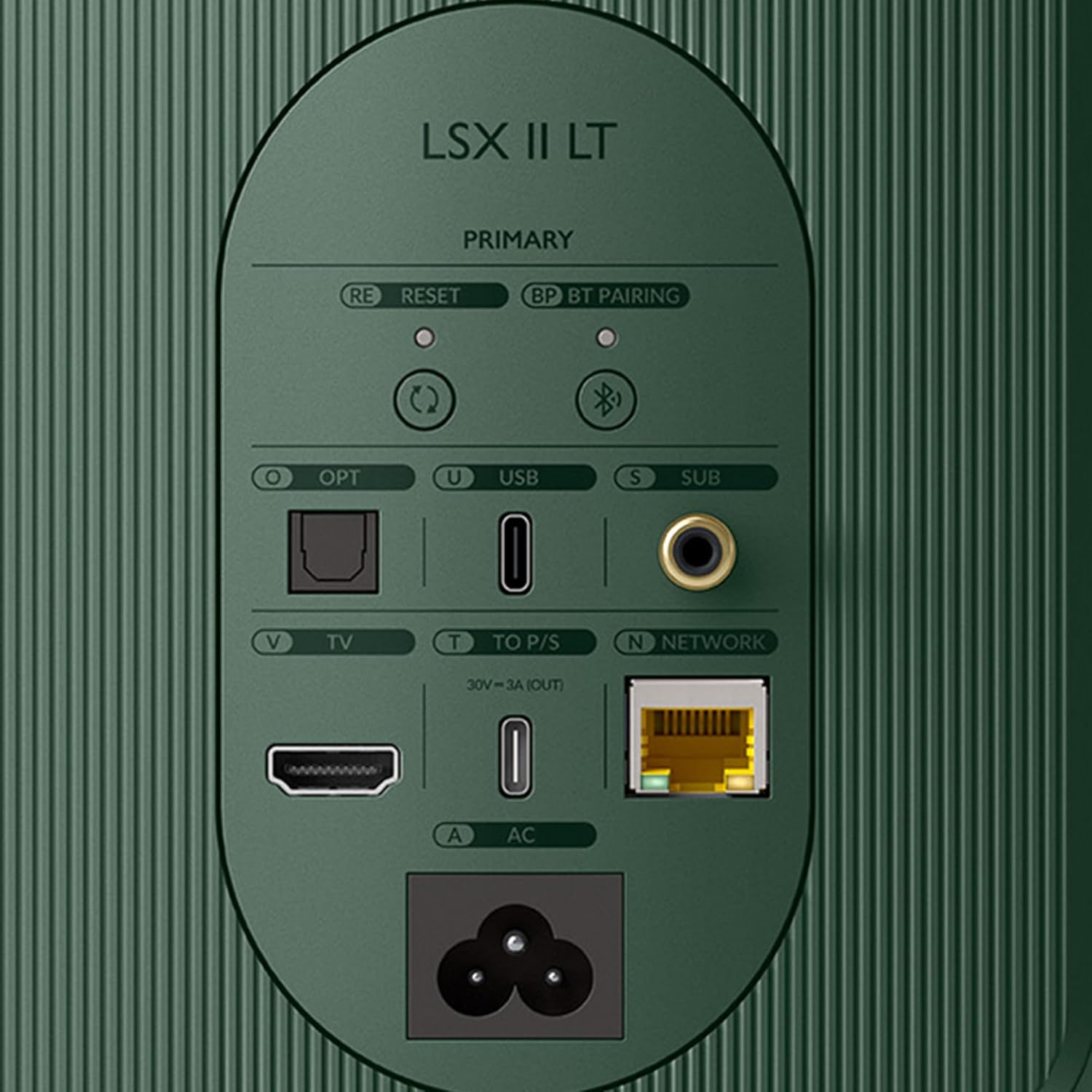
Image: A detailed close-up of the primary KEF LSX II LT speaker's rear panel, showing the labeled input connections for TV (HDMI ARC), Optical, USB, Subwoofer, and Network.
App Installation and Initial Setup
Download the KEF Connect app from your device's app store. Follow the in-app instructions to connect your speakers to your home Wi-Fi network and complete the initial setup. The app allows for personalized sound settings and control.
Video: KEF LSX II LT Intro Video. This video provides a brief overview of the speakers and their capabilities, including a glimpse of the setup process.
Operating Instructions
Wireless Streaming
The LSX II LT supports various wireless streaming features including Apple AirPlay 2, Google Chromecast, UPnP Compatible, and Bluetooth 5.0. Access your preferred streaming service (Spotify Connect, Tidal Connect, Amazon Music, Qobuz, Deezer, QQ Music, Internet Radio, Podcasts) through the KEF Connect app or directly from the service's application.
Video: KEF LSX II LT Apple Airplay Streaming. This video demonstrates how to stream audio to the speakers using Apple AirPlay, showcasing the seamless wireless experience.
Wired Connections
Connect your TV via HDMI ARC for high-quality audio. Use the USB-C input for direct connection to a desktop computer or other compatible devices. Optical and Coaxial inputs are also available for additional audio sources.
Sound Customization
Utilize the KEF Connect app to fine-tune your listening experience. Adjust settings such as Desk mode, Wall mode, Treble trim, Phase correction, Bass extension, and Subwoofer out low-pass frequency to match your room acoustics and personal preferences.
Video: KEF LSX II LT Subwoofer Settings. This video guides users through adjusting subwoofer settings within the KEF Connect app for enhanced bass performance.
Maintenance
General Care
To maintain the appearance and performance of your speakers, regularly wipe them with a soft, dry cloth. Avoid using abrasive cleaners or solvents. Ensure proper ventilation and keep the speakers away from direct sunlight or heat sources.
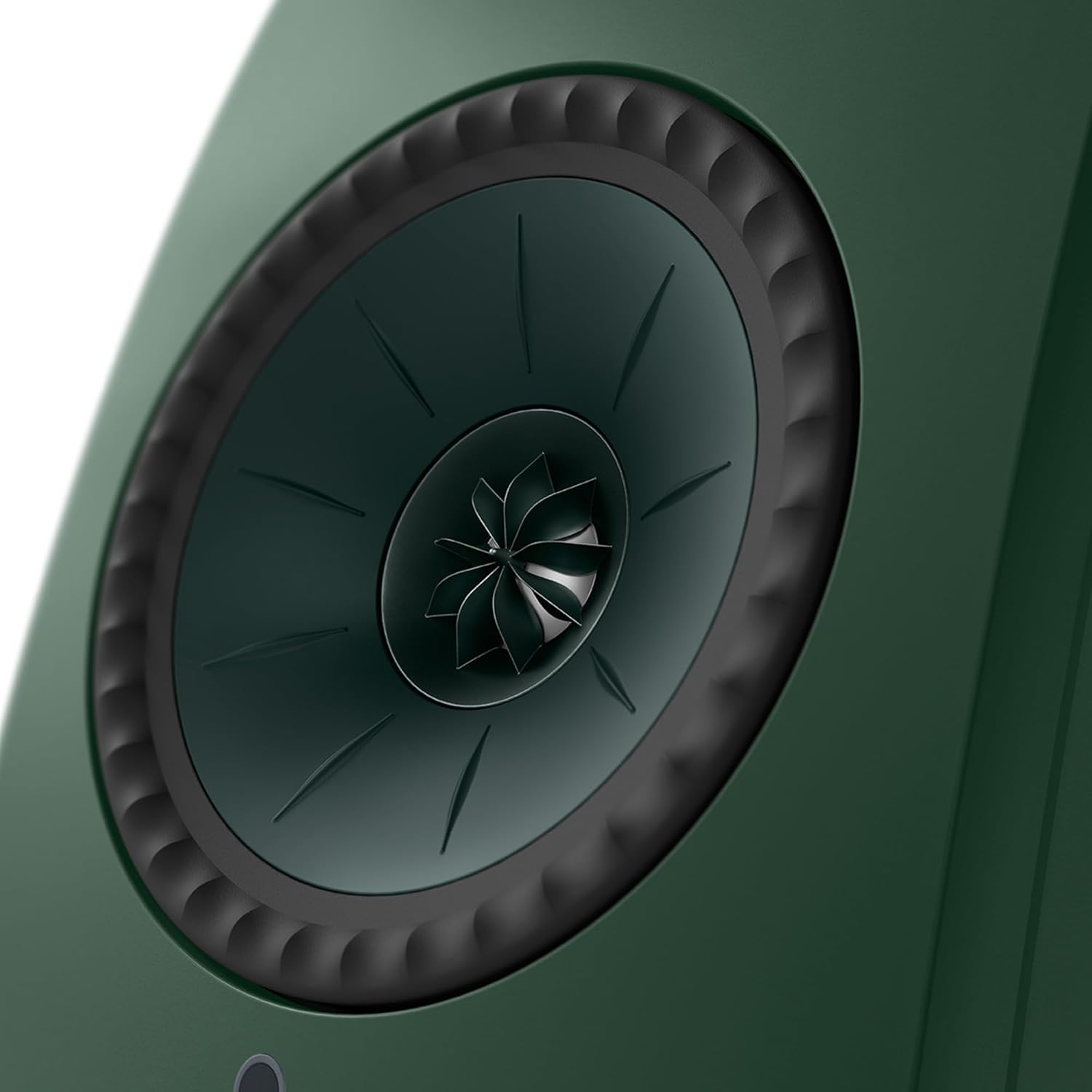
Image: Front view of a single KEF LSX II LT speaker in Sage Green, showcasing its Uni-Q driver. Regular cleaning helps maintain its aesthetic and acoustic integrity.
Troubleshooting
No Sound
- Ensure both speakers are powered on and the interspeaker cable is securely connected.
- Verify the correct input source is selected via the KEF Connect app or the remote control.
- Check the volume levels on both the speakers and your audio source.
Connectivity Issues
- For Wi-Fi issues, ensure your speakers are within range of your router and try restarting both devices.
- For Bluetooth pairing, ensure the speakers are in pairing mode and your device's Bluetooth is enabled.
Distorted Sound
- Reduce the volume on both the speakers and the audio source.
- Check audio cables for damage or loose connections.
- Adjust EQ settings in the KEF Connect app to optimize sound for your environment.
Specifications
| Model Name | LSX II LT |
| Speaker Type | Bookshelf |
| Mounting Type | Tabletop Mount |
| Material | Aluminium, Magnesium/Aluminium alloy |
| Color | Green |
| Product Dimensions | 7.1"D x 6.1"W x 9.5"H |
| Item Weight | 15 Pounds |
| Connectivity Technology | Bluetooth, HDMI, USB, Wi-Fi |
| Wireless Communication Technology | Airplay, Bluetooth, Wi-Fi |
| Audio Output Mode | Stereo |
| Speaker Maximum Output Power | 100 Watts |
| Frequency Response | 50 Hz |
| Woofer Diameter | 11.5 Centimeters |
| Tweeter Diameter | 1 Inches |
| Control Method | Remote |
Warranty and Support
The KEF LSX II LT Wireless HiFi Speakers come with a Limited Warranty. For detailed warranty information, technical support, or service inquiries, please refer to the official KEF website or contact KEF customer service.
Visit the KEF Store on Amazon for additional product information and support resources.