
Introduction
Welcome to the user manual for your new Carry-on SH100 Over-Ear Closed-Back Headphones. These headphones are designed to provide high-quality audio for various applications, including music listening, gaming, podcasting, and use with musical instruments. This manual will guide you through the setup, operation, maintenance, and troubleshooting of your SH100 headphones to ensure optimal performance and longevity.
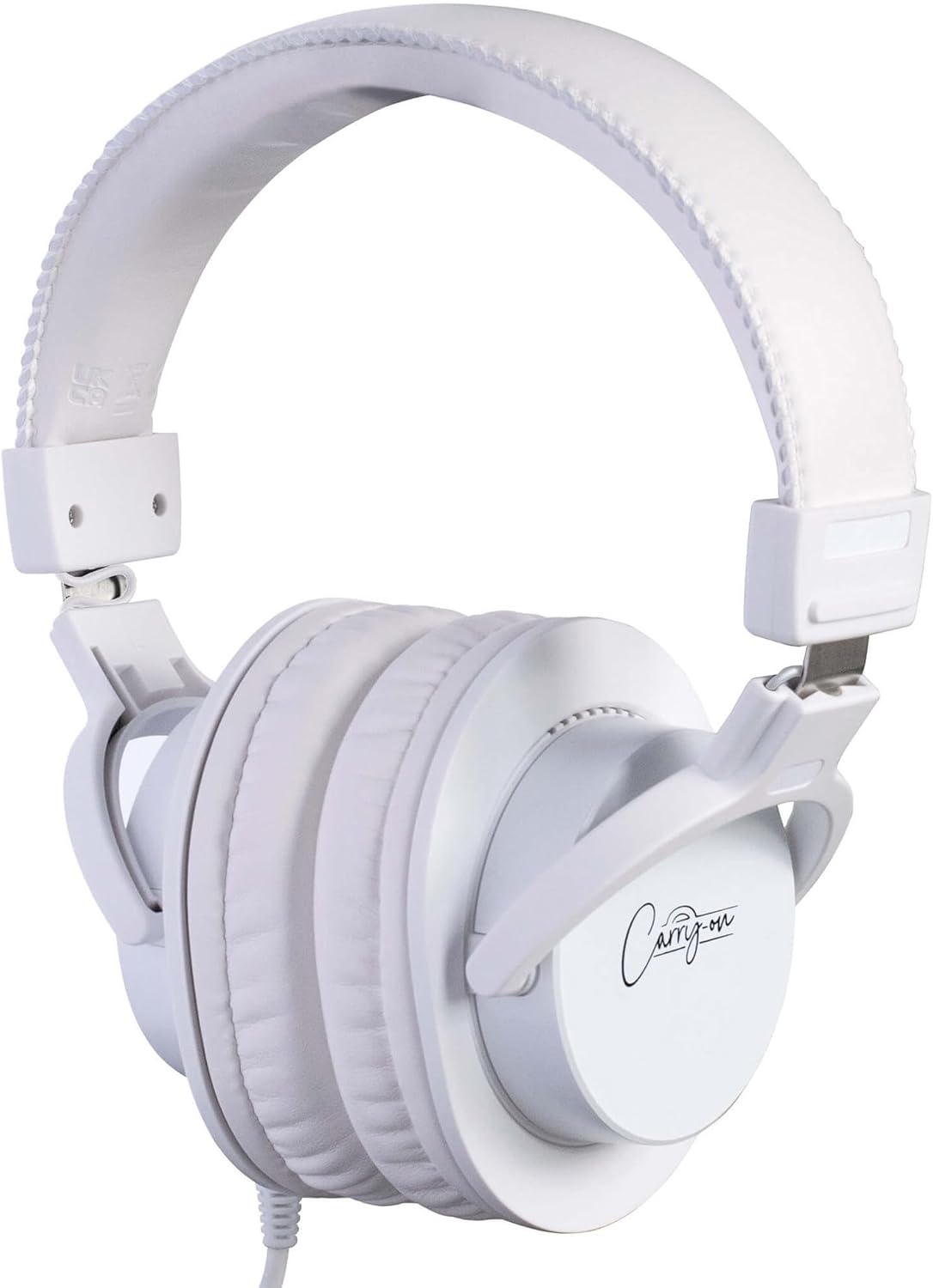
Figure 1: Carry-on SH100 Over-Ear Closed-Back Headphones.
Important Safety Information
Please read all safety instructions carefully before using the product.
- Avoid prolonged listening at high volume levels to prevent hearing damage.
- Do not use headphones while driving, cycling, or in situations where inability to hear ambient sounds could be dangerous.
- Keep the headphones away from water, moisture, and extreme temperatures.
- Do not attempt to disassemble or modify the headphones. This will void the warranty.
- Clean the headphones with a soft, dry cloth only.
Package Contents
Verify that all items are present in your package:
- Carry-on SH100 Over-Ear Closed-Back Headphones
- 3m Detachable Audio Cable
- 6.3mm Jack Adapter

Figure 2: Key features of the SH100 headphones, including the detachable cable.
Product Overview
The Carry-on SH100 headphones feature a robust design with comfortable ear pads and an adjustable headband for extended listening sessions.

Figure 3: Components of the SH100 headphones.
Key Components:
- Adjustable Headband: For a comfortable and secure fit.
- Soft Ear Pads: Designed for all-day wear and improved sound isolation.
- 50mm Drivers: Deliver a full range of dynamic audio.
- Detachable 3m Cable: Provides flexibility and easy storage.
- 3.5mm Stereo Jack Plug: Standard connection for most devices.
- 6.3mm Jack Adapter: For compatibility with professional audio equipment.
Setup
Follow these steps to set up your Carry-on SH100 headphones:
- Attach the Audio Cable: Locate the input port on the left earcup of the headphones. Insert the 3.5mm end of the detachable audio cable into this port. Ensure it is securely connected.
- Adjust the Headband: Place the headphones on your head. Adjust the headband slides on both sides until the earcups comfortably cover your ears and the headband rests gently on your head.
- Connect to Your Device:
- For devices with a 3.5mm audio jack (e.g., smartphones, tablets, laptops), plug the other end of the 3.5mm audio cable directly into the device's audio output.
- For devices with a 6.3mm audio jack (e.g., audio interfaces, DJ mixers, guitar amplifiers, synthesizers), attach the included 6.3mm adapter to the 3.5mm plug of the audio cable, then plug it into the device's audio output.

Figure 4: Connectivity options for the SH100 headphones.
Operating Your Headphones
Listening to Audio
Once connected, ensure the volume on your audio source device is set to a low level before playing audio. Gradually increase the volume to a comfortable listening level. The closed-back design of the SH100 headphones provides superior sound isolation, allowing you to focus on your audio without external distractions.
Optimal Fit
For the best audio experience and comfort, ensure the earcups fully enclose your ears. The adjustable headband allows for a personalized fit, minimizing fatigue during long listening sessions.

Figure 5: Enjoying premium sound with the SH100 headphones.
Maintenance and Care
Proper care will extend the life of your headphones.
Cleaning
- Use a soft, dry, lint-free cloth to clean the exterior surfaces of the headphones.
- Do not use liquid cleaners, aerosols, or solvents.
- Gently wipe the ear pads to remove any dust or debris.
Storage
- When not in use, store the headphones in a clean, dry place, away from direct sunlight and extreme temperatures.
- The headphones are designed to be easily stowable, making them convenient for travel.
Troubleshooting
If you encounter issues with your SH100 headphones, refer to the following common problems and solutions:
| Problem | Possible Cause | Solution |
|---|---|---|
| No sound | Cable not fully connected; incorrect audio source selected; device volume too low. | Ensure the audio cable is securely plugged into both the headphones and the audio source. Check your device's audio output settings and increase the volume. |
| Sound is distorted or unclear | Volume too high; damaged cable; incorrect adapter. | Lower the volume on your device. Inspect the audio cable for any damage. Ensure you are using the correct 3.5mm or 6.3mm adapter for your device. |
| Headphones are uncomfortable | Headband not adjusted properly. | Adjust the headband slides to find a comfortable fit that allows the earcups to sit properly over your ears. |
Specifications
The following are the technical specifications for the Carry-on SH100 headphones:
| Feature | Specification |
|---|---|
| Model | SH-100WH |
| Type | Over-Ear, Closed-Back |
| Driver Size | 50mm |
| Impedance | 32 ohms |
| Sensitivity | 99 ± 3dB |
| Frequency Response | 20Hz - 20kHz |
| Rated Power | 400mW |
| Max Power | 1500mW |
| Cable Length | Approx. 3m (9.8 ft) |
| Plug Type | 3.5mm Stereo Jack |
| Included Adapter | 6.3mm Jack Adapter |
| Material | Plastic |

Figure 6: Detailed technical specifications.
Warranty and Support
Your Carry-on SH100 headphones come with a 1-year manufacturer's warranty. This warranty covers defects in materials and workmanship under normal use. It does not cover damage caused by misuse, accidents, unauthorized modifications, or normal wear and tear.
For warranty claims or technical support, please contact your retailer or visit the official Carry-on website. Please have your proof of purchase and product model number (SH-100WH) ready when contacting support.
For more information and product registration, visit: www.carry-on.com

