
Raddy DT6
Raddy DT6 Weather Station User Manual
Model: DT6
Introduction
The Raddy DT6 Weather Station is designed to provide comprehensive indoor and outdoor weather information, including temperature, humidity, atmospheric pressure, and a 12-hour weather forecast. It features a digital color display, DCF radio-controlled clock, and supports up to three external sensors for multi-zone monitoring. This manual provides detailed instructions for setup, operation, maintenance, and troubleshooting to ensure optimal performance of your device.

Image: The Raddy DT6 Weather Station main display unit with a wood grain base and its accompanying wireless outdoor sensor.
Package Contents
- Raddy DT6 Main Display Unit
- Wireless Outdoor Sensor
- Power Adapter
- Instruction Manual
- Mounting Hardware (for outdoor sensor)
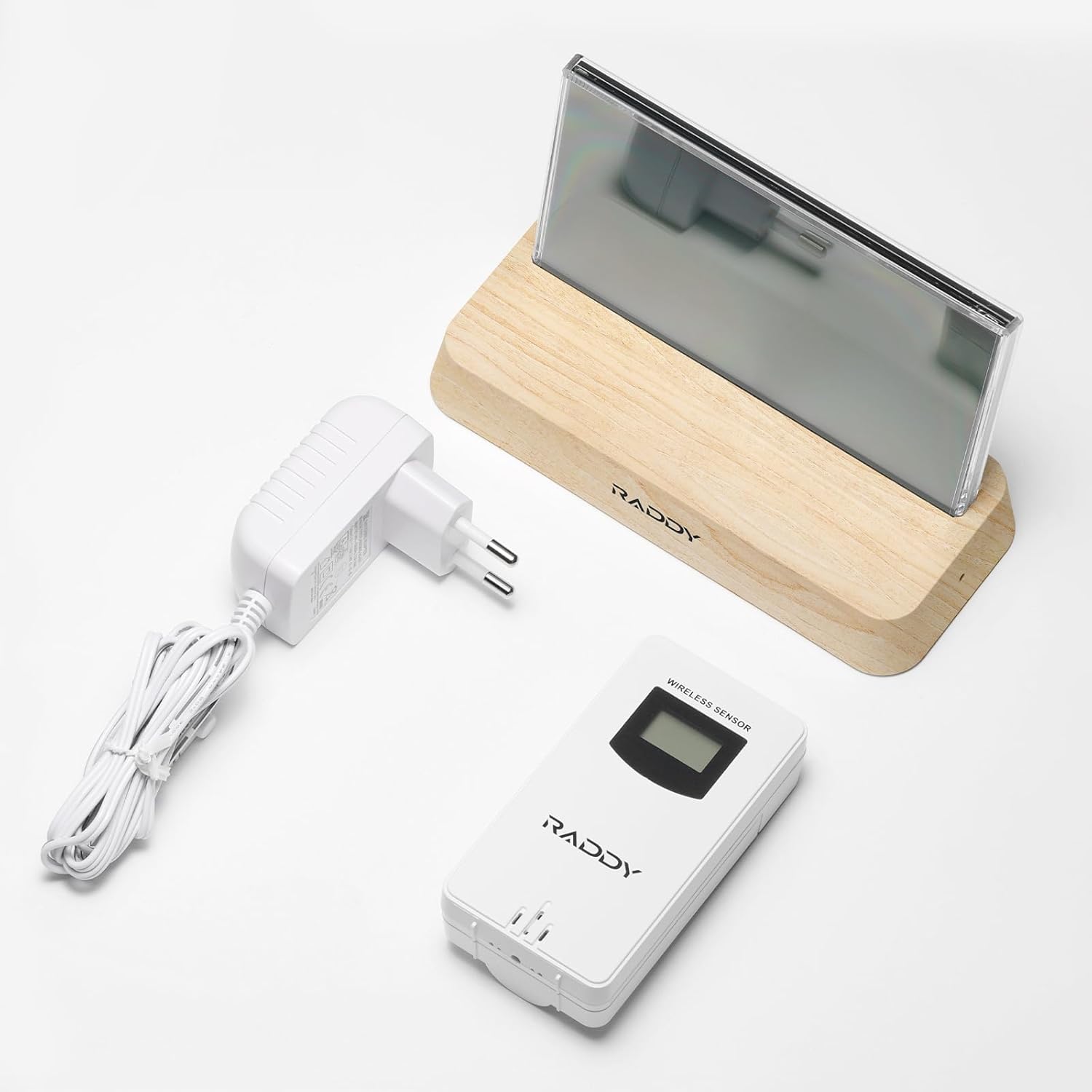
Image: All components included in the Raddy DT6 Weather Station package: the main display unit, the wireless outdoor sensor, and the power adapter.
Setup
1. Powering the Main Unit
- Connect the provided power adapter to the main display unit.
- Plug the power adapter into a standard electrical outlet.
- The display will light up and begin initialization.
2. Installing Batteries in the Wireless Sensor
- Open the battery compartment on the back of the wireless outdoor sensor.
- Insert the required batteries (typically AA or AAA, check sensor for specific type) ensuring correct polarity (+/-).
- Close the battery compartment securely.
3. Pairing the Sensor with the Main Unit
The main unit and sensor should automatically pair upon initial power-up. If pairing does not occur:
- Ensure both devices are powered on and within range (up to 330ft/100m in open air).
- Press the 'Channel' button on the main unit to cycle through channels (if multiple sensors are used).
- Press the 'TX' button inside the sensor's battery compartment to manually send a signal.
4. Sensor Placement
For accurate outdoor readings, place the wireless sensor in a shaded, dry location, away from direct sunlight and heat sources. Ensure it is protected from heavy rain and snow. The transmission range is up to 330 feet (100 meters) in open areas.

Image: Illustration showing the wireless remote sensor placed outdoors for optimal signal transmission to the indoor display unit.
Operating Instructions
Display Overview

Image: A detailed view of the Raddy DT6 Weather Station's display, highlighting key features such as weather forecast, barometer, time/date, indoor/outdoor temperature and humidity, comfort level, moon phase, and various alerts.
- Weather Forecast: Displays 12-hour weather predictions (Sunny, Partly Cloudy, Cloudy, Rainy, Snowy).
- Barometer: Shows atmospheric pressure.
- Time/Day/Date: Current time, day of the week (in 7 languages), and date. DCF radio signal ensures accurate time.
- Indoor Temp/Humidity: Current indoor temperature and humidity readings.
- Remote Sensor Temp/Humidity: Current outdoor temperature and humidity from the connected sensor(s).
- Comfort Level: An indicator with 5 levels (Dry, Comfort, Wet) based on indoor humidity.
- Moon Phase: Displays the current moon phase.
- Trends: Shows temperature, humidity, and pressure trends.
- Ice Alert: Notifies of potentially icy conditions.
- Low Battery Alert: Indicates low battery for the main unit or sensor.
- Window Opening Prompt: Suggests when to open or close windows for optimal indoor air quality.

Image: The Raddy DT6 display showing various weather forecast icons for a 12-hour prediction, including sunny, partly cloudy, cloudy, rainy, and snowy conditions.
Back Buttons

Image: The rear view of the Raddy DT6 Weather Station, showing the easy-to-operate control buttons for various settings and functions.
The buttons on the back of the unit allow for various settings adjustments:
- SET: Enter settings mode.
- UP/DOWN: Adjust values or navigate options.
- CHANNEL: Switch between connected outdoor sensors (if more than one).
- ALARM: Set and activate alarms.
- MEM: View maximum/minimum temperature and humidity records.
Adjusting Backlight
The Raddy DT6 features 4 adjustable backlight levels. Tap the top of the unit to activate the backlight or cycle through brightness levels.

Image: The Raddy DT6 Weather Station demonstrating its four adjustable backlight levels (LV1 to LV4), with an inset showing the tap area to activate the backlight.
Setting Alarms
The DT6 supports dual alarm clocks, configurable for weekdays or weekends. Use the 'ALARM' button to set and activate alarms. The snooze function can be activated by tapping the top of the unit when an alarm sounds.

Image: The Raddy DT6 Weather Station illustrating its dual alarm clock functionality, showing different settings for weekdays and weekends, along with the snooze function.
Ventilation Prompt and Comfort Level
The device provides a ventilation prompt based on indoor and outdoor conditions, suggesting when to open or close windows for better air quality. The comfort indicator displays 5 levels of humidity (Dry, OK, Wet) to help maintain a comfortable indoor environment.

Image: The Raddy DT6 Weather Station displaying its ventilation prompt feature, advising to open or close windows, and a detailed breakdown of the 5-level humidity comfort indicator.
Maintenance
- Cleaning: Wipe the display and unit with a soft, dry cloth. Do not use abrasive cleaners or solvents.
- Battery Replacement: Replace batteries in the wireless sensor when the low battery indicator appears on the main unit.
- Sensor Care: Periodically check the outdoor sensor for debris or obstructions that might affect readings. Ensure its placement remains protected from extreme weather.
Troubleshooting
- No Display/Power: Ensure the power adapter is securely connected to the main unit and the outlet. Check the outlet for power.
- Outdoor Reading Not Displayed:
- Check batteries in the wireless sensor.
- Ensure the sensor is within range of the main unit (max 100m/330ft).
- Press the 'TX' button on the sensor and the 'CHANNEL' button on the main unit to re-establish connection.
- Avoid major metal obstructions or strong electromagnetic interference between the sensor and main unit.
- Inaccurate Readings:
- Ensure the sensor is not in direct sunlight or near heat sources.
- Verify the main unit is not placed near heat-emitting appliances.
- DCF Time Not Synchronizing:
- Place the main unit near a window for better signal reception.
- Avoid placing near electronic devices that may cause interference.
- Manual time setting is available if DCF signal is consistently weak.
Specifications
| Feature | Detail |
|---|---|
| Model Number | DT6 |
| Product Dimensions (L x W x H) | 14 x 7 x 8 cm |
| Weight | 410 grams |
| Power Source | Battery powered (Main unit also uses power adapter) |
| Connectivity Technology | 433.92 MHz |
| Wireless Sensor Range | Up to 100m (330ft) in open air |
| Temperature Accuracy | 1°C |
| Material | Wood (base), Plastic |
| Included Components | Main unit, outdoor sensor, power adapter, mounting hardware, instruction manual |
| Country of Origin | China |
Warranty and Support
For warranty information and technical support, please refer to the contact details provided by your retailer or visit the official Raddy website. Keep your purchase receipt as proof of purchase for any warranty claims.
Related documentsDT6


Ask a question about this manual
Ask about setup, troubleshooting, compatibility, parts, safety, or missing instructions. Manuals+ will review the question and use this page’s manual context to help answer it.